
AutoSend vs ProspectBuddy

Last updated: February 28, 2026

Last updated: April 13, 2026
Visual Comparison
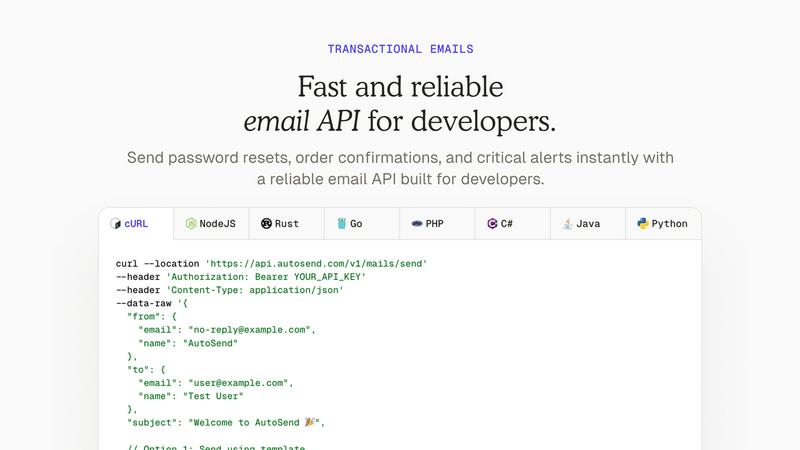
AutoSend
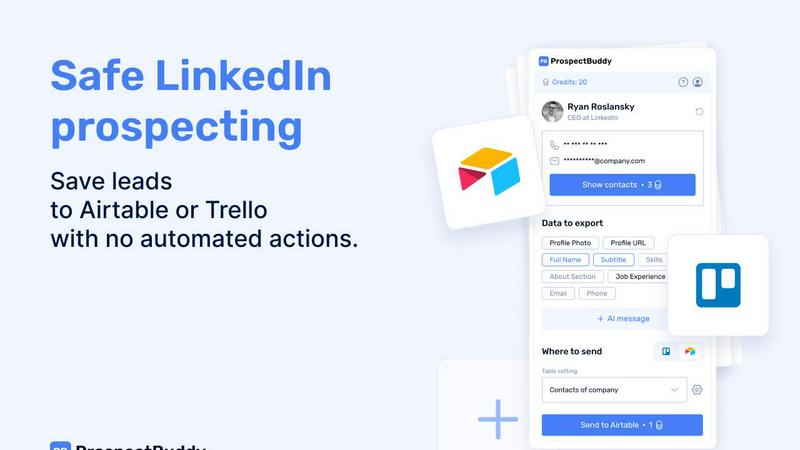
ProspectBuddy
Feature Comparison
AutoSend
Real-Time Email Activity & Analytics
Gain complete, granular visibility into your email performance with detailed logs for every single message. See live status updates for delivered, opened, clicked, bounced, and spam-marked emails. This isn't just high-level reporting; it's a searchable, filterable debug tool that lets you pinpoint issues instantly. Monitor inbox placement and bounce rates to understand exactly how your emails are performing and make data-driven decisions to improve your sender reputation and engagement over time.
Intelligent Suppression & Deliverability Engine
Protect your sender reputation automatically with AutoSend's advanced global suppression system. This proprietary engine validates every contact and proactively suppresses emails sent to risky addresses, including unsubscribes, previous hard bounces, and spam complaints. Combined with automatic dedicated IP warm-up as you scale, this feature ensures your emails maintain high deliverability. You can send with confidence, knowing the platform actively guards your reputation.
Developer-First API, SDKs & AI Agent Skills
Built for how developers and AI systems actually work, AutoSend offers a simple yet powerful REST API with full control over headers, attachments, and delivery. It comes with official SDKs for all major languages and a game-changing feature: pre-built "skills" for AI agents. With a simple command like npx skills add autosendhq/skills, your LLM can integrate and send emails directly, making AutoSend a first-class tool for AI-driven workflows and autonomous systems.
Seamless Migration & Human Support
Switching email providers is famously painful, but AutoSend makes it effortless. Use their instant import tools to seamlessly migrate your templates, contact lists, and automation workflows from popular services like Resend, SendGrid, and Loops. Beyond the tools, their team provides quick, human support to guide you through the migration process with a guaranteed zero-downtime transition. You can go from setup to sending your first email in minutes.
ProspectBuddy
One-Click Save to Airtable or Trello
Eliminate tedious switching between tabs and messy copy-paste forever. With ProspectBuddy installed, you can save any LinkedIn profile directly to your connected Airtable base or Trello board with a single click. The extension seamlessly integrates into your LinkedIn experience, capturing leads instantly and keeping your prospecting workflow incredibly fast and focused. No more manual entry errors or lost leads.
Smart, Selective Data Capture
Not every field on a LinkedIn profile is relevant to your process. ProspectBuddy gives you complete control by letting you select only the specific data points you need—like name, current role, skills, about section, or job experience—before sending. This ensures your Airtable or Trello records are clean, structured, and contain only the most valuable information for your outreach or recruitment pipeline.
Verified Contact Enrichment
Go beyond the public profile. ProspectBuddy helps you find verified business emails and direct phone numbers (for B2B users) associated with the LinkedIn profile. This powerful enrichment feature, powered by secure credits, puts accurate contact information directly into your workflow, dramatically increasing your reachability and saving you hours of manual searching across different platforms.
AI-Personalized Outreach Generation
Turn profile data into compelling conversations in seconds. Using the rich data from the LinkedIn profile, ProspectBuddy's AI can generate tailored outreach messages for you. This feature helps you craft personalized connection requests or follow-up emails that resonate, boosting your response rates without sacrificing the personal touch that manual prospecting requires.
Use Cases
AutoSend
AI Agent & Autonomous System Communication
Empower your LLMs and AI agents to communicate directly with users. AutoSend's dedicated skills and simple API allow AI systems to send transactional emails (like confirmation codes or summaries) and personalized updates as part of their native decision-making flow. This is perfect for AI customer support agents, automated reporting systems, or any application where an AI needs to act and confirm its actions via email seamlessly and reliably.
Transactional Email Delivery
Ensure critical system emails are always delivered promptly and securely. AutoSend's robust, globally distributed infrastructure is perfect for password reset links, order confirmations, shipping notifications, security alerts, and two-factor authentication codes. With real-time logs, you can instantly verify delivery and debug any issues, providing a reliable backbone for your application's essential user communication.
Marketing Campaigns & Newsletters
Create, personalize, and send beautiful marketing emails that actually reach the inbox. From product launch announcements and promotional blasts to regular newsletters, AutoSend provides the tools for marketers to build engaging campaigns without complexity. Track opens, clicks, and conversions in real-time, apply insights to improve performance, and use the built-in email builder to craft messages without needing developer help.
Automated Customer Lifecycle Emails
Build sophisticated, automated email sequences that nurture users at every stage of their journey. Set up welcome series for new signups, onboarding flows to guide product adoption, win-back campaigns for inactive users, and re-engagement sequences—all running automatically based on user actions or triggers. This ensures the right message reaches the right person at the perfect moment to drive engagement and retention.
ProspectBuddy
Sales Teams & SDRs Building Pipelines
Sales development representatives and account executives can rapidly build targeted prospect lists. By saving ideal customer profiles from LinkedIn directly into a structured Airtable base, they can enrich leads with verified emails, track engagement stages in Trello, and launch personalized AI-assisted outreach campaigns—all from one streamlined, manual workflow.
Recruiters & Talent Acquisition Specialists
Recruiters managing high-volume candidate sourcing can save precious time. ProspectBuddy allows them to capture promising candidate profiles from LinkedIn and instantly add them as structured cards to a Trello hiring pipeline or an Airtable talent database. This ensures all candidate information is organized, accessible, and ready for the next stage without administrative drag.
Founders & Startup Operators Networking
Founders and operators building their network or seeking partnerships can do so efficiently. Instead of losing track of interesting contacts, they can one-click save profiles to a dedicated Airtable or Trello board. They can then capture key details and use the AI to help draft a relevant, personalized outreach message, making every new connection intentional and impactful.
Agencies Managing Client Prospecting
Marketing, PR, or lead gen agencies managing prospecting for multiple clients can maintain clean, separate workflows. By using different Airtable bases or Trello boards for each client, teams can use ProspectBuddy to manually gather and enrich leads from LinkedIn, ensuring all captured data is perfectly formatted and ready for client reporting or handoff.
Overview
About AutoSend
AutoSend is the modern email delivery platform engineered for the next generation of software. It's built for developers, marketers, and AI agents who demand reliability, clarity, and speed. At its core, AutoSend provides a powerful, fault-tolerant infrastructure for sending both transactional emails (like password resets and order confirmations) and marketing campaigns (like newsletters and product updates). Its primary mission is to solve the black box problem of email deliverability. With AutoSend, you get complete, real-time visibility into every email's journey, from the moment it's sent to the moment it's opened, clicked, or bounced. This focus on performance and transparency is paired with a developer-first ethos, offering a clean API, official SDKs, and unique "skills" that allow AI agents to integrate and send emails directly. Whether you're a startup launching your first campaign or a large company scaling complex automations, AutoSend removes the guesswork and complexity, ensuring your critical messages land in the inbox, not the spam folder. It's email delivery that just works, built for how teams operate today and tomorrow.
About ProspectBuddy
Tired of the messy, time-consuming copy-paste dance from LinkedIn to your CRM? Your search is over. ProspectBuddy is the game-changing LinkedIn prospecting tool engineered for modern, manual workflows. Built specifically for Airtable and Trello, it empowers sales teams, recruiters, founders, and operators to capture LinkedIn leads in a single click and transform rich profile data into perfectly structured, actionable records. Forget about risky automation bots that put your account in jeopardy. ProspectBuddy is the safe, compliant, and powerful alternative that keeps you firmly in the driver's seat. You work directly on the LinkedIn profile, and with one effortless action, you can save the contact, find verified contact details, and even generate a personalized AI outreach message—all while sending clean, consistent data directly to your Airtable base or Trello board. It’s not just a tool; it’s the ultimate productivity upgrade for anyone who relies on LinkedIn for business growth, turning hours of manual data entry into seconds of streamlined, controlled prospecting.
Frequently Asked Questions
AutoSend FAQ
How is AutoSend different from other email services like SendGrid?
AutoSend is built with a sharp focus on the modern tech stack, prioritizing developer experience and AI integration. While others offer generic APIs, AutoSend provides specific "skills" for AI agents, treating email as a first-class action for autonomous systems. Furthermore, we emphasize unparalleled transparency with real-time, per-email activity logs and an intelligent suppression engine that actively protects your sender reputation from the ground up, offering clarity and control that many legacy platforms lack.
Can I migrate my existing email templates and lists to AutoSend?
Absolutely! AutoSend offers easy, instant migration tools specifically designed to import your templates, contacts, and automation workflows from other popular email service providers (ESPs) like Resend, SendGrid, Loops, and others. Our team also provides dedicated human support to assist with your migration, ensuring a smooth switch with zero downtime guaranteed. The hardest part is simply deciding to make the move.
Does AutoSend support SPF, DKIM, and DMARC authentication?
Yes, securing your sending domain is a fundamental feature. AutoSend provides full support and straightforward guidance for setting up SPF, DKIM, and DMARC authentication protocols. These are essential for proving to mailbox providers (like Gmail and Outlook) that your emails are legitimate and not spoofed, which dramatically improves your deliverability rates and ensures your emails land securely in the primary inbox.
What kind of support can I expect from AutoSend?
AutoSend is committed to providing quick, effective, and human support. Beyond comprehensive documentation and a clean dashboard, you get access to a responsive support team ready to help with technical integration, migration from your old provider, and deliverability best practices. We understand email is critical to your business, and we're here to ensure your success, treating your questions with the urgency and attention they deserve.
ProspectBuddy FAQ
Is ProspectBuddy safe to use with LinkedIn?
Absolutely. ProspectBuddy is built explicitly for safe, manual LinkedIn prospecting. It does not perform any automated actions, scraping, or bot-like behavior on your behalf. You remain in full control, working directly from the LinkedIn profile page. This manual approach makes it a fully compliant and safer alternative to bulk scraping tools and risky automation workflows that can jeopardize your account.
How do I connect my Airtable base?
Connecting is quick and easy. Simply click “Airtable” on the Connect screen within the ProspectBuddy extension. You'll then select the specific bases or workspaces you want to grant access to and click “Grant access.” Once connected, the status will be visible on your Profile page. You can disconnect this access at any time with just a few clicks.
How do credits work in ProspectBuddy?
Credits are your internal balance used for specific premium actions within the extension, such as searching for a verified business email. You purchase credits securely via Stripe, and your balance updates automatically after successful payment. For example, an email search costs 10 credits, and importantly, credits are only consumed if a valid email is successfully found.
Why are some of my Airtable fields not showing up?
ProspectBuddy supports specific, compatible Airtable field types to ensure data integrity. Supported types include: Attachment (for photos), URL, Text (for name, skills, about, etc.), Email, and Phone. If you have a field in your table with an unsupported type (like a checkbox, formula, or rollup), it will not appear in the dropdown menu for field mapping during setup.
Alternatives
AutoSend Alternatives
AutoSend is a powerful email delivery service designed for developers and marketers, specializing in both transactional and marketing emails. It's built to handle everything from critical password resets to engaging newsletters with robust tracking and deliverability tools. Users often explore alternatives to find a better fit for their specific needs, whether that's due to budget constraints, a desire for different feature sets, or the need to integrate with a particular tech stack. The search for the right tool is a natural part of scaling any project. When evaluating options, focus on core requirements like API cleanliness, real-time analytics, automated infrastructure management, and strong security practices. The goal is to find a service that removes complexity while ensuring your emails land reliably in the inbox.
ProspectBuddy Alternatives
ProspectBuddy is a specialized LinkedIn prospecting tool designed for modern teams. It falls into the category of sales intelligence and workflow automation, specifically built to integrate with Airtable and Trello. Its core mission is to make manual prospecting faster and cleaner by turning LinkedIn profiles into structured data with a single click. Users often explore alternatives for various reasons. Some need different pricing models or specific integrations beyond Airtable and Trello. Others might be looking for more advanced automation features or a different approach to data enrichment. It's a common step in finding the perfect fit for a team's unique workflow and budget. When evaluating options, focus on safety, control, and workflow fit. The best tool should enhance your manual process without risky automation that could jeopardize your account. Look for seamless integration with your existing stack and the ability to capture precisely the data points that matter to your outreach strategy.