
Banana AI vs Project Genie

Banana AI
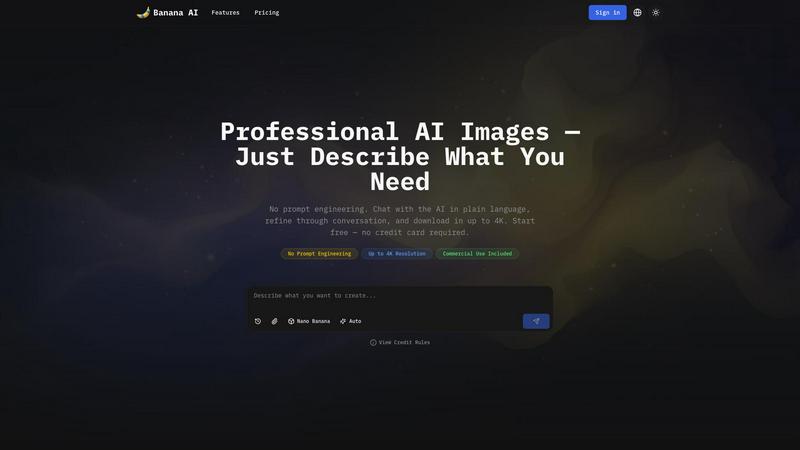
Banana AI generates professional 4K images through a simple chat conversation, no design skills required.
Last updated: April 13, 2026

Project Genie
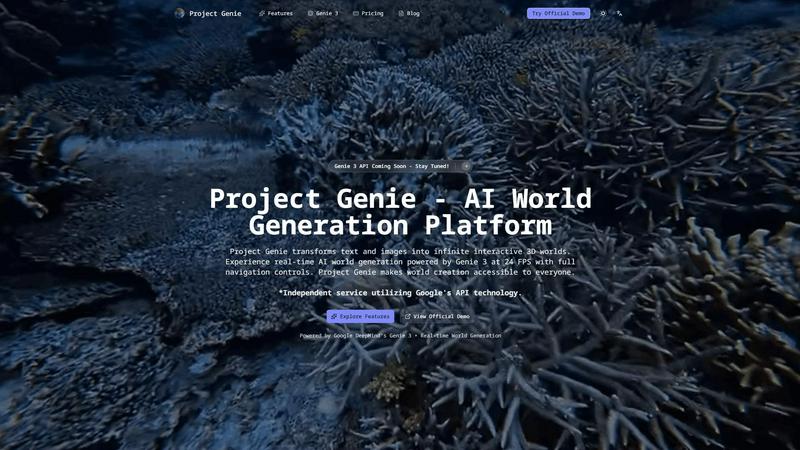
Transform text and images into endless interactive 3D worlds with Project Genie.
Last updated: February 27, 2026
Visual Comparison
Banana AI
Project Genie
Feature Comparison
Banana AI
Conversational AI Interface
Forget rigid templates and confusing syntax. Banana AI's core feature is its chat-based interface where you describe your vision in natural language. You can have a back-and-forth dialogue to refine the image, asking for changes like "make the light warmer" or "add a subtle shadow." The AI remembers the entire conversation context, allowing for iterative refinement that feels collaborative and intuitive, eliminating the need for any prompt engineering skills.
Four Specialized AI Models
Banana AI provides four models in one chat to match your needs for speed, quality, and cost. Choose 'Flux Fast' for quick, 1-credit drafts. Use 'Nano Banana' for standard-quality output in a blazing-fast 2-5 seconds. Opt for 'Nano Banana 2' for professional 4K images in 4-6 seconds. Select 'Nano Banana Pro' for maximum detail, commercial-grade 4K output, and precise text rendering, perfect for final deliverables.
Style & Character Consistency
Maintain visual coherence across multiple images with the reference upload feature. You can upload up to 8 reference images per chat session. This allows the AI to understand and replicate specific styles, characters, products, or color palettes, ensuring brand consistency for marketing materials or character consistency for story illustrations without starting from scratch every time.
Multi-Ratio & High-Resolution Export
Create versatile content for any platform from a single idea. Generate images in different aspect ratios like 1:1 for Instagram, 9:16 for Reels, or 16:9 for banners within the same conversation. Then, download your final approved image in stunning high resolution, up to 4K, ready for commercial use in print, social media, product listings, or client deliverables.
Project Genie
Text-to-World Generation
With Project Genie, users can describe their desired environments in natural language. The Genie 3 AI interprets these prompts and generates intricate, immersive worlds, whether they envision a mystical forest or a bustling sci-fi metropolis, all with just a few simple words.
Real-Time Exploration
Experience the thrill of real-time exploration as Genie 3 allows users to navigate their generated worlds seamlessly at 24 frames per second. This dynamic generation means that the environment evolves as you move, providing an engaging and immersive experience without any pre-rendered limitations.
Image-to-World Conversion
Users can upload images such as photos, artwork, or sketches and watch as Genie 3 transforms them into interactive 3D environments. This feature turns visual references into tangible worlds, making it easier for creators to visualize their ideas and concepts in an engaging format.
Emergent Physics
Project Genie’s emergent physics system ensures that interactions within the generated worlds feel natural and realistic. The Genie 3 AI simulates gravity, collisions, and object dynamics without requiring explicit programming, allowing users to focus on creativity rather than technical details.
Use Cases
Banana AI
E-Commerce Product Photography
Transform your online store by generating professional product photos at a fraction of the cost. Upload a product shot and use chat to test dozens of backgrounds—from pure white studio shots to realistic lifestyle scenes. Export Amazon and Shopify-ready images for about $0.20 each instead of $30-50 per photographer session, dramatically scaling your visual content.
Content Creator Thumbnails
Supercharge your YouTube or content channel workflow. Describe your thumbnail concept and get multiple visual options in seconds. Pick a favorite and refine the text, layout, and colors through simple chat commands. Turn a 2-hour Photoshop grind into a 5-minute conversation, freeing up time to focus on creating the actual video content.
Social Media Marketing Campaigns
Produce a week's worth of cohesive social content in one session. Generate multiple image variants from a single prompt for different platforms. Use reference images to lock in your brand's style and colors. Quickly create engaging visuals for Instagram posts, Reels, and Twitter banners, ensuring a consistent and professional brand presence across all channels.
Educational & Diagram Illustrations
Enhance learning materials with clear, accurate visuals. Describe a complex concept, diagram, or map, and Banana AI will generate an illustrative image in seconds. The Nano Banana Pro model excels at rendering precise labels and annotations. You can even regenerate the same diagram in different languages, making it perfect for creating multilingual classroom resources.
Project Genie
Game Development Prototyping
Game developers can leverage Project Genie to quickly prototype levels and environments for their games. By using text or images to describe their vision, they can create playable spaces that can be tested and refined in real-time, significantly speeding up the development process.
Immersive Learning Environments
Educators can utilize Project Genie to create engaging, interactive learning experiences. By generating 3D worlds based on historical events or scientific concepts, students can explore and interact with environments that enhance their understanding and retention of the subject matter.
Film Pre-Visualization
Filmmakers can use Project Genie for pre-visualization of scenes, allowing them to create detailed 3D environments that can be explored before shooting. This capability helps in planning shots, lighting, and overall scene composition, making the production process more efficient.
Creative Experimentation
Artists and designers can experiment with different concepts and ideas using Project Genie. The ability to generate and manipulate 3D worlds instantly provides a playground for creativity, allowing for the exploration of artistic visions without the constraints of traditional design tools.
Overview
About Banana AI
Banana AI is revolutionizing how we create images by replacing complex forms and prompt engineering with a simple, natural conversation. It's an AI image generation platform built around a chat interface, allowing you to describe what you need in plain language, just like you would message a designer. You start with an idea, the AI generates an image in seconds, and you refine it through multi-turn dialogue until it's perfect. The platform is designed for e-commerce sellers, content creators, marketers, and educators who need professional, commercial-grade visuals without the cost or time of traditional photoshoots or design software. Its core value proposition is delivering stunning, up-to-4K resolution images through an intuitive chat experience, making high-quality visual creation accessible to everyone. With multiple AI models, style consistency tools, and flexible pricing, Banana AI empowers you to go from a fleeting idea to a finished, downloadable asset in minutes.
About Project Genie
Project Genie is an innovative AI world-generation platform that revolutionizes the way creators, educators, and developers design immersive 3D environments. By simply providing text descriptions or uploading images, users can instantly transform their ideas into fully navigable 3D worlds, thanks to the powerful Genie 3 AI technology. This platform empowers individuals without any coding or design experience to craft interactive spaces for various applications, such as game prototyping, immersive learning, film pre-visualization, and creative experimentation. With real-time world generation at 24 frames per second and a user-friendly interface, Project Genie breaks down barriers in 3D world creation. The platform not only enhances creativity but also invites users from all walks of life to bring their imaginative environments to life effortlessly.
Frequently Asked Questions
Banana AI FAQ
How is Banana AI different from other AI image generators?
Banana AI is built around a conversational interface, not a single-prompt form. Instead of perfecting a one-time prompt, you chat with the AI, refining the image through dialogue. It also offers multiple specialized models in one chat for different needs and features powerful style consistency tools, making it ideal for iterative, professional workflows rather than just one-off experiments.
What are credits and how many do I need?
Credits are the currency used to generate images on Banana AI. Different AI models consume different amounts per generation. The free tier offers 10 credits to start. Simpler drafts cost 1 credit, while high-quality 4K images cost more. The Pro plan ($9.9/month) provides 500 credits, and the Premium plan ($29.9/month) offers 2,000 credits, suitable for high-volume creators.
Can I use the images I generate for commercial purposes?
Yes! All images generated on Banana AI, including those on the free tier, come with a commercial license. You are free to use them in your business, for client work, on product listings, in social media marketing, print materials, and other commercial applications without any additional fees or licensing concerns.
How does the style consistency with reference images work?
You can upload up to 8 reference images at the start of a chat session. The AI analyzes these images to understand specific elements like art style, character appearance, product design, or color palette. As you continue the conversation and request new images, it applies this learned style to maintain visual coherence across all outputs in that session.
Project Genie FAQ
How does Project Genie generate worlds?
Project Genie uses advanced AI technology, specifically the Genie 3 model, to interpret user input—whether text or images—and generate fully interactive 3D environments in real-time.
Do I need coding skills to use Project Genie?
No, Project Genie is designed to be user-friendly and accessible to everyone. You can create immersive worlds without any technical expertise or prior design experience.
What types of media can I use with Project Genie?
You can use both text descriptions and images. Simply describe your desired world in natural language or upload any image, and Project Genie will transform it into a 3D environment.
Is there a limit to the worlds I can create?
There are no limits to your creativity with Project Genie. Users can generate an infinite number of worlds, with over a million already created by the community, showcasing the platform's extensive capabilities.
Alternatives
Banana AI Alternatives
Banana AI is a fresh take on AI image generation, placing a chat-based, conversational interface at its core. It lives in the exciting intersection of chatbots and creative tools, letting you describe your vision in plain language and refine it through dialogue, just like briefing a real designer. Users often explore alternatives for various reasons. Some might need a different pricing structure or a free tier with more generous limits. Others could be looking for specific features like advanced editing controls, integration with other platforms, or a particular artistic style that better matches their project's needs. When evaluating other options, consider what matters most for your workflow. Key factors include the quality and speed of generation, the flexibility of the input method, cost-effectiveness for your volume, and tools for maintaining consistency across multiple images, such as character or style references.
Project Genie Alternatives
Project Genie is an innovative AI world-generation platform that transforms text descriptions and images into fully navigable 3D environments. It belongs to the image generation category, empowering users to create immersive spaces without needing coding or design experience. With real-time exploration capabilities, Project Genie caters to various applications, including game prototyping, immersive learning, and creative experimentation. Users often seek alternatives to Project Genie for a variety of reasons, including pricing, specific feature sets, or compatibility with their preferred platforms. When choosing an alternative, it's essential to consider factors such as ease of use, the quality of generated environments, and the level of support provided. Finding a solution that meets your creative needs and budget will ensure a seamless transition and a fulfilling creative experience.