
FaceShot vs Skin Enhancer

FaceShot
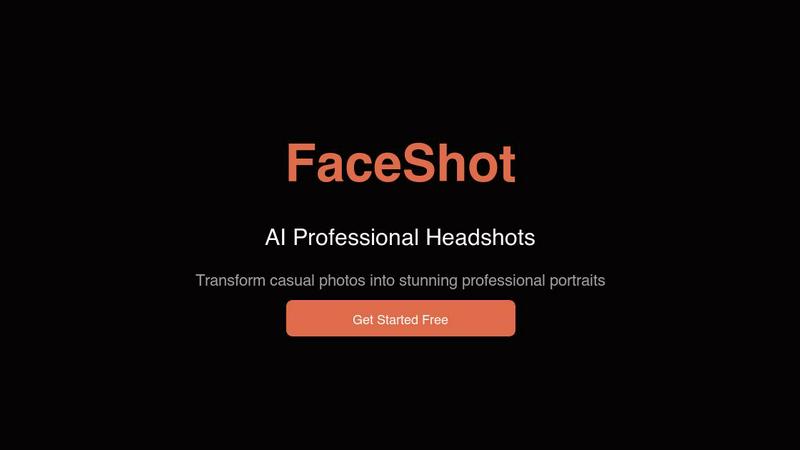
Get stunning professional headshots from just one selfie in seconds, no studio needed.
Last updated: February 27, 2026

Skin Enhancer
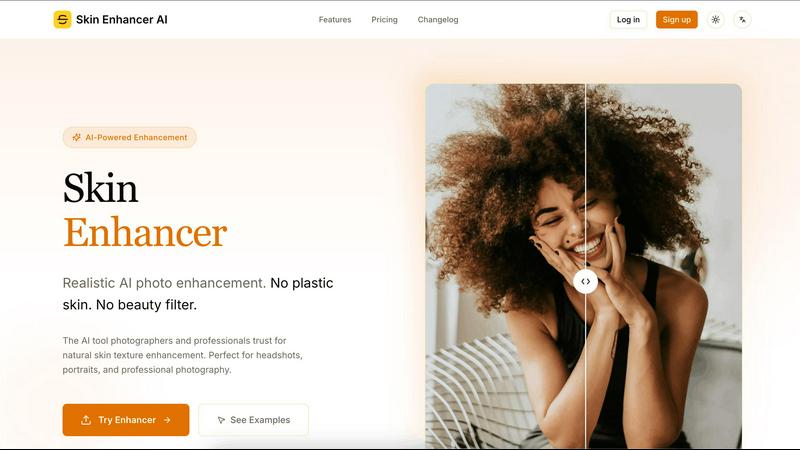
Skin Enhancer uses AI to perfect photos while keeping skin texture beautifully natural.
Last updated: February 28, 2026
Visual Comparison
FaceShot
Skin Enhancer
Feature Comparison
FaceShot
Instant Headshot Generation
FaceShot allows users to generate professional headshots from a single selfie in just about 60 seconds. This rapid turnaround time means you can have a polished image ready for any occasion without the long wait associated with traditional photography.
Diverse Style Options
With over 20 customizable styles to choose from, including executive and creative looks, FaceShot caters to various professions and personal branding needs. This variety ensures that users can select a headshot style that best represents their unique personality and professional image.
AI-Enhanced Quality
The AI technology behind FaceShot specializes in portrait photography, which guarantees that the generated headshots exhibit superior quality. Natural skin tones, appropriate lighting, and professional-looking backgrounds are all handled automatically, ensuring each portrait meets high standards.
High-Resolution Downloads
Every portrait generated through FaceShot is available for download in full resolution without any watermarks. Users can confidently use their images across platforms, knowing they have high-quality, professional headshots that enhance their personal or corporate branding.
Skin Enhancer
Intelligent Texture Reconstruction
This is the core magic. Unlike destructive smoothing filters, our AI actively rebuilds realistic skin texture. It analyzes your image and reconstructs a natural skin surface, preserving essential micro-details like pores and fine hairs that are crucial for a believable, high-end result. This ensures your enhanced photos retain depth and realism, avoiding the flat, "plastic" look associated with basic retouching apps.
Smart Detail Preservation
The AI doesn't just blur everything. It intelligently distinguishes between temporary imperfections (like pimples or dark circles) and permanent character features (like beauty marks, freckles, or scars). This smart detection allows it to remove what you don't want while meticulously preserving the unique features that define a person's appearance, ensuring the final image feels authentic and true to the subject.
Multi-Mode Enhancement Control
Tailor the enhancement to your specific vision with three distinct modes. Choose 'Balanced' for subtle, everyday perfection, 'Strong' for more pronounced editorial retouching, or 'HD Texture' for maximum detail preservation in high-resolution professional work. This flexibility makes Skin Enhancer adaptable for everything from quick social media edits to demanding commercial photography projects.
Privacy-First, High-Res Workflow
Your data's security is paramount. We employ end-to-end encryption and process images in isolated environments, with automatic deletion post-processing. Paired with this is a powerful output engine supporting up to 4K resolution exports. Drag, drop, preview with a slider, and download a print-ready file, all quickly and securely in your browser without complex software.
Use Cases
FaceShot
LinkedIn Profiles
Professionals can easily enhance their LinkedIn profiles with eye-catching headshots that convey confidence and approachability. With FaceShot, users can instantly create a polished image that stands out to recruiters and connections alike.
Corporate Team Pages
Businesses can streamline the process of updating their team pages by utilizing FaceShot to generate consistent and professional headshots for all employees. This efficiency eliminates the logistical challenges of coordinating individual photo shoots.
Speaker Bios
For those preparing for conferences or public speaking engagements, FaceShot provides an easy way to create striking headshots that reflect professionalism. A well-crafted image can significantly enhance speaker bios and promotional materials.
Personal Branding on Social Media
Individuals looking to enhance their personal brands on social media can use FaceShot to create authentic yet professional headshots. Whether for dating profiles, personal websites, or portfolios, these high-quality images help users make a lasting impression.
Skin Enhancer
Professional Portrait & Headshot Retouching
Photographers and retouchers can drastically streamline their workflow. Use Skin Enhancer to achieve a natural, polished base for client headshots, model portfolios, and family portraits. It handles the time-consuming task of skin correction, allowing professionals to focus on creative adjustments and final artistry, delivering superior results faster to their clients.
Authentic Social Media & Content Creation
Content creators, influencers, and anyone building a personal brand can elevate their visuals without looking fake. Perfect for profile pictures, YouTube thumbnails, and Instagram posts, the tool enhances skin clarity and tone while keeping the result authentic. This helps build trust and engagement with an audience that values realness over heavy, artificial filtering.
Pre-Print Image Preparation
Graphic designers and individuals preparing images for physical print—be it in magazines, brochures, or fine art prints—can use the HD Texture mode to ensure skin looks impeccable at high resolutions. The AI's detail-preserving enhancement ensures that even under close scrutiny, the skin texture remains convincing and artifact-free, meeting professional print standards.
Personal Photo Enhancement
Anyone with a cherished photo—from a wedding day snapshot to a special family portrait—can use Skin Enhancer to gently improve the subject's appearance. Reduce shine, soften under-eye areas, and create a flattering yet natural version of the moment, perfect for framing, sharing digitally, or preserving in a photo album with a timeless, polished look.
Overview
About FaceShot
FaceShot is a revolutionary AI-driven platform that transforms your ordinary selfies into stunning, studio-quality professional headshots in mere minutes. Designed for individuals and businesses alike, FaceShot eliminates the need for traditional photoshoots, allowing users to bypass the hassle of booking appointments, traveling to studios, and waiting for photo development. Whether you are looking to enhance your LinkedIn profile, create a standout team page, or refresh your personal image for social media, FaceShot provides a streamlined experience with impressive results. The platform harnesses advanced AI technology specifically tailored for portrait photography, ensuring that your headshots reflect natural skin tones, professional backgrounds, and impeccable lighting. With a user-friendly interface, you can upload a clear photo, select from over 20 distinct styles, and receive high-resolution portraits in approximately one minute, making it a game-changing solution for anyone needing high-quality images quickly and effortlessly.
About Skin Enhancer
Welcome to the future of portrait perfection. Skin Enhancer AI isn't just another photo filter—it's a revolutionary, privacy-first web service that uses advanced machine learning to intelligently enhance skin at the pixel level. Forget the plastic, airbrushed look of traditional tools. Our AI is trained to understand real human skin. It meticulously reconstructs and refines texture, preserving the natural pores, freckles, and micro-details that give a face its authentic character while expertly removing distractions like blemishes and temporary imperfections. Designed for professionals and discerning creators alike, it offers a fast, in-browser workflow with multiple enhancement modes. Whether you're a photographer preparing a client's headshot for a corporate wall or a creator crafting your next viral thumbnail, Skin Enhancer delivers stunning, high-fidelity results that look real because they are. The core value is clear: achieve flawless, publication-ready skin without sacrificing the soul of the portrait. Your subject's unique identity stays intact, just polished to its most radiant potential.
Frequently Asked Questions
FaceShot FAQ
How does FaceShot work?
FaceShot operates by allowing users to upload a clear photo or take one using their webcam. After selecting a preferred style from over 20 options, the AI generates multiple high-resolution portraits in seconds.
Is there a limit to how many headshots I can create?
FaceShot provides one free credit for the first headshot generation, allowing users to try the service. Additional credits can be purchased for more headshots or advanced features like premium styles.
What types of styles are available?
FaceShot offers a variety of styles catering to different professional needs, including executive, creative, tech casual, and editorial options. This diversity allows users to select a look that resonates with their personal brand or industry.
Can I use the headshots for commercial purposes?
Yes, all portraits generated by FaceShot are available for download in full resolution without watermarks, making them suitable for commercial use on websites, marketing materials, and professional profiles. Users can confidently showcase their images in any context.
Skin Enhancer FAQ
How is Skin Enhancer different from other photo editors?
Traditional editors often use global smoothing or clone stamp tools that erase skin texture, creating an unnatural, plastic look. Skin Enhancer is fundamentally different. It uses machine learning to reconstruct and enhance real skin texture at the pixel level. It intelligently removes blemishes while actively preserving natural pores, freckles, and micro-details, resulting in a flawless yet authentically human finish.
What are the file size and format limits?
We accept common image formats: JPG, PNG, and WEBP. For free users, there is an upload limit of 2MB per image. Paid subscribers enjoy a significantly higher limit of 20MB per file, suitable for high-resolution originals. If you have a professional need for even larger files, you can contact our team to discuss custom solutions for your workflow.
How do you ensure my photos are private and secure?
Privacy is our cornerstone. We implement end-to-end encryption for your uploads. All processing occurs in secure, isolated server environments. We have a strict no-third-party-sharing policy. Most importantly, your original and processed images are automatically and permanently deleted from our servers shortly after processing is complete and you download your result.
Can I control how strong the enhancement is?
Absolutely! We offer three distinct enhancement modes to match your intent. 'Balanced' mode provides a subtle, natural correction for everyday use. 'Strong' mode applies a more pronounced retouch, ideal for editorial beauty looks. 'HD Texture' mode is designed for maximum fidelity, prioritizing the preservation of all skin details for the most realistic high-resolution output.
Alternatives
FaceShot Alternatives
FaceShot is an innovative AI-driven tool that transforms a simple selfie into professional-grade headshots without the need for a studio or a photographer. It belongs to the AI Assistants and Image Generation categories, catering to anyone in need of high-quality portraits for various purposes, from LinkedIn profiles to team pages. Users often seek alternatives for reasons like pricing, specific feature sets, or compatibility with their preferred platforms. When choosing an alternative, consider factors such as ease of use, output quality, variety of styles offered, and turnaround time to ensure a solution that meets your unique needs.
Skin Enhancer Alternatives
Skin Enhancer is an AI-powered web service that specializes in natural skin texture enhancement for photos. It belongs to the category of AI photo editing tools, designed to intelligently refine portraits by reconstructing realistic skin at the pixel level instead of applying a generic blur. Users often explore alternatives for various reasons. This could be due to budget constraints, a need for different feature sets like advanced blemish removal or background editing, or a preference for a different platform, such as a mobile app or desktop software instead of a web service. When evaluating other options, key factors to consider include the tool's approach to skin texture (does it preserve natural details?), its privacy policy, supported file formats and sizes, output resolution quality, and overall ease of use. The goal is to find a solution that aligns with your specific workflow and quality requirements.