
Flux Klein vs Pro Batch Resizer

Flux Klein
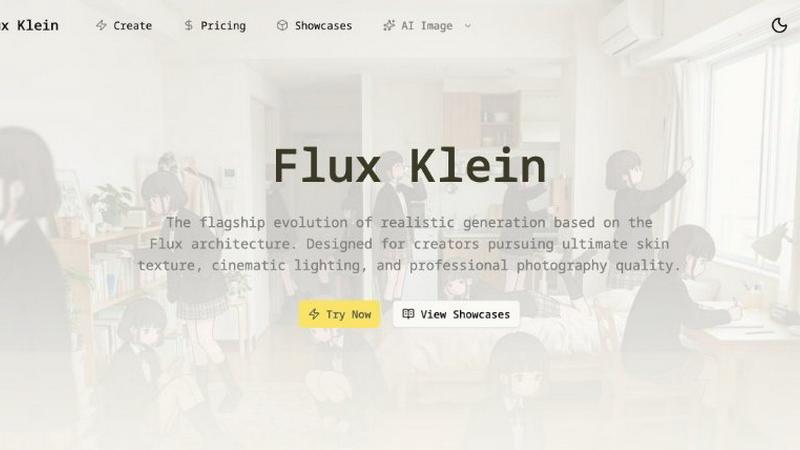
Flux Klein is the flagship AI that generates hyper-realistic, cinematic images with professional photography quality.
Last updated: March 11, 2026

Pro Batch Resizer
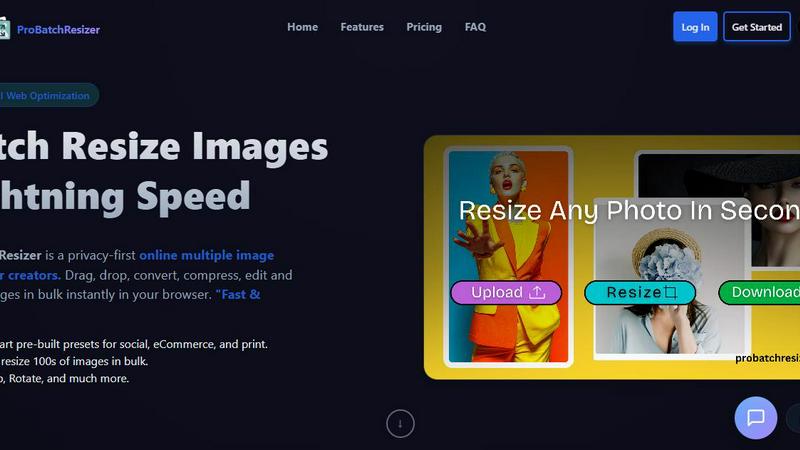
Pro Batch Resizer is a powerful online tool that lets you effortlessly resize and edit hundreds of images in seconds.
Last updated: February 28, 2026
Visual Comparison
Flux Klein
Pro Batch Resizer
Feature Comparison
Flux Klein
Hyper-Realistic Texture Generation
Flux Klein obliterates the generic "AI plastic look" by focusing on microscopic details that bring images to life. It masterfully renders micron-level skin pores, individual hair strands, and intricate fabric weaves, creating a tangible sense of vitality and realism. This obsessive attention to texture ensures your generated subjects look and feel authentically real, adding depth and credibility to every visual piece you create.
Advanced Prompt Adherence & Photographic Control
Go beyond basic descriptions and issue professional-grade photographic commands. Flux Klein is trained to perfectly interpret complex instructions involving specific focal lengths (e.g., 85mm portrait lens), precise lighting setups (like Rembrandt or butterfly lighting), and detailed compositional requests. This extreme fidelity to your textual intent gives you unparalleled creative control, turning you from a prompter into a true director of the generated scene.
Cinematic Lighting & Optical Depth Simulation
Leveraging Flux's advanced depth perception, Klein simulates real-world optical physics to produce stunning cinematic lighting. It expertly balances highlights and shadows, creates natural lens bokeh, and manages dynamic range to add profound layers and mood to your images. This feature allows you to craft visuals with the dramatic, professional quality seen in high-end film and photography, straight from a text prompt.
Visual Identity & Stylistic Consistency
Optimized for sequential storytelling and brand campaigns, Flux Klein excels at maintaining consistency across multiple images. It can preserve a character's facial identity, a specific artistic style, or a tonal aesthetic across different scenes and prompts. This is crucial for creators building narrative projects, product lines, or any visual series that requires a coherent and recognizable identity throughout.
Pro Batch Resizer
130+ Smart Pre-built Presets
Choose from over 130 thoughtfully designed presets that cater to different needs such as social media, e-commerce, and print. This extensive library allows users to quickly select the perfect dimensions for their specific applications, saving valuable time and effort.
Lightning-Fast Bulk Processing
Pro Batch Resizer enables users to resize hundreds of images in bulk with lightning speed. This feature is a game-changer for anyone needing quick turnaround times, ensuring that your workflow remains uninterrupted while you effortlessly manage multiple images at once.
Comprehensive Editing Tools
Beyond resizing, Pro Batch Resizer offers powerful editing features including cropping, flipping, and rotating images. These tools empower users to make necessary adjustments all in one place, eliminating the need to switch between multiple applications.
Privacy-First Technology
With a strong emphasis on user privacy, Pro Batch Resizer utilizes WebAssembly technology to ensure that images are processed locally on your device. This means that your images remain secure and private, giving you peace of mind while working on sensitive or personal projects.
Use Cases
Flux Klein
Professional Concept Art & Pre-Visualization
Concept artists and filmmakers can use Flux Klein to rapidly prototype hyper-realistic scenes, characters, and environments. Generate detailed keyframes, character designs, and mood boards with cinematic lighting in seconds, accelerating the pre-production pipeline and providing stunning, client-ready visuals that accurately convey the final artistic vision.
Brand Marketing & Advertising Content
Marketing teams and agencies can create high-fidelity, original brand assets without the cost of a full photoshoot. Generate photorealistic product mock-ups, lifestyle imagery featuring diverse models, and compelling ad creatives that maintain perfect brand consistency. Flux Klein ensures every visual aligns with professional quality standards for websites, social media, and print campaigns.
Digital Portrait Photography & Character Design
Photographers and digital artists can explore limitless portrait styles, from classic studio headshots to dramatic fantasy characters. With its superior skin texture rendering and lighting control, Klein allows for the creation of portfolio-worthy digital portraits and original character designs that are rich in detail and emotional depth, perfect for illustrations or character sheets.
Architectural Visualization & Interior Design
Architects and interior designers can visualize spaces with realistic materials, accurate lighting at different times of day, and lifelike furnishings. Prompt Flux Klein to generate images of a modern loft with afternoon sun streaming in or a cozy cafe with warm ambient lighting, providing clients with immersive, photorealistic previews of proposed designs.
Pro Batch Resizer
Social Media Management
For social media managers, Pro Batch Resizer is an invaluable tool that streamlines the image preparation process. Quickly resize images to meet the various specifications for platforms like Instagram, Facebook, and Twitter, ensuring that your posts look professional and eye-catching.
E-commerce Product Listings
E-commerce sellers can benefit immensely from Pro Batch Resizer by preparing product images efficiently. With presets specifically for platforms like Amazon and Shopify, resizing images to meet marketplace requirements has never been easier, helping to improve product presentation and sales.
Marketing and Advertising
Marketing professionals can utilize Pro Batch Resizer to create visually appealing advertisements and promotional materials. With the ability to resize images to fit different formats, such as banners and flyers, you can ensure your marketing campaigns are visually consistent and impactful.
Event Management
For event planners, preparing materials such as tickets, badges, and promotional graphics can be time-consuming. Pro Batch Resizer simplifies this task, allowing you to quickly resize and edit all necessary visuals, making event organization much more efficient.
Overview
About Flux Klein
Welcome to the next frontier of visual creation. Flux Klein isn't just another AI image generator; it's the flagship evolution, purpose-built to shatter the uncanny valley and deliver a true professional-grade creative experience. Built on the groundbreaking Flux architecture, Klein is engineered for creators, artists, and visionaries who refuse to compromise on quality. Its core mission is to transform intricate textual descriptions into stunningly hyper-realistic visuals with an unprecedented level of fidelity and control. Imagine having a digital artist and a master photographer combined—one that understands the nuance of "cinematic lighting," the delicate texture of human skin, and the precise drape of fabric. That's Flux Klein. It empowers you to generate images with perfect command adherence, from specific camera lenses to complex studio lighting setups, ensuring your vision is rendered exactly as you imagine. Whether you're crafting concept art, building brand assets, or producing photorealistic portraits, Flux Klein provides the industry-leading toolkit to bring your most ambitious ideas to life with breathtaking detail and artistic consistency.
About Pro Batch Resizer
Pro Batch Resizer is a cutting-edge, browser-based tool designed specifically for creators who need to resize and convert images in bulk. Say goodbye to the hassle of managing individual images and embrace the power of efficiency with this professional-grade solution. With Pro Batch Resizer, you can instantly drag, drop, and resize hundreds of images simultaneously, making it ideal for photographers, social media managers, e-commerce sellers, and anyone else who regularly handles large volumes of images. The software features over 130 ready-to-use presets tailored for various platforms including social media, e-commerce, and print. Best of all, it uses advanced WebAssembly technology, ensuring that your images stay secure and never leave your device, making it a privacy-first solution for all your image processing needs.
Frequently Asked Questions
Flux Klein FAQ
What exactly is Flux Klein and how does it work?
Flux Klein is the flagship AI image generation model built on the sophisticated Flux architecture. It works by interpreting your detailed text prompts using a deep learning model trained on a vast dataset of high-quality images and associated descriptions. It doesn't just match keywords; it understands context, style, and photographic terminology to construct an image pixel-by-pixel that aligns with your specific creative commands, focusing intensely on realism and detail.
What makes Flux Klein different from other Flux variants?
Flux Klein is specifically optimized as the pinnacle of photorealistic performance within the Flux family. While other variants may prioritize speed or different art styles, Klein is laser-focused on delivering hyper-realistic skin textures, precise cinematic lighting, and professional-grade photographic quality. It's the go-to choice for creators who demand the utmost in visual fidelity and accurate prompt adherence for realistic outputs.
Can I control output dimensions and aspect ratios with Flux Klein?
Absolutely! Flux Klein offers native support for professional canvas and aspect control. You can generate images in a wide range of full-frame aspect ratios, from a standard 1:1 square to a widescreen 21:9 cinematic format, including 16:9 landscape. The model intelligently adapts anatomy and perspective for each ratio, ensuring perfect composition without awkward distortions at the edges of your image.
How do I achieve the best 'Photorealistic Look' with Flux Klein?
To unlock Klein's full potential, use detailed, photographic language in your prompts. Specify camera equipment (e.g., "shot on a Canon EOS R5"), lens types ("85mm f/1.8"), lighting styles ("soft window light," "dramatic chiaroscuro"), and descriptive textures ("weathered leather," "dewy skin"). The more precise your instructions regarding the look and feel of a real photograph, the more stunning and realistic your results will be.
Pro Batch Resizer FAQ
What file formats does Pro Batch Resizer support?
Pro Batch Resizer supports a variety of popular image formats including JPEG, PNG, and GIF, making it versatile for different user needs and applications.
Is my data safe while using Pro Batch Resizer?
Yes, Pro Batch Resizer is built with a privacy-first approach. All image processing occurs locally on your device, ensuring that your data remains secure and private at all times.
Do I need to install any software to use Pro Batch Resizer?
No installation is necessary. Pro Batch Resizer is a browser-based tool, meaning you can access it directly from your web browser without the need for additional downloads or installations.
How can I get started with Pro Batch Resizer?
Getting started is simple! Just visit the Pro Batch Resizer website, log in or create an account, and you can begin dragging and dropping your images to resize and edit them immediately.
Alternatives
Flux Klein Alternatives
Flux Klein is the flagship AI image generation model, setting a new standard in the photorealistic image and photo category. It leverages the advanced Flux architecture to deliver hyper-realistic skin textures and exceptional adherence to user prompts, offering creators an industry-leading visual creation tool. Creators often explore alternatives for various reasons. This could be due to budget constraints, a need for different artistic styles beyond photorealism, specific platform integrations, or workflow requirements that demand different feature sets. The search for the right tool is a natural part of finding the perfect creative partner. When evaluating other options, focus on the core elements that matter for your projects. Key considerations include the quality and style of the output, the model's ability to accurately follow complex instructions, the overall user experience and speed, and of course, the pricing model that fits your usage patterns and budget.
Pro Batch Resizer Alternatives
Pro Batch Resizer is a professional-grade, browser-based tool designed specifically for batch resizing and converting images. With over 130 ready-to-use presets, it offers a seamless user experience powered by WebAssembly, ensuring that your images remain secure and never leave your device. As users explore ways to enhance their image editing capabilities, they often seek alternatives due to factors such as pricing, feature set, and platform compatibility. When searching for an alternative to Pro Batch Resizer, it's essential to consider features that align with your specific needs, such as ease of use, available presets, and security measures. Additionally, evaluating the overall performance and reliability of the tool can significantly influence your choice, ensuring you find a solution that meets your batch image processing requirements effectively.