
Grok Imagine 2.0 vs Veo 4 AI Video Generator

Last updated: April 13, 2026

Veo 4 AI Video Generator
Create stunning cinematic videos in minutes with Veo 4's powerful AI-driven text and image generation tools.
Last updated: February 28, 2026
Visual Comparison
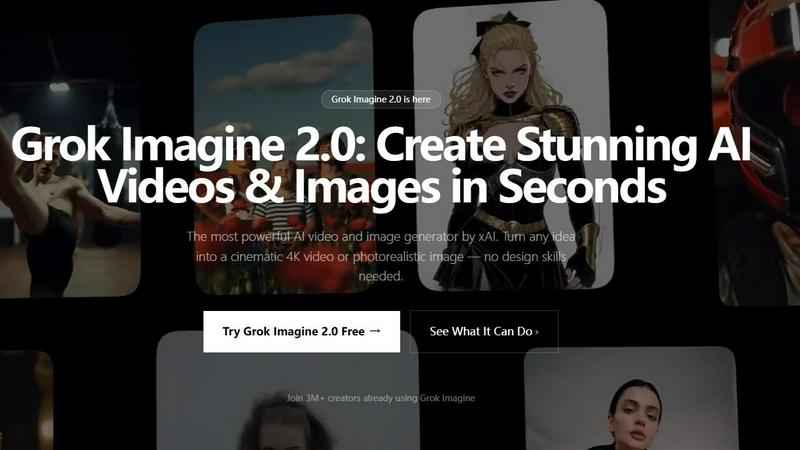
Grok Imagine 2.0
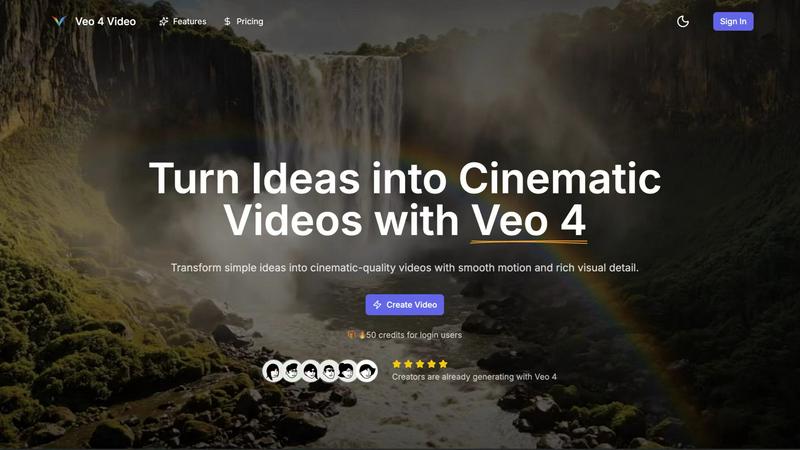
Veo 4 AI Video Generator
Feature Comparison
Grok Imagine 2.0
Multi-Modal Reference Generation
Grok Imagine 2.0 breaks the limits of text-only prompts. You can upload images, audio clips, video snippets, or text descriptions all at once as creative references. The AI doesn't just see or hear them in isolation; it understands the context and relationship between every input you provide, synthesizing them into a coherent and precisely aligned final output. This means you can show and tell your vision for unparalleled creative control.
Cinematic 30-Second Videos with Native Audio
Go beyond short clips and tell compelling stories. Version 2.0 extends video generation up to 30 seconds with impressive motion consistency across every frame. Even more groundbreaking, every video comes to life with fully synchronized, AI-generated audio. This includes character dialogue, realistic sound effects, and ambient background noise, creating a complete, professional-grade audiovisual experience straight from your prompt.
Aurora-Powered Photorealistic Images
For image generation, Grok Imagine 2.0 is powered by Aurora, xAI's proprietary state-of-the-art model. Aurora delivers exceptional photorealism with pinpoint accuracy in following your instructions. Describe complex scenes, specific lighting, intricate details, or particular styles, and Aurora renders them with stunning fidelity, making it perfect for marketing visuals, concept art, and social media content.
Animate Any Photo & Advanced Prompt Understanding
Bring your static memories and artwork to life. Simply upload any image, and Grok Imagine 2.0 can animate it into a smooth, cinematic video clip. Coupled with its advanced multi-layer prompt understanding, the platform excels at interpreting nuanced and complex descriptions. You can describe detailed scenes, specific camera movements, and emotional tones with confidence, knowing the AI will deliver precisely what you envision.
Veo 4 AI Video Generator
Text to Video Engine
The Text to Video Engine allows users to create coherent cinematic clips by simply writing a description of the scene. You can add specific details like time of day and camera movement, ensuring that the final output aligns perfectly with your creative vision. This feature is designed to bring your text prompts to life, giving you more control over the storytelling process.
Image to Video Motion
With the Image to Video Motion feature, users can animate still images into dynamic video sequences. By uploading one or two images, Veo 4 generates smooth transitions that bring your visuals to life. This capability enables you to create captivating animations that maintain the essence of your original photos while adding an exciting layer of motion.
Fast & Quality Modes
Veo 4 offers two operational modes: Fast and Quality. The Fast mode is ideal for quick drafts and testing ideas, allowing you to generate videos rapidly. On the other hand, the Quality mode focuses on producing high-definition outputs with detailed visuals and smoother movements, catering to projects where presentation is key. Users can select the mode that best fits their timeline and objectives.
Aspect Ratios + Clean Exports
The platform allows you to export videos in multiple aspect ratios, including Auto, 16:9, and 9:16, making it easy to adapt your content for various social media platforms. Each export is clean, with no watermarks, ensuring that your videos are ready for immediate sharing in 1080p resolution. This feature enhances your ability to reach audiences across different channels with consistent quality.
Use Cases
Grok Imagine 2.0
Scroll-Stopping Social Media Content
Create engaging videos for TikTok, Instagram Reels, and YouTube Shorts in seconds. Generate trending content, animate product photos for carousels, or produce eye-catching visuals for stories and posts. The speed and quality allow you to post consistently and capitalize on trends without a production team, keeping your audience hooked and growing your following.
Professional Marketing & Advertising Campaigns
Produce high-quality ad creatives, promotional videos, and branded image assets at scale and in-house. Craft compelling narratives for product launches, generate variations for A/B testing, and create photorealistic mockups. This drastically reduces production costs and timelines, enabling agile, data-driven marketing strategies that resonate with your target audience.
Creative Storytelling & Content Production
Ideal for indie filmmakers, writers, and digital artists. Visualize scenes from a script, create dynamic storyboards, animate illustrations, or generate concept art and characters. The platform serves as a powerful brainstorming and prototyping tool, helping creators explore ideas and build worlds before committing to lengthy traditional production processes.
Rapid Prototyping & Presentation Materials
Developers, entrepreneurs, and educators can use Grok Imagine 2.0 to quickly visualize concepts. Generate mockups for app interfaces, create explanatory videos for pitch decks, produce training materials, or animate diagrams for presentations. It transforms abstract ideas into clear, compelling visuals that enhance communication and understanding for teams, investors, or students.
Veo 4 AI Video Generator
Product Ads
Veo 4 is perfect for creating punchy promotional clips that can be used for product ads on landing pages or in paid campaigns. By transforming a brief pitch into a visually engaging video, you can capture the attention of potential customers and increase conversions effectively.
Social Shorts
The platform is an excellent tool for generating loopable B-roll content from hooks, captions, or story beats specifically tailored for social media platforms like TikTok and Instagram Reels. This use case highlights Veo 4's ability to produce engaging short clips that resonate with audiences in fast-paced environments.
Educational Content
Educators and trainers can leverage Veo 4 to create informative video snippets that enhance learning experiences. By animating concepts or summarizing key points visually, instructors can engage learners more effectively and make complex ideas easier to understand.
Event Highlights
Veo 4 can be used to generate captivating highlight reels from events, conferences, or special occasions. By transforming key moments into visually appealing clips, you can create memorable content that showcases the essence of the event and can be shared with attendees and followers alike.
Overview
About Grok Imagine 2.0
Grok Imagine 2.0 is the game-changing AI content creation platform from xAI that turns your imagination into reality, instantly. It's the ultimate all-in-one tool that generates both stunning cinematic 4K videos and photorealistic images directly from your ideas. Designed for creators, marketers, social media managers, and developers, it demolishes the barrier between concept and creation. Simply describe your vision with text, upload an image for reference, or even provide an audio clip, and watch as Grok Imagine 2.0 brings it to life in seconds. Its core value proposition is unmatched simplicity and power: no complex software, no design skills, and no tedious editing required. Whether you're animating a photo, crafting a 30-second narrative video with synchronized sound, or generating a hyper-realistic image, the platform's multimodal intelligence handles it all on a single, seamless dashboard. This is creative freedom, supercharged and accessible to everyone.
About Veo 4 AI Video Generator
Veo 4 AI Video Generator is a groundbreaking tool designed to transform your creative ideas into stunning cinematic videos using state-of-the-art AI technology. This innovative platform allows users to generate high-quality video content from text prompts and images swiftly and effortlessly. Whether you're a marketer looking to create engaging product ads, a social media manager in need of captivating content for platforms like TikTok or Instagram, or simply a creative enthusiast wanting to bring your vision to life, Veo 4 caters to a diverse audience. Its main value proposition lies in its ability to produce visually striking clips with realistic motion and synchronized audio, all within minutes. With Veo 4, you can turn simple concepts into 8-second cinematic masterpieces that are ready to be shared across various platforms, making it an essential tool for anyone seeking to elevate their video content.
Frequently Asked Questions
Grok Imagine 2.0 FAQ
What makes Grok Imagine 2.0 different from other AI video tools?
Grok Imagine 2.0 is the only top-tier platform that seamlessly combines professional-grade video and image generation in one place. Unlike video-only competitors, it offers a complete multimodal workflow with image-to-video animation, style transfer, and editing built-in. It also accepts multiple input types (image, audio, text) simultaneously and requires zero technical setup or API keys, making it instantly accessible for all creators.
How long are the videos, and do they include sound?
Grok Imagine 2.0 can generate videos up to 30 seconds long. Yes, every video includes fully AI-generated, synchronized native audio. This encompasses character voices, sound effects tailored to the scene, and ambient background noise, providing a complete cinematic output directly from your text or image prompt.
What is the image quality, and what model is used?
The image generation is powered by Aurora, xAI's proprietary AI model. It produces photorealistic images with exceptional detail and a strong ability to follow complex, nuanced instructions. You can expect high-resolution outputs suitable for commercial use in marketing, advertising, and digital content.
Are there any watermarks, and can I use the content commercially?
On paid plans, you can download your generated videos and images with no watermark. All paid plans include a commercial use license, meaning you own the output and can use it for business purposes, including in advertising, on social media, and in commercial projects. Always review the specific license terms for the latest details.
Veo 4 AI Video Generator FAQ
What type of videos can I create with Veo 4?
You can create a variety of videos, including text-to-video clips from written prompts and image-to-video animations from still images. The platform is versatile and user-friendly, making it suitable for diverse creative projects.
How long does it take to generate a video?
Veo 4 can produce an 8-second cinematic video in just a few minutes, depending on the complexity of your prompt and the mode you select. This rapid turnaround allows for quick iterations and brainstorming.
Is there a limit on the number of videos I can create?
While the specifics may vary based on your account plan, new users can enjoy an introductory bonus of 50 credits, enabling them to explore and experiment with the platform's capabilities without immediate restrictions.
Can I customize the videos I generate?
Yes, Veo 4 offers customization options such as selecting camera movement, pacing, and visual style, ensuring your videos align with your creative intent. You can refine your prompts and settings to achieve the desired output.
Alternatives
Grok Imagine 2.0 Alternatives
Grok Imagine 2.0 is a powerhouse AI content creation tool that combines video and image generation into one seamless, multimodal platform. It’s designed to turn text, images, and audio into stunning 4K visuals in seconds, making it a go-to for creators and marketers who need professional results fast. So why look elsewhere? Every project and team has unique needs. Some creators might be hunting for a different pricing model, a specific feature not offered, or a platform that integrates better with their existing workflow. The search for the perfect tool is all about finding the right fit for your creative process and budget. When evaluating alternatives, focus on what matters most for your work. Consider the quality and resolution of the output, the speed of generation, the types of inputs accepted, and the overall ease of use. The goal is to find a tool that feels like a natural extension of your creativity, empowering you to bring your ideas to life without friction.
Veo 4 AI Video Generator Alternatives
Veo 4 AI Video Generator is a groundbreaking tool that empowers users to transform their ideas into stunning cinematic videos effortlessly. As part of the video generation category, it leverages advanced artificial intelligence to create high-quality content from simple text prompts, making the video creation process fast and accessible for everyone. However, many users seek alternatives to Veo 4 for various reasons, including pricing models, specific feature sets, or compatibility with particular platforms. When exploring alternatives, it's essential to consider factors such as the ease of use, the quality of the output, available customization options, and whether the platform aligns with your specific video creation needs.