
ImagesArt vs Supermachine

ImagesArt
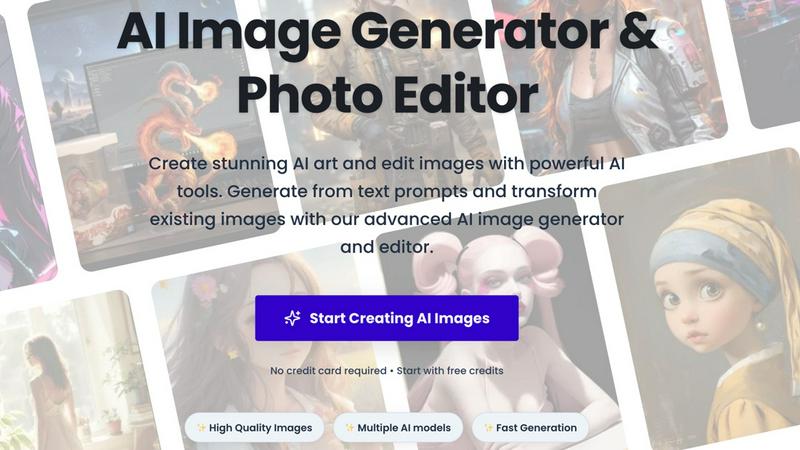
ImagesArt instantly creates stunning AI images and edits photos with just a text prompt.
Last updated: February 28, 2026

Supermachine
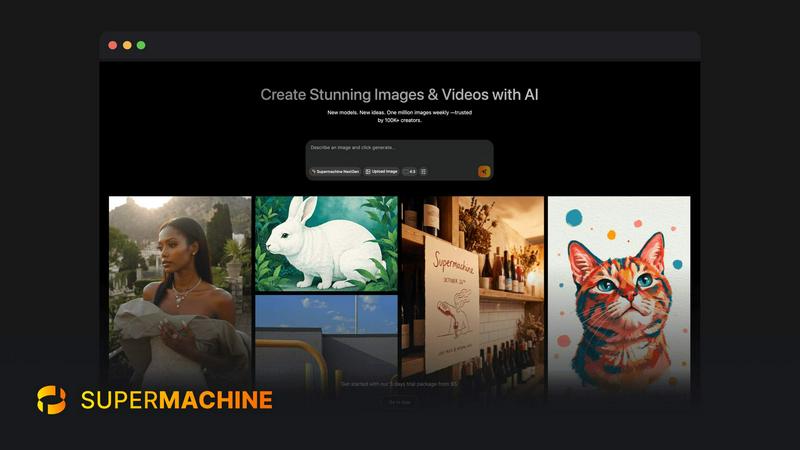
Supermachine is your AI creative suite for generating stunning images and videos with powerful next-gen models.
Last updated: March 18, 2026
Visual Comparison
ImagesArt
Supermachine
Feature Comparison
ImagesArt
Advanced Text-to-Image Generation
Harness the power of multiple cutting-edge AI models to generate breathtaking images from simple text descriptions. Describe any scene, concept, or style you can imagine, and watch as the AI creates high-resolution, detailed visuals in seconds. The platform excels in prompt understanding, ensuring your "majestic galleon at sunset" or "lone astronaut in a flower field" is rendered with stunning accuracy, consistent style, and photorealistic or artistic quality as you direct.
Creative AI Effect Filters
Transform any ordinary photo into extraordinary artwork with a single click using the specialized AI effect filters. Instantly convert portraits into authentic Pixar-style characters, captivating anime artwork, or fun cartoon avatars. Go beyond artistic styles with practical transformations like the AI Age Filter to see realistic age progression or the AI Smile Generator to add natural, authentic smiles to any photo, perfect for fixing group shots or professional headshots.
Professional AI Editing & Utility Tools
This is your all-in-one production suite for practical image manipulation. Remove or swap backgrounds instantly for e-commerce with the AI Background Remover. Experiment with virtual try-ons using the AI Clothes Changer or refine images with the comprehensive AI Image Editor that lets you alter objects and apply styles using text prompts. It even includes unique tools like the AI Buzz Cut Generator to visualize a new hairstyle.
Intelligent Prompt Engineering Tools
Reverse-engineer the creative process with tools designed to enhance your workflow. Use the Image to Prompt Generator to analyze any image and produce a detailed, descriptive text prompt you can reuse or modify. For bulk projects, the Batch AI Image to Prompt tool efficiently processes multiple images at once, allowing you to build a library of effective prompts and maintain stylistic consistency across all your AI-generated content.
Supermachine
Curated Model Library
Supermachine provides access to a handpicked collection of 60+ elite AI models for image and video generation. Instead of overwhelming you with every new release, our team selectively adds models only when they demonstrate clear, significant improvements in output quality, speed, and practical utility. This curated approach ensures you always work with the most reliable and high-performing tools available, guaranteeing professional results without the guesswork of choosing the right engine for your project.
Advanced Creative Control Suite
Move beyond basic text prompts with a full suite of professional editing tools. Utilize image-to-image generation to remix and reimagine existing visuals. Employ the Instruction Model for precise, text-based edits without manual masking. Take advantage of features like Face Swap for character consistency, AI Upscaler to enhance resolution, and custom size outputs for any platform. This suite puts the power of a full digital studio at your fingertips.
Rapid-Fire Video Generation
Create engaging short-form videos and marketing clips directly within the platform. This feature is built for the fast-paced demands of social media, content marketing, and digital storytelling. Generate video content from text prompts or existing images in seconds, allowing you to produce dynamic visual content like Instagram Reels, YouTube Shorts, or product demos without ever needing complex video editing software or lengthy production times.
AI-Powered Image Editing Tool
Edit any image with the power of AI, similar to having a Photoshop AI assistant directly in your browser. This tool allows for intuitive, instruction-based modifications. Simply describe the change you want—like "change the background to a beach" or "make the subject wear a hat"—and the AI intelligently executes the edit. It streamlines the refinement process, turning good initial generations into perfect final assets with incredible ease.
Use Cases
ImagesArt
Social Media & Content Creation
Create a constant stream of unique, on-brand visuals for Instagram, TikTok, YouTube thumbnails, and blog posts without hiring a designer or photographer. Generate original artwork for posts, transform selfies into engaging anime or cartoon avatars for profile pictures, and use the AI Background Remover to create clean, attention-grabbing product shots for promotional content, all in a matter of minutes.
Marketing & Advertising Creative Production
Rapidly prototype and produce high-quality advertising creatives, banner ads, and marketing visuals. Generate custom product scene images from text descriptions for campaigns, use AI models to create diverse model shots for A/B testing, and leverage the AI Clothes Changer for virtual fashion try-ons in ads. The print-ready quality ensures your visuals look professional across all platforms.
Personal Projects & Entertainment
Unleash your creativity for pure fun and personal expression. Turn family photos into a Pixar movie poster, imagine yourself as an anime hero, create hilarious or romantic scenes with the AI Kiss Generator, or visualize yourself with different hairstyles. It’s the perfect tool for creating custom gifts, unique party invitations, or simply exploring artistic ideas without any technical barriers.
E-commerce & Product Photography
Revolutionize your online store's visuals without expensive photoshoots. Generate lifestyle images of your products in various settings using text prompts. Use the AI Background Remover to get perfect transparent PNGs of products for clean catalogs. The AI Clothes Changer allows fashion retailers to showcase the same garment on multiple virtual models, dramatically increasing visual content while reducing costs.
Supermachine
Marketing & Advertising Visuals
Marketing teams and agencies can instantly generate a vast array of high-quality visuals for campaigns. Create unique stock photos, compelling social media graphics, eye-catching ad banners, and product mockups in under 15 seconds. This drastically reduces dependency on stock photo subscriptions and accelerates campaign launch timelines, allowing for rapid A/B testing of visual concepts and keeping brand content fresh and engaging.
Content Creator Thumbnails & Assets
YouTube creators, streamers, and bloggers can supercharge their content workflow. Generate multiple custom, high-click-rate thumbnail options for videos in moments. Create unique channel art, end screens, and branded illustrations that stand out in crowded feeds. This use case empowers creators to maintain a consistent, professional visual identity without needing graphic design skills or waiting for freelancers.
NFT & Digital Art Creation
Digital artists and NFT projects can leverage Supermachine to explore new artistic frontiers and generate collections. Use the advanced control features like ControlNet and image-to-image to iterate on concepts, create variations of a core character or theme, and produce high-resolution, ready-to-mint artwork. The platform serves as a boundless source of inspiration and a powerful production tool for the web3 creative economy.
Small Business Brand Building
Entrepreneurs and small business owners can craft a complete visual brand identity quickly and affordably. Generate a logo concept, design website hero images, produce photos for product listings, and create consistent marketing materials for email and social media. This use case democratizes high-quality design, enabling any business to look established and professional from day one without a large design budget.
Overview
About ImagesArt
ImagesArt.ai is the revolutionary all-in-one AI image generation and editing platform that's changing the game for creators everywhere. It's designed to instantly transform your imagination into stunning, professional-quality visuals with zero design skills required. Whether you're a marketer needing eye-catching ads, a designer seeking rapid inspiration, a content creator building your social feed, or just someone with a brilliant idea, ImagesArt is your creative co-pilot. The core magic lies in its powerful text-to-image engine, which interprets your prompts with incredible understanding and style consistency to generate exactly what you envision. But it doesn't stop there. The platform is packed with a massive suite of AI-powered tools for editing and transforming existing photos—from turning you into a Pixar character to changing outfits, removing backgrounds, or even generating the perfect smile. With support for multiple artistic styles, aspect ratios, and print-ready resolutions, ImagesArt consolidates the power of an entire creative studio into one intuitive, web-based platform. It’s built for speed, quality, and endless creative possibility, making high-end visual production accessible, fast, and fun for everyone.
About Supermachine
Supermachine is the AI-powered creative engine for the modern creator. It's a comprehensive platform that transforms simple ideas into stunning, high-quality images and videos in under 15 seconds. Designed for a global community of over 100,000 creators, it eliminates the barrier of complex prompt engineering, making professional-grade visual asset creation accessible to everyone. Whether you're a marketer needing ads, a YouTuber crafting thumbnails, an artist designing NFTs, or a business building its brand visuals, Supermachine is your all-in-one studio. Its core value proposition is unmatched speed and reliability, powered by a curated selection of 60+ top-performing AI models. The platform doesn't just chase every new model; it integrates only those that prove real-world usefulness and superior quality, ensuring you get consistent, breathtaking results every time. From initial concept to final polished asset with tools like AI editing, upscaling, and face enhancement, Supermachine gives you full creative control to bring your boldest ideas to life at an incredible pace.
Frequently Asked Questions
ImagesArt FAQ
Do I need any design experience to use ImagesArt?
Absolutely not! ImagesArt is built specifically for users with no prior design or editing skills. The interface is intuitive and user-friendly. To create an image, you simply type a description of what you want into the text prompt box. For editing, you just upload a photo and select the desired AI filter or tool, like "Cartoon Converter" or "Background Remover." The AI handles all the complex work, delivering professional results in seconds.
What are credits and how do I get them?
Credits are the currency used to generate images and use premium features on ImagesArt. Each image generation or AI transformation typically consumes one or more credits. The great news is you can start for free! New users receive free credits upon signing up (like the 10 free credits offered) to test the platform with no credit card required. After that, you can purchase additional credit packs or subscribe to a plan that offers a monthly credit allowance.
Can I use the images I create for commercial purposes?
Yes, generally you own the images you create with ImagesArt and can use them for commercial purposes, such as in marketing materials, on products, or in client work. However, it is always crucial to review the platform's specific Terms of Service for the latest and most detailed licensing information. These terms will outline any usage restrictions and confirm your commercial rights to the generated assets.
How does the AI Photo to Prompt Generator work?
This smart tool uses advanced AI to "read" and analyze any image you upload. It then reverse-engineers a detailed, descriptive text prompt that captures the key elements of the image—like subjects, style, lighting, composition, and mood. This generated prompt can be used directly in the text-to-image generator to create similar images, or it can be edited and refined to explore variations, making it an invaluable tool for learning prompt engineering and maintaining visual consistency.
Supermachine FAQ
What makes Supermachine different from other AI image generators?
Supermachine distinguishes itself through its curated model library and integrated creative suite. We don't just offer the latest models; we offer the best-performing models that have been vetted for real-world reliability and quality. Furthermore, we combine this with a full workflow of professional tools—like AI editing, video generation, and upscaling—in one seamless platform. This means faster, more consistent results and greater creative control from start to finish, all designed for practicality.
Do I need to be good at writing AI prompts to use Supermachine?
Not at all! Supermachine is specifically designed to work brilliantly without complex prompt engineering. The platform's intuitive interface and powerful models are optimized to understand your intent from simple descriptions. Additionally, features like the image-to-image tool and the AI instruction-based editor allow you to create and refine visuals using existing images or straightforward text commands, making professional creation accessible to everyone.
What can I create with the video generation feature?
Our video generation feature is perfect for creating short, engaging video clips ideal for social media and digital marketing. You can create content like animated explainers, dynamic product showcases, social media stories (Reels, Shorts, TikTok), atmospheric background loops, and simple animated illustrations from text prompts. It's designed for speed and impact, helping you add motion to your content strategy effortlessly.
How does the 5-day trial work?
Our trial package offers you full access to Supermachine's powerful platform for 5 days. It's the perfect way to explore the curated model library, test drive features like video generation and AI editing, and experience the speed and quality firsthand. You can create a significant volume of images and videos to see how Supermachine integrates into your workflow, all starting at an accessible entry point.
Alternatives
ImagesArt Alternatives
ImagesArt is a dynamic AI image generator and editor that transforms text prompts into stunning visuals or refines existing images with a few clicks. It's a powerhouse in the AI image generation category, designed to supercharge the creative workflow for anyone needing high-quality graphics fast. Creators often explore alternatives for various reasons. Maybe they need a different pricing model, specific features like a particular AI model, or a platform that integrates seamlessly with their other tools. The quest for the perfect tool is all about matching unique project demands and workflow preferences. When choosing an alternative, focus on what matters most for your projects. Consider the quality and style of image generation, the depth of editing tools, output flexibility for different platforms, and of course, the overall value for your investment. The right tool should feel like a natural extension of your creative process.
Supermachine Alternatives
Supermachine is a leading AI image and video generation platform that empowers creators to produce stunning visuals in seconds. It stands out in the crowded AI art space by prioritizing reliable, high-quality output over chasing every new model release. Creators often explore alternatives for various reasons, whether it's budget constraints, a need for different artistic styles, specific platform integrations, or just wanting to compare the creative toolkit available. The right tool depends entirely on your unique workflow and project goals. When evaluating other options, consider the core factors that impact your work: the quality and consistency of the visuals, the speed of generation, the depth of editing controls, the cost structure, and how well the platform supports your specific use cases, from social media thumbnails to commercial marketing assets.