
JustPDF vs Opal


Opal
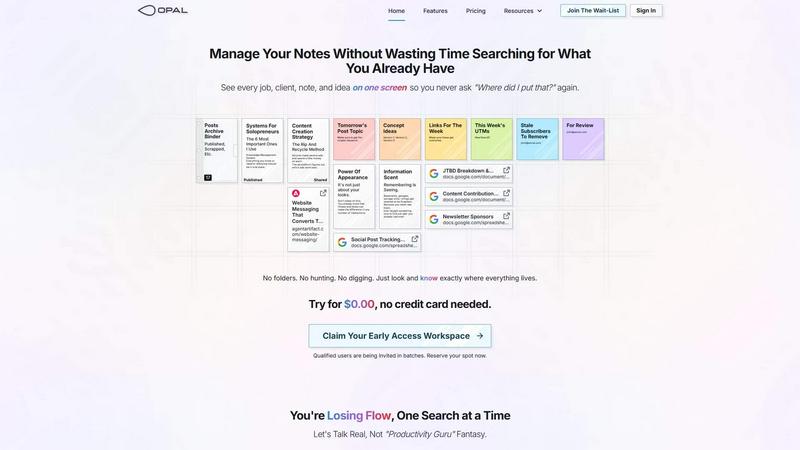
Opal organizes all your notes, ideas, and client details on one screen, saving you time and eliminating the search for lost information.
Last updated: April 13, 2026
Visual Comparison
JustPDF
Opal
Overview
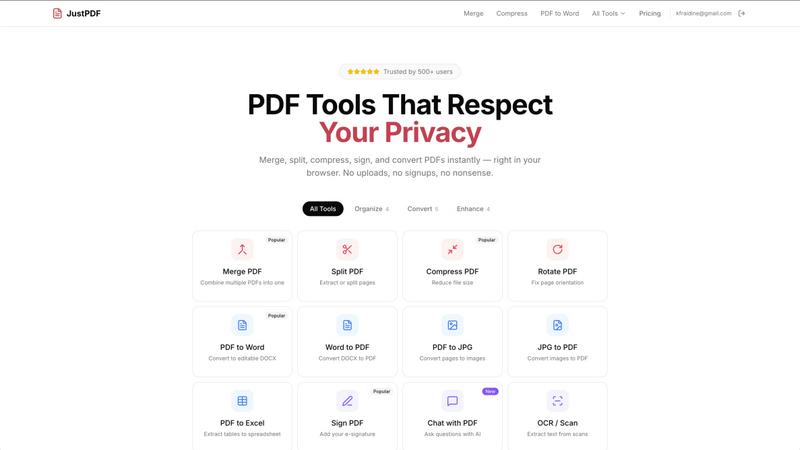
About JustPDF
JustPDF provides 17 professional-grade PDF tools that process files entirely in the user's browser. Unlike Smallpdf, iLovePDF, and other online PDF tools that upload files to remote servers, JustPDF uses JavaScript and WebAssembly to handle everything locally on the device. Files never leave the browser — verifiable by checking the Network tab in DevTools. Tools include: Merge PDF, Split PDF, Compress PDF, Rotate PDF, Flatten PDF, Unlock PDF, PDF to Word, Word to PDF, PDF to JPG, JPG to PDF, PDF to Excel, WebP to PDF, HEIC to PDF, PDF to Grayscale, Sign PDF, Chat with PDF (AI), and OCR/Scan. No account needed for the free tier (3 ops/day). Pro starts at $4/month for unlimited access. FERPA-compliant for educational use.
About Opal
Opal is a revolutionary productivity tool designed for individuals and teams who are tired of traditional organization methods that bury important information in folders and categories. It provides a unique visual workspace that resembles a digital desk, allowing users to manage notes, documents, and files on an infinite canvas. This innovative platform is specifically tailored for busy professionals, solopreneurs, and teams who thrive on clarity and accessibility. With Opal, your brain can focus on what truly matters—your work—without the distraction of searching for lost notes or documents. By spatially organizing your content, Opal keeps everything in sight, enabling you to act swiftly and efficiently. Whether you're writing scripts, collaborating in real-time, or managing projects, Opal ensures that everything you need is at your fingertips, ready to go without the hassle of digging through layers of disorganization.