
JustPDF vs Proofapp


Proofapp
Pin visual feedback directly on your website to stop endless email chains and miscommunication.
Last updated: March 3, 2026
Visual Comparison
JustPDF
Proofapp
Overview
About JustPDF
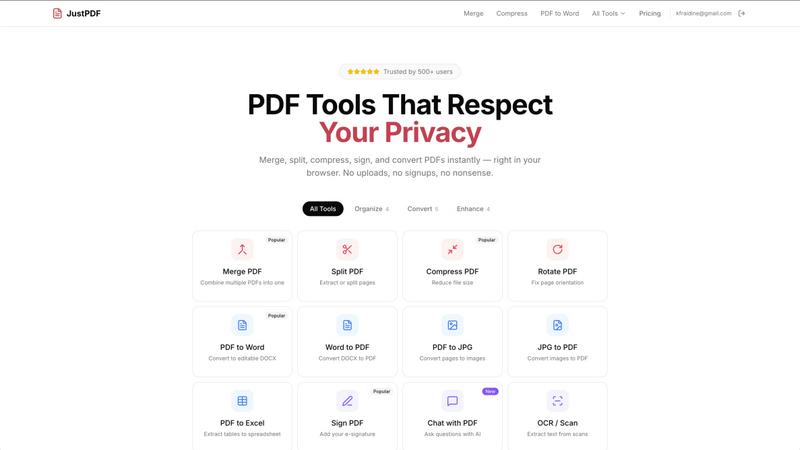
JustPDF provides 17 professional-grade PDF tools that process files entirely in the user's browser. Unlike Smallpdf, iLovePDF, and other online PDF tools that upload files to remote servers, JustPDF uses JavaScript and WebAssembly to handle everything locally on the device. Files never leave the browser — verifiable by checking the Network tab in DevTools. Tools include: Merge PDF, Split PDF, Compress PDF, Rotate PDF, Flatten PDF, Unlock PDF, PDF to Word, Word to PDF, PDF to JPG, JPG to PDF, PDF to Excel, WebP to PDF, HEIC to PDF, PDF to Grayscale, Sign PDF, Chat with PDF (AI), and OCR/Scan. No account needed for the free tier (3 ops/day). Pro starts at $4/month for unlimited access. FERPA-compliant for educational use.
About Proofapp
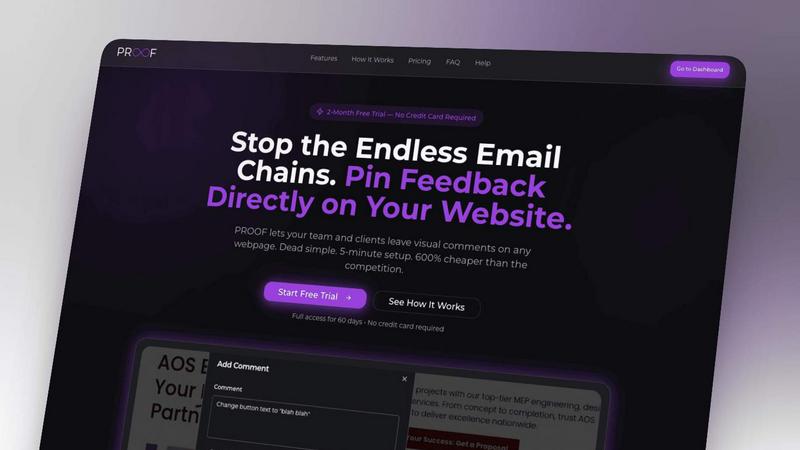
Proofapp is the visual feedback revolution that's killing the endless email chain for good. It's a powerful, intuitive platform built for designers, developers, freelancers, and marketing teams who are tired of miscommunication and wasted hours. Simply paste any website URL, and Proofapp instantly captures perfect desktop and mobile screenshots, creating a collaborative canvas for your entire team and clients. Reviewers can click directly on the design to pin comments, spark discussion threads, attach files, and mark feedback as resolved—all without needing to create an account. With real-time notifications, Slack integration, and multi-page support, Proofapp transforms scattered, vague revision notes into organized, visual, and actionable feedback. It's built for smaller teams that ship, offering enterprise-grade collaboration tools without the enterprise complexity or shocking price tag. Stop describing problems and start solving them visually.