
Motion Control AI vs One More Shot AI

Motion Control AI
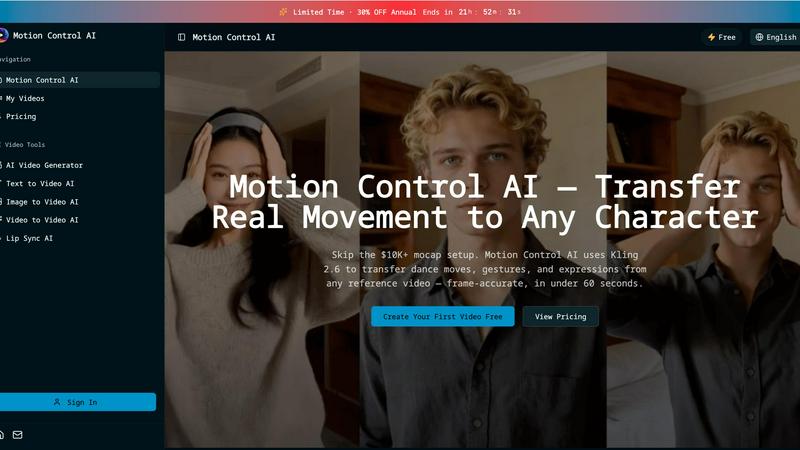
Animate characters effortlessly by transferring real movements from any video in under 60 seconds with Motion Control.
Last updated: February 28, 2026

One More Shot AI
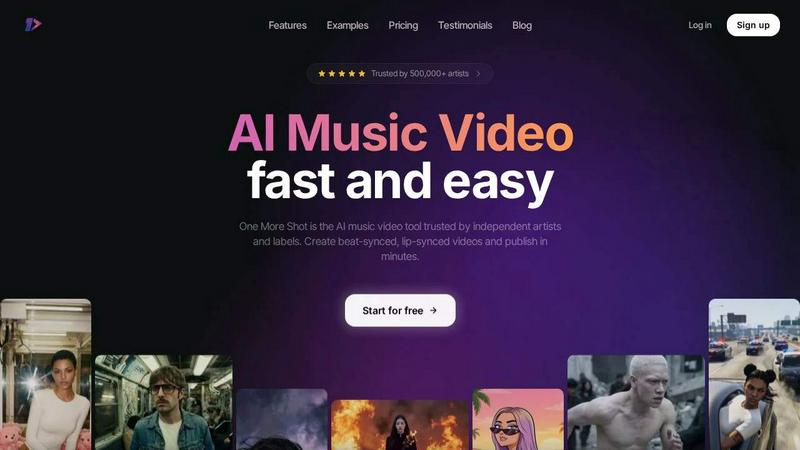
One More Shot AI instantly creates professional, lip-synced music videos from your song and a single photo.
Last updated: April 4, 2026
Visual Comparison
Motion Control AI
One More Shot AI
Feature Comparison
Motion Control AI
Motion Transfer
Motion Transfer is the cornerstone feature that allows users to upload any reference video, extracting skeletal motion data frame-by-frame. This feature enables the seamless transfer of full-body movements, including dance choreography and athletic motions, to animated characters while preserving their unique identities.
Gesture Control
Gesture Control addresses a common challenge in video generation—hand tracking. With Kling 2.6 technology, this feature precisely captures intricate finger movements, pointing, sign language, and hand gestures. This level of detail enhances the realism of character animations, making them more relatable and engaging for viewers.
Expression Sync
Expression Sync is designed to solve the uncanny valley problem by mapping facial expressions from source videos directly onto characters. Whether it’s a smile, frown, or eye movement, this feature ensures that emotional authenticity is maintained, allowing audiences to connect with characters on a deeper level.
Cinematic Realism
Cinematic Realism elevates the output quality of animations, generating broadcast-ready videos at up to 1080p and 30fps. This feature includes full camera controls, allowing for smooth pans, dynamic tilts, and controlled zooms, all while incorporating professional lighting and composition into every frame.
One More Shot AI
AI Artist & Identity Consistency
Create a virtual, consistent artist persona from a single photo or description. This powerful feature ensures your generated character looks the same across every scene and video, building a recognizable brand identity for social media content and full-length music videos without the need for a human actor or costly reshoots.
Auto Videos: Your AI Production Crew
Simply input your song and a reference image, and let the AI agents take over. They analyze the audio, plan the scenes, generate beat-synced visuals, and handle lip-syncing to deliver a complete, compelling music video automatically. It's like having a director, editor, and VFX team on demand, instantly.
Precise Project Mode Editing
For creators who want total control, Project Mode offers a professional, non-linear editing timeline. Modify auto-generated videos or start from scratch, with granular control over each individual shot, prompt, and timing. Craft the exact narrative and visual flow to match your creative vision, frame by frame.
Top Notch Lip-Sync (Seedance 2.0)
One More Shot AI hosts the best lip-syncing model available, now featuring the upgraded Seedance 2.0. This technology ensures that any singing or speaking scenes look completely natural and are perfectly synchronized to the vocals in your track, eliminating the uncanny valley effect that plagues other AI video tools.
Use Cases
Motion Control AI
Content Creation for Social Media
Content creators on platforms like TikTok and Instagram can leverage Motion Control AI to produce character animations quickly and efficiently. With the ability to transfer dance moves and gestures, creators can generate engaging short clips that resonate with their audiences in under 60 seconds.
Film and Animation Production
Film studios can significantly reduce production time and costs with Motion Control AI. By transferring live actor performances to animated characters, filmmakers can create high-quality animations in a fraction of the time, opening new avenues for storytelling and visual effects.
Marketing Campaigns
Marketers can use Motion Control AI to enhance their advertising strategies by creating character animations for product demonstrations, brand mascots, and explainer videos. This tool has been shown to increase click-through rates by over 35%, making campaigns more effective and engaging.
Educational Content
Educators can utilize Motion Control AI to create dynamic instructional videos that include animated characters demonstrating concepts and procedures. This interactive approach can enhance learning experiences, making complex ideas more accessible and entertaining for students.
One More Shot AI
Independent Artist Music Videos
Independent musicians and bands can produce high-quality, engaging music videos to promote their releases without a production budget. Quickly turn a track from Suno, Udio, or your own DAW like FL Studio into a visual asset that stands out on YouTube and streaming platforms, driving listens and fan engagement.
Social Media Content & Snippets
Artists and labels can repurpose a full song into multiple format-specific clips. Instantly generate vertical videos for TikTok Reels, square clips for Instagram, and horizontal cuts for YouTube Shorts, all featuring consistent branding and beat-synced visuals to maximize reach and promotion across all channels.
Lyric Video Creation
Transform lyrics into dynamic, animated visual experiences. By using the platform's precise editing and text capabilities, creators can build captivating lyric videos that highlight songwriting and enhance listener connection, perfect for Spotify Canvas or pre-release teasers to build anticipation for a new single.
Rapid Prototyping & Mood Boards
Songwriters and producers can use the tool to rapidly visualize a track's mood and theme before committing to a full live-action shoot. Generate multiple stylistic concepts and scene ideas to serve as a creative mood board or pitch tool for collaborators, labels, or investors.
Overview
About Motion Control AI
Motion Control AI is a revolutionary video tool that redefines character animation by leveraging reference motion for precise control over outputs. Unlike conventional text-based animation generators, Motion Control AI allows creators to upload a reference video, enabling them to guide the movement of characters in a predictable and repeatable manner. This innovative approach streamlines the animation process, making it accessible to short-form creators, content studios, marketers, and indie teams who require character-driven clips without the need for complex rigging or lengthy production cycles. With Motion Control AI, users can effortlessly transform authentic human movements, gestures, and expressions into animated characters, all while maintaining a consistent character look across multiple iterations. In less than a minute, creators can produce high-quality animations that are perfect for social media, advertisements, and various digital platforms.
About One More Shot AI
One More Shot AI is your all-in-one AI production crew, built to revolutionize how music videos are made. It's a powerful web and mobile platform that transforms any audio track into a stunning, professional-grade visual experience in minutes. Designed for the modern musician, independent artist, creator, and music marketer, it eliminates the traditional barriers of video production: high costs, complex software, and lengthy timelines. At its heart, One More Shot AI intelligently analyzes your song's rhythm, energy, and mood to generate perfectly synchronized visuals. Whether you choose the lightning-fast "Auto Video" flow by simply uploading a track and a reference image, or dive into the granular "Project Mode" for frame-by-frame creative control, the platform delivers. With industry-leading features like top-tier AI lip-sync (featuring the new Seedance 2.0 model) and tools to maintain a consistent artist identity, it empowers you to create content that captivates. Output videos in vertical, horizontal, or square formats ready for Spotify, Instagram, TikTok, and beyond, making it the ultimate tool for music promotion and artist branding. Trusted by over 500,000 artists, it's not just a tool—it's your launchpad to visual storytelling.
Frequently Asked Questions
Motion Control AI FAQ
How does Motion Control AI work?
Motion Control AI works by allowing users to upload a reference video that contains the desired movements. The tool extracts motion data frame-by-frame and applies it to animated characters, enabling precise control over their movements and expressions.
What file formats are accepted for reference videos and character images?
For reference videos, Motion Control AI accepts MP4, MOV, and MKV formats with a maximum file size of 100MB and a duration of up to 10 seconds. Character images can be uploaded in JPEG or PNG formats, with a maximum size of 10MB.
Can I create longer videos with Motion Control AI?
Yes! While the basic functionality allows for short clips, Pro+ users can create character animations with motion reference videos that are up to 30 seconds long, providing greater flexibility for storytelling.
Is there a free trial available for Motion Control AI?
Absolutely! Motion Control AI offers users the opportunity to create their first video for free, allowing them to explore the tool's capabilities before committing to a subscription plan.
One More Shot AI FAQ
What do I need to get started with One More Shot AI?
Getting started is simple! All you need is an audio file of your song (MP3, WAV, etc.). For the quickest results, have a reference image or a description of your desired artist character ready. You can then choose the "Auto Video" path for an instant creation or jump into "Project Mode" for detailed editing.
How good is the lip-syncing technology?
The lip-syncing is industry-leading. One More Shot AI utilizes the advanced Seedance 2.0 model specifically trained for music synchronization. It analyzes the vocal waveforms in your track to generate precise mouth movements, ensuring the lip-sync looks natural and is perfectly timed to the lyrics, even for complex singing passages.
Can I use music I created with AI music generators like Suno?
Absolutely! One More Shot AI is built to work seamlessly with tracks from popular AI music generators like Suno and Udio, as well as music from traditional Digital Audio Workstations (DAWs) like Ableton and FL Studio. It's the perfect next step to bring your AI-generated or self-produced audio to visual life.
What video formats and aspect ratios does it support?
The platform is designed for the multi-format demands of today's digital landscape. You can export your final videos in horizontal (16:9) for YouTube, vertical (9:16) for TikTok/Reels, and square (1:1) for Instagram posts. This flexibility ensures your content is optimized for every major platform and use case.
Alternatives
Motion Control AI Alternatives
Motion Control AI is an innovative video tool that allows users to animate characters by utilizing reference motion from any video. As part of the content creation and video categories, it empowers creators to produce character-driven clips with a focus on controlled outputs, making it an essential tool for short-form creators and marketers alike. However, users often seek alternatives due to various factors such as pricing, feature sets, and specific platform compatibility that better align with their unique production needs. When choosing an alternative, consider aspects like ease of use, the flexibility of features, the ability to maintain character consistency, and the overall speed of the workflow to ensure it meets your creative demands.
One More Shot AI Alternatives
One More Shot AI is a cutting-edge platform in the AI content creation space, designed specifically to transform music tracks into dynamic, AI-generated videos. It empowers musicians and creators to bypass traditional production and instantly visualize their sound. Artists often explore alternatives for various reasons, whether it's budget constraints, a need for different creative tools, or specific platform compatibility. The right tool for one creator might not be the perfect fit for another's unique workflow or vision. When evaluating other options, key considerations include the quality of audio synchronization, the flexibility of visual controls, output format versatility, and how well the platform understands musical emotion. The goal is to find a solution that turns your audio vision into a compelling visual reality with minimal friction.