
Nano Banana 2 vs ShinePhoto

Nano Banana 2
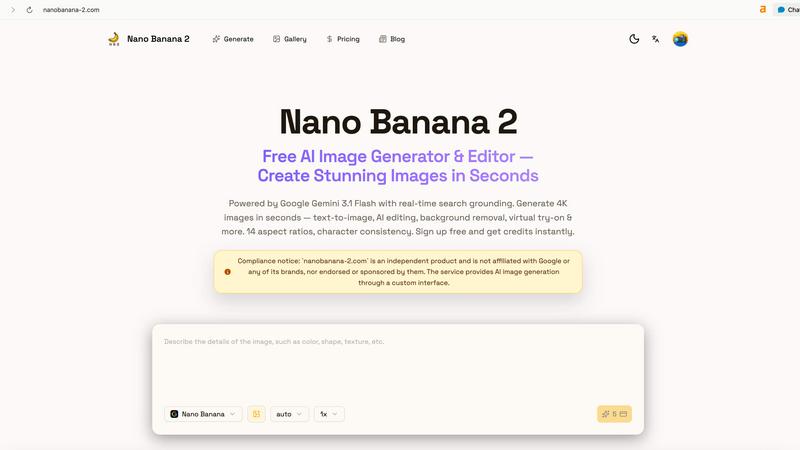
Nano Banana 2 instantly creates stunning 4K AI images and edits photos in your browser for free.
Last updated: March 18, 2026

ShinePhoto
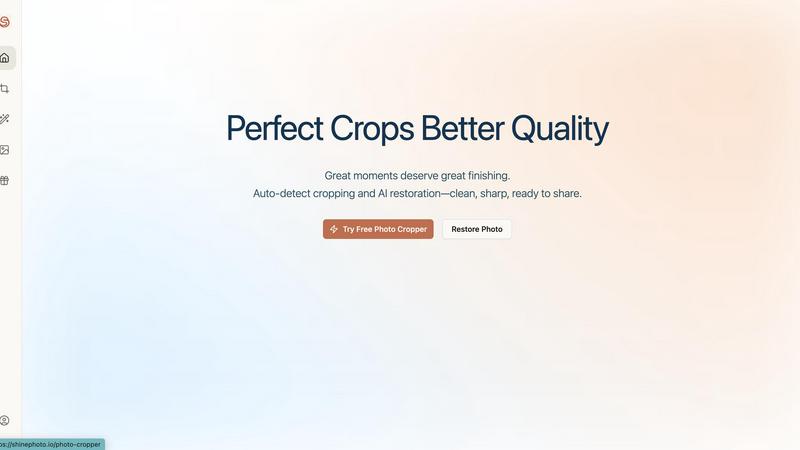
Transform your photos with precise auto-cropping and AI restoration for stunning, share-ready images in seconds.
Last updated: February 28, 2026
Visual Comparison
Nano Banana 2
ShinePhoto
Feature Comparison
Nano Banana 2
4K Image Generation in Seconds
Powered by the cutting-edge Gemini 3.1 Flash model, Nano Banana 2 produces ultra-high-definition 4K images at incredible speed. Simply type a text prompt and watch as the AI brings your vision to life with stunning detail, rich colors, and photorealistic quality, all within a single browser workflow. This flagship feature sets a new standard for speed and output quality in AI image creation.
Real-Time Search Grounding & Thinking Mode
This advanced capability allows Nano Banana 2 to pull in real-world context and information as it creates. When you generate an image, the AI can ground its composition in current search data, leading to more accurate, relevant, and detailed visuals. Combined with a sophisticated "Thinking Mode" for planning complex scenes, it ensures your generated images are not just beautiful, but intelligently crafted.
Professional AI Editing Suite
Move beyond generation into powerful editing. The platform includes one-click tools for professional tasks like virtual clothing try-on for e-commerce, smart text and watermark removal, AI background replacement with precise subject preservation, and old photo restoration and colorization. These features deliver results that previously required hours of skilled Photoshop work.
Character Consistency & 14 Aspect Ratios
Create consistent characters across multiple images for comics, storyboards, or branding. Maintain the same face, style, and outfit in different scenes effortlessly. Furthermore, with 14 dedicated aspect ratios, you can generate perfectly sized visuals for every need—from Instagram stories and YouTube thumbnails to widescreen banners and square social posts—without any manual cropping.
ShinePhoto
Smart Photo Cropper
The smart photo cropper uses advanced AI to automatically detect and crop images with precision. Users can seamlessly trim distractions and focus on the subjects that matter, ensuring every photo is framed beautifully.
Batch Processing
ShinePhoto allows users to handle multiple photos at once, streamlining the workflow for batch cropping and restoration. This feature saves valuable time, especially for those with extensive photo collections needing attention.
AI Image Enhancer & Upscaler
This powerful feature enhances the quality of images by sharpening details, reducing noise, and upscaling resolution in a single click. It is perfect for cleaning up scanned images or reviving older photos that need a modern touch.
Custom Targeting
With custom targeting, users can specify the subject they want to focus on. This ensures that the auto-cropper locks onto the chosen subject for accurate and tailored framing, allowing for personal touch in every photo.
Use Cases
Nano Banana 2
E-Commerce & Product Marketing
Revolutionize online retail by generating high-quality product photoshoots in any setting, creating virtual try-on experiences for clothing and accessories, and removing watermarks or text from supplier images. Quickly produce lifestyle shots and marketing banners tailored to different campaigns and platforms, drastically reducing photoshoot costs and time-to-market.
Social Media & Content Creation
Fuel your content calendar with an endless stream of unique, eye-catching visuals. Generate custom illustrations, create engaging story graphics, design profile banners, and produce cohesive visual themes for your brand. The speed and variety allow creators to experiment with trends and maintain a consistent, professional online presence without a graphic design budget.
Creative Design & Prototyping
Ideal for designers and artists, Nano Banana 2 acts as a powerful brainstorming and prototyping tool. Visualize concepts for product design, interior decor, fashion styling, or character design before any physical work begins. Generate multiple angles, material breakdowns, and style variations to explore ideas rapidly and present compelling visual concepts to clients or teams.
Personal & Memory Restoration
Breathe new life into old family photos. Use the AI restoration tool to automatically remove scratches, creases, and noise from damaged photographs, then colorize black-and-white images to restore vibrant, true-to-life colors. This use case makes precious memories tangible again, all with a simple click and no technical photo editing skills required.
ShinePhoto
Family Photo Restoration
Users can easily restore old family photos that have seen better days. ShinePhoto’s tools repair scratches, enhance colors, and improve clarity, making treasured memories last for generations to come.
Social Media Ready Images
Whether you're a blogger, artist, or just someone who loves to share, ShinePhoto helps you create stunning, share-ready images effortlessly. With batch processing, you can prepare multiple photos for social media in no time.
Organizing Digital Collections
ShinePhoto is perfect for those looking to digitize and organize their photo collections. You can quickly crop and enhance a large batch of images, making it easier to archive and retrieve your favorite moments.
Professional Photography Touch-Up
Photographers can use ShinePhoto for quick touch-ups and enhancements. The AI-driven features help in refining images with minimal effort, allowing professionals to focus on their creative process while ensuring top-quality results.
Overview
About Nano Banana 2
Welcome to the next generation of visual creation. Nano Banana 2 is the flagship AI image generator and editor, supercharged by Google's Gemini 3.1 Flash technology. This isn't just an upgrade; it's a revolution in how designers, marketers, content creators, and businesses bring their ideas to life. Imagine describing any scene, product, or concept and watching it materialize as a stunning 4K image in seconds. That's the power of Nano Banana 2. It goes beyond simple text-to-image, offering a comprehensive, browser-based creative suite that includes professional-grade editing like virtual try-on, background replacement, and photo restoration. With features like real-time search grounding for enhanced accuracy, character consistency for storytelling, and 14 aspect ratios for any platform, it removes all technical barriers. Whether you're crafting social media graphics, prototyping product designs, restoring precious memories, or generating marketing visuals, Nano Banana 2 delivers unparalleled speed, quality, and creative freedom. It's the all-in-one tool that turns imagination into immediate, breathtaking reality.
About ShinePhoto
ShinePhoto is your go-to freemium AI photo toolkit designed to elevate your photography experience. Whether you're a casual user looking to tidy up your photo collection or a professional needing precise batch processing, ShinePhoto has you covered. With its powerful auto-cropping feature, ShinePhoto intelligently detects subjects in your images, ensuring that every frame is perfectly cropped to highlight your most cherished moments. Additionally, the AI Image Enhancer & Upscaler breathes new life into older photos, removing imperfections and enhancing clarity in seconds. Ideal for anyone wanting to digitize, organize, and restore their photo collections, ShinePhoto combines ease of use with advanced technology, making every moment shine brilliantly.
Frequently Asked Questions
Nano Banana 2 FAQ
What makes Nano Banana 2 different from other AI image generators?
Nano Banana 2 stands out as a flagship product powered specifically by Google Gemini 3.1 Flash, enabling unique features like real-time search grounding for more accurate images. It combines ultra-fast 4K generation with a full suite of professional editing tools—like virtual try-on and photo restoration—in one seamless, browser-based platform, offering both creation and advanced manipulation.
Do I need a credit card to start using Nano Banana 2?
No! You can sign up for free and receive credits instantly to start generating and exploring the platform's capabilities. This zero-barrier entry allows anyone to experience the power of flagship AI image generation without any upfront commitment, making it perfect for beginners and professionals alike to test their creative ideas.
What is "character consistency" and how do I use it?
Character consistency is a feature that allows you to generate multiple images featuring the same character, maintaining their appearance, clothing, and style across different scenes and prompts. This is perfect for creating visual stories, comic strips, or branded character assets. You typically start by generating or uploading a base character image and then using a dedicated mode or reference for subsequent generations.
Can I use images generated by Nano Banana 2 for commercial purposes?
Yes, images you create with Nano Banana 2 are intended for your use, including commercial applications like marketing materials, product listings, and social media content. It is always recommended to review the platform's specific Terms of Service for the latest details on usage rights, attribution, and any limitations to ensure compliance.
ShinePhoto FAQ
What is ShinePhoto?
ShinePhoto is an AI-driven photo toolkit that combines an intuitive photo cropper with advanced restoration features. It helps users enhance, upscale, and perfectly frame their images, making ordinary moments extraordinary.
Is ShinePhoto free to use?
Yes, ShinePhoto offers a free core experience, allowing users to access essential features without any cost. Premium upgrades are available for those needing advanced enhancement or higher usage.
How does photo restoration work?
Photo restoration in ShinePhoto is simple: upload your images and apply the restore tools to reduce blur, noise, and damage. The effectiveness of the restoration depends on the quality of the original image.
Can I choose the subject to crop?
Yes! ShinePhoto allows users to specify the subject for cropping. This feature ensures that the auto-cropper focuses on your chosen target, delivering precise and personalized framing.
Alternatives
Nano Banana 2 Alternatives
Nano Banana 2 is a dynamic AI image generation platform that makes creating stunning visuals from simple text prompts incredibly fast and simple. It belongs to the exciting and rapidly evolving category of creative AI tools, empowering designers, marketers, and content creators to bring their ideas to life in seconds. Users often explore alternatives for various reasons. Some might be looking for a different pricing model or subscription tier that better fits their budget. Others may need specific advanced features, prefer a different user interface, or require integration with other platforms in their workflow. It's a common and smart practice to compare options. When evaluating other tools in this space, focus on what matters most for your projects. Consider the quality and style of the images generated, the speed of creation, the range of editing and control features available, and of course, the overall value. The best choice is the one that feels intuitive and powerfully unlocks your creativity.
ShinePhoto Alternatives
ShinePhoto is an innovative AI photo toolkit designed to make every photo shine. Positioned within the image generation category, it offers a freemium experience that allows users to enhance their photo collections effortlessly through advanced batch subject auto-cropping and quality restoration features. As users seek to improve their photo editing experience, they often look for alternatives to address diverse needs such as pricing flexibility, enhanced features, and compatibility with various platforms. When exploring alternatives, it's essential to consider factors like the specific features offered, the ease of use, and the potential for scalability as your photo editing demands grow. Additionally, evaluating the customer support and community around the tool can significantly impact your overall experience. Whether you're looking for a more budget-friendly option or advanced capabilities, making an informed choice ensures you find the perfect fit for your photo editing journey.