
Never Drop vs Twinkle Timer

Never Drop
Capture leads instantly, enrich contacts, and send personalized follow-ups on the go.
Last updated: February 27, 2026

Visual Comparison
Never Drop

Twinkle Timer
Overview
About Never Drop
Never Drop is a revolutionary lead-capture app designed for sales teams navigating the fast-paced environment of events. Whether you're at a bustling trade show or an intimate networking dinner, Never Drop empowers you to capture valuable connections effortlessly. With a simple scan of a business card, you can instantly extract critical contact information, add personalized context through voice or text notes, and generate tailored follow-up emails in under two minutes. This seamless integration of AI-driven technology and user-friendly design ensures that you never lose track of potential leads again. Say goodbye to cluttered spreadsheets and missed opportunities; with Never Drop, every handshake becomes a step towards closing a deal, making it an indispensable tool for anyone looking to maximize their networking potential.
About Twinkle Timer
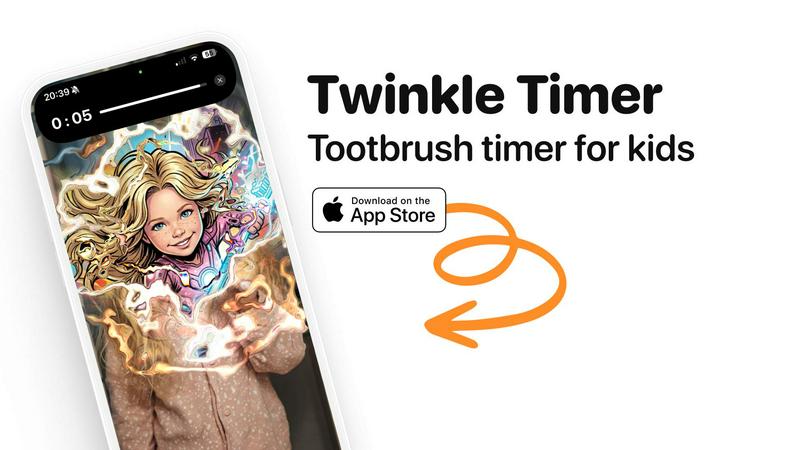
Twinkle Timer turns toothbrushing battles into excitement. Parents of kids aged 3-10 know the struggle: getting them to brush for the full 2 minutes every night. Twinkle Timer solves this with AI-powered rewards. Here's how it works: your child takes a selfie, brushes for 2 minutes while a countdown timer runs, and at the end receives a magical AI-generated image where they're transformed into a superhero, princess, astronaut, sports star, or other fun characters. The anticipation of seeing their transformation keeps them engaged. Features include multiple topic categories (princesses, animals, superheroes, jobs), family sharing via iCloud, and complete privacy (no personal data collected). Built by a dad of 3 who was tired of nightly brushing fights. Available on iOS.