
Pro Batch Resizer vs Proofapp

Pro Batch Resizer
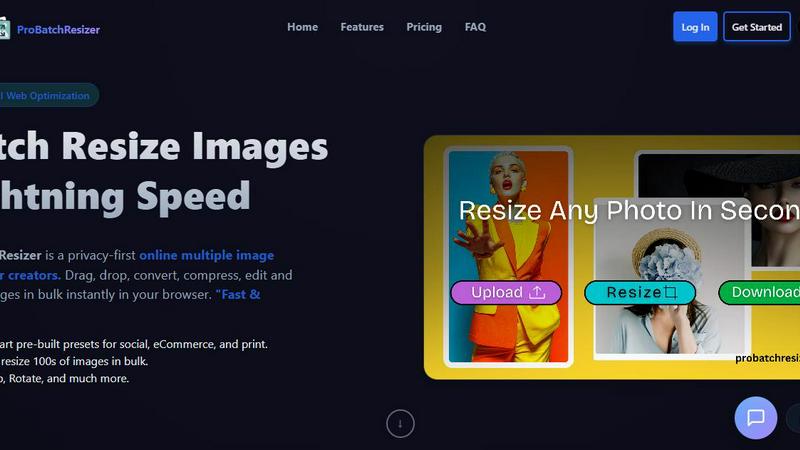
Pro Batch Resizer is a powerful online tool that lets you effortlessly resize and edit hundreds of images in seconds.
Last updated: February 28, 2026

Proofapp
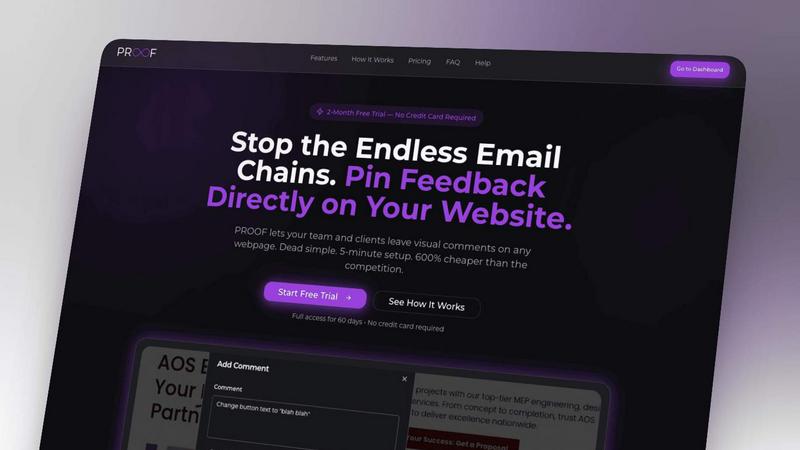
Pin visual feedback directly on your website to stop endless email chains and miscommunication.
Last updated: March 3, 2026
Visual Comparison
Pro Batch Resizer
Proofapp
Feature Comparison
Pro Batch Resizer
130+ Smart Pre-built Presets
Choose from over 130 thoughtfully designed presets that cater to different needs such as social media, e-commerce, and print. This extensive library allows users to quickly select the perfect dimensions for their specific applications, saving valuable time and effort.
Lightning-Fast Bulk Processing
Pro Batch Resizer enables users to resize hundreds of images in bulk with lightning speed. This feature is a game-changer for anyone needing quick turnaround times, ensuring that your workflow remains uninterrupted while you effortlessly manage multiple images at once.
Comprehensive Editing Tools
Beyond resizing, Pro Batch Resizer offers powerful editing features including cropping, flipping, and rotating images. These tools empower users to make necessary adjustments all in one place, eliminating the need to switch between multiple applications.
Privacy-First Technology
With a strong emphasis on user privacy, Pro Batch Resizer utilizes WebAssembly technology to ensure that images are processed locally on your device. This means that your images remain secure and private, giving you peace of mind while working on sensitive or personal projects.
Proofapp
Visual Click-to-Comment
Click anywhere on a live screenshot to leave precise, contextual feedback instantly. This eliminates the frustrating back-and-forth of descriptions like "top left, under the navigation." Comments are pinned directly to the element in question, creating absolute clarity for everyone involved and ensuring nothing gets lost in translation.
Multi-Breakpoint Automatic Capture
Proofapp doesn't just capture one view. The moment you add a URL, it automatically generates screenshots for both desktop and mobile breakpoints. This ensures your team and clients can review and provide feedback on the full user experience across devices simultaneously, catching responsive design issues early.
Secure, Account-Free Client Sharing
Collaborate seamlessly with clients by generating secure, shareable links to your proofing projects. Reviewers can view, click, and comment immediately without any sign-up or login barrier, making the feedback process incredibly smooth and professional. Links can be set to expire for added security.
Real-Time Collaboration Dashboard
See all project feedback consolidated in one central, visual dashboard. Watch as comments from your team and clients appear in real-time, reply in threads, attach supporting files, and mark items as resolved. This live environment keeps everyone aligned and dramatically accelerates the review-to-ship cycle.
Use Cases
Pro Batch Resizer
Social Media Management
For social media managers, Pro Batch Resizer is an invaluable tool that streamlines the image preparation process. Quickly resize images to meet the various specifications for platforms like Instagram, Facebook, and Twitter, ensuring that your posts look professional and eye-catching.
E-commerce Product Listings
E-commerce sellers can benefit immensely from Pro Batch Resizer by preparing product images efficiently. With presets specifically for platforms like Amazon and Shopify, resizing images to meet marketplace requirements has never been easier, helping to improve product presentation and sales.
Marketing and Advertising
Marketing professionals can utilize Pro Batch Resizer to create visually appealing advertisements and promotional materials. With the ability to resize images to fit different formats, such as banners and flyers, you can ensure your marketing campaigns are visually consistent and impactful.
Event Management
For event planners, preparing materials such as tickets, badges, and promotional graphics can be time-consuming. Pro Batch Resizer simplifies this task, allowing you to quickly resize and edit all necessary visuals, making event organization much more efficient.
Proofapp
Freelancer & Client Website Reviews
Freelancers can present designs and live websites to clients in a professional, streamlined portal. Clients provide clear, pinned feedback directly on the visuals, which saves hours typically spent deciphering emails and stitching together screenshots. This results in faster approvals and happier clients.
In-House Design & Development Handoff
Internal design and development teams use Proofapp to collaborate during the handoff phase. Developers can click on specific UI elements to ask functional questions, while designers can visually confirm implementation details, reducing misinterpretation and speeding up the development cycle.
Marketing Team Campaign Reviews
Marketing teams reviewing new landing pages, email templates, or ad banners can gather consolidated feedback from copywriters, designers, and managers in one place. Visual commenting ensures everyone is literally on the same page, leading to cohesive campaigns and quicker launch times.
Agency Managing Multiple Client Projects
Agencies can manage multiple client projects within Proofapp, using customizable colors and secure links to keep work separate and branded. This centralizes all client communication, provides an audit trail of feedback, and eliminates the chaos of managing dozens of email threads.
Overview
About Pro Batch Resizer
Pro Batch Resizer is a cutting-edge, browser-based tool designed specifically for creators who need to resize and convert images in bulk. Say goodbye to the hassle of managing individual images and embrace the power of efficiency with this professional-grade solution. With Pro Batch Resizer, you can instantly drag, drop, and resize hundreds of images simultaneously, making it ideal for photographers, social media managers, e-commerce sellers, and anyone else who regularly handles large volumes of images. The software features over 130 ready-to-use presets tailored for various platforms including social media, e-commerce, and print. Best of all, it uses advanced WebAssembly technology, ensuring that your images stay secure and never leave your device, making it a privacy-first solution for all your image processing needs.
About Proofapp
Proofapp is the visual feedback revolution that's killing the endless email chain for good. It's a powerful, intuitive platform built for designers, developers, freelancers, and marketing teams who are tired of miscommunication and wasted hours. Simply paste any website URL, and Proofapp instantly captures perfect desktop and mobile screenshots, creating a collaborative canvas for your entire team and clients. Reviewers can click directly on the design to pin comments, spark discussion threads, attach files, and mark feedback as resolved—all without needing to create an account. With real-time notifications, Slack integration, and multi-page support, Proofapp transforms scattered, vague revision notes into organized, visual, and actionable feedback. It's built for smaller teams that ship, offering enterprise-grade collaboration tools without the enterprise complexity or shocking price tag. Stop describing problems and start solving them visually.
Frequently Asked Questions
Pro Batch Resizer FAQ
What file formats does Pro Batch Resizer support?
Pro Batch Resizer supports a variety of popular image formats including JPEG, PNG, and GIF, making it versatile for different user needs and applications.
Is my data safe while using Pro Batch Resizer?
Yes, Pro Batch Resizer is built with a privacy-first approach. All image processing occurs locally on your device, ensuring that your data remains secure and private at all times.
Do I need to install any software to use Pro Batch Resizer?
No installation is necessary. Pro Batch Resizer is a browser-based tool, meaning you can access it directly from your web browser without the need for additional downloads or installations.
How can I get started with Pro Batch Resizer?
Getting started is simple! Just visit the Pro Batch Resizer website, log in or create an account, and you can begin dragging and dropping your images to resize and edit them immediately.
Proofapp FAQ
How do clients give feedback without an account?
It's beautifully simple. You create a project in Proofapp and share a unique, secure link with your client. When they open the link, they see your captured screenshots and can immediately start clicking on the design to leave comments. No sign-up, no password, no friction—just instant visual feedback.
What websites can I review with Proofapp?
You can paste any publicly accessible website URL into Proofapp. It will automatically crawl and capture screenshots of the page. The platform is perfect for reviewing live websites, staging sites, prototypes, and even password-protected pages if you provide login credentials during the capture setup.
Is my data and feedback secure?
Absolutely. Proofapp offers enterprise-grade security features including secure share links that you can set to expire, role-based permissions for team members, and comprehensive audit logs. Your project data and all communications are handled with secure data practices to ensure complete peace of mind.
Can I try Proofapp for free?
Yes! Proofapp offers a generous free tier to get you started. They are also currently running a special launch promotion: a full-access 2-month free trial with no credit card required. This gives you ample time to experience how it transforms your workflow before any commitment.
Alternatives
Pro Batch Resizer Alternatives
Pro Batch Resizer is a professional-grade, browser-based tool designed specifically for batch resizing and converting images. With over 130 ready-to-use presets, it offers a seamless user experience powered by WebAssembly, ensuring that your images remain secure and never leave your device. As users explore ways to enhance their image editing capabilities, they often seek alternatives due to factors such as pricing, feature set, and platform compatibility. When searching for an alternative to Pro Batch Resizer, it's essential to consider features that align with your specific needs, such as ease of use, available presets, and security measures. Additionally, evaluating the overall performance and reliability of the tool can significantly influence your choice, ensuring you find a solution that meets your batch image processing requirements effectively.
Proofapp Alternatives
Proofapp is a dynamic visual feedback platform in the productivity and management category. It transforms website review cycles by letting teams and clients pin comments directly on live screenshots, turning vague notes into clear, actionable feedback. Users often explore alternatives for various reasons. Needs evolve, budgets change, or specific workflows require different integrations and feature sets. Some teams might need more advanced project management hooks, while others prioritize a different pricing model or platform compatibility. When evaluating other tools, focus on core collaboration needs. Consider the feedback capture method, ease of use for clients, notification systems, and integration with your existing stack. The goal is to find a solution that makes collecting and managing visual feedback seamless for everyone involved.