
PUNKU.AI vs TemplateFox

PUNKU.AI
PUNKU.AI transforms your English requests into powerful AI automations without any coding required.
Last updated: February 28, 2026

TemplateFox
Effortlessly automate and scale professional PDF generation with customizable templates and seamless integrations.
Last updated: February 28, 2026
Visual Comparison
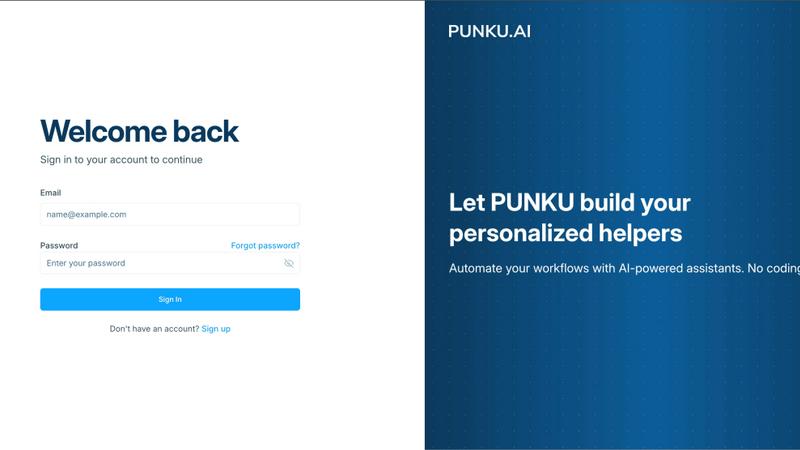
PUNKU.AI
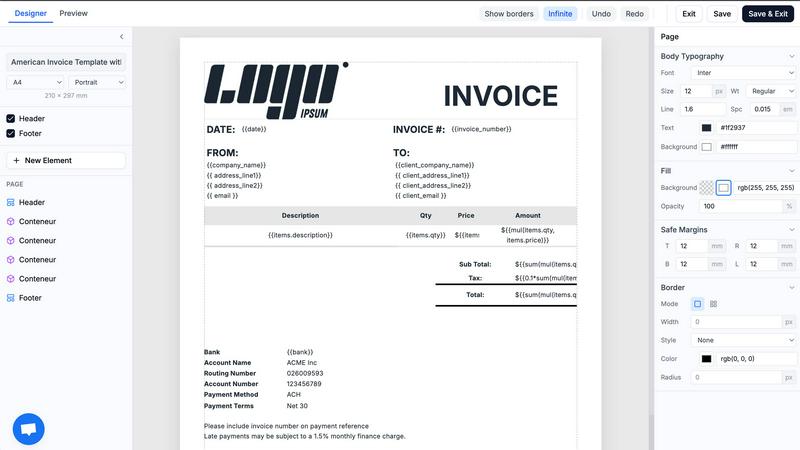
TemplateFox
Feature Comparison
PUNKU.AI
Intelligent Requirement Gathering
PUNKU.AI simplifies the automation process by conducting an interactive interview to gather requirements. Users describe their needs in plain English, and the platform translates those into actionable automations, ensuring no detail is overlooked.
Visual Node Graph
With PUNKU.AI, users can see a clear visual representation of their automation workflows. This node graph not only enhances transparency but also allows for easy modifications and improvements, giving users full control over their processes.
Extensive API Integration
Connect seamlessly with over 3,000 APIs, including industry-leading applications like Gmail, Slack, Notion, and Google Workspace. This extensive integration ensures that PUNKU.AI can fit into your existing tech stack without hassle.
Continuous Monitoring and Improvement
Once deployed, PUNKU.AI actively monitors workflows for errors and provides suggestions for optimization based on key performance indicators (KPIs). This feature ensures that automations run smoothly and efficiently, minimizing downtime.
TemplateFox
Headers & Footers
With TemplateFox, you can define headers and footers once and have them automatically repeat on every page. This is perfect for including company logos, page numbers, and legal mentions, ensuring consistency and professionalism across all your documents.
Dynamic Data Binding
TemplateFox's dynamic data binding feature allows you to inject any data into your templates seamlessly. Whether it's names, addresses, or prices, everything updates automatically, making document generation flexible and tailored to your needs.
Auto-Expanding Tables
Tables in your PDFs will grow automatically based on the amount of data you input. Whether you have three items or three hundred, the tables adapt fluidly and can span multiple pages, ensuring that your documents remain organized and easy to read.
Built-in QR Codes & Barcodes
Generate QR codes and barcodes on the fly with TemplateFox. This feature supports various formats such as Code128, EAN-13, and QR codes, all ready for scanning. This functionality is especially useful for logistics and tracking needs in your business operations.
Use Cases
PUNKU.AI
Customer Support Automation
Create a 24/7 customer support chatbot that can handle common inquiries, enhancing customer satisfaction while freeing up human agents for more complex issues. This automation ensures that your customers receive immediate responses.
Lead Generation
Utilize PUNKU.AI to automate lead generation processes, capturing and qualifying leads without manual intervention. This allows your sales team to focus on converting leads rather than sourcing them.
Meeting Scheduling
Automate the process of scheduling meetings with a Calendar Sync Manager that connects with your calendars. This feature eliminates double-booking and ensures that all team members are on the same page regarding appointments.
Task Coordination
PUNKU.AI can streamline team task coordination by automatically assigning and tracking tasks among team members. This feature enhances productivity and ensures accountability within teams.
TemplateFox
Invoice Generation
Businesses can leverage TemplateFox to automate the generation of invoices, saving time and reducing manual errors. With dynamic data binding, invoices can be populated with customer details and itemized charges, streamlining the billing process.
Certificate Creation
Educational institutions and organizations can use TemplateFox to create personalized certificates of achievement. The drag-and-drop editor allows for custom designs that reflect the brand's identity, making each certificate unique and professional.
Packing Slips for E-commerce
E-commerce platforms can generate packing slips that are automatically populated with order details. This feature enhances the shipping process by ensuring each customer receives accurate documentation tailored to their order.
Asset Tracking with QR Codes
Companies in logistics can utilize TemplateFox to create QR code sheets for asset tracking. By integrating QR codes into packing slips or shipping labels, businesses can improve tracking efficiency, making inventory management a breeze.
Overview
About PUNKU.AI
PUNKU.AI is a groundbreaking automation platform designed to streamline workflows for businesses of all sizes. It empowers users to create and manage AI automations effortlessly, eliminating the need for coding or extensive technical knowledge. PUNKU.AI acts like a senior engineer by interviewing users to gather detailed requirements and edge cases, ensuring that automations are built precisely to their specifications. The platform connects with over 3,000 APIs, including popular tools like Gmail, Slack, Notion, Zoom, and Google Workspace, making it an incredibly versatile solution for automating repetitive tasks. With PUNKU.AI, users can visualize their automation processes through a user-friendly node graph, gaining insight into how their workflows operate. The platform also features over 100 pre-built templates for various applications, including customer support chatbots and lead generation, allowing businesses to hit the ground running. Trusted by over 200 businesses worldwide, PUNKU.AI helps teams kill busywork and focus on what truly matters.
About TemplateFox
TemplateFox is an innovative Software as a Service (SaaS) platform that revolutionizes the way organizations generate professional-grade PDFs. With its powerful API, users can easily create stunning documents such as invoices, certificates, and reports without needing any HTML or CSS expertise. The intuitive drag-and-drop editor allows for visual template design, ensuring anyone can craft beautiful documents in minutes. Whether you are an indie hacker, a developer, or a business looking to automate document workflows, TemplateFox is designed for you. With seamless integration through tools like Zapier, you can generate thousands of PDFs with a simple API call, enhancing efficiency and saving time. The platform supports dynamic data binding, making it easy to inject any type of data into your templates, and delivers results in just 1-3 seconds, whether through signed URLs or direct binary downloads. Start for free with 100 PDFs every month, and scale effortlessly with affordable paid plans tailored to meet diverse business needs.
Frequently Asked Questions
PUNKU.AI FAQ
What makes PUNKU.AI different from other AI platforms?
PUNKU.AI stands out because it combines simplicity with control. Unlike other platforms that may require extensive technical knowledge or offer limited visibility, PUNKU.AI allows users to describe their needs in plain English and provides a visual representation of their automation workflows.
Do I need technical knowledge to use PUNKU.AI?
No, technical knowledge is not required. PUNKU.AI is designed for anyone to use, allowing users to simply describe their desired automations in plain language. The platform handles all the technical setup automatically.
How long does it take to get started?
Getting started with PUNKU.AI is incredibly quick. Users can set up their first automation in just a few minutes, thanks to the intuitive interface and pre-built templates available to jumpstart their workflows.
How secure is my data on PUNKU.AI?
PUNKU.AI takes data security seriously, employing industry-standard protocols and encryption methods to ensure that your information remains safe and confidential. Your data is protected as you automate your workflows.
TemplateFox FAQ
How does TemplateFox work?
TemplateFox works by allowing users to design templates using a drag-and-drop editor, which requires no coding skills. Once templates are created, users can generate PDFs via a simple API call or integrate with tools like Zapier.
Is there a free trial available?
Yes, TemplateFox offers a free plan that allows users to generate up to 100 PDFs per month. This is a great way to explore the platform's features without any financial commitment.
Can I customize the templates?
Absolutely! TemplateFox provides a fully customizable template editor where you can adjust every component, including borders, colors, sizes, and positions, ensuring your documents meet your specific branding requirements.
What integrations are available with TemplateFox?
TemplateFox integrates seamlessly with popular no-code platforms like Zapier, Airtable, and Make. This allows users to automate the PDF generation process and incorporate it into their existing workflows without any hassle.
Alternatives
PUNKU.AI Alternatives
PUNKU.AI is an innovative automation tool designed to transform English into actionable AI automations, fitting seamlessly into the No Code & Low Code category. It offers users the unique ability to maintain control while simplifying complex tasks, making it a popular choice among businesses looking to enhance their workflows. However, users often seek alternatives due to various reasons like pricing, specific feature sets, or differing platform needs that align more closely with their operational requirements. When searching for an alternative, consider factors such as ease of use, integration capabilities with existing tools, customization options, and the level of support provided. A good alternative should not only meet your current needs but also be scalable to adapt to future demands, ensuring that your automation processes remain efficient and effective.
TemplateFox Alternatives
TemplateFox is an innovative SaaS solution that specializes in automating and scaling PDF generation. It empowers users to create professional documents like invoices, certificates, and reports through an intuitive WYSIWYG template editor, making it accessible for indie hackers, developers, and businesses alike. As a productivity and management tool, TemplateFox is designed to streamline document workflows with fast API calls and simple integrations. Users often seek alternatives to TemplateFox for various reasons, such as differing pricing structures, specific feature sets, or unique platform requirements. When exploring alternatives, it's essential to consider factors such as ease of use, design flexibility, API capabilities, and the scalability of the service to ensure it meets your specific document automation needs.