
Project Genie vs Vailo Ai

Project Genie
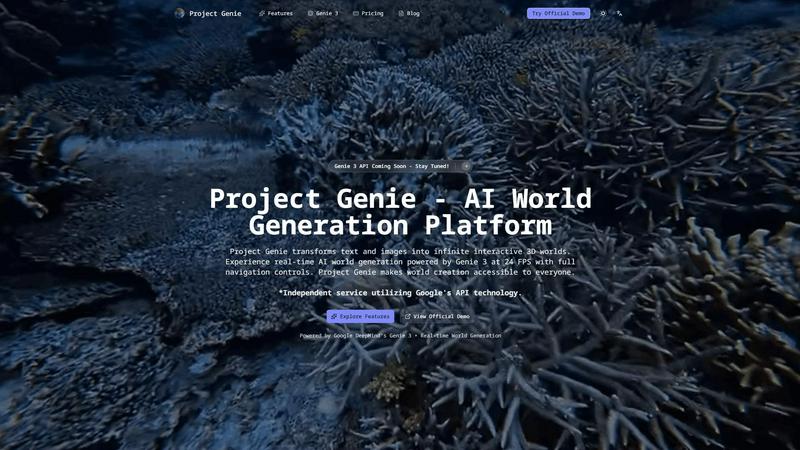
Transform text and images into endless interactive 3D worlds with Project Genie.
Last updated: February 27, 2026

Vailo Ai
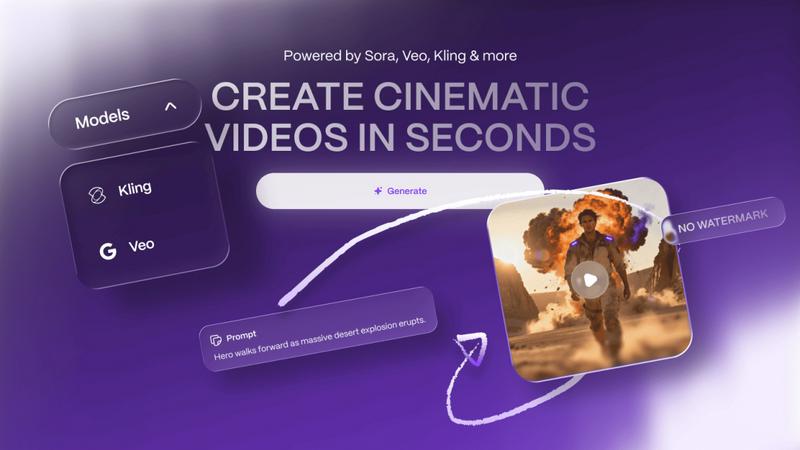
Vailo Ai instantly creates watermark-free videos and images from your text descriptions.
Last updated: February 28, 2026
Visual Comparison
Project Genie
Vailo Ai
Feature Comparison
Project Genie
Text-to-World Generation
With Project Genie, users can describe their desired environments in natural language. The Genie 3 AI interprets these prompts and generates intricate, immersive worlds, whether they envision a mystical forest or a bustling sci-fi metropolis, all with just a few simple words.
Real-Time Exploration
Experience the thrill of real-time exploration as Genie 3 allows users to navigate their generated worlds seamlessly at 24 frames per second. This dynamic generation means that the environment evolves as you move, providing an engaging and immersive experience without any pre-rendered limitations.
Image-to-World Conversion
Users can upload images such as photos, artwork, or sketches and watch as Genie 3 transforms them into interactive 3D environments. This feature turns visual references into tangible worlds, making it easier for creators to visualize their ideas and concepts in an engaging format.
Emergent Physics
Project Genie’s emergent physics system ensures that interactions within the generated worlds feel natural and realistic. The Genie 3 AI simulates gravity, collisions, and object dynamics without requiring explicit programming, allowing users to focus on creativity rather than technical details.
Vailo Ai
Cinematic Text-to-Video & Image-to-Video
At the heart of Vailo is its powerful generative engine. Simply type a descriptive prompt, and watch as Vailo's AI generates a completely original, cinematic video shot from scratch. Alternatively, upload any portrait, product photo, or key visual, and use the Image-to-Video feature to breathe life into it with smooth, realistic motion. This dual capability allows you to create everything from fantastical scenes to animated product showcases without any prior footage.
All-in-One Creative Studio (V2)
Vailo goes beyond basic generation with a comprehensive professional studio. This includes an Image Studio for generating and editing pictures (Text-to-Image, Image-to-Image, upscaling, inpainting) and a full Video Studio for precise editing. Here, you can apply camera motions, extend video length, add AI avatars, generate captions and voiceovers, remove backgrounds, and process multiple videos at once with batch rendering—all within a single, unified interface.
Platform-Optimized Output & Templates
Create content that looks native and professional on any platform. Vailo lets you render your final videos in the perfect aspect ratio, whether it's 9:16 for TikTok and Instagram Reels or 16:9 for YouTube and web content. Jumpstart your projects with ready-made templates that provide polished results in minutes, taking the guesswork out of formatting and helping you maintain a consistent, high-quality look across all your social channels.
Free Access & No Watermarks
Start creating immediately with Vailo's generous free plan, which provides credits to explore the platform's premium models without any cost. Most importantly, every video you generate—even on the free tier—is delivered without any distracting Vailo watermark. This means you can use your creations commercially and present them as truly your own from day one, a game-changer for creators and brands building their presence.
Use Cases
Project Genie
Game Development Prototyping
Game developers can leverage Project Genie to quickly prototype levels and environments for their games. By using text or images to describe their vision, they can create playable spaces that can be tested and refined in real-time, significantly speeding up the development process.
Immersive Learning Environments
Educators can utilize Project Genie to create engaging, interactive learning experiences. By generating 3D worlds based on historical events or scientific concepts, students can explore and interact with environments that enhance their understanding and retention of the subject matter.
Film Pre-Visualization
Filmmakers can use Project Genie for pre-visualization of scenes, allowing them to create detailed 3D environments that can be explored before shooting. This capability helps in planning shots, lighting, and overall scene composition, making the production process more efficient.
Creative Experimentation
Artists and designers can experiment with different concepts and ideas using Project Genie. The ability to generate and manipulate 3D worlds instantly provides a playground for creativity, allowing for the exploration of artistic visions without the constraints of traditional design tools.
Vailo Ai
Rapid Social Media & UGC Ad Creation
Content creators and marketers can produce a high volume of engaging, short-form video ads and user-generated content (UGC) styles for platforms like TikTok, Instagram Reels, and YouTube Shorts. Generate eye-catching promos, testimonials, and trend-based content in minutes, allowing for rapid testing and iteration without the need for filming or hiring actors.
Dynamic Product Marketing & Showcases
E-commerce brands and designers can animate their product images to create stunning, professional video showcases. Highlight key features, demonstrate use cases, and create compelling ads that make products stand out in a crowded digital marketplace, all from a simple product photo—no physical studio or videography team required.
Pre-Visualization & Storyboarding
Filmmakers, agencies, and creative teams can use Vailo to quickly visualize concepts and build detailed storyboards. Transform script excerpts or scene descriptions into rough video sequences to pitch ideas, plan shots, and align creative vision before committing to expensive production schedules, saving significant time and resources.
Brand Content & Motion Graphics
Businesses of all sizes can generate unique motion graphics, animated logos, explainer video segments, and branded content for websites, presentations, and internal communications. The ability to create custom, high-quality video from text descriptions empowers teams to maintain a strong visual identity consistently and affordably.
Overview
About Project Genie
Project Genie is an innovative AI world-generation platform that revolutionizes the way creators, educators, and developers design immersive 3D environments. By simply providing text descriptions or uploading images, users can instantly transform their ideas into fully navigable 3D worlds, thanks to the powerful Genie 3 AI technology. This platform empowers individuals without any coding or design experience to craft interactive spaces for various applications, such as game prototyping, immersive learning, film pre-visualization, and creative experimentation. With real-time world generation at 24 frames per second and a user-friendly interface, Project Genie breaks down barriers in 3D world creation. The platform not only enhances creativity but also invites users from all walks of life to bring their imaginative environments to life effortlessly.
About Vailo Ai
Welcome to the future of content creation, powered by AI. Vailo Ai is your all-in-one generative AI studio, designed to transform simple text prompts or static images into stunning, cinematic-quality video in seconds. It's the creative partner that eliminates the traditional barriers of video production—no expensive cameras, no film crews, and no complex editing software required. Whether you're a solo creator, a filmmaker on a tight deadline, a designer crafting visuals, or a marketer needing rapid-fire ad content, Vailo puts studio-grade power at your fingertips. Its core mission is to democratize high-end video creation, offering tools that are both incredibly powerful and surprisingly accessible. With Vailo, you can generate beautiful, watermark-free videos optimized for every platform, from 9:16 vertical Reels to 16:9 YouTube masterpieces. The platform combines a revolutionary Text-to-Video engine, an intuitive Image-to-Video animator, and a full suite of editing tools into one seamless workflow. Step into a new era where your imagination is the only limit, and bring your most ambitious visual stories to life instantly.
Frequently Asked Questions
Project Genie FAQ
How does Project Genie generate worlds?
Project Genie uses advanced AI technology, specifically the Genie 3 model, to interpret user input—whether text or images—and generate fully interactive 3D environments in real-time.
Do I need coding skills to use Project Genie?
No, Project Genie is designed to be user-friendly and accessible to everyone. You can create immersive worlds without any technical expertise or prior design experience.
What types of media can I use with Project Genie?
You can use both text descriptions and images. Simply describe your desired world in natural language or upload any image, and Project Genie will transform it into a 3D environment.
Is there a limit to the worlds I can create?
There are no limits to your creativity with Project Genie. Users can generate an infinite number of worlds, with over a million already created by the community, showcasing the platform's extensive capabilities.
Vailo Ai FAQ
Is Vailo Ai really free to use?
Yes! Vailo Ai offers a completely free plan that provides you with credits to start generating videos and images immediately. This free tier includes access to all the core image and video tools, and crucially, your generated content comes with no watermark. It's a fantastic way to explore the platform's capabilities before deciding to upgrade for more credits and higher volume.
What can I create with Vailo Ai?
You can create a wide array of professional video and image content. This includes cinematic scenes from text prompts (Text-to-Video), animated videos from your own photos (Image-to-Video), social media ads, product demos, storyboards, short films, branded content, and enhanced images through upscaling or editing. The platform is designed for versatility across marketing, entertainment, and design.
What are credits and how do they work?
Credits are the unit of consumption on Vailo Ai. Each action, like generating a video or upscaling an image, uses a certain number of credits from your monthly allowance. Different models and video lengths may cost different amounts. Your plan (Free, Pro, Creator) determines how many credits you receive each month, which directly correlates to how much content you can create.
Does Vailo Ai support commercial use of the generated content?
Absolutely. Content created with Vailo Ai, including videos and images generated on the free plan, is yours to use for commercial purposes. You can use it in client projects, social media ads, marketing campaigns, and product promotions. The lack of a watermark on all outputs ensures your final work remains professional and unbranded by the tool itself.
Alternatives
Project Genie Alternatives
Project Genie is an innovative AI world-generation platform that transforms text descriptions and images into fully navigable 3D environments. It belongs to the image generation category, empowering users to create immersive spaces without needing coding or design experience. With real-time exploration capabilities, Project Genie caters to various applications, including game prototyping, immersive learning, and creative experimentation. Users often seek alternatives to Project Genie for a variety of reasons, including pricing, specific feature sets, or compatibility with their preferred platforms. When choosing an alternative, it's essential to consider factors such as ease of use, the quality of generated environments, and the level of support provided. Finding a solution that meets your creative needs and budget will ensure a seamless transition and a fulfilling creative experience.
Vailo Ai Alternatives
Vailo Ai is a generative-AI video studio that instantly transforms text or images into cinematic clips. It's part of the exciting new wave of AI-powered content creation tools designed to democratize video production. With its core promise of free, watermark-free video generation, it's a powerful launchpad for creators of all kinds. Users often explore alternatives for various reasons. Some may need more advanced editing features, different pricing models, or specialized capabilities for specific platforms. Others might be looking for tools that integrate directly into their existing workflow or offer a different style of AI-generated motion. When choosing an alternative, consider your primary use case, budget, and desired output quality. Key factors include the types of video generation (text, image, or both), editing control, format support, and whether the tool fits your creative process for ads, social content, or professional projects.