
documentorium vs Zovo

documentorium
Generate professional PDFs in seconds with documentorium's guided forms tailored for every trade and service you need.
Last updated: March 26, 2026

Zovo
One price, 16 privacy-first Chrome extensions built by you and for you.
Last updated: February 27, 2026
Visual Comparison
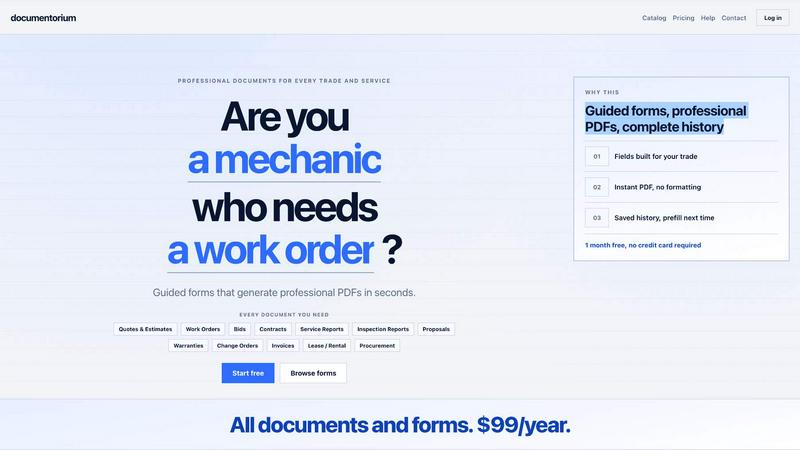
documentorium
Zovo
Feature Comparison
documentorium
Guided Templates
With documentorium, you get access to over 200 guided templates designed for various trades. Each template is structured to include specific fields relevant to your profession, making it simple to fill out and create the perfect document in seconds.
Instant PDF Generation
No more worrying about formatting and layout issues. documentorium allows you to generate professional-quality PDFs instantly after filling out your guided form, ensuring you have a polished document ready to share with your clients.
Saved Document History
documentorium keeps track of all your documents, allowing you to access your saved history whenever you need. This feature lets you prefill fields for future documents, saving you time and ensuring consistency across your paperwork.
Simple Pricing Model
Enjoy full access to every document and form for just $99 per year. This straightforward pricing model ensures there are no hidden fees or complicated tiers, making it easy to budget for your document needs.
Zovo
BeLikeNative
BeLikeNative enables users to write like native speakers with just a single keystroke. Supporting 80 languages, this feature is perfect for students, professionals, and anyone looking to improve their writing clarity and fluency. It works seamlessly across various platforms, ensuring that your communication is polished and professional without the hassle.
Tab Suspender Pro
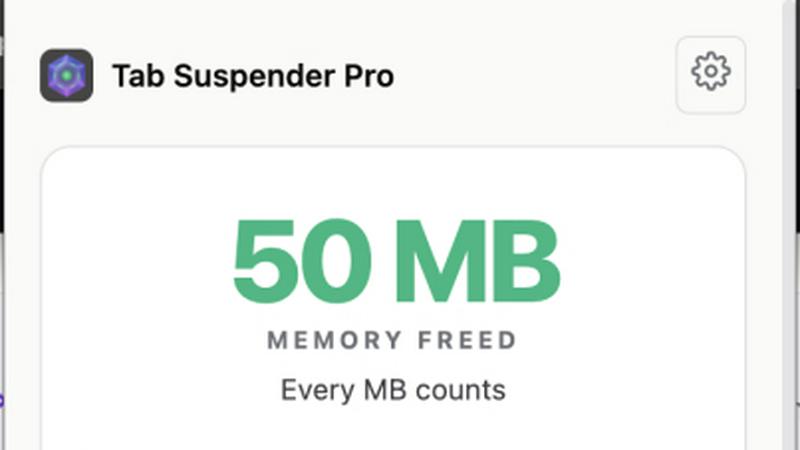
Tab Suspender Pro intelligently saves memory by auto-suspending inactive tabs, optimizing your browser's performance. With smart detection and memory tracking capabilities, this feature helps you manage your open tabs effectively, ensuring that your computer runs smoothly, even with multiple tabs open.
JSON Formatter Pro
JSON Formatter Pro provides an intuitive interface for formatting, validating, and exploring JSON data directly in your browser. It includes features like beautification, minification, and a tree explorer, making it an essential tool for developers and data analysts who work with JSON regularly.
Clipboard History Pro
Clipboard History Pro ensures that you never lose copied text again. With the ability to store up to 10,000 clips, this feature offers instant search and smart paste options. It's an invaluable tool for writers, developers, and anyone who frequently copies and pastes content, allowing for seamless workflow without data loss.
Use Cases
documentorium
Quick Quotes for Clients
Imagine being able to generate a quote for your client in under five minutes. With documentorium, you can quickly fill out a guided form tailored to your trade, creating an accurate and professional quote that enhances your business’s credibility.
Seamless Work Orders
When it comes to managing jobs, documentorium simplifies the process. Easily create work orders with predefined fields that address specific requirements for your trade, ensuring nothing gets overlooked during service delivery.
Efficient Invoicing
Never miss out on getting paid again. documentorium allows you to generate invoices that reflect your services accurately and professionally, streamlining the billing process and ensuring timely payments from your clients.
Comprehensive Service Reports
After completing a job, providing a detailed service report can make all the difference. Use documentorium to create thorough inspection and service reports that document your work, helping to build trust with your clients and showcasing your professionalism.
Zovo
Enhancing Writing Skills
Students and professionals can significantly benefit from BeLikeNative, as it helps them improve their writing skills by providing instant rewrites that sound natural. Whether drafting emails, essays, or reports, users can communicate effectively and confidently.
Optimizing Browser Performance
With Tab Suspender Pro, users can optimize their browser performance by managing multiple tabs effortlessly. This is especially useful for researchers or multitaskers who need to keep several pages open without slowing down their devices.
Streamlining Data Handling
Developers and data analysts can take advantage of JSON Formatter Pro to manage their JSON data easily. The tool simplifies the process of formatting and validating JSON, ensuring data integrity and making it easier to debug.
Managing Clipboard Efficiently
For content creators and programmers who often copy-paste text, Clipboard History Pro is a game-changer. This tool allows them to retrieve any previously copied text quickly and efficiently, enhancing productivity and reducing frustration.
Overview
About documentorium
documentorium is a revolutionary document engine specifically designed for tradespeople, enabling professionals like electricians, plumbers, contractors, HVAC technicians, roofers, and other service providers to create polished business documents with ease. Say goodbye to navigating complex templates and formatting issues; documentorium provides over 200 guided templates tailored to 26 distinct trade categories. Whether you need to generate quotes, estimates, invoices, work orders, or contracts, each form is built with fields specifically for your trade, eliminating the hassle of generic blanks. With documentorium, you can fill out a guided form and produce a clean, print-ready PDF in just seconds. This tool not only saves time but also enhances professionalism, allowing you to focus on what you do best: delivering top-notch services to your clients.
About Zovo
Zovo is an innovative suite of 20 Chrome extensions designed to enhance your browsing experience, meticulously crafted by a solo developer with over a decade of experience and a remarkable track record of $400K+ earned on Upwork with a 100% success rate. At the heart of Zovo is its flagship extension, BeLikeNative, which empowers more than 3,300 users to write like native speakers across 80 languages with the simple press of a key. The Zovo suite includes essential tools like Tab Suspender Pro, JSON Formatter Pro, Clipboard History Pro, Form Filler Pro, and many more, all focused on delivering privacy-first solutions where no data ever leaves your device. With a community-driven approach, users can vote on features and shape the product roadmap, ensuring that Zovo evolves to meet their needs. New extensions are released monthly, with early access for members. Many tools are also available for free online at zovo.one, making Zovo a comprehensive solution for anyone looking to enhance their productivity while safeguarding their privacy.
Frequently Asked Questions
documentorium FAQ
Can I cancel anytime?
Yes, you can cancel your subscription at any time from your account. Your access will remain active until the end of your billing cycle without any penalties or lock-in periods.
What happens when my trial ends?
When your trial expires, your existing documents will remain accessible. To create new documents, you will need to activate your subscription. Rest assured, no data will be deleted when the trial period ends.
Do I lose my documents if I don't subscribe?
No, you will not lose your documents. Your saved documents remain in your history, allowing you to view and download them at any time. Subscribing simply gives you access to create and edit new documents.
What kind of support do you offer?
documentorium provides a range of support options through its Help section, which includes resources, FAQs, and contact information for any additional queries you may have.
Zovo FAQ
How does Zovo ensure user privacy?
Zovo is committed to a privacy-first approach, meaning that all data processed through its extensions remains on your device and is not harvested or sold. This ensures complete confidentiality for all users.
Can I request new features for the extensions?
Absolutely! Zovo encourages user feedback and feature requests. Users can submit their ideas directly, and the most requested features will be prioritized in development.
How do I access the new extensions before the public release?
Members of the Zovo community receive early access to new extensions, typically 1-2 weeks before they are made available to the public. This allows users to be the first to try out the latest tools.
What should I do if I encounter issues with an extension?
If you experience any problems with Zovo extensions, you can reach out directly via email or Discord. Michael Lip, the sole developer, personally addresses inquiries without automated responses or ticket queues.
Alternatives
documentorium Alternatives
documentorium is a professional document engine tailored specifically for tradespeople, enabling them to create polished business documents in no time. This innovative platform caters to a variety of service professionals, offering over 200 guided templates across 26 trade categories, including invoices, quotes, and contracts. Users often seek alternatives for various reasons, such as pricing structures, varying feature sets, or compatibility with specific platforms and devices. When choosing an alternative, it's essential to consider template variety, ease of use, and the level of customization available to ensure it meets your unique business needs.
Zovo Alternatives
Zovo is a groundbreaking suite of 20 Chrome extensions designed for productivity and management, all created by a seasoned solo developer with a proven track record. With tools like BeLikeNative, Tab Suspender Pro, and Clipboard History Pro, Zovo caters to users looking to enhance their online efficiency while prioritizing privacy. Users commonly seek alternatives to Zovo for various reasons, such as pricing, specific feature sets, or compatibility with their preferred platforms. When searching for an alternative, it's crucial to consider factors like user experience, data privacy policies, and the ability to customize features to fit your unique needs.