
AI Couple vs EditPhoto AI
Side-by-side comparison to help you choose the right product.


Visual Comparison
AI Couple
EditPhoto AI
Overview
About AI Couple
AI Couple — Overview
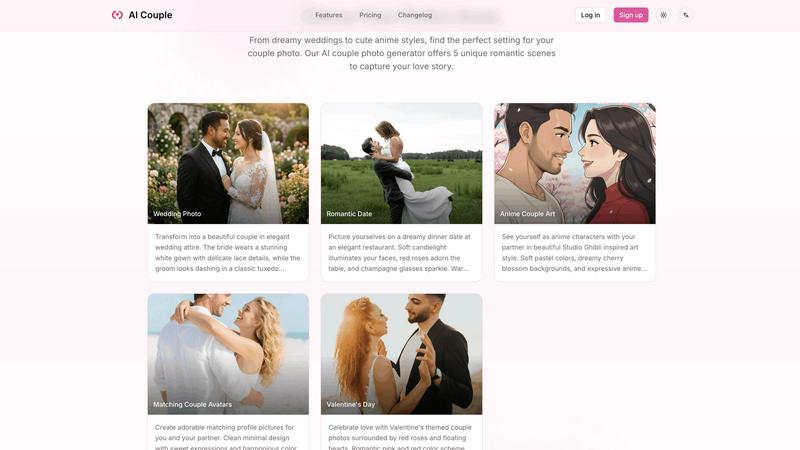
AI Couple is a web-based AI image generator that creates romantic couple photos by blending two face images into predefined scenes. It targets users who want wedding previews, anniversary keepsakes, matching avatars, anime-style couple art, or social media-ready romantic imagery without a photoshoot.
Key Features
- Fast image generation: Most outputs in 20–45 seconds; complex wedding scenes up to ~60s.
- Multiple preset scenes: Wedding Photo, Romantic Date, Anime Couple Art, Matching Avatars, and Valentine's Day.
- Easy workflow: Upload two photos, pick a scene, optionally add a short prompt, and generate.
- Privacy-first processing: 256-bit SSL encryption, isolated processing environments, explicit no-sharing or training policy, user-controlled deletion.
- Mobile-friendly UI: Works in modern mobile browsers without an app.
- Free trial and paid credits: Try for free; purchase credits for unlimited / high-volume use.
Practical Applications / Use Cases
- Wedding preview images for couples planning attire and photography style.
- Personalized anniversary or Valentine’s digital cards and social posts.
- Custom matching avatars for social media profiles or couples’ branding.
- Anime-inspired couple art for fans and creators.
- Low-cost commercial uses: promotional imagery, invitations, or mockups for wedding services.
About EditPhoto AI
EditPhoto AI
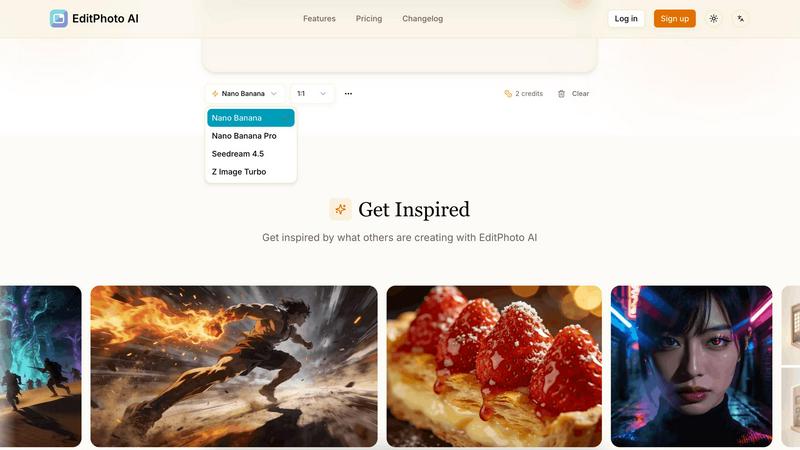
EditPhoto AI is a free, browser-based AI image editor that transforms photo editing into a prompt-driven workflow. Upload images (JPG/PNG/WebP), describe edits in natural language, and the service applies high-quality model-based operations like background removal, object removal, portrait retouching, upscaling to 4K, outpainting, and style transfers.
Key features:
- Text-to-edit: Use simple text prompts to perform edits (e.g., "remove background", "enhance eyes", "change sky to sunset").
- Multiple AI models: Select models optimized for speed, consistency, or high-resolution output (Nano Banana, Nano Banana Pro, Seedream, Z Image Turbo).
- Multi-image reference: Upload up to 14 reference images to preserve style or combine elements across inputs.
- High-resolution output: Support for 1K/2K/4K generation and AI upscaling for professional use.
- Common photo workflows: Background removal, object erasing, portrait retouch, ID photo formatting, old photo restoration, virtual staging, food photography enhancements.
- Privacy-first processing: SSL, isolated processing environments, ephemeral storage and GDPR-aligned claims.
Target users and use cases:
- E-commerce and marketplaces: One-click product white background removal and batch-friendly edits for listings.
- Photographers and designers: Fast retouching, upscaling, and style transformations without complex software.