
AI FMV vs Kling Motion Control (Kling VIDEO 2.6)

Last updated: February 27, 2026

Last updated: February 28, 2026
Visual Comparison
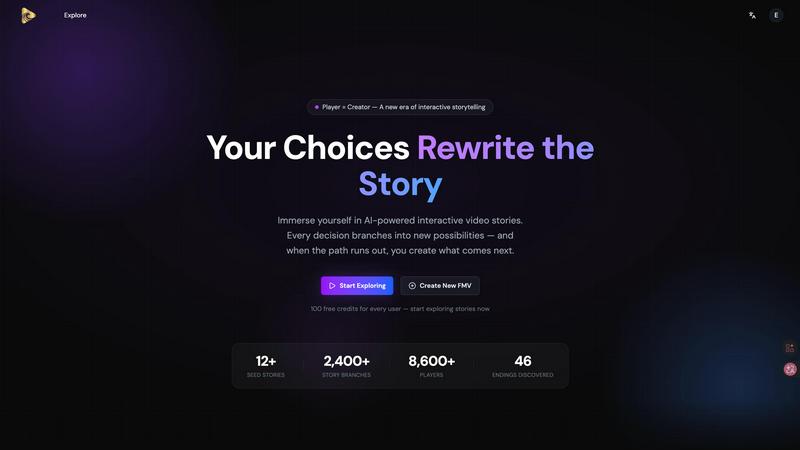
AI FMV
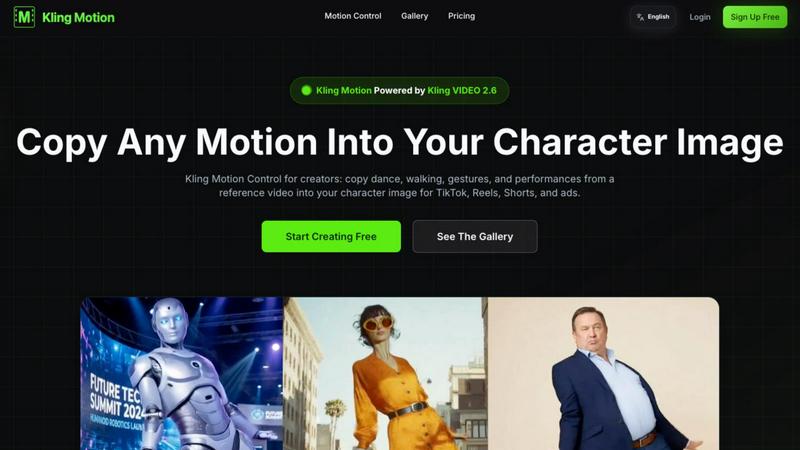
Kling Motion Control (Kling VIDEO 2.6)
Feature Comparison
AI FMV
Interactive Storytelling
Experience the thrill of choosing your own path through branching narratives that evolve based on your decisions. This feature allows players to explore multiple outcomes, enhancing replayability and engagement.
AI-Powered Content Generation
Utilize advanced AI algorithms to create unique and engaging video content effortlessly. This feature ensures that every storyline is fresh, personalized, and tailored to the preferences of the audience.
Customizable Storylines
Players can not only choose their paths but also create and publish their own storylines. This feature empowers users to unleash their creativity and share their unique narratives with the community.
Analytics and Insights
Gain valuable insights into player interactions and preferences with detailed analytics. This feature helps creators understand engagement patterns, allowing them to refine their storytelling strategies for maximum impact.
Kling Motion Control (Kling VIDEO 2.6)
Motion Extraction
Kling Motion Control's advanced AI algorithm enables users to extract precise motion data from any video. This feature enhances the accuracy of motion reproduction, ensuring that the transferred movements closely mimic the original performance.
Full Body Motion
This feature captures comprehensive body movements, including nuanced facial expressions and intricate hand gestures. It allows users to create lively and engaging videos that resonate with viewers by portraying realistic character emotions and actions.
Hand Gesture Recognition
Kling Motion Control includes sophisticated hand gesture recognition technology that accurately tracks and reproduces detailed hand movements. This capability adds an extra layer of expressiveness to character animations, perfect for storytelling and interactive content.
Prompt-Guided Creation
With the prompt-guided creation feature, users can leverage natural language prompts to customize their motion control outputs. This user-friendly approach allows for fine-tuning of backgrounds, lighting, and overall visual style while maintaining the integrity of the transferred motion.
Use Cases
AI FMV
Educational Tools
Educators can use AI FMV to create interactive lessons that engage students in a storytelling format. This approach enhances learning by allowing students to make choices that affect the outcome of the lesson.
Marketing Campaigns
Brands can leverage AI FMV to craft immersive marketing experiences that allow potential customers to explore narratives related to their products. This interactive approach can lead to higher engagement and conversion rates.
Game Development
Game developers can utilize AI FMV to prototype interactive storytelling elements within their games. This feature enables them to test narrative pathways and player choices before full-scale development.
Community Engagement
Nonprofits and community organizations can use AI FMV to tell impactful stories about their missions. By allowing users to explore different narratives, they can foster greater connection and support for their causes.
Kling Motion Control (Kling VIDEO 2.6)
Social Media Content Creation
Content creators can utilize Kling Motion Control to generate eye-catching videos for platforms like TikTok and Instagram. By incorporating dynamic movements into their character images, creators can enhance viewer engagement and increase shareability.
Marketing and Advertising
Businesses can leverage Kling Motion Control to produce professional-quality ad creatives quickly. By animating characters with relevant gestures and movements, brands can deliver compelling messages that capture audience attention and drive conversions.
Educational Videos
Educators can create interactive and engaging video content using Kling Motion Control. By animating character images to demonstrate concepts or illustrate storytelling, educators can enhance learning experiences and keep students captivated.
Personalized Video Messages
Individuals and businesses can utilize Kling Motion Control to craft personalized video messages or greetings. By customizing character animations to fit the message, users can create unique and memorable content for special occasions or promotions.
Overview
About AI FMV
AI FMV is a groundbreaking platform that allows users to engage with branching AI video stories, where every choice a player makes shapes the narrative direction. This innovative tool is designed for creators, storytellers, and anyone interested in interactive storytelling experiences. Whether you're a content creator looking to captivate your audience or an educator aiming to enhance learning through dynamic narratives, AI FMV offers a unique solution. The main value proposition lies in its capacity to empower users to craft new storylines, fostering creativity and engagement. With an intuitive interface and powerful AI technology, AI FMV transforms passive viewing into active participation, making every player a creator of their own story.
About Kling Motion Control (Kling VIDEO 2.6)
Kling Motion Control, powered by Kling VIDEO 2.6, is an innovative AI-driven tool designed for creators looking to seamlessly convert static character images into captivating motion-driven videos. By utilizing motion transfer technology, Kling Motion Control allows users to copy dynamic movements from various reference videos—such as dance routines, gestures, or performance snippets—into their character images. This makes it an ideal solution for anyone engaged in short-form content creation, including TikTok videos, Instagram Reels, YouTube Shorts, and ad campaigns, without the complexity of manual animation. The standout feature of Kling Motion Control is its ability to lock in motion first and then provide customization options for backgrounds, lighting, and styles through text prompts. This process offers creators a structured, repeatable workflow that eliminates the unpredictability often associated with AI video generation, ultimately enriching the content creation experience.
Frequently Asked Questions
AI FMV FAQ
What platforms does AI FMV support?
AI FMV is designed to work seamlessly across various platforms, ensuring that users can access interactive stories on mobile devices, tablets, and desktops.
Can I publish my own stories on AI FMV?
Absolutely! AI FMV encourages creativity by allowing users to create, customize, and publish their own unique storylines for others to explore and enjoy.
How does the AI generate content?
The AI in AI FMV utilizes advanced algorithms and machine learning techniques to analyze player choices and preferences, generating content that is both engaging and relevant to the audience.
Is there a trial period for AI FMV?
Yes! AI FMV offers a free 15-day trial, allowing users to experience the full capabilities of the platform without any upfront costs.
Kling Motion Control (Kling VIDEO 2.6) FAQ
What is Kling Motion? How is it different from typical AI Video Generation?
Kling Motion is an AI-powered tool that allows for precise motion transfer from reference videos to character images. Unlike typical AI video generation that may rely solely on random prompts, Kling Motion focuses on accurately copying movements, resulting in more realistic and engaging animations.
What is Kling Motion Control? Who is it for?
Kling Motion Control is an enhanced version of Kling Motion that offers more customization options. It is designed for content creators, marketers, educators, and anyone looking to produce high-quality animated videos without extensive animation skills.
What's the relationship between Kling VIDEO 2.6 and Kling Motion Control?
Kling Motion Control is built on the powerful foundation of Kling VIDEO 2.6. The latter provides the underlying technology that enables motion transfer, while Kling Motion Control enhances user experience with added customization features.
What materials do I need to use Kling Motion Control?
To use Kling Motion Control, you need a reference video (3-30 seconds) that showcases the desired motion and a static character image that you want to animate. Both can be uploaded easily to start the motion transfer process.
Alternatives
AI FMV Alternatives
AI FMV is an innovative platform that immerses users in the world of interactive video storytelling powered by artificial intelligence. This exciting category of video entertainment allows players to engage in branching narratives where their choices shape the plot and create new storylines. With every interaction, users become creators, offering a unique blend of entertainment and storytelling that captivates audiences. However, users often seek alternatives to AI FMV for various reasons, including pricing, feature sets, and compatibility with different platforms. When choosing an alternative, it's essential to consider factors such as ease of use, the richness of storytelling options, and the overall user experience. By evaluating these elements, users can find a solution that meets their specific needs while still delivering engaging interactive video content.
Kling Motion Control (Kling VIDEO 2.6) Alternatives
Kling Motion Control (Kling VIDEO 2.6) is an innovative tool in the video creation space, specializing in motion-driven AI video generation for short-form content. This technology transforms static character images into engaging videos by applying motion from reference clips, making it ideal for creators looking to produce dynamic content effortlessly. Users often seek alternatives due to factors such as pricing, feature sets, platform compatibility, or specific workflow needs. When exploring alternatives, it's essential to consider ease of use, customization options, and the quality of the generated content to ensure it meets your creative objectives.