
Banana AI vs Timeline Maker

Banana AI
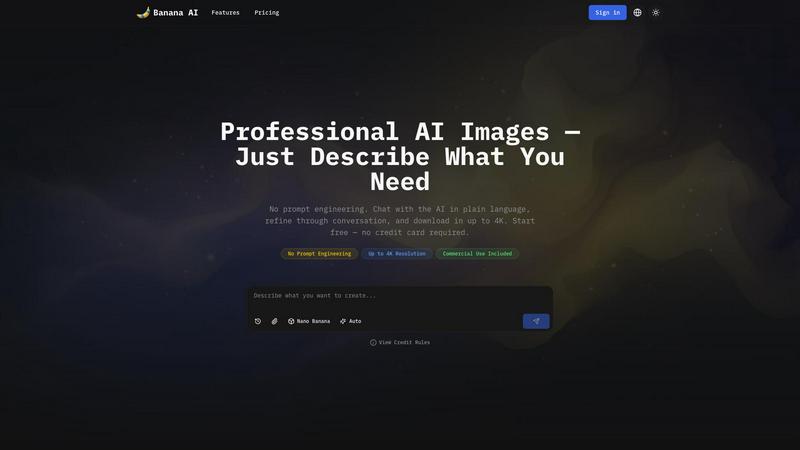
Banana AI generates professional 4K images through a simple chat conversation, no design skills required.
Last updated: April 13, 2026

Timeline Maker
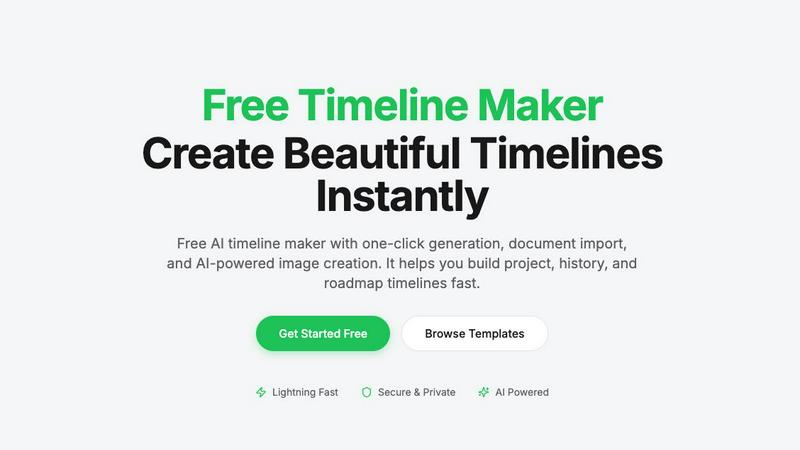
Create stunning timelines effortlessly with our free AI-powered timeline maker.
Last updated: February 27, 2026
Visual Comparison
Banana AI
Timeline Maker
Feature Comparison
Banana AI
Conversational AI Interface
Forget rigid templates and confusing syntax. Banana AI's core feature is its chat-based interface where you describe your vision in natural language. You can have a back-and-forth dialogue to refine the image, asking for changes like "make the light warmer" or "add a subtle shadow." The AI remembers the entire conversation context, allowing for iterative refinement that feels collaborative and intuitive, eliminating the need for any prompt engineering skills.
Four Specialized AI Models
Banana AI provides four models in one chat to match your needs for speed, quality, and cost. Choose 'Flux Fast' for quick, 1-credit drafts. Use 'Nano Banana' for standard-quality output in a blazing-fast 2-5 seconds. Opt for 'Nano Banana 2' for professional 4K images in 4-6 seconds. Select 'Nano Banana Pro' for maximum detail, commercial-grade 4K output, and precise text rendering, perfect for final deliverables.
Style & Character Consistency
Maintain visual coherence across multiple images with the reference upload feature. You can upload up to 8 reference images per chat session. This allows the AI to understand and replicate specific styles, characters, products, or color palettes, ensuring brand consistency for marketing materials or character consistency for story illustrations without starting from scratch every time.
Multi-Ratio & High-Resolution Export
Create versatile content for any platform from a single idea. Generate images in different aspect ratios like 1:1 for Instagram, 9:16 for Reels, or 16:9 for banners within the same conversation. Then, download your final approved image in stunning high resolution, up to 4K, ready for commercial use in print, social media, product listings, or client deliverables.
Timeline Maker
AI-Powered Generation
Harness the power of artificial intelligence to generate timelines with just one sentence. Describe your timeline briefly, and watch as AI transforms your words into a beautifully structured visual representation in seconds. This feature saves time and enhances creativity.
Document Import
Effortlessly convert your documents into timelines by uploading PDFs, Word files, or plain text. Timeline Maker's AI automatically extracts relevant dates and events, creating a timeline ready for you to edit. This eliminates manual data entry and accelerates your workflow.
Real-Time Collaboration
Invite others to collaborate on your timeline with ease. Real-time editing, commenting, and contextual chat features mean that team members can contribute simultaneously, ensuring that everyone stays on the same page without version chaos.
Flexible Export Options
Once your timeline is complete, export it in multiple formats, including high-quality images, PDFs, PowerPoint presentations, Word documents, and Excel spreadsheets. This versatility ensures that your timelines are ready for any occasion, be it a presentation, report, or sharing online.
Use Cases
Banana AI
E-Commerce Product Photography
Transform your online store by generating professional product photos at a fraction of the cost. Upload a product shot and use chat to test dozens of backgrounds—from pure white studio shots to realistic lifestyle scenes. Export Amazon and Shopify-ready images for about $0.20 each instead of $30-50 per photographer session, dramatically scaling your visual content.
Content Creator Thumbnails
Supercharge your YouTube or content channel workflow. Describe your thumbnail concept and get multiple visual options in seconds. Pick a favorite and refine the text, layout, and colors through simple chat commands. Turn a 2-hour Photoshop grind into a 5-minute conversation, freeing up time to focus on creating the actual video content.
Social Media Marketing Campaigns
Produce a week's worth of cohesive social content in one session. Generate multiple image variants from a single prompt for different platforms. Use reference images to lock in your brand's style and colors. Quickly create engaging visuals for Instagram posts, Reels, and Twitter banners, ensuring a consistent and professional brand presence across all channels.
Educational & Diagram Illustrations
Enhance learning materials with clear, accurate visuals. Describe a complex concept, diagram, or map, and Banana AI will generate an illustrative image in seconds. The Nano Banana Pro model excels at rendering precise labels and annotations. You can even regenerate the same diagram in different languages, making it perfect for creating multilingual classroom resources.
Timeline Maker
Project Management
Project managers can utilize Timeline Maker to plan milestones and track progress visually. By mapping out key events and deadlines, teams can enhance communication and ensure everyone is aligned on project objectives.
Learning Path
Students and educators can create learning paths that document educational journeys and track personal growth. This feature is perfect for showcasing achievements and understanding the progression of skills and knowledge over time.
Life Story
Capture and visualize life's significant moments with ease. Whether it's a personal biography or a collection of cherished memories, Timeline Maker allows users to create timelines that tell their unique stories in a clear and engaging manner.
Company History
Businesses can highlight their journey and impact by crafting company history timelines. This feature is invaluable for showcasing growth trajectories, product launches, and milestones that define an organization’s path in the industry.
Overview
About Banana AI
Banana AI is revolutionizing how we create images by replacing complex forms and prompt engineering with a simple, natural conversation. It's an AI image generation platform built around a chat interface, allowing you to describe what you need in plain language, just like you would message a designer. You start with an idea, the AI generates an image in seconds, and you refine it through multi-turn dialogue until it's perfect. The platform is designed for e-commerce sellers, content creators, marketers, and educators who need professional, commercial-grade visuals without the cost or time of traditional photoshoots or design software. Its core value proposition is delivering stunning, up-to-4K resolution images through an intuitive chat experience, making high-quality visual creation accessible to everyone. With multiple AI models, style consistency tools, and flexible pricing, Banana AI empowers you to go from a fleeting idea to a finished, downloadable asset in minutes.
About Timeline Maker
Timeline Maker is an innovative AI-driven online tool designed to help users effortlessly create professional timelines from text or documents. Whether you're a project manager looking to visualize milestones, a student documenting your learning journey, or anyone needing to present a series of events in a coherent manner, Timeline Maker has got you covered. With its unique combination of automatic timeline generation and a flexible visual editor, users can transform ideas, histories, or project plans into structured timelines in just minutes. Customization options allow for real-time collaboration, ensuring that teams can work together seamlessly, even from different locations. The platform supports various formats for exporting timelines, making it perfect for presentations, reports, or sharing with stakeholders. Fast, intuitive, and adaptable for both simple and complex timelines, Timeline Maker is an essential tool for anyone looking to make their stories clear and engaging.
Frequently Asked Questions
Banana AI FAQ
How is Banana AI different from other AI image generators?
Banana AI is built around a conversational interface, not a single-prompt form. Instead of perfecting a one-time prompt, you chat with the AI, refining the image through dialogue. It also offers multiple specialized models in one chat for different needs and features powerful style consistency tools, making it ideal for iterative, professional workflows rather than just one-off experiments.
What are credits and how many do I need?
Credits are the currency used to generate images on Banana AI. Different AI models consume different amounts per generation. The free tier offers 10 credits to start. Simpler drafts cost 1 credit, while high-quality 4K images cost more. The Pro plan ($9.9/month) provides 500 credits, and the Premium plan ($29.9/month) offers 2,000 credits, suitable for high-volume creators.
Can I use the images I generate for commercial purposes?
Yes! All images generated on Banana AI, including those on the free tier, come with a commercial license. You are free to use them in your business, for client work, on product listings, in social media marketing, print materials, and other commercial applications without any additional fees or licensing concerns.
How does the style consistency with reference images work?
You can upload up to 8 reference images at the start of a chat session. The AI analyzes these images to understand specific elements like art style, character appearance, product design, or color palette. As you continue the conversation and request new images, it applies this learned style to maintain visual coherence across all outputs in that session.
Timeline Maker FAQ
How does the AI-powered timeline generation work?
The AI-powered timeline generation works by taking a simple description or prompt provided by the user and converting it into a structured timeline. The AI analyzes the input and organizes events and dates accordingly, creating a visually appealing timeline in seconds.
Can I collaborate with others on my timeline?
Absolutely! Timeline Maker includes built-in collaboration features that allow you to invite colleagues or friends to edit and comment on your timelines in real time. This ensures smooth teamwork and effective communication.
What file formats can I import into Timeline Maker?
You can import various file formats into Timeline Maker, including PDFs, Word documents, and plain text files. The platform's AI is designed to extract relevant dates and events from these documents, streamlining the timeline creation process.
What formats can I export my completed timeline to?
Once your timeline is ready, you can export it in several formats, including high-quality PNG images, PDF documents (in portrait or landscape), PowerPoint slides, editable Word files, and Excel spreadsheets. This flexibility makes it easy to share your timelines in the format that best suits your needs.
Alternatives
Banana AI Alternatives
Banana AI is a fresh take on AI image generation, placing a chat-based, conversational interface at its core. It lives in the exciting intersection of chatbots and creative tools, letting you describe your vision in plain language and refine it through dialogue, just like briefing a real designer. Users often explore alternatives for various reasons. Some might need a different pricing structure or a free tier with more generous limits. Others could be looking for specific features like advanced editing controls, integration with other platforms, or a particular artistic style that better matches their project's needs. When evaluating other options, consider what matters most for your workflow. Key factors include the quality and speed of generation, the flexibility of the input method, cost-effectiveness for your volume, and tools for maintaining consistency across multiple images, such as character or style references.
Timeline Maker Alternatives
Timeline Maker is an innovative AI-powered online tool that falls into the category of visual project management applications. It enables users to swiftly create professional timelines from text or documents, making it a perfect fit for project planners, educators, and anyone needing to visualize chronological information. As users explore their options, they often seek alternatives due to factors such as pricing structures, specific feature sets, or compatibility with different platforms. When searching for an alternative to Timeline Maker, it's essential to consider ease of use, customization options, collaboration features, and export capabilities. A good alternative should not only meet your visual needs but also enhance your workflow and fit seamlessly into your existing processes.