
Buildway vs EditPhoto AI
Side-by-side comparison to help you choose the right product.


Visual Comparison
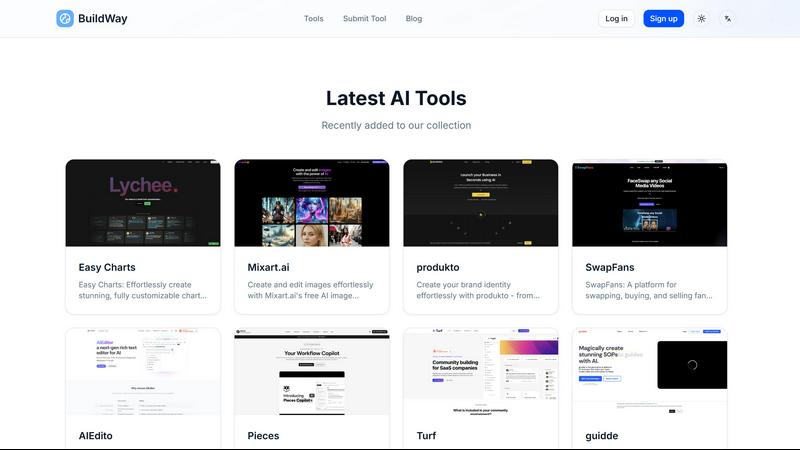
Buildway
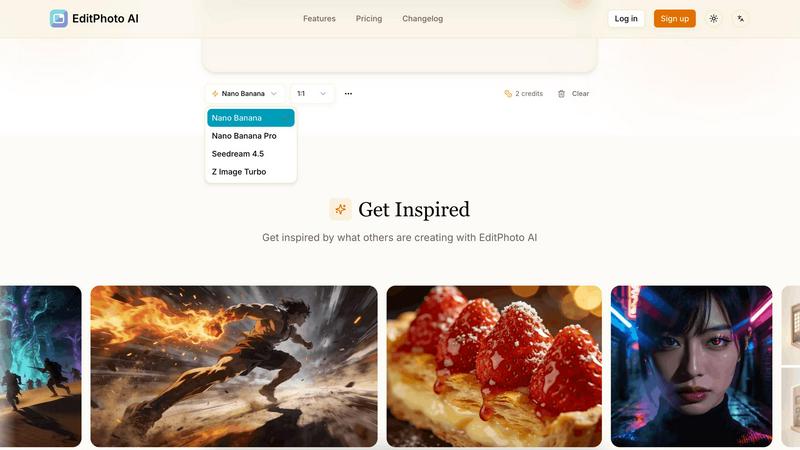
EditPhoto AI
Overview
About Buildway
BuildWay is a curated AI tools directory that helps users discover, compare, and choose AI tools for projects across categories like AI art, LLMs, translation, and more. It lists the latest tools with images, descriptions, and links to each tool page. Key features include:
- Curated listings of AI tools with thumbnails and short descriptions
- Search bar to find tools by name, category, or feature
- Submission portal for developers to submit their tools
- Categorized sections and filters for browsing
- Links to social profiles and badges for credibility
Use cases:
- Product managers and developers evaluating AI tools
- Creators seeking AI art, image, or music generators
- Researchers looking for LLMs, translation, and analysis tools
- Educators and learners exploring AI study and course resources
About EditPhoto AI
EditPhoto AI
EditPhoto AI is a free, browser-based AI image editor that transforms photo editing into a prompt-driven workflow. Upload images (JPG/PNG/WebP), describe edits in natural language, and the service applies high-quality model-based operations like background removal, object removal, portrait retouching, upscaling to 4K, outpainting, and style transfers.
Key features:
- Text-to-edit: Use simple text prompts to perform edits (e.g., "remove background", "enhance eyes", "change sky to sunset").
- Multiple AI models: Select models optimized for speed, consistency, or high-resolution output (Nano Banana, Nano Banana Pro, Seedream, Z Image Turbo).
- Multi-image reference: Upload up to 14 reference images to preserve style or combine elements across inputs.
- High-resolution output: Support for 1K/2K/4K generation and AI upscaling for professional use.
- Common photo workflows: Background removal, object erasing, portrait retouch, ID photo formatting, old photo restoration, virtual staging, food photography enhancements.
- Privacy-first processing: SSL, isolated processing environments, ephemeral storage and GDPR-aligned claims.
Target users and use cases:
- E-commerce and marketplaces: One-click product white background removal and batch-friendly edits for listings.
- Photographers and designers: Fast retouching, upscaling, and style transformations without complex software.