
CutMP3 vs GenSong

CutMP3
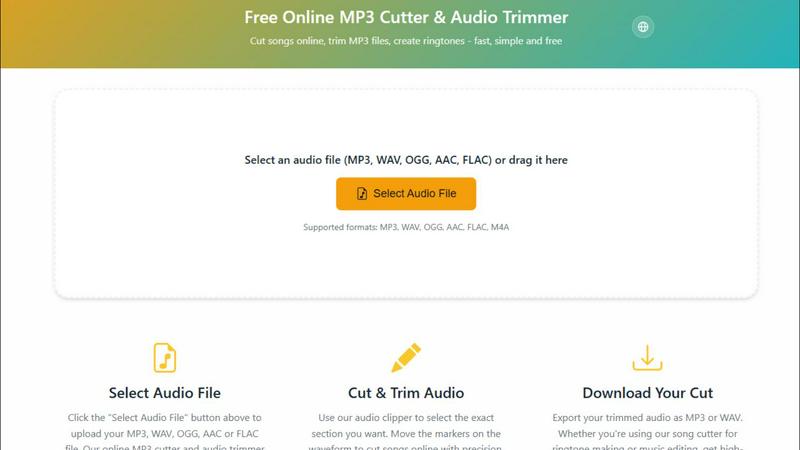
CutMP3 is a free and easy online tool to quickly trim and edit your MP3, WAV, and other audio files effortlessly.
Last updated: February 28, 2026

GenSong
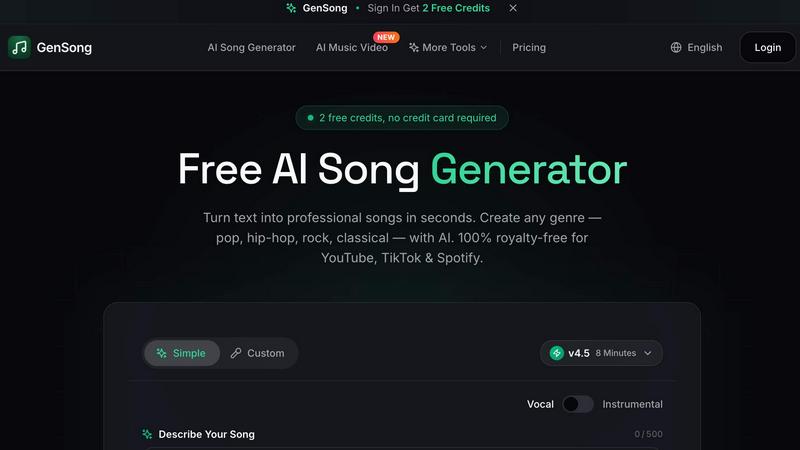
GenSong instantly creates professional, royalty-free songs from text for any genre and platform.
Last updated: March 11, 2026
Visual Comparison
CutMP3
GenSong
Feature Comparison
CutMP3
Visual Waveform Editing
CutMP3 allows users to utilize a visual waveform interface, making it easy to move markers and cut songs with extreme precision. This feature enables users to see exactly where they are cutting, ensuring accuracy and enhancing the overall editing experience.
Privacy Focused
With CutMP3, privacy is paramount. The tool processes all audio files locally, meaning there is no need to upload files to a server. Your audio remains on your device throughout the editing process, ensuring complete security and peace of mind.
Format Support
CutMP3 supports a wide range of audio formats, including MP3, WAV, OGG, AAC, FLAC, and M4A. This extensive format support enables users to work with virtually any audio file type, catering to various needs and preferences.
High-Quality Export
Once you have finished editing, CutMP3 allows for easy export of your audio files in high quality. Users can download their cut tracks in either MP3 or WAV format, ensuring that the final output meets their expectations for sound quality.
GenSong
Lightning-Fast Text-to-Song Generation
Describe your musical vision in plain text, and GenSong's powerful AI engine creates a complete song in under a minute. Simply input your desired genre, mood, tempo, and lyrical content. The AI handles everything from melody composition and instrumental arrangement to vocal synthesis and professional mixing, delivering a ready-to-use track faster than any traditional production method.
100% Royalty-Free Commercial License
Every song you generate with GenSong is yours to use freely and forever. We provide full commercial rights, meaning you can monetize your content on YouTube, use tracks in Spotify releases, feature them in TikTok videos, podcasts, advertisements, or any other project worldwide without worrying about copyright claims or paying additional royalties.
Studio-Quality Audio Output
GenSong is engineered for professional results. It doesn't just make simple melodies; it generates high-fidelity, polished tracks with pristine audio quality. The AI utilizes advanced sound synthesis and mixing techniques to ensure your AI-generated music boasts the depth, clarity, and richness you'd expect from a studio recording, making it suitable for any professional application.
Vast Genre and Style Library
Unleash your creativity across an extensive spectrum of musical styles. GenSong supports the creation of any genre, from mainstream Pop, Rock, and Hip-Hop to specialized styles like Classical, Jazz, Blues, Funk, Soul, Reggae, Disco, and even Punk. This incredible versatility ensures you can find the perfect sound for any project or creative whim.
Use Cases
CutMP3
Creating Ringtones
One of the most popular use cases for CutMP3 is creating personalized ringtones. Users can easily select a specific part of a song and cut it, allowing them to have unique ringtones that reflect their personal style.
Editing Podcasts
Podcasters can utilize CutMP3 to trim unnecessary segments from their recordings. Whether it’s removing long pauses or cutting out mistakes, this tool helps streamline the editing process and improve the overall quality of the podcast.
Social Media Clips
Users looking to share snippets of their favorite songs or audio on social media can benefit from CutMP3. The ability to quickly cut and export audio clips makes it perfect for Instagram reels, stories, and other social media content.
Voice Recordings
CutMP3 is also great for editing voice recordings. Users can cut out unwanted parts or clean up their audio messages, making it an excellent tool for anyone who wants to enhance the quality of their audio communications.
GenSong
Content Creation for Social Media
YouTubers, TikTokers, and Instagram creators can generate unique, copyright-safe intro music, background scores, or jingles in minutes. This eliminates the time-consuming search for royalty-free music and ensures your channel has a distinctive, professional audio identity that won't be flagged by content ID systems.
Indie Game and App Development
Game developers and app creators on a budget can score their entire project with custom, mood-fitting music. Generate epic orchestral themes for adventure games, energetic electronic loops for racing games, or subtle ambient tracks for puzzle apps, all tailored specifically to your project's narrative and aesthetic without hiring a composer.
Marketing and Advertising
Businesses and marketers can produce original jingles, podcast theme music, and soundtrack for video advertisements instantly. Create a catchy, brand-specific tune that resonates with your target audience, enhancing brand recall and production value for commercials, explainer videos, and promotional content at a fraction of the traditional cost.
Musical Inspiration and Demos
Aspiring songwriters and musicians can use GenSong to overcome creative blocks and rapidly prototype ideas. Input a lyric snippet or a genre concept to hear a fully realized version, which can then be used as a demo, a starting point for further refinement, or simply as a source of inspiration for new melodies and arrangements.
Overview
About CutMP3
CutMP3.online is an innovative and user-friendly online audio editor designed for anyone looking to cut songs and create ringtones quickly and efficiently. Whether you are a casual user wanting to edit your favorite tracks or a professional needing precise audio cuts, CutMP3 has you covered. The platform stands out by processing all audio files locally within your browser, ensuring that your audio files remain private and secure. With support for multiple popular audio formats such as MP3, WAV, OGG, AAC, FLAC, and M4A, users can easily select their desired files for editing. The intuitive interface allows users to visualize waveforms and make precise cuts, while the high-quality export options ensure that your final product is ready to use. Best of all, CutMP3 is completely free, making it accessible to everyone, whether on desktop or mobile devices.
About GenSong
Welcome to the future of music creation! GenSong is a revolutionary AI Song Generator that transforms your simple text descriptions into complete, professional-quality songs in seconds. Imagine having a personal music studio powered by cutting-edge artificial intelligence, ready to bring any musical idea in your head to life. Whether you're a content creator needing a catchy intro, a marketer looking for a unique jingle, a game developer requiring background scores, or someone who just loves music, GenSong is your ultimate creative partner. Its core value proposition is breathtakingly simple: democratize professional music production. No expensive software, no years of musical training, and no complex licensing headaches. Just describe the song you want—specify the genre, mood, tempo, and even provide lyrics—and watch as our advanced AI composes, arranges, and produces a full track with vocals and instruments. Every song is 100% royalty-free, cleared for commercial use on platforms like YouTube, Spotify, and TikTok. Start with 2 free credits, no credit card required, and experience the lightning-fast, studio-quality power of AI music generation today!
Frequently Asked Questions
CutMP3 FAQ
How do I cut an MP3 file online?
To cut an MP3 file online using CutMP3, simply click the "Choose Audio File" button, select your desired MP3 file from your computer, and use the visual waveform editor to mark the sections you wish to cut.
Is this audio cutter free?
Yes, CutMP3 is completely free to use. There are no hidden costs or subscription fees, making it accessible for all users who want to edit audio files.
What audio formats are supported?
CutMP3 supports a wide variety of audio formats, including MP3, WAV, OGG, AAC, FLAC, and M4A, ensuring you can work with almost any audio file you have.
Can I create ringtones with this tool?
Absolutely! CutMP3 is perfect for creating custom ringtones from your favorite songs. Simply cut the desired section of the audio and download it for use on your device.
GenSong FAQ
Do I own the songs I create with GenSong?
Yes, absolutely! You retain full ownership of every song you generate. GenSong grants you a complete, 100% royalty-free license for commercial use. This means you can monetize, distribute, and use the music on any platform like YouTube, Spotify, TikTok, in podcasts, films, or games without any additional fees or legal concerns.
How long does it take to generate a song?
Generation is incredibly fast. GenSong creates a complete, professional-quality song in under a minute. The process involves our AI composing the melody, arranging instruments, synthesizing vocals, and mixing the track—all in a matter of seconds, delivering instant results to fuel your creativity without delay.
What genres of music can GenSong create?
GenSong is incredibly versatile and can generate a wide array of genres. The platform supports Pop, Rock, Hip-Hop, Country, Electronic, Classical, Jazz, Blues, R&B, Funk, Soul, Reggae, Swing, Disco, Punk, Gospel, Ska, and many more. You can create virtually any style you can imagine by describing it in your prompt.
Can I use GenSong for free?
Yes! You can start creating with GenSong completely free. Simply sign up and you will receive 2 free credits to generate your first AI songs, with no credit card required. This allows you to test the platform's powerful capabilities and experience the quality firsthand before exploring our paid plans for higher volume creation.
Alternatives
CutMP3 Alternatives
CutMP3 is a free online MP3 cutter and audio trimmer that empowers users to edit audio files effortlessly. Positioned in the audio and music category, it offers a streamlined and secure approach to cutting songs and creating ringtones directly in your browser. Many users seek alternatives to CutMP3 due to varying needs such as pricing, additional features, or compatibility with different platforms. Whether it's the desire for more advanced editing tools or a preference for software that caters to specific file formats, users often explore options that align with their unique audio editing requirements. When choosing an alternative, it's essential to consider factors such as privacy, ease of use, and the range of supported audio formats. Look for tools that maintain your file's security by processing locally, like CutMP3, and prioritize high-quality exports. Additionally, ensure the platform is accessible on both mobile and desktop devices, providing the flexibility you need to edit audio files whenever and wherever inspiration strikes.
GenSong Alternatives
GenSong is a free AI music maker, a standout tool in the audio and music creation category. It transforms your text descriptions into full, original songs in minutes, capturing the exact genre, mood, and vibe you imagine. Users often explore alternatives for various reasons. Some might need advanced features for professional projects, while others may require compatibility with specific platforms or workflows. Budget considerations, from free tiers to premium subscriptions, also play a key role in the search for the right tool. When evaluating other options, focus on the core value: the AI's ability to interpret your creative vision. Consider the quality and style of the music output, the flexibility in customization, and how seamlessly the tool integrates into your creative process. The goal is to find a platform that feels like a natural extension of your ideas.