
CutMP3 vs Melograph

CutMP3
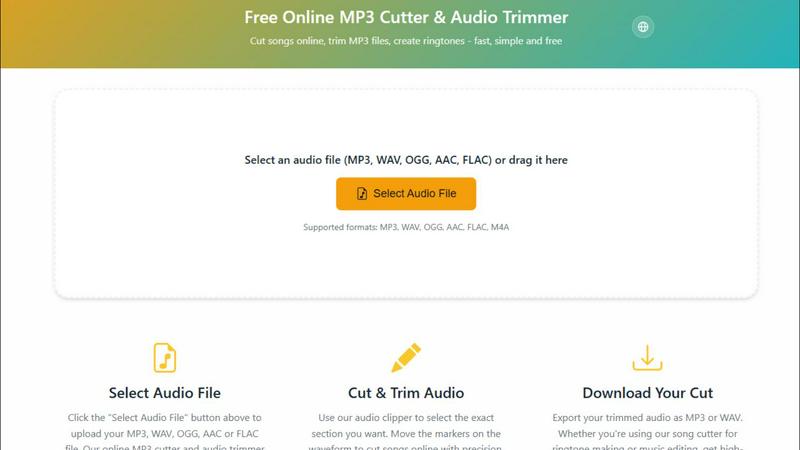
CutMP3 is a free and easy online tool to quickly trim and edit your MP3, WAV, and other audio files effortlessly.
Last updated: February 28, 2026

Melograph
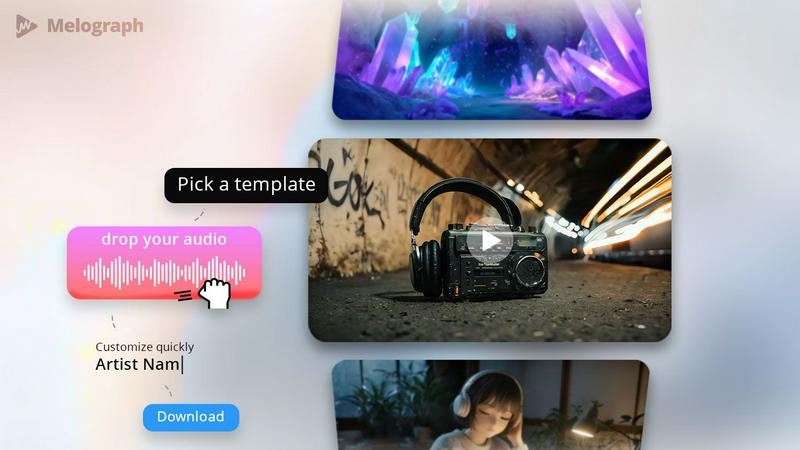
Easily transform your music into stunning, shareable audio-visual videos in minutes.
Last updated: February 27, 2026
Visual Comparison
CutMP3
Melograph
Feature Comparison
CutMP3
Visual Waveform Editing
CutMP3 allows users to utilize a visual waveform interface, making it easy to move markers and cut songs with extreme precision. This feature enables users to see exactly where they are cutting, ensuring accuracy and enhancing the overall editing experience.
Privacy Focused
With CutMP3, privacy is paramount. The tool processes all audio files locally, meaning there is no need to upload files to a server. Your audio remains on your device throughout the editing process, ensuring complete security and peace of mind.
Format Support
CutMP3 supports a wide range of audio formats, including MP3, WAV, OGG, AAC, FLAC, and M4A. This extensive format support enables users to work with virtually any audio file type, catering to various needs and preferences.
High-Quality Export
Once you have finished editing, CutMP3 allows for easy export of your audio files in high quality. Users can download their cut tracks in either MP3 or WAV format, ensuring that the final output meets their expectations for sound quality.
Melograph
Easy Template Selection
Melograph offers a variety of beautifully designed templates that cater to different musical vibes, from chill and cinematic to retro and futuristic. This feature allows you to quickly choose a look that perfectly matches your track's mood without spending hours on design.
Audio-Reactive Visuals
Experience the magic of audio-reactive visuals as you upload your track. Melograph instantly generates a dynamic waveform that responds to your music, creating a captivating visual experience that engages your audience and enhances the listening atmosphere.
Multiple Export Formats
With Melograph, exporting your video is a breeze. Choose from various formats, including 9:16, 1:1, 4:5, and 16:9, all in stunning 1080p MP4 quality. This flexibility ensures that your visuals are optimized for any platform, be it TikTok, Instagram, or YouTube.
Quick and Hassle-Free Workflow
Forget about the steep learning curves of traditional video editing software. Melograph streamlines your workflow by eliminating unnecessary steps. With just a few clicks—selecting a template, uploading your audio, and exporting—you can create professional-quality visuals in minutes.
Use Cases
CutMP3
Creating Ringtones
One of the most popular use cases for CutMP3 is creating personalized ringtones. Users can easily select a specific part of a song and cut it, allowing them to have unique ringtones that reflect their personal style.
Editing Podcasts
Podcasters can utilize CutMP3 to trim unnecessary segments from their recordings. Whether it’s removing long pauses or cutting out mistakes, this tool helps streamline the editing process and improve the overall quality of the podcast.
Social Media Clips
Users looking to share snippets of their favorite songs or audio on social media can benefit from CutMP3. The ability to quickly cut and export audio clips makes it perfect for Instagram reels, stories, and other social media content.
Voice Recordings
CutMP3 is also great for editing voice recordings. Users can cut out unwanted parts or clean up their audio messages, making it an excellent tool for anyone who wants to enhance the quality of their audio communications.
Melograph
Album Releases
Promote your latest album with stunning visualizers that reflect the essence of your music. Melograph allows you to create unique visuals for each track, ensuring that every release gets the attention it deserves.
Social Media Teasers
Generate buzz for upcoming releases or events by creating engaging teaser videos. Use Melograph's vibrant templates to craft eye-catching clips that grab your audience’s attention as they scroll through their feeds.
Promotional Posts
Enhance your promotional campaigns with consistently branded visuals. Whether you're sharing updates on social media or in promotional emails, Melograph's templates help you maintain a cohesive aesthetic that represents your brand.
Background Visuals for Live Shows
Transform your live performances by using Melograph to create looped background visuals. With audio-reactive elements, your stage presence becomes more captivating, immersing your audience in a multi-sensory experience.
Overview
About CutMP3
CutMP3.online is an innovative and user-friendly online audio editor designed for anyone looking to cut songs and create ringtones quickly and efficiently. Whether you are a casual user wanting to edit your favorite tracks or a professional needing precise audio cuts, CutMP3 has you covered. The platform stands out by processing all audio files locally within your browser, ensuring that your audio files remain private and secure. With support for multiple popular audio formats such as MP3, WAV, OGG, AAC, FLAC, and M4A, users can easily select their desired files for editing. The intuitive interface allows users to visualize waveforms and make precise cuts, while the high-quality export options ensure that your final product is ready to use. Best of all, CutMP3 is completely free, making it accessible to everyone, whether on desktop or mobile devices.
About Melograph
Melograph is a revolutionary web-based music visualizer maker designed specifically for musicians, producers, and creators who crave stunning visuals without the hassle of traditional video editing. This innovative tool eliminates the complexity of timelines and editing software, allowing users to start with a premium template that captures the essence of their sound. Simply upload your audio track, customize your artist name and song title, and Melograph will generate a visually striking video ready for posting. Whether you're an indie artist looking to make a mark or a seasoned producer wanting to streamline your promotional efforts, Melograph offers a seamless solution to create eye-catching, audio-reactive music visualizers that elevate your music to new heights.
Frequently Asked Questions
CutMP3 FAQ
How do I cut an MP3 file online?
To cut an MP3 file online using CutMP3, simply click the "Choose Audio File" button, select your desired MP3 file from your computer, and use the visual waveform editor to mark the sections you wish to cut.
Is this audio cutter free?
Yes, CutMP3 is completely free to use. There are no hidden costs or subscription fees, making it accessible for all users who want to edit audio files.
What audio formats are supported?
CutMP3 supports a wide variety of audio formats, including MP3, WAV, OGG, AAC, FLAC, and M4A, ensuring you can work with almost any audio file you have.
Can I create ringtones with this tool?
Absolutely! CutMP3 is perfect for creating custom ringtones from your favorite songs. Simply cut the desired section of the audio and download it for use on your device.
Melograph FAQ
Do I need editing experience?
No, you don’t need any editing experience to use Melograph. If you can choose a template and enter a title, you can create stunning visuals effortlessly.
Will this work for TikTok, Reels, or Shorts?
Absolutely! Melograph exports your videos in formats optimized for all major platforms, including TikTok, Instagram Reels, and YouTube Shorts, ensuring your visuals look great anywhere.
Can I use it for multiple songs?
Yes, Melograph is designed for versatility. You can create visuals for as many songs as your export credits allow, making it perfect for artists with multiple tracks or projects.
What do I get after payment?
After payment, you'll gain access to all premium templates and export credits based on your chosen plan, allowing you to create high-quality visuals without watermarks and for commercial use.
Alternatives
CutMP3 Alternatives
CutMP3 is a free online MP3 cutter and audio trimmer that empowers users to edit audio files effortlessly. Positioned in the audio and music category, it offers a streamlined and secure approach to cutting songs and creating ringtones directly in your browser. Many users seek alternatives to CutMP3 due to varying needs such as pricing, additional features, or compatibility with different platforms. Whether it's the desire for more advanced editing tools or a preference for software that caters to specific file formats, users often explore options that align with their unique audio editing requirements. When choosing an alternative, it's essential to consider factors such as privacy, ease of use, and the range of supported audio formats. Look for tools that maintain your file's security by processing locally, like CutMP3, and prioritize high-quality exports. Additionally, ensure the platform is accessible on both mobile and desktop devices, providing the flexibility you need to edit audio files whenever and wherever inspiration strikes.
Melograph Alternatives
Melograph is a cutting-edge web-based music visualizer designed for musicians and creators who crave stunning audio visuals without the hassle of complex video editing. This platform falls under the video category, offering an intuitive way to create engaging visuals that elevate your music releases. Users often seek alternatives to Melograph for various reasons, such as pricing considerations, specific feature sets, or compatibility with different platforms and workflows. When exploring alternatives, it's crucial to assess factors like ease of use, the quality of visuals, format options, and overall value to ensure you find the right fit for your creative needs.