
Cybersecurity Readiness Game vs File Studio

Cybersecurity Readiness Game
Enhance your team's cybersecurity skills with our interactive readiness game that simulates real-world threat responses in a dynamic environment.
Last updated: March 18, 2026

File Studio
File Studio empowers you to process and manage files offline, keeping your sensitive documents secure and private.
Last updated: February 28, 2026
Visual Comparison
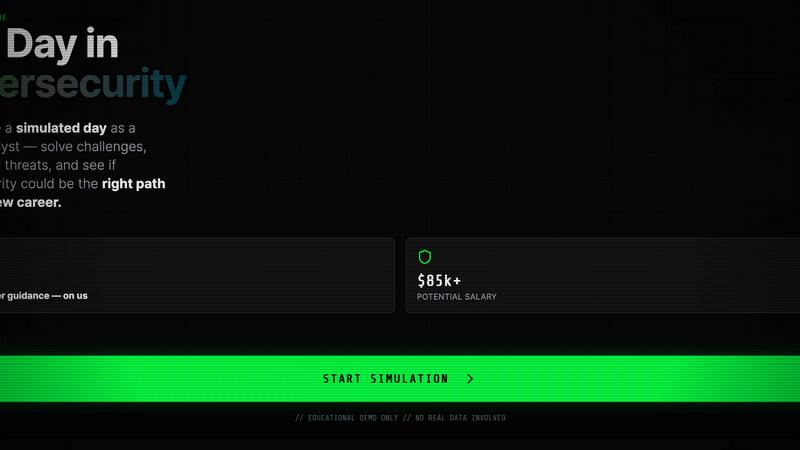
Cybersecurity Readiness Game
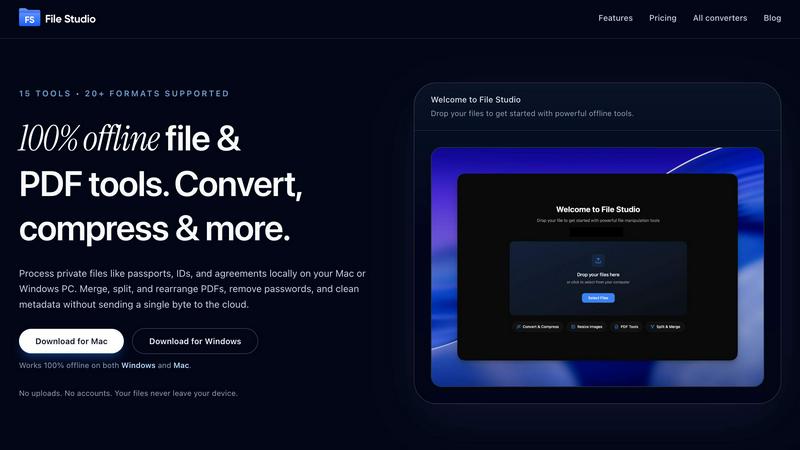
File Studio
Feature Comparison
Cybersecurity Readiness Game
Real-World Scenarios
The game immerses participants in authentic cybersecurity situations where they must navigate through challenges, mimicking real-life threats. This hands-on approach ensures that users gain practical experience in decision-making under pressure.
No Registration Required
Accessibility is a key feature of the Cybersecurity Readiness Game. Users can start engaging with the tool immediately without the need for registration or lengthy sign-up processes, promoting ease of use and quick access.
Performance Insights
After completing scenarios, participants receive detailed performance insights. This feedback highlights strengths and areas for improvement, empowering users to enhance their cybersecurity skills effectively.
Scenario-Based Learning
The tool employs scenario-based learning techniques, allowing users to practice decision-making in a safe environment. This method not only builds confidence but also reinforces critical thinking skills necessary for effective cybersecurity management.
File Studio
100% Offline Processing
File Studio ensures that all file processing occurs locally on your device. Users can work on their sensitive documents without the risk of uploading files to the cloud, ensuring complete data privacy.
Comprehensive PDF Toolkit
With five specialized PDF tools, File Studio allows users to merge, split, edit, and unlock PDF documents effortlessly. This full PDF management solution enables you to manipulate your PDFs without the need for internet connectivity.
Versatile Image Tools
The application includes ten image tools that support over 20 formats, including HEIC and AVIF. Users can convert, resize, compress, crop, and create collages, empowering them to manage their images efficiently and effectively.
Batch Processing Capability
File Studio’s batch processing feature lets users handle hundreds of files at once. Whether converting, resizing, or compressing, this tool processes multiple files simultaneously to maximize efficiency and save time.
Use Cases
Cybersecurity Readiness Game
Team Training
Organizations can utilize the Cybersecurity Readiness Game for team training sessions, ensuring that employees are well-prepared to handle potential cyber threats. This collaborative environment fosters teamwork and communication during crisis situations.
Skill Assessment
Companies can assess the current cybersecurity skills of their employees through this tool. By identifying knowledge gaps, management can tailor training and development programs to boost overall team competency.
Incident Response Preparation
The game serves as an excellent preparation tool for incident response teams. Practicing in realistic scenarios helps teams refine their response strategies, ensuring they are ready to act swiftly and effectively in the event of a cyber incident.
Career Exploration
For individuals considering a career in cybersecurity, the game provides a taste of what a security engineer's day-to-day responsibilities entail. This practical experience can guide career decisions and enhance resumes for job seekers.
File Studio
Personal Document Management
Users can seamlessly manage their personal documents, such as passports and IDs, with File Studio. The ability to edit and convert files offline ensures that sensitive information remains secure and confidential.
Professional PDF Handling
Freelancers and professionals can use File Studio for comprehensive PDF management, including merging contracts, splitting documents for client review, and removing passwords for easy access—all without any cloud interaction.
Image Optimization for Photographers
Photographers can rely on File Studio to convert RAW images to various formats, resize photos for web uploads, and compress files for easier sharing, all while maintaining image quality and detail.
Efficient Workflow for Remote Workers
Remote workers can streamline their document and image workflows with File Studio. The application allows for efficient batch processing of files, enabling users to optimize and manage their work without interruption.
Overview
About Cybersecurity Readiness Game
The Cybersecurity Readiness Game is an innovative tool designed to immerse participants in realistic threat scenarios, enabling them to hone their decision-making skills before encountering a real cybersecurity incident. This interactive platform is perfect for organizations looking to enhance their cybersecurity posture, as it offers a no-registration-required experience, making it accessible to everyone. Participants engage with credible challenges that mimic actual cyber threats, evaluate the consequences of their actions, and receive insightful feedback on their performance. The primary value proposition lies in its ability to bridge the human error gap, foster internal skill development, and provide a comprehensive assessment of an organization's cybersecurity readiness. By leveraging this game, teams can identify vulnerabilities, strengthen their response strategies, and ultimately create a more resilient cybersecurity culture.
About File Studio
File Studio is an innovative desktop application designed to empower users by handling PDFs and images entirely offline on both Mac and Windows platforms. This powerful tool is perfect for individuals and professionals who handle sensitive documents, such as passports, identification cards, and contracts, ensuring that their private files never leave their device. With File Studio, you can merge multiple PDFs, split them into single pages, reorder and rotate layouts, remove passwords, and convert files to various image formats. Supporting over 20 formats, including HEIC, WebP, and 14 RAW types, this application allows users to resize, compress, crop, and watermark their images, create collages, and batch process entire folders effortlessly. The value proposition is clear: speed and privacy without the hassle of cloud-based services, accounts, or subscriptions. Ideal for photographers, freelancers, and remote workers, File Studio offers the perfect balance of functionality and security, making it an essential tool for anyone who values their privacy.
Frequently Asked Questions
Cybersecurity Readiness Game FAQ
What is cybersecurity readiness?
Cybersecurity readiness refers to an organization's preparedness to prevent, detect, and respond to cyber threats. It involves having the right processes, tools, and skilled personnel in place to mitigate risks effectively.
Why is cybersecurity readiness important?
With the global cost of cybercrime projected to reach $10.5 trillion annually, strong cybersecurity readiness is crucial for minimizing exposure to attacks and limiting potential financial losses associated with breaches.
How does the Cybersecurity Readiness Game help in skill development?
By engaging in realistic scenarios, participants can practice critical decision-making and problem-solving skills. This hands-on experience leads to improved knowledge retention and practical competencies in cybersecurity.
Can anyone use the Cybersecurity Readiness Game?
Yes! The tool is designed for everyone, regardless of their background in IT or cybersecurity. It provides an accessible way for individuals and teams to enhance their readiness for cyber threats.
File Studio FAQ
Is my data ever uploaded?
No. File Studio processes everything locally on your device. Your files never leave your computer, ensuring 100% offline processing and complete privacy.
Do you offer a free trial?
Yes. File Studio provides a free trial so users can explore its powerful features before committing to a purchase. Experience the benefits firsthand without any obligations.
Can I use File Studio on both Mac and Windows?
Absolutely! File Studio is designed to work seamlessly on both Mac and Windows platforms, making it a versatile tool for all users regardless of their operating system.
What is included in the lifetime plan?
The lifetime plan includes unlimited conversions, updates for one year, and access to all current tools. Once purchased, users enjoy on-device processing without any monthly fees or subscriptions.
Alternatives
Cybersecurity Readiness Game Alternatives
The Cybersecurity Readiness Game is an innovative tool designed to enhance your organization’s preparedness against cyber threats. As part of the Productivity & Management category, this engaging platform immerses users in realistic scenarios to hone their decision-making skills in the face of potential cyber incidents. Users often seek alternatives due to varying factors such as pricing, specific features, and compatibility with their existing systems, which can impact their overall cybersecurity strategy. When searching for an alternative, it’s essential to consider the platform's usability, the comprehensiveness of the scenarios provided, and the quality of performance insights offered. Look for tools that not only engage users but also effectively address the unique challenges your organization faces in cybersecurity readiness.
File Studio Alternatives
File Studio is a robust desktop application designed for processing private files, specifically PDFs and images, entirely offline on both Mac and Windows systems. As a tool that prioritizes privacy and efficiency, it appeals to users who need to handle sensitive documents securely without the risk of cloud exposure. Users often seek alternatives to File Studio for various reasons, including pricing, specific feature requirements, or compatibility with particular platforms. When exploring alternatives, it's essential to consider factors like offline capabilities, one-time purchase options, and the range of supported file formats to ensure a suitable fit for your needs.