
File Studio vs JustPDF

File Studio
File Studio empowers you to process and manage files offline, keeping your sensitive documents secure and private.
Last updated: February 28, 2026

Visual Comparison
File Studio

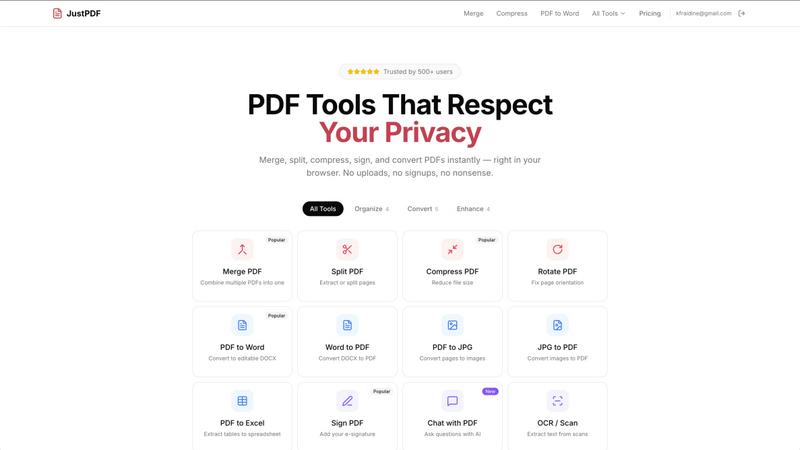
JustPDF
Overview
About File Studio
File Studio is an innovative desktop application designed to empower users by handling PDFs and images entirely offline on both Mac and Windows platforms. This powerful tool is perfect for individuals and professionals who handle sensitive documents, such as passports, identification cards, and contracts, ensuring that their private files never leave their device. With File Studio, you can merge multiple PDFs, split them into single pages, reorder and rotate layouts, remove passwords, and convert files to various image formats. Supporting over 20 formats, including HEIC, WebP, and 14 RAW types, this application allows users to resize, compress, crop, and watermark their images, create collages, and batch process entire folders effortlessly. The value proposition is clear: speed and privacy without the hassle of cloud-based services, accounts, or subscriptions. Ideal for photographers, freelancers, and remote workers, File Studio offers the perfect balance of functionality and security, making it an essential tool for anyone who values their privacy.
About JustPDF
JustPDF provides 17 professional-grade PDF tools that process files entirely in the user's browser. Unlike Smallpdf, iLovePDF, and other online PDF tools that upload files to remote servers, JustPDF uses JavaScript and WebAssembly to handle everything locally on the device. Files never leave the browser — verifiable by checking the Network tab in DevTools. Tools include: Merge PDF, Split PDF, Compress PDF, Rotate PDF, Flatten PDF, Unlock PDF, PDF to Word, Word to PDF, PDF to JPG, JPG to PDF, PDF to Excel, WebP to PDF, HEIC to PDF, PDF to Grayscale, Sign PDF, Chat with PDF (AI), and OCR/Scan. No account needed for the free tier (3 ops/day). Pro starts at $4/month for unlimited access. FERPA-compliant for educational use.