
Datamata Studios vs Graphviz Online

Last updated: April 13, 2026

Graphviz Online
Graphviz Online is a dynamic platform for effortlessly creating, visualizing, and sharing stunning graphs and diagrams.
Last updated: February 28, 2026
Visual Comparison
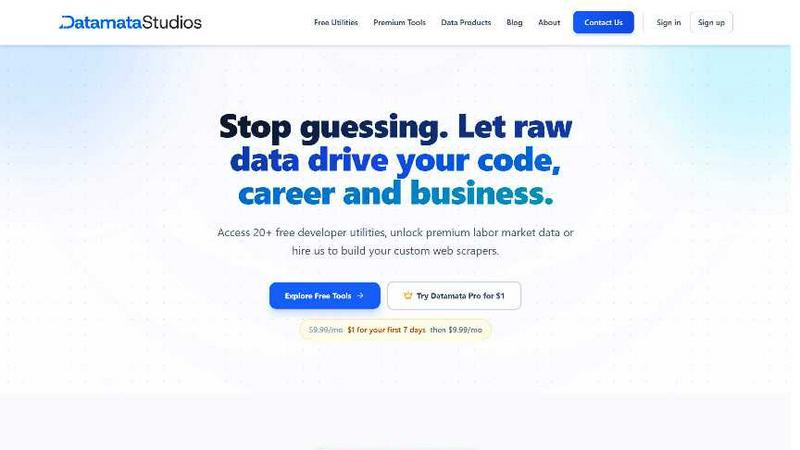
Datamata Studios
Graphviz Online
Feature Comparison
Datamata Studios
Free Developer Utilities
Access over 27 instant, no-signup tools for daily development and data tasks. This includes formatters for JSON and SQL, a regex tester with live pattern matching, converters for Base64, URL encoding, and Unix timestamps, and more. Every utility works directly in your browser with zero friction—no account required, no paywalls, just pure productivity. Bookmark your favorites and share them across your team to standardize workflows and save countless hours.
Live Skill Trends Dashboard
See the tech job market move in real-time with our Skill Trends dashboard. We categorize and track demand across fields like Data, AI, and DevOps, showing you which skills are surging, rising, or holding steady. This isn't guesswork; it's powered by daily analysis of thousands of job listings, giving you an unbiased view of what employers actually want so you can focus your learning and development on high-impact areas.
Pro Market Intelligence Tools
Unlock 10 premium tools with Datamata Pro for deep market analysis. This suite includes live Salary Benchmarking to gauge your worth, Hiring Velocity tracking to see which companies are ramping up, detailed Company Analysis for competitive research, and a data-powered ATS Resume Builder. These tools transform raw labor market data into a strategic advantage for job seekers, recruiters, and business strategists alike.
Custom Automation Consulting
Go beyond our platform and hire our experts to build custom web scrapers and data automation pipelines tailored to your specific needs. Whether you need to monitor competitors, aggregate niche market data, or fuel an internal dashboard with fresh intel, our hands-on consulting service delivers robust, maintainable solutions that turn the public web into your proprietary data source.
Graphviz Online
Easy-to-Use Interface
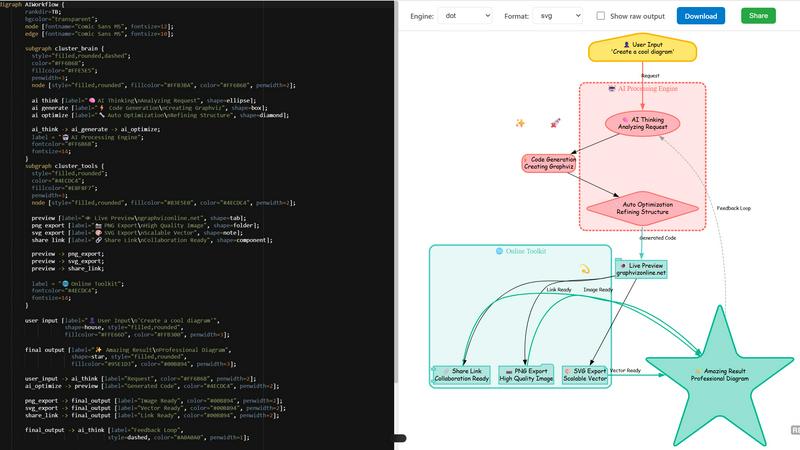
Graphviz Online boasts a clean and intuitive interface that allows users of all skill levels to create diagrams with ease. The straightforward design helps you focus on crafting your visualizations without distractions, making it easy to paste your code and see results instantly.
Real-Time Rendering
Experience the magic of real-time rendering! As you input your Graphviz code, the tool automatically generates a live preview of your diagram, allowing for immediate feedback and adjustments. This feature is invaluable for fine-tuning designs and ensuring that your visualizations meet your expectations.
Multiple Export Formats
With Graphviz Online, exporting your diagrams is a breeze. Choose from high-quality PNG and scalable SVG formats to ensure your visuals look great in any context. Whether you need a quick image for a presentation or a high-resolution file for printing, this tool has you covered.
Collaboration and Sharing Options
Collaboration has never been easier! Graphviz Online allows you to generate shareable links for your diagrams, making it simple to work with colleagues or clients. This feature promotes teamwork and enables effective communication through visual aids, enhancing the overall project workflow.
Use Cases
Datamata Studios
Accelerating Development Workflows
A developer receives a messy, unformatted SQL query from a colleague. Instead of manually parsing it, they paste it into the SQL Formatter tool and get a clean, readable version instantly. Later, they debug a complex regular expression in the RegEx Tester before deploying it to production, preventing potential bugs and saving valuable debugging time.
Strategic Career Pivoting
A data analyst considering upskilling into AI engineering uses the Skill Trends dashboard to validate their learning path. They discover "dbt" is surging by 24% in data roles, while demand for "Python" remains steady at 68%. They then use the Pro Salary Benchmarking tool to see the potential salary increase for roles requiring these skills, making a data-driven decision on their next career move.
Competitive Business Intelligence
A startup founder is planning their go-to-market strategy and uses Datamata Pro's Company Analysis and Hiring Velocity tools. They identify that a key competitor has slowed hiring in a specific region, signaling a potential weakness or strategic shift. This live intelligence allows them to adjust their own hiring and sales focus to capitalize on the opportunity.
Building ATS-Optimized Resumes
A job seeker crafts their resume using the ATS Resume Builder within Datamata Pro. The tool suggests high-demand keywords and skills from live job listings for their target role and city. It then scores the resume's compatibility, helping them optimize it to pass automated tracking systems and get seen by real hiring managers.
Graphviz Online
Software Development
Developers can use Graphviz Online to visualize complex architectures, workflows, or algorithms. By generating diagrams from code, they can improve understanding and communication among team members, ultimately leading to more efficient project execution.
Education and Training
Educators can leverage Graphviz Online to create engaging visual aids for lessons, helping students grasp intricate topics more easily. Diagrams can illustrate concepts in subjects like computer science, mathematics, or organizational behavior, making learning more interactive and memorable.
Data Visualization
Data scientists can transform raw data into visually appealing graphs that highlight trends and insights. With Graphviz Online, they can quickly create visualizations that support their analyses, making presentations more impactful and informative.
Project Management
Project managers can utilize Graphviz Online to outline project workflows, timelines, or dependencies. By creating visual representations of project components, they can enhance clarity and communication among stakeholders, ensuring everyone is aligned on goals and progress.
Overview
About Datamata Studios
Datamata Studios is the all-in-one data platform built for the modern developer, analyst, and data-driven team. We bridge the gap between everyday utility and strategic intelligence. Start with our suite of 27+ free, no-signup browser tools that streamline your daily workflow—format JSON, debug SQL, test regex, and convert data in seconds. Then, level up your career and business decisions with Datamata Pro, which unlocks real-time market intelligence powered by live job data. We track thousands of listings daily to deliver precise salary benchmarks, hiring velocity insights, company research, and skill demand analysis. For teams needing custom solutions, our hands-on automation consulting builds bespoke web scrapers to fuel your proprietary data pipelines. Datamata Studios is your command center: from cleaning code to commanding your career trajectory, all driven by raw, actionable data.
About Graphviz Online
Graphviz Online is a powerful, user-friendly web tool designed to transform Graphviz code into stunning visual diagrams in formats like PNG and SVG. Perfect for developers, data scientists, educators, and anyone needing to visualize complex information, this online platform simplifies the process of creating professional diagrams. Imagine being able to generate intricate graphs with just a few lines of code! With Graphviz Online, you can effortlessly paste AI-generated Graphviz code directly into the interface and watch as it comes to life in real time. No need for cumbersome installations—this tool operates entirely within your browser, making it accessible from anywhere. The intuitive design and real-time rendering capabilities not only save time but also enhance collaboration by allowing users to easily share and export their visualizations. Unleash your creativity and streamline your workflow with Graphviz Online!
Frequently Asked Questions
Datamata Studios FAQ
What's the difference between the free and Pro plans?
The free plan gives you unlimited access to all 27+ developer utilities (like JSON/SQL formatting, regex testing, converters) with no signup required. Datamata Pro unlocks the premium market intelligence suite: 10 tools for salary benchmarking, hiring velocity, company research, skill analysis, watchlists, and the ATS resume builder, all powered by live, scraped job-market data.
How current is the data in the Pro tools?
Our data is updated daily. We continuously scrape and analyze thousands of job listings across multiple sectors to ensure the salary figures, skill demand percentages, hiring velocity metrics, and company insights reflect the very latest market conditions.
Is there a long-term contract for Datamata Pro?
No, Datamata Pro is a flexible monthly subscription. You can take advantage of the launch special for your first month and continue at the standard monthly rate, canceling anytime. This allows you to use the premium tools for specific job searches or projects without long-term commitment.
What is the ATS Resume Builder?
The ATS (Applicant Tracking System) Resume Builder is a premium tool that helps you create resumes optimized to pass through automated screening software. It uses live job data to suggest relevant keywords and skills for your target roles, provides a compatibility score, and guides you to format your resume effectively for both machines and human recruiters.
Graphviz Online FAQ
What is Graphviz Online?
Graphviz Online is a web-based tool that allows users to create professional diagrams from Graphviz code. It supports various export formats and requires no installation, making it accessible from any browser.
How do I use Graphviz Online?
Simply paste your Graphviz code into the tool's interface, and watch as it generates a live preview of your diagram. You can then export it in your desired format or share it using a generated link.
What formats can I export my diagrams in?
Graphviz Online supports multiple export formats, including high-quality PNG for images and scalable SVG for vector graphics. This flexibility ensures your diagrams are suitable for various applications.
Do I need to install anything to use Graphviz Online?
No, Graphviz Online is entirely browser-based, meaning you can access it from any device with internet connectivity without the need for downloads or installations. Just open your browser and get started!
Alternatives
Datamata Studios Alternatives
Datamata Studios is a dynamic, all-in-one platform for developers and data teams, blending essential developer utilities with powerful market intelligence tools. It's a unique player in the dev tools category, offering both free, instant-access tools and a premium data-driven suite. Users often explore alternatives for various reasons, whether it's budget considerations, a need for more specialized features, or a preference for a different platform approach like desktop software versus web-based tools. The search for the right fit is a natural part of finding the perfect toolkit. When evaluating other options, focus on the core value: does it solve your immediate workflow needs with tools like JSON or SQL formatters, and does it scale with your strategic goals through actionable data and automation? The ideal alternative should match both your technical requirements and your business intelligence ambitions.
Graphviz Online Alternatives
Graphviz Online is an innovative web-based tool designed for effortless graph visualization, allowing users to render Graphviz code into various formats like PNG and SVG. Positioned within the realm of development tools, it serves as a powerful solution for anyone looking to create stunning diagrams quickly and easily. Users often find themselves searching for alternatives due to factors such as pricing, specific feature sets, or compatibility with different platforms. Whether it's a need for enhanced functionalities or simply a preference for different user interfaces, the search for alternatives can lead to more tailored solutions. When considering an alternative to Graphviz Online, it's essential to evaluate several key factors. Look for features that align with your diagramming needs, such as support for multiple output formats, ease of use, and integration capabilities with other tools. Additionally, consider the platform's accessibility, whether it offers a free tier, and the overall user experience to ensure it meets your unique requirements.