
3DAIStudio vs Kling Motion Control

3DAIStudio
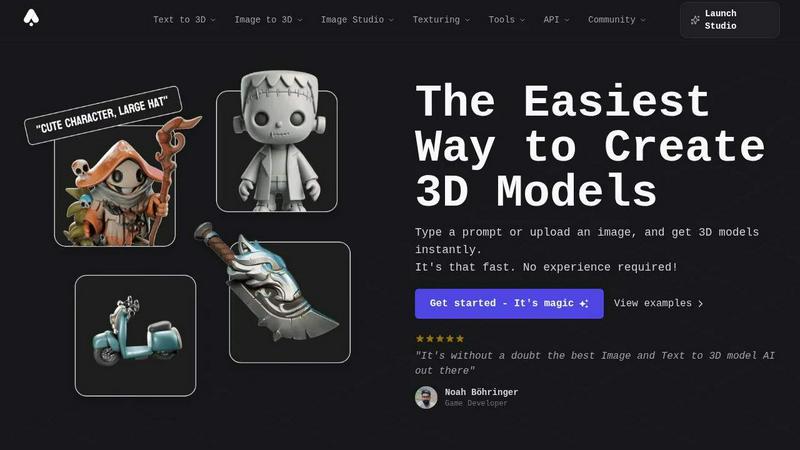
3DAIStudio instantly creates professional 3D models from just a text prompt or image, no experience required.
Last updated: April 4, 2026

Kling Motion Control
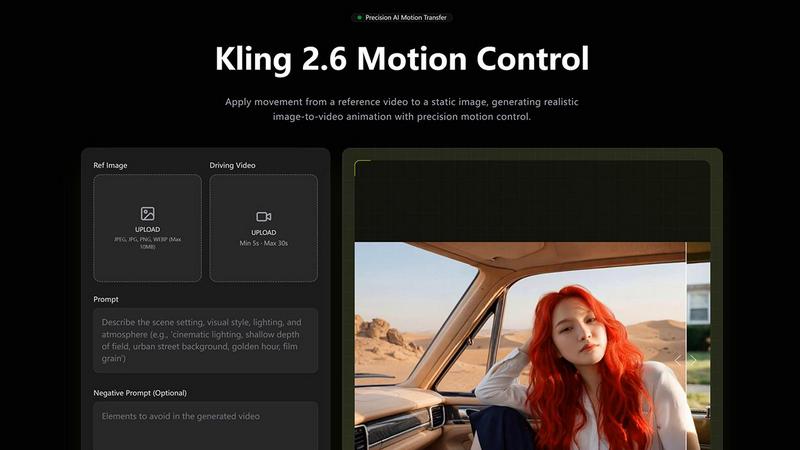
Kling Motion Control enables precise AI-driven motion transfer for character animation using real video reference clips.
Last updated: February 28, 2026
Visual Comparison
3DAIStudio
Kling Motion Control
Feature Comparison
3DAIStudio
Text to 3D
Describe it, and you'll have it. This core feature allows you to generate fully textured 3D models from a simple text description. Type a prompt like "realistic fantasy orc warrior" and watch as the AI creates a detailed, export-ready 3D asset in seconds. It's the fastest way to go from a concept in your mind to a usable model in your project, eliminating the need for manual modeling from scratch.
Image to 3D
Turn any 2D reference into a 3D masterpiece. Upload a sketch, illustration, or photograph, and 3DAIStudio's advanced AI will interpret the image and construct a three-dimensional model from it. This is perfect for prototyping, creating assets from concept art, or bringing existing 2D designs into a 3D space for games, AR, or 3D printing.
AI Texturing
Apply stunning, realistic textures to your models with AI-powered precision. This tool lets you generate PBR (Physically Based Rendering) materials from text prompts or paint custom details directly onto your model's surface. Achieve professional material quality without the complexity of traditional UV unwrapping and texture painting software.
Quad-Remesh & Optimization
Ensure your models are production-ready. The Quad-Remesh tool automatically optimizes mesh topology, reduces polygon counts, and generates LODs (Levels of Detail). This cleans up your AI-generated models, fixing mesh issues and preparing them for seamless use in major engines like Unity and Unreal Engine without manual retopology work.
Kling Motion Control
Motion Extraction and Transfer
Kling Motion Control captures extensive motion sequences from reference videos lasting 3 to 30 seconds. This includes everything from walking and dancing to intricate gestures and choreography, ensuring that every motion is transferred accurately to your static character images.
Full-Body Motion Accuracy
The technology guarantees smooth and cohesive motion across various body parts, even during rapid or complex movements. This level of precision is essential for creating realistic animations that resonate with viewers, whether in martial arts displays or dynamic dance routines.
Precision Hand and Gesture Control
Unlike standard animation models, Kling Motion Control excels at preserving nuanced hand movements and expressive gestures. This feature enables creators to deliver lifelike performances, making it perfect for projects that demand close-up shots and detailed character interactions.
Flexible Character Orientation Modes
Kling Motion Control offers two orientation modes: one that matches the video framing for accurate replication and another that aligns with the character image to maintain composition while allowing for camera motion adjustments. This flexibility enhances creative control over the final output.
Use Cases
3DAIStudio
Game Development
Accelerate game production by rapidly generating characters, props, weapons, and environmental assets. Studios and indie developers can prototype ideas, fill game worlds with unique content, and create consistent art styles from text descriptions, drastically cutting down on asset creation time and costs.
Film & Animation Production
Create detailed pre-visualization models, storyboard assets, and even final VFX elements in a fraction of the time. Production teams can quickly visualize scenes, generate custom props, and iterate on creature or character designs directly from concept art or script descriptions.
Product Design & 3D Printing
Visualize product concepts instantly. Designers can upload a sketch or describe a product idea to generate a 3D model for review, presentation, or direct preparation for 3D printing. This enables rapid prototyping and client presentations without needing advanced CAD modeling skills.
Education & Creative Learning
Democratize 3D design for students and educators. 3DAIStudio provides a frictionless entry point into 3D creation, allowing learners to explore spatial design, art, and digital storytelling by simply describing or drawing their ideas, making complex 3D concepts accessible and engaging.
Kling Motion Control
Character Animation & Illustration
Animators can use Kling Motion Control to apply authentic dance or action choreography to illustrated characters, mascots, or concept art. This opens avenues for creativity, transforming static illustrations into lively animations that captivate audiences.
Product & Brand Videos
Marketers can leverage Kling Motion Control to transfer human gestures to animated brand characters, creating engaging product demos and explainer videos. This approach enhances brand storytelling, making marketing assets more relatable and visually appealing.
Storyboarding & Pre-Visualization
Production teams can generate realistic character performances early in the creative pipeline using Kling Motion Control. This capability aids in rapid ideation, enabling teams to visualize scenes effectively and make informed decisions on character movements and interactions.
Social Media Content Creation
Content creators can apply trending motion clips to custom characters, generating engaging short-form videos with consistent motion quality. This adaptability makes Kling Motion Control a valuable tool for enhancing social media engagement and presence.
Overview
About 3DAIStudio
Welcome to the future of 3D content creation. 3DAIStudio is a revolutionary AI-powered platform that transforms simple text prompts or 2D images into stunning, high-quality 3D models in seconds. It's designed to shatter the traditional barriers of 3D modeling, making professional-grade asset creation accessible to everyone. Whether you're a seasoned game developer, a film production artist, a product designer, or a complete beginner with a vision, 3DAIStudio empowers you to bring your ideas to life faster than ever before. The core value proposition is breathtakingly simple: generate production-ready 3D assets in minutes, not days. With a suite of over 50 integrated tools for texturing, mesh optimization, and image generation, it's more than just a converter; it's a complete AI toolkit for the modern creator. Join over 1,000,000 creators and experience the magic of instant 3D model generation.
About Kling Motion Control
Kling Motion Control is a groundbreaking AI motion transfer technology integrated into Kling Video 2.6 Pro, designed to revolutionize character animation and video production. By harnessing advanced algorithms, it allows creators to apply real-life motion from reference videos to their character images seamlessly. This innovative tool is ideal for animators, marketers, educators, and social media content creators looking to enhance their visual storytelling. With Kling Motion Control, the tedious process of manual animation is transformed into a quick, efficient workflow that ensures intentional and accurate movements. By simply uploading a character image and a motion reference video, users can generate dynamic, high-quality videos that maintain visual identity while replicating lifelike motions. This capability not only accelerates content production but also significantly boosts engagement with audiences, making it a cost-effective solution for professionals and small teams alike.
Frequently Asked Questions
3DAIStudio FAQ
What 3D file formats can I export?
3DAIStudio focuses on providing production-ready output. You can export optimized meshes with clean topology and PBR textures that are fully compatible with major industry-standard software and game engines like Unity, Unreal Engine, Blender, and Three.js.
Do I need any 3D modeling experience to use it?
Absolutely not! 3DAIStudio is built specifically to require no prior 3D experience. The platform is designed for both complete beginners and seasoned professionals. You create models by typing what you want or uploading an image, with the AI handling all the complex technical work.
How fast is the model generation process?
It's incredibly fast. As highlighted, you can generate a textured 3D model from a text prompt or image in a matter of seconds. What traditionally takes days of manual modeling, sculpting, and texturing is accomplished in minutes, allowing for rapid iteration and creativity.
What kind of tools are included beyond model generation?
3DAIStudio is a comprehensive AI toolkit. In addition to Text-to-3D and Image-to-3D, it includes an AI Image Studio for generating and editing 2D images, AI Video Generation, the powerful AI Texturing and Quad-Remesh tools, and API access for developers—over 50+ tools in total to support your entire creative pipeline.
Kling Motion Control FAQ
What types of videos can I create with Kling Motion Control?
You can create a wide range of videos, including character animations, marketing materials, educational content, and social media posts, all enhanced by realistic motion transfer.
How do I upload my character image and motion video?
Simply upload your character image and select a motion reference video from your library or upload a custom one. The process is user-friendly and designed for quick setup.
Can I adjust the background and scene details after applying motion?
Yes, Kling Motion Control allows you to use text prompts to refine background elements, lighting, atmosphere, and visual style without altering the transferred motion, providing significant flexibility in your creative process.
Is there support for audio in the generated videos?
Absolutely! Kling Motion Control offers the option to preserve the original audio from your reference video or to generate silent outputs, giving you full control over your sound design choices in the final product.
Alternatives
3DAIStudio Alternatives
3DAIStudio is a cutting-edge AI toolkit that instantly transforms text or images into high-quality 3D models. It belongs to the exciting category of AI-powered content creation tools, designed to give designers, developers, and creatives a massive speed boost. By generating custom 3D assets in seconds, it opens up new possibilities for game development, product visualization, and digital art. Even with its powerful capabilities, users often explore other options. Common reasons include finding a tool that better fits a specific budget, offers different export formats for their workflow, or provides unique features like animation or more granular control. Platform compatibility, such as needing a web app versus desktop software, can also drive the search for a different solution. When evaluating alternatives, focus on what matters most for your projects. Consider the quality and style of the 3D output, the speed of generation, and how easily the models integrate into your existing pipeline. Also, assess the learning curve, community support, and the overall value the tool provides for its cost to ensure it fuels your creative engine effectively.
Kling Motion Control Alternatives
Kling Motion Control is an innovative tool designed for precise AI motion transfer animation, positioned within the content creation and design tools category. Users are increasingly seeking alternatives due to various reasons, including pricing considerations, specific feature requirements, or compatibility with different platforms. As digital workflows evolve, it's crucial to find solutions that align with individual or team needs, whether it's for cost-effectiveness, user-friendliness, or the ability to handle diverse content types. When searching for an alternative, users should evaluate factors such as the quality of output, the range of features, ease of use, and scalability. A solution that allows for rapid content production without compromising on quality can significantly enhance creative processes. Additionally, consider how well the alternative integrates into your existing workflows and whether it provides the necessary support for various media formats.