
Logo87.com vs SVG Converter

Logo87.com
Create stunning favicons and logos in seconds with logo87.com’s easy-to-use generator, perfect for any project.
Last updated: February 28, 2026

SVG Converter
Transform, optimize, and visualize your SVG files effortlessly with our free online SVG Converter tool.
Last updated: February 28, 2026
Visual Comparison
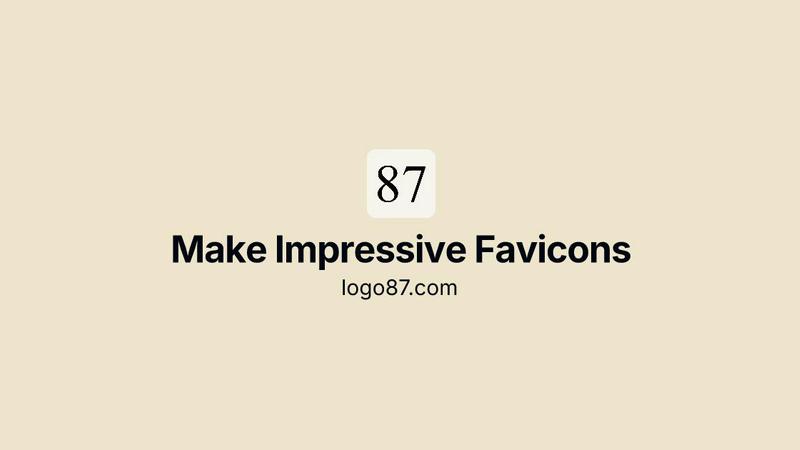
Logo87.com
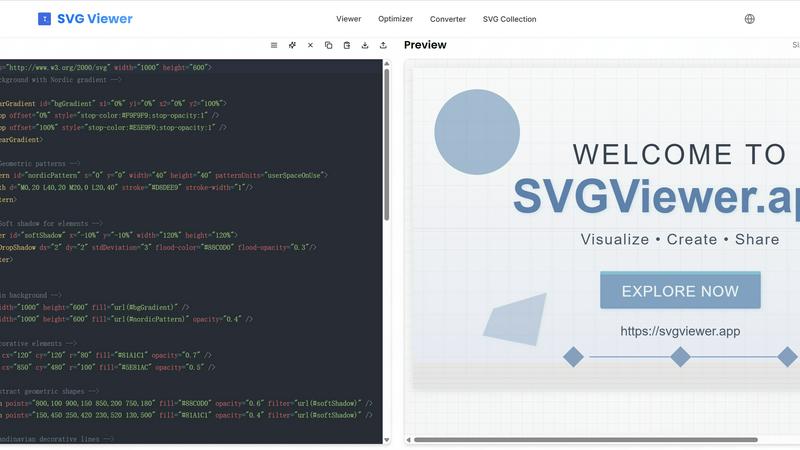
SVG Converter
Feature Comparison
Logo87.com
Easy Customization
Logo87.com offers an intuitive interface that allows users to customize their favicons with ease. You can choose from various fonts, colors, sizes, and effects, making it simple to create a favicon that perfectly matches your brand identity.
Multiple Export Formats
Users can export their creations in several formats, including SVG for scalable graphics, PNG for broad compatibility, and a complete favicon package containing all necessary sizes for modern web browsers and mobile devices.
No Registration Required
Say goodbye to tedious sign-ups! Logo87.com allows you to start creating immediately without any registration or account creation, making it accessible for everyone.
Advanced Font Options
With the option to load custom fonts from Google Fonts, Logo87.com provides flexibility in typography. Choose from 12 built-in system fonts or incorporate unique styles to enhance your favicon's appeal.
SVG Converter
Easy Conversion
SVG Converter simplifies the conversion process by allowing users to upload SVG files and convert them into popular formats like PNG, JPEG, and WebP in just a few clicks. This feature eliminates the hassle of dealing with complex software, making it accessible for users of all skill levels.
High-Quality Outputs
The tool ensures that converted images retain their original quality and clarity. Whether you are converting simple logos or intricate designs, SVG Converter produces outputs that are crisp and professional, suitable for both web and print applications.
Batch Processing
With SVG Converter, users can convert multiple SVG files simultaneously. This batch processing capability saves time and effort, especially for graphic designers or teams working on large projects that require the conversion of numerous files.
User-Friendly Interface
SVG Converter features an intuitive interface that guides users through the conversion process. The easy-to-navigate design allows users to focus on their creative work rather than getting bogged down by complicated software, ensuring a smooth experience from start to finish.
Use Cases
Logo87.com
Creating Website Favicons
Logo87.com is perfect for bloggers, portfolio sites, and business websites looking to enhance their branding with a distinctive favicon that captures their essence and increases recognition.
Generating Mobile App Icons
Mobile app developers can utilize Logo87.com to create favicons that serve as app icons, ensuring a professional appearance on both iOS and Android platforms, enhancing user experience from the get-go.
Designing Logos for Projects
Whether it's for a school project, personal website, or freelance work, Logo87.com enables users to craft unique logos and icons that stand out and communicate their message effectively.
Quick Prototyping for Web Apps
Developers working on Progressive Web Apps (PWA) can swiftly generate favicons that match their app's design, streamlining the prototyping process and ensuring consistent branding across platforms.
SVG Converter
Graphic Design Projects
Graphic designers can leverage SVG Converter to easily transform their vector designs into raster formats for various applications. Whether for web use, print media, or client presentations, this tool provides a quick solution for all conversion needs.
Website Development
Web developers often need rasterized images for website elements. SVG Converter allows them to convert SVG logos and icons into PNG or JPEG formats, ensuring that their websites load quickly without sacrificing image quality.
Social Media Graphics
Content creators can use SVG Converter to prepare eye-catching graphics for social media platforms. By converting SVG files into suitable formats, they can enhance posts with vibrant images that attract audience engagement.
Educational Materials
Educators and students can utilize SVG Converter to create and convert graphics for presentations, reports, and educational resources. This tool makes it easy to produce high-quality images that effectively communicate ideas and concepts.
Overview
About Logo87.com
Logo87.com is an innovative favicon generator designed to empower users to effortlessly create professional favicons and logos in just seconds. Whether you are a web developer, a small business owner, or an individual looking to enhance your project with a unique touch, Logo87.com caters to your needs. The platform allows users to customize their designs with personalized text, colors, fonts, and styles, ensuring that every favicon reflects the brand's identity. With the ability to export graphics in multiple formats such as SVG and PNG, users can easily integrate these visuals into websites, mobile apps, and other digital projects. What's more, Logo87.com is completely free and prioritizes user privacy, making it an ideal choice for anyone wanting to create stunning visuals without the hassle of complicated software or registration processes.
About SVG Converter
SVG Converter is a powerful, free online tool that allows users to seamlessly convert SVG files into various raster formats such as PNG, JPEG, and more. This tool is designed for graphic designers, web developers, and anyone who works with vector graphics and requires an easy way to transform these graphics into raster images. With its user-friendly interface, SVG Converter enables users to maintain high-quality visuals while converting complex vector files, making it an ideal solution for both professionals and hobbyists. The main value proposition lies in its ability to facilitate quick and efficient conversions without the need for specialized software. By offering a free online platform, SVG Converter democratizes access to essential graphic design tools, allowing users to optimize their workflow and enhance their creative projects with minimal effort.
Frequently Asked Questions
Logo87.com FAQ
How do I create a favicon using Logo87.com?
To create a favicon, simply enter your desired text, select from various fonts, customize colors, and adjust settings such as size and position. Once satisfied, you can export it in your preferred format.
What formats can I export my favicon in?
Logo87.com allows you to export your favicon in SVG, PNG, and complete favicon packages, ensuring compatibility across different platforms and devices.
Is Logo87.com really free to use?
Yes, Logo87.com is completely free. You can create, customize, and download favicons without any hidden fees or registration requirements.
Can I use custom fonts on Logo87.com?
Absolutely! You can load custom fonts from Google Fonts to further personalize your favicon, or choose from the 12 built-in system fonts provided by the platform.
SVG Converter FAQ
What formats can I convert my SVG files into?
SVG Converter supports multiple formats including PNG, JPEG, WebP, and ICO. This flexibility allows you to choose the format that best suits your needs.
Is SVG Converter free to use?
Yes, SVG Converter is completely free. You can convert your SVG files without any hidden fees or subscription plans, making it an accessible tool for everyone.
How long does the conversion process take?
The conversion process is typically very quick, often taking just a few seconds to a minute depending on the size of the SVG files being converted. You can expect instant results, allowing for a smooth workflow.
Can I convert multiple SVG files at once?
Absolutely! SVG Converter offers batch processing, enabling you to upload and convert multiple SVG files in one go. This feature is particularly useful for users handling large projects with numerous graphics.
Alternatives
Logo87.com Alternatives
Logo87.com is an innovative online platform designed to help users create impressive favicons in mere seconds. Falling under the categories of design tools, image generation, and web development, it provides an efficient solution for anyone looking to enhance their digital presence with professional logos and favicons. Users find it essential for websites, apps, and various projects, thanks to its customizable features that allow for unique designs tailored to individual needs. As users explore their options, they often seek alternatives to Logo87.com for various reasons, such as pricing, specific feature sets, or compatibility with their preferred platforms. It’s essential to consider factors like ease of use, design flexibility, and output formats when searching for alternatives. The right tool can significantly impact the quality of your brand's visual identity, so finding one that aligns with your project requirements and budget is key.
SVG Converter Alternatives
SVG Converter is a cutting-edge, free online tool designed to transform SVG files into various formats like PNG and JPEG. It falls under the categories of Design Tools and Dev Tools, making it an essential resource for designers and developers alike who need to convert vector graphics into raster images seamlessly. The user-friendly interface and quick processing capabilities make SVG Converter a standout option for anyone looking to streamline their graphic design workflow. However, users often seek alternatives for a variety of reasons, such as pricing, additional features, or compatibility with specific platforms. When exploring alternatives, it's important to consider factors like ease of use, the range of supported formats, and any unique functionalities that may enhance your conversion experience. Ultimately, the right alternative will depend on your specific needs and preferences, ensuring that you find a solution that aligns with your creative goals.