
FaceShot vs Nani

FaceShot
Get stunning professional headshots from just one selfie in seconds, no studio needed.
Last updated: February 27, 2026

Visual Comparison
FaceShot
Nani
Overview
About FaceShot
FaceShot is a revolutionary AI-driven platform that transforms your ordinary selfies into stunning, studio-quality professional headshots in mere minutes. Designed for individuals and businesses alike, FaceShot eliminates the need for traditional photoshoots, allowing users to bypass the hassle of booking appointments, traveling to studios, and waiting for photo development. Whether you are looking to enhance your LinkedIn profile, create a standout team page, or refresh your personal image for social media, FaceShot provides a streamlined experience with impressive results. The platform harnesses advanced AI technology specifically tailored for portrait photography, ensuring that your headshots reflect natural skin tones, professional backgrounds, and impeccable lighting. With a user-friendly interface, you can upload a clear photo, select from over 20 distinct styles, and receive high-resolution portraits in approximately one minute, making it a game-changing solution for anyone needing high-quality images quickly and effortlessly.
About Nani
Most AI image tools are built for one-off generations, not regular repetitive work. You end up rewriting the same prompts, re-pasting the same reference images, and scrolling through endless feeds to find anything.
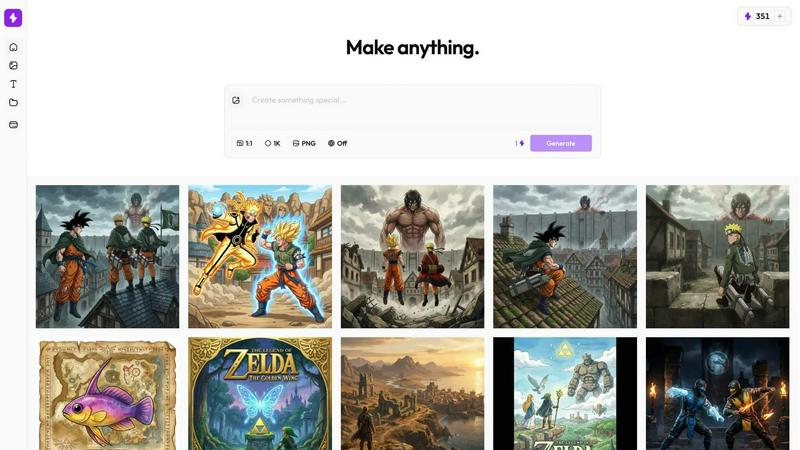
Nani is a workflow tool built on top of Google's Nano Banana Pro (Gemini) that fixes the repetitive, disorganized experience of AI image generation.
What Nani Does:
- Image Sets – Upload reference images once and reuse them across all your generations.
- Prompt Sets – Save style directions, character descriptions, and brand guidelines as reusable building blocks.
- Composable Prompts – Combine saved sets naturally instead of rewriting everything from scratch.
- Visual Iteration – Drag previous results back in as references without downloading and re-uploading.
- Folder Organization – Keep your library organized as it grows instead of scrolling through one long feed.
- Fast UI – No sluggish loading or navigation delays.