
Before After Photo Maker vs Pro Batch Resizer

Before After Photo Maker
Effortlessly create stunning before and after photo comparisons online with customizable layouts and high-quality exports.
Last updated: March 26, 2026

Pro Batch Resizer
Pro Batch Resizer is a powerful online tool that lets you effortlessly resize and edit hundreds of images in seconds.
Last updated: February 28, 2026
Visual Comparison
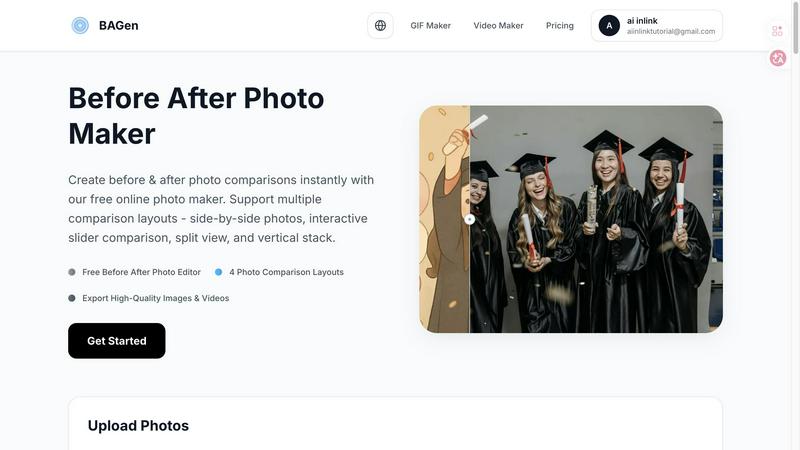
Before After Photo Maker
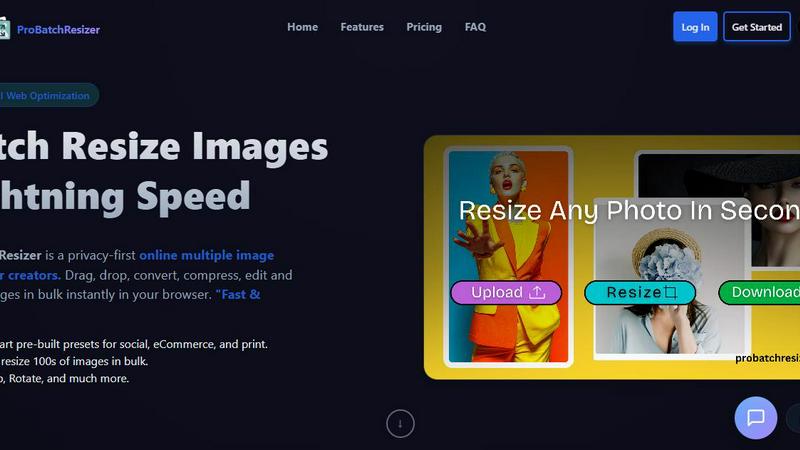
Pro Batch Resizer
Feature Comparison
Before After Photo Maker
Multiple Comparison Layouts
Before After Photo Maker offers four distinct layouts to choose from: side-by-side, interactive slider, split view, and vertical stack. This flexibility enables users to select the most effective visual representation for their specific needs, whether for social media or professional presentations.
High-Quality Export Options
Users can easily export their created comparisons in high-quality formats, including images and interactive videos. This ensures that the final product maintains clarity and professionalism, making it suitable for various platforms and uses.
Customizable Labels and Watermarks
The tool allows users to add customizable labels to their images, adjusting size and radius as needed. Additionally, users can upload a company logo to feature in their comparisons, enhancing brand visibility and recognition.
Live Preview Functionality
Before After Photo Maker includes a live preview feature, enabling users to see their edits in real-time. This immediate feedback loop ensures that adjustments can be made easily, allowing for a polished final product before export.
Pro Batch Resizer
130+ Smart Pre-built Presets
Choose from over 130 thoughtfully designed presets that cater to different needs such as social media, e-commerce, and print. This extensive library allows users to quickly select the perfect dimensions for their specific applications, saving valuable time and effort.
Lightning-Fast Bulk Processing
Pro Batch Resizer enables users to resize hundreds of images in bulk with lightning speed. This feature is a game-changer for anyone needing quick turnaround times, ensuring that your workflow remains uninterrupted while you effortlessly manage multiple images at once.
Comprehensive Editing Tools
Beyond resizing, Pro Batch Resizer offers powerful editing features including cropping, flipping, and rotating images. These tools empower users to make necessary adjustments all in one place, eliminating the need to switch between multiple applications.
Privacy-First Technology
With a strong emphasis on user privacy, Pro Batch Resizer utilizes WebAssembly technology to ensure that images are processed locally on your device. This means that your images remain secure and private, giving you peace of mind while working on sensitive or personal projects.
Use Cases
Before After Photo Maker
Fitness Transformations
Fitness trainers and enthusiasts can utilize Before After Photo Maker to document and showcase their physical transformations or client progress. This visual documentation can serve as motivation for others and as a marketing tool for personal trainers.
Home Renovation Projects
Homeowners and contractors can use the tool to present dramatic renovations and improvements. By showcasing before and after images, they can effectively communicate their work's impact, making it an excellent resource for portfolios or social media.
Beauty and Skincare Results
Beauty professionals can utilize the tool to highlight the effectiveness of skincare regimens or cosmetic treatments. By presenting before and after images, they can build trust with potential clients and demonstrate the results of their services.
Digital Art and Creative Projects
Artists can leverage Before After Photo Maker to showcase their creative processes, from initial sketches to final pieces. This is especially useful for game developers and digital artists who want to illustrate their growth and progression over time.
Pro Batch Resizer
Social Media Management
For social media managers, Pro Batch Resizer is an invaluable tool that streamlines the image preparation process. Quickly resize images to meet the various specifications for platforms like Instagram, Facebook, and Twitter, ensuring that your posts look professional and eye-catching.
E-commerce Product Listings
E-commerce sellers can benefit immensely from Pro Batch Resizer by preparing product images efficiently. With presets specifically for platforms like Amazon and Shopify, resizing images to meet marketplace requirements has never been easier, helping to improve product presentation and sales.
Marketing and Advertising
Marketing professionals can utilize Pro Batch Resizer to create visually appealing advertisements and promotional materials. With the ability to resize images to fit different formats, such as banners and flyers, you can ensure your marketing campaigns are visually consistent and impactful.
Event Management
For event planners, preparing materials such as tickets, badges, and promotional graphics can be time-consuming. Pro Batch Resizer simplifies this task, allowing you to quickly resize and edit all necessary visuals, making event organization much more efficient.
Overview
About Before After Photo Maker
Before After Photo Maker is an innovative online tool designed to help users create stunning before and after photo comparisons in just minutes. Whether you're a fitness enthusiast wanting to showcase your transformation, a home renovator eager to display your project before and after images, or an artist documenting the evolution of your digital creations, this tool is perfect for you. It offers a user-friendly interface that allows for seamless photo uploading via drag and drop, making it accessible for everyone, regardless of technical skill. With multiple comparison layouts such as side-by-side, interactive slider, split view, and vertical stack, users can choose the best format to highlight their transformations effectively. The main value proposition lies in its ability to deliver high-quality image exports and interactive video outputs without the need for complex software or registration, making it an indispensable resource for anyone looking to present visual changes compellingly.
About Pro Batch Resizer
Pro Batch Resizer is a cutting-edge, browser-based tool designed specifically for creators who need to resize and convert images in bulk. Say goodbye to the hassle of managing individual images and embrace the power of efficiency with this professional-grade solution. With Pro Batch Resizer, you can instantly drag, drop, and resize hundreds of images simultaneously, making it ideal for photographers, social media managers, e-commerce sellers, and anyone else who regularly handles large volumes of images. The software features over 130 ready-to-use presets tailored for various platforms including social media, e-commerce, and print. Best of all, it uses advanced WebAssembly technology, ensuring that your images stay secure and never leave your device, making it a privacy-first solution for all your image processing needs.
Frequently Asked Questions
Before After Photo Maker FAQ
How do I upload my images?
You can easily upload your before and after images by using the drag and drop feature or by clicking the upload button. The tool supports formats such as PNG, JPG, and GIF, with a maximum file size of 10MB.
Do I need to create an account to use the tool?
No, Before After Photo Maker is completely free to use without the need for registration. You can start creating your photo comparisons immediately after accessing the site.
Can I customize the labels in my comparisons?
Absolutely! The tool allows you to add customizable labels to your photos, adjusting their size and radius to fit your needs. You can also include a company logo to enhance brand visibility.
What export options are available?
You can export your completed comparisons in high-quality image formats or as interactive videos. This versatility ensures that your final product is suitable for various platforms, whether for online sharing or professional presentations.
Pro Batch Resizer FAQ
What file formats does Pro Batch Resizer support?
Pro Batch Resizer supports a variety of popular image formats including JPEG, PNG, and GIF, making it versatile for different user needs and applications.
Is my data safe while using Pro Batch Resizer?
Yes, Pro Batch Resizer is built with a privacy-first approach. All image processing occurs locally on your device, ensuring that your data remains secure and private at all times.
Do I need to install any software to use Pro Batch Resizer?
No installation is necessary. Pro Batch Resizer is a browser-based tool, meaning you can access it directly from your web browser without the need for additional downloads or installations.
How can I get started with Pro Batch Resizer?
Getting started is simple! Just visit the Pro Batch Resizer website, log in or create an account, and you can begin dragging and dropping your images to resize and edit them immediately.
Alternatives
Before After Photo Maker Alternatives
Before After Photo Maker is an innovative online tool designed to help users create stunning before-and-after photo comparisons effortlessly. As part of the Image & Photo category, it caters to diverse needs, from fitness transformations to home renovations and artistic progressions. Users often seek alternatives due to factors such as pricing, specific feature sets, platform compatibility, or the need for additional customization options. Finding the right alternative involves assessing the required layouts, ease of photo uploads, and any unique functionalities that may enhance the overall user experience. When searching for an alternative, it’s essential to consider features that align with your goals, such as various display formats like side-by-side comparisons or interactive sliders. Additionally, ensure that the platform you choose offers a user-friendly interface, robust photo upload capabilities, and the flexibility to showcase your transformations in the most impactful way possible. By evaluating these factors, you can find a solution that meets your creative needs and enhances your presentation of before-and-after visuals.
Pro Batch Resizer Alternatives
Pro Batch Resizer is a professional-grade, browser-based tool designed specifically for batch resizing and converting images. With over 130 ready-to-use presets, it offers a seamless user experience powered by WebAssembly, ensuring that your images remain secure and never leave your device. As users explore ways to enhance their image editing capabilities, they often seek alternatives due to factors such as pricing, feature set, and platform compatibility. When searching for an alternative to Pro Batch Resizer, it's essential to consider features that align with your specific needs, such as ease of use, available presets, and security measures. Additionally, evaluating the overall performance and reliability of the tool can significantly influence your choice, ensuring you find a solution that meets your batch image processing requirements effectively.