
Dokta vs Redbark

Dokta
Dokta automates document management for freelancers, effortlessly handling invoices, contracts, and cash flow in just a few clicks.
Last updated: April 4, 2026

Redbark
Redbark syncs your Australian bank and brokerage data directly to your favorite tools automatically.
Last updated: February 28, 2026
Visual Comparison
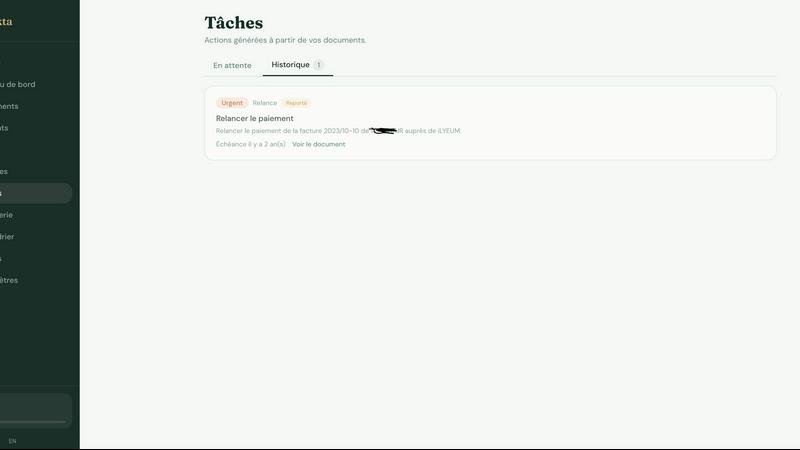
Dokta
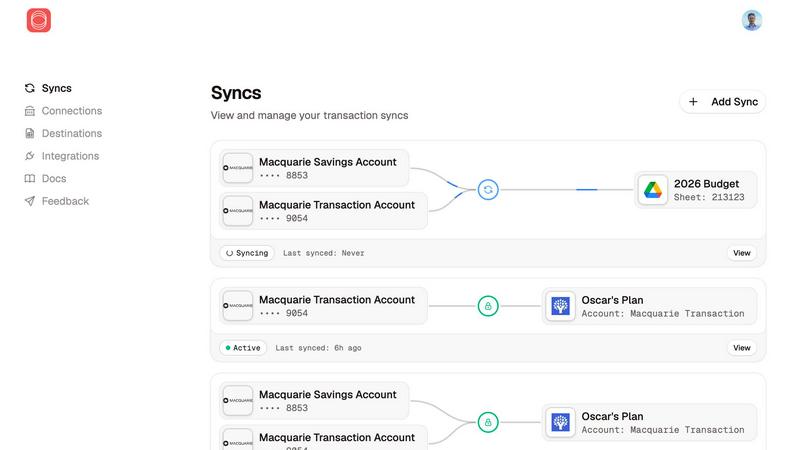
Redbark
Feature Comparison
Dokta
Automated Invoice Management
Dokta provides automated invoice management, allowing users to create professional invoices and quotes in just a few clicks. The platform also tracks payments and automates reminders for unpaid invoices, ensuring that users never miss a payment deadline.
Real-Time Cash Flow Tracking
Stay on top of your finances with Dokta's real-time cash flow tracking feature. Users can visualize their financial situation at a glance with detailed graphs showing billed revenue, received payments, outstanding invoices, and VAT over a 12-month period.
AI-Powered Document Analysis
Dokta's advanced AI engine analyzes documents in under 60 seconds. It reads, classifies, and extracts essential information such as document type, amounts, deadlines, and client or supplier names, making document management quick and efficient.
Client Database Management
Dokta automatically builds and enriches a client database from uploaded documents. This feature includes automatic SIRET enrichment, payment scoring, and a complete historical overview of client interactions, enhancing user insights into their clientele.
Redbark
Secure, Regulated Data Access
Redbark doesn't scrape screens. It uses Australia's Consumer Data Right (CDR) framework via accredited partners for secure, bank-approved data access. This means transparent consent, minimal data collection, and your legal right to withdraw access at any time. For global brokerages and New Zealand banks, secure integrations via SnapTrade and Akahu provide the same level of reliable, official connectivity, moving beyond the fragility and security risks of legacy methods.
Pass-Through Data Architecture
Your privacy is non-negotiable. Redbark's core architecture is designed so your financial data flows directly from your bank or brokerage to your destination tool. We never store your transactions, balances, or account details on our servers. It's a secure conduit, not a data warehouse, ensuring your information remains under your control and is only seen where you intend it to be.
Multi-Destination & Smart Sync
Sync a single bank account to multiple tools simultaneously—like Google Sheets for custom analysis, YNAB for budgeting, and Notion for reporting—all at once. Redbark handles intelligent, ID-based deduplication with overlap buffers to catch late-posting transactions, so you never have duplicate rows. Updates are automated via webhooks, triggering background syncs the moment your bank reports new activity.
100+ Integrations & Portfolio Tracking
Connect to every major Australian bank, credit union, and a growing list of global brokerages and crypto exchanges. Redbark isn't just for transactions; it syncs your full investment portfolio holdings with live profit & loss and complete trade history. This holistic view means your net worth and investment performance are always up-to-date alongside your cash flow.
Use Cases
Dokta
Freelance Developers
For freelance developers, Dokta streamlines the process of generating invoices from contracts. Developers can focus on coding while Dokta handles their billing, sending invoices automatically based on predefined contract terms.
Creative Professionals
Creative freelancers can benefit from Dokta's easy invoice and quote management. It provides a seamless workflow from proposal to payment, allowing creatives to send quotes for approval and convert them into invoices with a single click.
Auto-Entrepreneurs
Auto-entrepreneurs can rely on Dokta to maintain compliant invoices and track their earnings effortlessly. The platform sends alerts for URSSAF deadlines, ensuring that users remain compliant without the stress of manual tracking.
SMB Owners
Small and medium business owners can utilize Dokta to manage multiple documents, invoices, and contracts in one place. With real-time cash flow insights and automated reminders, SMBs can ensure smooth operations and timely payments.
Redbark
Automated Business Bookkeeping
Freelancers and small business owners can automate their bookkeeping by syncing business account transactions directly into a dedicated Google Sheet or Airtable base. This eliminates manual data entry, reduces errors, and provides a real-time view of cash flow, making reconciliation and expense tracking effortless and always current.
Live Investment Portfolio Dashboard
Active investors and traders can build a live, consolidated dashboard of their holdings across multiple brokerages (like CommSec and Stake) in Google Sheets or Notion. Automatically track live P&L, dividend income, and trade history without logging into each platform, enabling faster, data-driven investment decisions.
Streamlined Personal Budgeting
Individuals and families using budgeting apps like YNAB or Actual Budget can connect their everyday accounts, savings, and credit cards. Redbark automatically imports new transactions, categorizing them for review, so you can maintain an accurate budget without the tedious manual import of bank statements or CSV files.
Centralized Financial Reporting
Financial analysts, advisors, or anyone managing complex finances can centralize data from multiple banks, loans, and investment accounts into a single Notion page or master Google Sheet. This creates a unified source of truth for net worth tracking, custom reporting, and financial planning without manual aggregation.
Overview
About Dokta
Dokta is an innovative AI-powered document management platform designed specifically for freelancers, solo entrepreneurs, auto-entrepreneurs, and small to medium-sized businesses (SMBs). With its powerful AI engine, Dokta simplifies document handling by allowing users to effortlessly drop invoices, quotes, contracts, and more, and receiving key data extraction in under 60 seconds. The platform manages the entire document lifecycle, enabling users to create professional invoices, track payments, send automated reminders for unpaid invoices, and manage contracts and deadlines, all with ease. Dokta eliminates the stress of lost files and missed deadlines, allowing users to focus on their core business activities. By building a comprehensive client database and providing real-time cash flow tracking, Dokta empowers users to streamline their financial operations. With a commitment to data privacy, Dokta is fully GDPR-compliant and hosted in Europe (AWS), making it a secure choice for managing sensitive business documents. Whether you are a freelance developer, a consultant, a trades contractor, or managing a growing SMB, Dokta puts your documents at the center of your operations, driven by cutting-edge AI technology.
About Redbark
Redbark is the game-changing financial data pipeline that finally connects your money to your productivity. It's the secure, automated bridge between your Australian bank accounts, global brokerage portfolios, and the tools where you actually manage your life—like Google Sheets, Notion, Airtable, YNAB, and Actual Budget. Forget manual exports, messy CSV files, and unreliable screen-scraping. Redbark leverages Australia's official Consumer Data Right (CDR) framework for bank-approved, regulated access to your data. Your transactions, balances, and investment holdings sync automatically on your schedule, flowing directly from your financial institution to your chosen destination in real time. With a foundational commitment to privacy, Redbark operates on a strict pass-through architecture, meaning your sensitive financial data is never stored on its servers. Built for the modern financial operator—freelancers, investors, small business owners, and spreadsheet power users—Redbark delivers a powerful, set-up-in-minutes automation that brings every account and every transaction into one, unified, and actionable place.
Frequently Asked Questions
Dokta FAQ
How does Dokta ensure data privacy?
Dokta is fully compliant with GDPR regulations and hosts all data in Europe (AWS), ensuring that users' sensitive information is protected and handled responsibly.
What types of documents can I upload to Dokta?
Users can upload various document types, including invoices, quotes, contracts, and receipts. Dokta's AI engine will analyze and extract data from these documents to facilitate management.
Is there a free trial available for Dokta?
Yes, Dokta offers a free tier that allows users to manage up to 15 documents per month at no cost. This is a great way to experience the platform's capabilities before committing to a paid plan.
What happens if I exceed my document limit?
If you exceed the document limit of your selected plan, you will need to upgrade to a higher tier to continue processing additional documents. Each plan has a specified number of documents you can manage each month.
Redbark FAQ
Is my financial data secure with Redbark?
Absolutely. Security is our foundation. We use Australia's regulated CDR framework for bank connections—it's not screen scraping. Our pass-through architecture means we never store your financial data. All credentials are encrypted with AES-256-GCM, and our entire infrastructure is 100% hosted in Australia, SOC 2 certified, and compliant with strict data sovereignty laws.
Which banks and brokerages do you support?
We support all major Australian banks (CommBank, Westpac, NAB, ANZ, Macquarie, ING, and more) via CDR Open Banking. We also connect to global brokerages and crypto exchanges via SnapTrade, and New Zealand banks via Akahu. You can view the full, growing list of connections on our website.
Do I need to be a tech expert to set this up?
Not at all! Redbark is built for simplicity. You can connect your accounts, choose your destinations (like Google Sheets), and set your sync schedule in just a few minutes with a straightforward, no-code interface. No programming or technical skills are required to start automating your financial data.
Can I sync data to multiple tools at once?
Yes! This is a powerful feature of Redbark. You can sync the same bank account or brokerage portfolio to multiple destinations simultaneously—for example, sending transactions to both Google Sheets for analysis and YNAB for budgeting at the same time. Each destination can have its own custom formatting rules.
Alternatives
Dokta Alternatives
Dokta is an innovative AI-powered document management platform tailored for freelancers, solo entrepreneurs, auto-entrepreneurs, and small to medium-sized businesses (SMBs). It simplifies the document handling process by reading, classifying, and extracting key data from invoices, quotes, and contracts in a flash. While its features are robust, users often seek alternatives due to varying needs such as pricing considerations, specific feature sets, or compatibility with existing platforms. When searching for a suitable alternative, it’s essential to evaluate aspects like ease of use, scalability, security compliance, and the specific functionalities that meet your business requirements. Finding the right document management solution can significantly enhance productivity and streamline operations. Alternatives to Dokta should be assessed based on their ability to manage the full document lifecycle, automate administrative tasks, and provide real-time insights into cash flow. Always prioritize options that offer flexibility in pricing and a user-friendly interface to ensure a smooth transition and integration into your workflow.
Redbark Alternatives
Redbark is a modern financial data platform that securely connects your Australian bank accounts and global investment portfolios directly to your favorite productivity tools like Google Sheets, Notion, and Airtable. It operates in the fintech and data automation space, designed to eliminate manual data entry and give you a real-time view of your finances. People often explore alternatives for various reasons, such as needing different pricing plans, specific feature sets, or compatibility with other platforms and banks. Your choice depends on your unique workflow, the financial institutions you use, and the tools where you need your data to live. When evaluating other options, key considerations include the security model for accessing your bank data, the range of supported banks and brokerages, and the flexibility of automation. Look for a solution that respects your privacy, integrates seamlessly with your existing stack, and delivers reliable, scheduled updates without requiring technical expertise.