
RemoveBGVideo vs Seedance Studio

RemoveBGVideo
Remove video backgrounds instantly with AI, no green screen needed.
Last updated: February 28, 2026

Seedance Studio
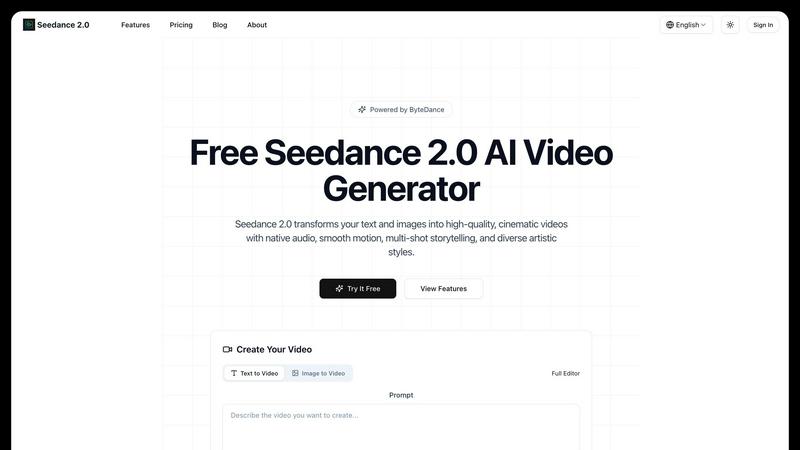
Transform text and images into stunning AI-generated videos with Seedance 2.0.
Last updated: February 27, 2026
Visual Comparison
RemoveBGVideo

Seedance Studio
Overview
About RemoveBGVideo
RemoveBGVideo is the revolutionary AI-powered platform that makes professional video background removal accessible to everyone. It's the end of complex, time-consuming editing. Simply upload your video, and our cutting-edge AI technology automatically detects the subject and strips away the background in minutes—no green screen, manual masking, or expensive software like After Effects required. It delivers a clean, precise cut-out with a transparent background or allows you to place your subject into any custom scene you choose. Built for speed and quality, it supports up to 4K resolution and processes most videos in under five minutes using optimized GPU acceleration. This tool is a game-changer for content creators, marketers, e-commerce sellers, educators, and anyone who needs to produce polished, engaging video content quickly and without a steep learning curve. In a landscape where alternatives are shutting down or hiding behind expensive subscriptions, RemoveBGVideo stands out with its transparent, pay-as-you-go pricing and powerful, specialized AI engine designed to make you look like a pro.
About Seedance Studio
Seedance Studio is an innovative AI video generation platform that leverages advanced ByteDance technology to enable creators, filmmakers, and marketers to generate high-quality, cinematic videos effortlessly. Whether you are an artist looking to animate your concepts, a marketer seeking to create stunning promotional material, or a filmmaker wanting to visualize your script, Seedance Studio offers a powerful suite of tools to bring your ideas to life in seconds. With its ability to transform text prompts and static images into breathtaking 1080p videos, the platform addresses the growing demand for dynamic visual content. Its user-friendly interface and robust capabilities make it an essential resource for anyone in the creative industry. Seedance Studio not only enhances creativity but also accelerates production timelines, allowing users to produce professional-grade videos with minimal effort.
Alternatives
RemoveBGVideo Alternatives
RemoveBGVideo is an AI-powered tool that automatically removes the background from any video, placing it in the category of automated video editing software. It’s designed for creators who need professional, transparent-background videos quickly, without the steep learning curve of traditional software like After Effects. Users often explore alternatives for various reasons. Some might need a different pricing model or a free tier to start. Others may require specific features like batch processing, higher resolution exports, or integration with other platforms. The choice often comes down to balancing cost, capability, and ease of use. When choosing an alternative, consider your primary needs. Look at the output quality, especially for complex scenes like fine hair or motion blur. Check the supported video formats and length limits. Also, evaluate the speed of processing and the flexibility of the background replacement options, whether it's transparency, solid colors, or custom images.
Seedance Studio Alternatives
Seedance Studio is an innovative AI video generation platform developed by ByteDance, designed for creators, filmmakers, and marketers looking to elevate their video content. By transforming text prompts and static images into stunning 1080p videos, it offers a seamless way to craft cinematic stories with advanced technology. However, users often seek alternatives for various reasons, including pricing options, feature sets, or compatibility with specific platforms and workflows. When exploring alternatives, consider aspects such as video quality, storytelling capabilities, ease of use, and the range of creative styles offered. Choosing the right alternative also involves evaluating customer support, scalability, and any unique features that may align with your creative vision. Each user's needs are different, so it's essential to prioritize what features matter most to you and how they can enhance your video creation process. Ultimately, the right choice will empower your storytelling while fitting seamlessly into your production pipeline.