
Nano Banana Pro vs SVG Converter

Nano Banana Pro
Transform your images effortlessly with Nano Banana Pro, the ultimate AI-powered image editor for stunning results.
Last updated: February 28, 2026

SVG Converter
Transform, optimize, and visualize your SVG files effortlessly with our free online SVG Converter tool.
Last updated: February 28, 2026
Visual Comparison
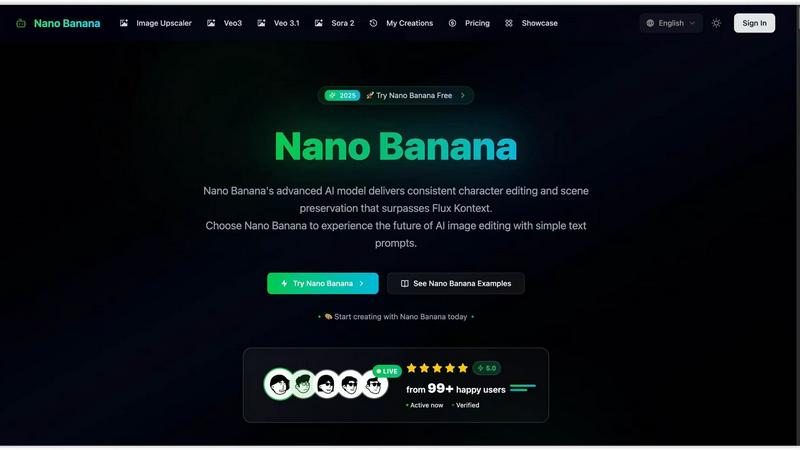
Nano Banana Pro
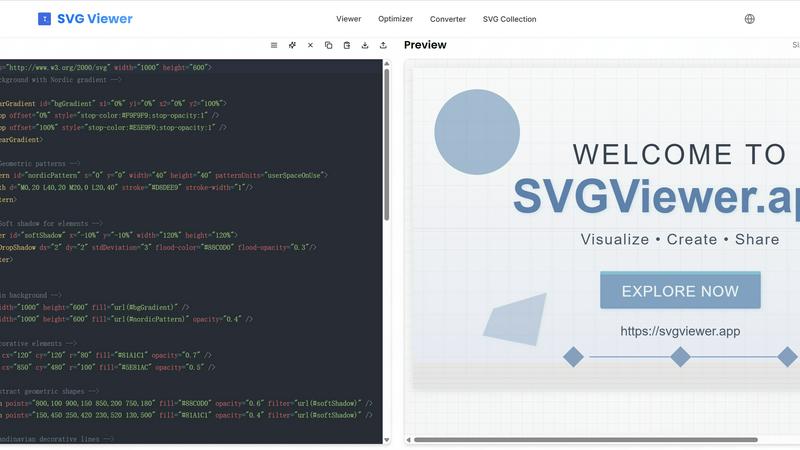
SVG Converter
Feature Comparison
Nano Banana Pro
In-Context Image Generation
Nano Banana Pro's in-context image generation feature allows users to combine text and images effortlessly. This enables more nuanced prompts that guide the AI to understand and create visual concepts in a way that traditional text-only models cannot, resulting in higher quality and more relevant outputs.
Advanced Style Transfer
With its perfect style transfer capabilities, Nano Banana Pro allows users to replicate artistic styles such as oil paintings, watercolors, illustrations, and photographs. This means that you can apply your favorite artistic techniques to any image, making your creations truly unique and tailored to your vision.
Real-World Knowledge Integration
Thanks to the Gemini model's deep reasoning and real-world knowledge, Nano Banana Pro produces images that are not only visually appealing but also contextually accurate. This feature is beneficial for annotating pictures, creating infographics, and transforming handwritten notes into clear diagrams, making it a versatile tool for various applications.
4K Ultra Resolution Output
Nano Banana Pro supports up to 4K ultra-high resolution output, ensuring that every detail is crystal clear. This feature meets the demands of professional printing and commercial use, allowing designers and businesses to create high-quality visuals without compromise.
SVG Converter
Easy Conversion
SVG Converter simplifies the conversion process by allowing users to upload SVG files and convert them into popular formats like PNG, JPEG, and WebP in just a few clicks. This feature eliminates the hassle of dealing with complex software, making it accessible for users of all skill levels.
High-Quality Outputs
The tool ensures that converted images retain their original quality and clarity. Whether you are converting simple logos or intricate designs, SVG Converter produces outputs that are crisp and professional, suitable for both web and print applications.
Batch Processing
With SVG Converter, users can convert multiple SVG files simultaneously. This batch processing capability saves time and effort, especially for graphic designers or teams working on large projects that require the conversion of numerous files.
User-Friendly Interface
SVG Converter features an intuitive interface that guides users through the conversion process. The easy-to-navigate design allows users to focus on their creative work rather than getting bogged down by complicated software, ensuring a smooth experience from start to finish.
Use Cases
Nano Banana Pro
Marketing and Advertising
Marketers can leverage Nano Banana Pro to create eye-catching visuals for campaigns, social media posts, and advertisements. With the ability to generate high-quality images quickly, teams can enhance their promotional materials and engage their audience more effectively.
Content Creation for Social Media
Content creators can use Nano Banana Pro to produce stunning images tailored for platforms like Instagram, Facebook, and Twitter. The tool's in-context generation and style transfer ensure that every post stands out, helping creators maintain a consistent and appealing aesthetic.
Product Mockups and Prototypes
Designers can utilize Nano Banana Pro to create realistic product mockups and prototypes. By incorporating specific design elements and styles, they can visualize concepts before moving into production, saving time and resources while ensuring alignment with brand aesthetics.
Educational and Informational Graphics
Educators and professionals can harness Nano Banana Pro to create infographics, diagrams, and other educational materials. The platform's real-world knowledge integration allows users to represent complex data visually, making it easier to convey information to students or clients.
SVG Converter
Graphic Design Projects
Graphic designers can leverage SVG Converter to easily transform their vector designs into raster formats for various applications. Whether for web use, print media, or client presentations, this tool provides a quick solution for all conversion needs.
Website Development
Web developers often need rasterized images for website elements. SVG Converter allows them to convert SVG logos and icons into PNG or JPEG formats, ensuring that their websites load quickly without sacrificing image quality.
Social Media Graphics
Content creators can use SVG Converter to prepare eye-catching graphics for social media platforms. By converting SVG files into suitable formats, they can enhance posts with vibrant images that attract audience engagement.
Educational Materials
Educators and students can utilize SVG Converter to create and convert graphics for presentations, reports, and educational resources. This tool makes it easy to produce high-quality images that effectively communicate ideas and concepts.
Overview
About Nano Banana Pro
Nano Banana Pro is a groundbreaking AI-powered image generation and editing platform designed for creative professionals, artists, and anyone who seeks to elevate their visual content. Offering a unique blend of text and image prompting, Nano Banana Pro revolutionizes the way users create and edit images, ensuring consistent character editing and scene preservation. This platform stands apart from traditional text-to-image models by providing in-context image generation, enabling users to modify visual concepts seamlessly. Whether you are a designer looking to create striking marketing materials, an artist seeking inspiration, or a business aiming to enhance your visual storytelling, Nano Banana Pro is equipped to meet your needs. With features like 4K ultra-resolution output and powerful style transfer capabilities, this tool is perfect for producing high-quality images ready for professional use. Embrace the future of image creation with Nano Banana Pro and unlock your creative potential today.
About SVG Converter
SVG Converter is a powerful, free online tool that allows users to seamlessly convert SVG files into various raster formats such as PNG, JPEG, and more. This tool is designed for graphic designers, web developers, and anyone who works with vector graphics and requires an easy way to transform these graphics into raster images. With its user-friendly interface, SVG Converter enables users to maintain high-quality visuals while converting complex vector files, making it an ideal solution for both professionals and hobbyists. The main value proposition lies in its ability to facilitate quick and efficient conversions without the need for specialized software. By offering a free online platform, SVG Converter democratizes access to essential graphic design tools, allowing users to optimize their workflow and enhance their creative projects with minimal effort.
Frequently Asked Questions
Nano Banana Pro FAQ
What makes Nano Banana Pro different from other image generation tools?
Nano Banana Pro offers in-context image generation, allowing users to combine text and images in their prompts. This feature enhances the relevance and quality of the outputs compared to traditional text-only models, making it a more intuitive option for creators.
Can I use Nano Banana Pro for commercial purposes?
Yes, Nano Banana Pro is designed to support professional use. Its 4K ultra-resolution output meets the requirements for high-quality printing and commercial applications, making it suitable for businesses and marketing purposes.
Is there a free trial available for Nano Banana Pro?
Absolutely! Users can sign up to receive 20 free credits to explore Nano Banana Pro and its features without any obligation. This trial allows you to experience the platform's capabilities before committing to a subscription.
How does the referral program work?
Nano Banana Pro offers a referral program where users can invite friends to join the platform. For every friend who signs up, you earn $1 and a 20% commission on their future purchases, creating an opportunity to earn rewards while sharing the benefits of the tool.
SVG Converter FAQ
What formats can I convert my SVG files into?
SVG Converter supports multiple formats including PNG, JPEG, WebP, and ICO. This flexibility allows you to choose the format that best suits your needs.
Is SVG Converter free to use?
Yes, SVG Converter is completely free. You can convert your SVG files without any hidden fees or subscription plans, making it an accessible tool for everyone.
How long does the conversion process take?
The conversion process is typically very quick, often taking just a few seconds to a minute depending on the size of the SVG files being converted. You can expect instant results, allowing for a smooth workflow.
Can I convert multiple SVG files at once?
Absolutely! SVG Converter offers batch processing, enabling you to upload and convert multiple SVG files in one go. This feature is particularly useful for users handling large projects with numerous graphics.
Alternatives
Nano Banana Pro Alternatives
Nano Banana Pro is an innovative AI image editor that stands out in the realm of image generation and editing. With its powerful capabilities, it allows users to create stunning visuals with perfect text integration and consistent character editing. This platform is particularly appealing to artists, marketers, and anyone looking to elevate their visual content with seamless scene preservation. Despite its impressive features, users often seek alternatives due to various reasons such as pricing, specific feature sets, or compatibility with their preferred platforms. When exploring alternatives, it's essential to consider factors such as ease of use, the range of editing tools available, and the overall value for your specific needs. Ensuring that the alternative aligns with your workflow and creative goals will lead to a more satisfying experience.
SVG Converter Alternatives
SVG Converter is a cutting-edge, free online tool designed to transform SVG files into various formats like PNG and JPEG. It falls under the categories of Design Tools and Dev Tools, making it an essential resource for designers and developers alike who need to convert vector graphics into raster images seamlessly. The user-friendly interface and quick processing capabilities make SVG Converter a standout option for anyone looking to streamline their graphic design workflow. However, users often seek alternatives for a variety of reasons, such as pricing, additional features, or compatibility with specific platforms. When exploring alternatives, it's important to consider factors like ease of use, the range of supported formats, and any unique functionalities that may enhance your conversion experience. Ultimately, the right alternative will depend on your specific needs and preferences, ensuring that you find a solution that aligns with your creative goals.