
The New Black AI vs Video to GIF Converter

The New Black AI
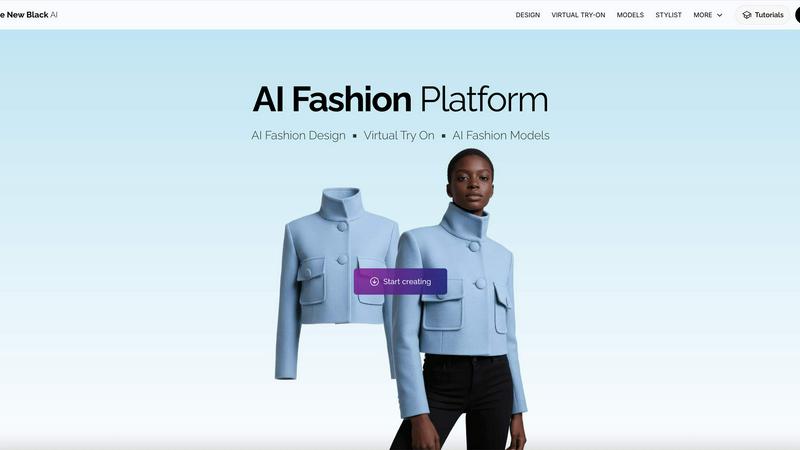
The New Black AI creates custom AI models to showcase any fashion product instantly.
Last updated: February 28, 2026

Video to GIF Converter
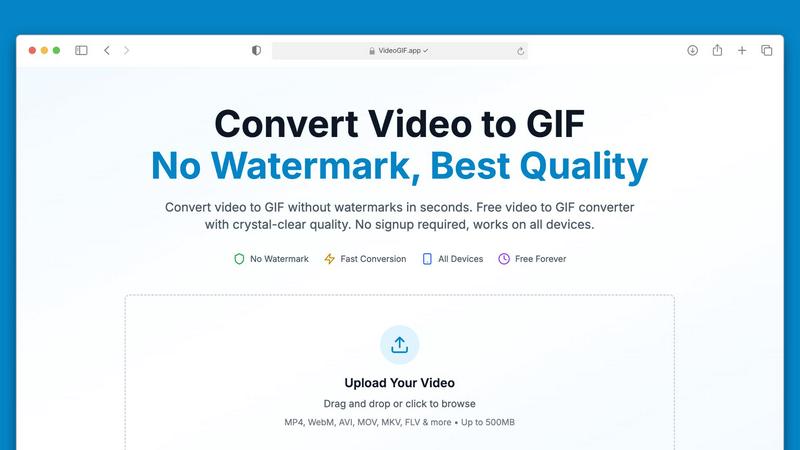
Effortlessly convert videos to high-quality GIFs in seconds, no watermarks ever.
Last updated: February 27, 2026
Visual Comparison
The New Black AI
Video to GIF Converter
Feature Comparison
The New Black AI
AI Model Generation & Customization
Create hyper-realistic AI models tailored to your exact brand demographics. You have full control over the model's gender, age (from 3 to 60+), ethnicity from a global list of nationalities, and body type including small-size, mid-size, plus-size, and pregnant. This feature ensures your product is represented by a model that truly resonates with your target audience, fostering inclusivity and connection right from the first visual impression.
Product-Specific AI Modeling
The platform is expertly tuned for a wide array of fashion and lifestyle products. Whether you're showcasing clothes, jewelry, accessories, bags, swimwear, or shoes, the AI is trained to preserve critical product details like texture, shape, and proportion. This ensures the generated model imagery accurately reflects your item's true look and feel, maintaining brand integrity and customer trust.
Dynamic Creative Tools Suite
Go beyond static images with a powerful suite of creative controls. Use the 'Swap' feature to place the same garment on different models instantly. The 'New Scene' and 'Background' tools let you contextualize your product in any environment. 'Insert Logo' adds branding, 'Enhance to HD' upgrades image quality, and 'Reframe' adjusts aspect ratios for different platforms. This suite empowers limitless creative iterations.
AI Helper & Consistent Model Memory
The integrated AI Helper guides your creative process, helping you describe features and poses effectively. For campaigns, the 'Creative Memory' feature (available in PRO AI) allows you to preserve a model's identity across multiple images. This ensures brand consistency when you need to show the same model wearing different items from your collection, building a recognizable and professional campaign narrative.
Video to GIF Converter
No Watermarks, Always Free
Say goodbye to watermarks! Our Video to GIF Converter guarantees that every GIF you create is completely watermark-free. You have full ownership of your GIFs, allowing you to use them commercially or personally without any restrictions or hidden fees.
Fast Video to GIF Conversion
Experience lightning-fast conversion speeds with our optimized processing technology. Most video files, including large ones up to 500MB, convert in under 30 seconds, saving you valuable time while ensuring consistent quality.
Crystal-Clear GIF Quality
Our advanced palette generation technology ensures that your GIFs are crisp and clear, closely preserving the quality of your original video. With four different quality presets to choose from, you can customize your GIFs to perfectly match your needs.
Optimized for Sharing
Sharing your creations is a breeze with our smart compression techniques that reduce file sizes without compromising quality. This makes your GIFs perfect for sharing on social media platforms, in emails, or via messaging apps like Discord and Slack.
Use Cases
The New Black AI
Rapid E-commerce Content Creation
Eliminate photoshoot production time and costs for online stores. Generate hundreds of model images for your entire seasonal catalog in a single day. Test how new products look on different models instantly, allowing for faster go-to-market strategies and the ability to keep your product pages fresh, diverse, and engaging without a massive budget or production crew.
Inclusive and Diverse Marketing Campaigns
Showcase your products on a truly global and inclusive range of models. Easily create campaign imagery that represents various ages, ethnicities, and body types, demonstrating your brand's commitment to diversity. This builds deeper trust with a broader customer base and allows for targeted marketing visuals for specific demographics.
Prototype and Design Visualization
Fashion designers and brands can visualize new designs before committing to full production. Upload sketches or prototype photos to see how a garment drapes, fits, and looks on a virtual model in various poses and settings. This accelerates the design feedback loop, reduces sample waste, and helps in making confident pre-production decisions.
Dynamic Social Media and Ad Content
Create a constant stream of high-quality, on-brand visual content for social media feeds, ads, and email marketing. The ability to quickly swap models, change backgrounds, and reframe images for different platform formats (like 9:16 for Instagram Stories or 1:1 for feed posts) makes it the ultimate tool for agile, performance-driven marketing teams.
Video to GIF Converter
Marketing & Social Media
In the fast-paced world of social media, GIFs are a powerful tool for engagement. Convert video highlights into shareable GIFs that loop automatically in feeds, capturing attention and driving interaction on platforms like Twitter and Instagram.
Professional Communication
Transform video tutorials into step-by-step GIFs that autoplay in emails and chats, making it easier for colleagues and clients to understand complex processes without needing to watch full-length videos.
Gaming & Creative Projects
Gamers can create GIFs of their epic gameplay moments to share with friends or on forums. Creative professionals can turn visual concepts into animated GIFs, enhancing presentations and pitches with dynamic content.
Product Demos & Tutorials
Showcase your product features effectively by converting video walkthroughs into GIFs. These short animations can highlight key functionalities, making them great for marketing material and educational content.
Overview
About The New Black AI
The New Black AI is a revolutionary AI fashion model generator that transforms how brands and creators showcase their products. It's designed to eliminate the traditional, costly, and time-consuming barriers of e-commerce photography. Simply upload a photo of your clothing, jewelry, accessories, or any other product, and the platform's powerful AI creates stunning, hyper-realistic models wearing your items in seconds. This tool is built for fashion designers, e-commerce store owners, marketers, and independent creators who demand speed, creative control, and professional results without the logistical nightmare of photoshoots. Its core value proposition is clear: skip the photoshoot delays, keep full creative control, and generate limitless, diverse, and on-brand model imagery that converts browsers into buyers. From defining model profiles by age, ethnicity, and body type to placing your product in new scenes and backgrounds, The New Black AI puts the entire creative studio at your fingertips.
About Video to GIF Converter
Transforming your videos into captivating GIFs has never been easier with our Video to GIF Converter. Designed for both casual users and professionals, this intuitive online tool allows you to convert various video formats into high-quality animated GIFs in seconds. With no watermarks and no signup required, you can create and share your GIFs without any hassle. Whether you're a marketer looking to enhance your social media presence, a developer needing to create quick tutorials, or someone who simply wants to add flair to your messages, our converter delivers exceptional results every time. It processes videos up to 500MB efficiently, ensuring a fast and streamlined experience. Enjoy the freedom of using your GIFs anywhere, optimized for sharing across platforms like Discord, Twitter, and Slack. With our Video to GIF Converter, you get professional-quality GIFs that are 100% yours, all for free. Embrace creativity with full control over quality, size, and content privacy!
Frequently Asked Questions
The New Black AI FAQ
What are AI generated fashion models?
AI-generated fashion models are photorealistic human images created entirely by artificial intelligence. They are not real people. The New Black AI uses advanced algorithms to generate these models and then seamlessly superimpose your actual product photos onto them, creating the illusion of a professional model wearing your item. This results in high-quality, customizable imagery without the need for a physical model or studio.
How can I create AI generated models for fashion?
Creating an AI model is simple. First, upload a clear photo of your product on a plain background. Then, use the platform's controls to define your desired model profile (gender, age, ethnicity, body type). Describe the scene, pose, or use the "Inspire Me" feature for ideas. The AI processes this information and generates your model image in seconds. You can then use additional tools to swap, enhance, or change the background.
Can I use The New Black AI for products other than clothing?
Absolutely! While exceptional for clothing, the platform is specifically engineered for a wide range of products. You can create stunning AI model imagery for jewelry, accessories, handbags, swimwear, shoes, and sneakers. The AI is trained to preserve the unique details, materials, and proportions of each product type, ensuring a realistic and appealing presentation.
How does the platform ensure my product looks accurate on the model?
The New Black AI uses specialized AI models trained on fashion and product photography. When you upload your product image, the AI analyzes key details like cut, fabric texture, hardware, and silhouette. It then intelligently maps these details onto the generated model, respecting how the item would naturally drape, fit, and interact with light on a human body, ensuring a faithful and realistic representation.
Video to GIF Converter FAQ
What video formats can I convert to GIF?
Our Video to GIF Converter supports a wide range of video formats, including MP4, MOV, AVI, WebM, MKV, FLV, and more. This ensures you can convert virtually any video file you have into a GIF.
Is there a limit on the video file size I can upload?
Yes, you can upload video files up to 500MB for conversion. This capacity allows you to work with larger files without compromising on speed or quality.
Do I need to create an account to use the converter?
No! Our Video to GIF Converter is completely hassle-free. You can upload your video, convert it to GIF, and download it without needing to create an account or provide any personal information.
How secure is my data during the conversion process?
We prioritize your privacy and security by using 256-bit SSL encryption for all file processing. Additionally, we do not store your files after conversion, ensuring your data remains confidential.
Alternatives
The New Black AI Alternatives
The New Black AI is a cutting-edge platform in the AI image generation space, specifically designed for fashion creators. It empowers designers and brands to create photorealistic AI models for clothing, jewelry, and accessories, revolutionizing the traditional product photography process. Users often explore alternatives for various reasons. Some may seek different pricing models or subscription tiers that better fit their budget. Others might need specific features, like integration with certain e-commerce platforms or more granular control over model poses and environments, that align with their unique workflow. When evaluating other options, focus on core needs. Consider the quality and realism of the generated imagery, the flexibility of the AI to match your brand's aesthetic, and how the tool streamlines your creative process. The goal is to find a solution that saves time on photoshoots while giving you complete creative authority over your visual assets.
Video to GIF Converter Alternatives
Video to GIF Converter is a versatile tool designed for converting videos into high-quality GIFs quickly and easily. As a part of the productivity and social media categories, it caters to users seeking to create animated GIFs without watermarks or complicated processes. Users often look for alternatives due to varying needs such as pricing, specific features, or compatibility with different devices and platforms. When choosing an alternative, it’s essential to consider factors like file size limits, output quality, ease of use, and whether or not the service requires an account for access.