
Claw Messenger vs Threat Modeling

Claw Messenger
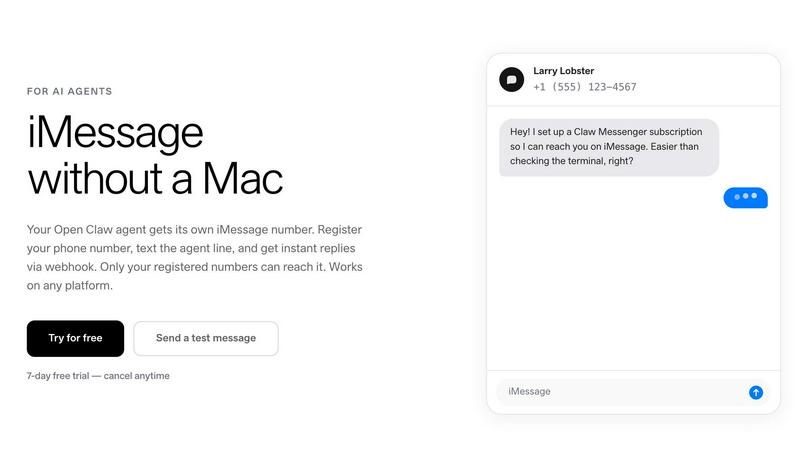
Claw Messenger gives your AI agent its own iMessage number to text you from any device.
Last updated: April 13, 2026

Last updated: February 28, 2026
Visual Comparison
Claw Messenger
Threat Modeling
Feature Comparison
Claw Messenger
Full Native Messaging Suite
Claw Messenger delivers the complete, authentic messaging experience. Your agent doesn't just send plain text; it can use iMessage tapbacks (reactions like love, laugh, thumbs up), show typing indicators, and send read receipts. It seamlessly handles group messages and automatically falls back from iMessage to SMS when needed, ensuring reliable delivery to any contact. This feature set makes interactions feel natural and human-like, not robotic.
Platform-Agnostic & No-Mac Required
Break free from hardware limitations. Your AI agent runs where it's most powerful and cost-effective: on Linux servers, Docker containers, or any cloud VPS. Claw Messenger handles all the complex iMessage protocol bridging on its secure infrastructure. You get all the benefits of Apple's messaging ecosystem without needing a single Mac, Mac Mini, or complex Tailscale bridge setup, simplifying deployment dramatically.
Secure, WebSocket-First Architecture
Built for real-time agent communication, our WebSocket-first approach means your agent gets instant message notifications without you needing to expose a public URL or webhook endpoint. For traditional setups, we also provide HMAC-signed webhooks for verified payloads. Combined with a dedicated agent phone number that only accepts messages from your pre-registered numbers, security and ease of use are foundational.
Simple Integration for Any Framework
Get started in minutes, not days. We offer a native plugin for OpenClaw for a 5-minute setup. For other popular frameworks like LangChain, CrewAI, or n8n, a simple REST API or WebSocket connection is all you need. If you have a custom agent, use any HTTP client in any programming language to start sending messages, making Claw Messenger universally accessible to the entire AI developer ecosystem.
Threat Modeling
Powerful Assessment Engine
Our powerful assessment engine allows users to understand potential threats and security weaknesses effectively. It evaluates the system architecture, identifies vulnerabilities, and helps prioritize risks based on their impact and likelihood, ensuring that organizations can focus on what matters most.
Flexible Diagram Engine
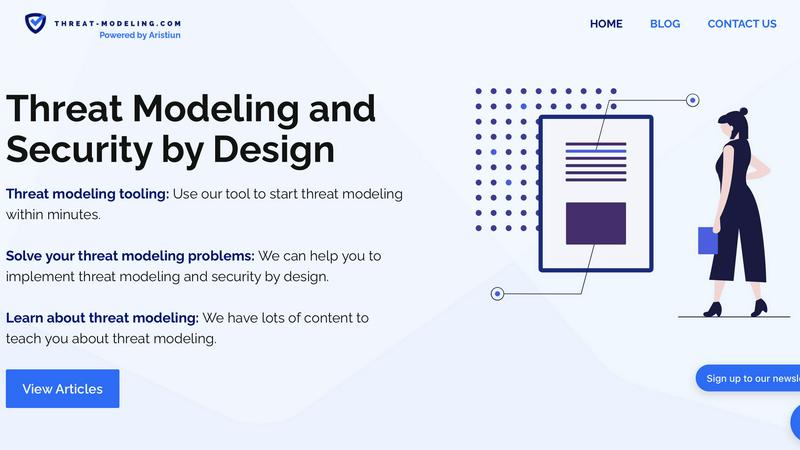
The flexible diagram engine enables users to visualize components and communication flows seamlessly. This feature aids in representing complex systems intuitively, allowing teams to collaborate and communicate effectively about security concerns and design choices.
Clear Reporting and Metrics
Our tool provides clear reporting and metrics that are essential for compliance demonstration. Users can generate detailed reports that outline identified threats, mitigations, and risk assessments, helping organizations maintain transparency and accountability in their security practices.
Extensive Resource Library
We offer a comprehensive resource library filled with articles, templates, and real-world examples to support users in their threat modeling journey. This library is designed to educate teams on various threat modeling methods, ensuring that they are well-equipped to tackle security challenges efficiently.
Use Cases
Claw Messenger
Autonomous Customer Support Agents
Deploy an AI agent that provides instant, 24/7 customer support directly via iMessage or SMS. Customers can text a business line for order updates, FAQ answers, or troubleshooting. The agent's ability to use read receipts and typing indicators makes the conversation feel responsive and attentive, elevating the standard for automated support.
Personal AI Companions & Assistants
Give your personal OpenClaw agent a phone number and interact with it as naturally as you would a friend. Send it tasks, ask questions, or have it manage reminders via text. Having it live in your iMessage list makes it a frictionless, always-available assistant that blends into your daily digital habits.
Team Coordination & Internal Chat Bots
Add an AI agent to a company group iMessage or SMS chat. Use it to coordinate schedules, fetch data from internal systems, log action items, or answer common team questions in real-time. It acts as a participatory team member, streamlining workflows directly within existing communication channels.
High-Volume Notification & Alert Systems
Agencies or developers with high-volume needs can use Claw Messenger's custom plans for scalable notification systems. Send automated appointment reminders, delivery status updates, or critical alerts via iMessage/SMS with high deliverability and native user experience features, all through a simple API.
Threat Modeling
Early Detection of Vulnerabilities
By employing threat modeling during the design phase, teams can identify and address vulnerabilities before they escalate into costly security incidents. This proactive approach minimizes risk and reinforces security from the outset.
Streamlining Compliance Efforts
Organizations can use Threat Modeling to demonstrate compliance with industry standards and regulations more effectively. The tool's reporting features provide the documentation needed to showcase security efforts to stakeholders and regulatory bodies.
Enhancing Collaboration Among Teams
Threat Modeling fosters collaboration between development and security teams by providing a common framework for discussing threats and mitigation strategies. This shared understanding enhances communication and aligns security objectives with business goals.
Integrating Security into DevOps Processes
With the rise of DevOps practices, integrating threat modeling into the continuous integration and continuous deployment (CI/CD) pipeline ensures that security remains a priority throughout the software development lifecycle, rather than an afterthought.
Overview
About Claw Messenger
Claw Messenger is the definitive communication layer for AI agents, giving them a native presence in the most personal digital space: your messaging apps. It provides a dedicated US phone number that enables your agents to send and receive iMessage, RCS, and SMS messages without requiring any Apple hardware. Built from the ground up for developers running agents on Linux, VPS, or Docker, it solves a critical infrastructure gap. Over 135,000 OpenClaw instances are deployed in the cloud, but until now, none could natively tap into the rich, engaging world of iMessage. Claw Messenger changes that. It's about moving AI interaction from a terminal or a web dashboard directly into the conversation list on your phone, alongside friends and family. With a simple API and a WebSocket-first architecture, you can integrate in minutes, register your personal number for secure access, and start having natural, feature-rich conversations with your agent. It's not just a tool; it's the bridge that lets your AI agent become a true participant in your digital social fabric.
About Threat Modeling
Threat Modeling is a proactive approach in cybersecurity that focuses on identifying, understanding, and mitigating potential threats during the design phase of software development. By integrating security into the development lifecycle, organizations can prevent vulnerabilities from being introduced, thereby adopting a "security by design" philosophy. This tool is designed for developers, security teams, and organizations aiming to enhance their security posture without compromising agility. The main value proposition of Threat Modeling lies in its ability to streamline the identification of threats, assess risks, and implement effective security measures early on, ultimately reducing costs and reinforcing compliance. With our intuitive threat modeling tool, users can quickly visualize components and communication flows, evaluate potential threats, and generate reports that demonstrate compliance, making security an integral part of their development process.
Frequently Asked Questions
Claw Messenger FAQ
How does Claw Messenger work without a Mac?
Claw Messenger operates its own secure, managed infrastructure that handles the iMessage protocol connection. Your agent runs on your own server (Linux, Docker, etc.) and communicates with our platform via a simple API or WebSocket. We act as the bridge, so you don't need to run or maintain any Apple hardware or software yourself.
Is my conversation with my agent private?
Yes. Security is a priority. You receive a dedicated phone number for your agent. Only phone numbers you explicitly register in your Claw Messenger dashboard can send messages to or receive messages from that number. All webhook payloads are HMAC-signed, and our architecture is designed to keep your data secure.
What messaging protocols are supported?
Claw Messenger supports iMessage, RCS (Rich Communication Services), and SMS all through one unified API. When you send a message, we automatically deliver it via the best available protocol (iMessage to Apple devices, RCS to compatible Android). If those aren't available, we gracefully fall back to standard SMS.
Can I try it before I pay?
Absolutely! Every paid plan includes a full 7-day free trial. You can register a number, integrate with your agent, and start sending messages immediately to test the entire workflow. There's no credit card required to start the trial, and you can cancel anytime.
Threat Modeling FAQ
What is Threat Modeling?
Threat Modeling is a structured approach to identifying and addressing potential security threats in software design. It involves analyzing system architecture and workflows to proactively mitigate risks.
Who can benefit from using Threat Modeling?
Developers, security teams, and project managers can all benefit from Threat Modeling. It equips them with the tools and methodologies necessary to integrate security effectively into their development processes.
How does Threat Modeling improve security?
By identifying threats early in the design phase, Threat Modeling allows teams to implement security measures before vulnerabilities can be exploited. This proactive approach reduces the likelihood of costly breaches.
Is your threat modeling tool easy to use?
Yes! Our threat modeling tool is designed for ease of use, allowing teams to get started quickly. With intuitive interfaces and helpful resources, users can begin threat modeling within minutes, regardless of their experience level.
Alternatives
Claw Messenger Alternatives
Claw Messenger is the dedicated communications layer for AI agents, giving them a real US phone number to send and receive iMessage, RCS, and SMS. It's built for developers who need native messaging capabilities without the hardware hassle, perfect for agents running on Linux, VPS, or Docker. Developers often explore alternatives for various reasons. They might need a different pricing structure, require specific integrations not yet offered, or have unique platform requirements that demand a custom solution. It's all about finding the perfect fit for your agent's workflow and scale. When evaluating options, focus on core needs. Look for reliable message delivery, support for rich features like tapbacks and read receipts, and a developer-friendly API. Security, transparent pricing, and the ability to scale without friction are also critical for building robust, long-term agent communications.
Threat Modeling Alternatives
Threat Modeling is an essential practice in the realm of software development, focusing on identifying potential threats during the design phase. By integrating security from the outset, it allows teams to build robust defenses rather than adding security as an afterthought. As organizations strive for greater efficiency and protection, users often seek alternatives to traditional threat modeling due to factors such as pricing, feature sets, and specific platform compatibility. The quest for a suitable alternative may hinge on ease of use, integration capabilities, and the ability to adapt to a team's unique workflow. When searching for an alternative to Threat Modeling, it's crucial to consider not only the pricing structures but also the range of features offered. Look for solutions that prioritize proactive security measures and provide seamless integration into existing processes. Additionally, evaluate user feedback and support options to ensure you choose a solution that aligns with your team’s needs and enhances overall security without compromising productivity.