
Facejam vs Timeline Maker

Facejam
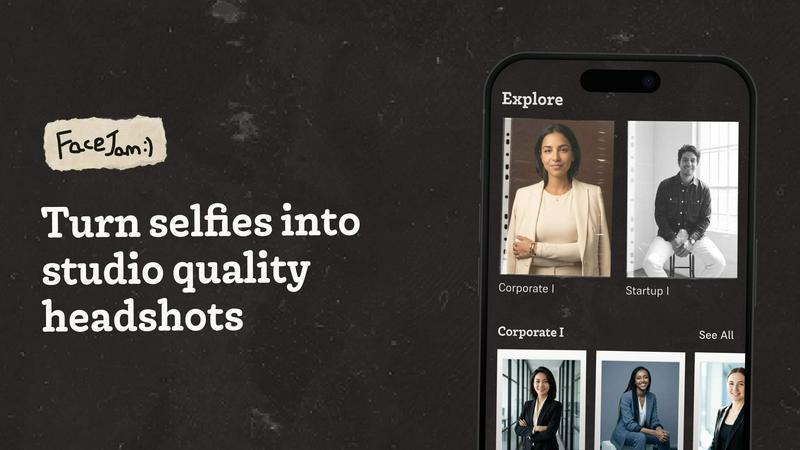
Get professional AI headshots from your selfies in minutes, no photographer needed.
Last updated: February 28, 2026

Timeline Maker
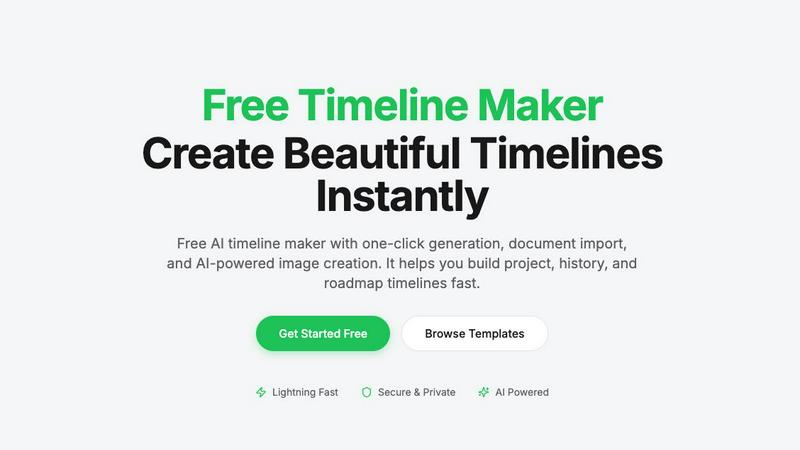
Create stunning timelines effortlessly with our free AI-powered timeline maker.
Last updated: February 27, 2026
Visual Comparison
Facejam
Timeline Maker
Feature Comparison
Facejam
Vast Style Library
FaceJam offers an extensive and constantly updated collection of over 100 professional photography styles. From crisp corporate backgrounds and creative studio lighting to industry-specific looks for realtors, lawyers, and founders, you can find the perfect aesthetic in seconds. New templates are added daily, ensuring you always have access to fresh, on-trend options to keep your professional image current and compelling.
Hyper-Realistic AI Generation
Our proprietary AI technology is fine-tuned to produce results that are indistinguishable from a traditional studio photoshoot. The engine expertly handles lighting, skin tones, facial details, and professional posing to create headshots that feel authentic and natural. We prioritize realism to ensure your photos build trust and credibility, with none of the obvious, uncanny "AI look" that plagues other generators.
Lightning-Fast & Simple Process
Get professional results in minutes, not weeks. The FaceJam process is elegantly simple: upload, select, and generate. There's no need to schedule appointments, commute to a studio, or wait for a photographer's edits. You can create an entire portfolio of headshots from your laptop or phone during a coffee break, making professional imaging more accessible than ever before.
Full Ownership & Privacy
You retain complete commercial license and ownership over every AI-generated photo. We believe your image is yours alone. Your uploaded selfies are used solely to train the AI model for your specific session and are never used to improve our public model or contribute to another user's results. Your data is private, secure, and always under your control.
Timeline Maker
AI-Powered Generation
Harness the power of artificial intelligence to generate timelines with just one sentence. Describe your timeline briefly, and watch as AI transforms your words into a beautifully structured visual representation in seconds. This feature saves time and enhances creativity.
Document Import
Effortlessly convert your documents into timelines by uploading PDFs, Word files, or plain text. Timeline Maker's AI automatically extracts relevant dates and events, creating a timeline ready for you to edit. This eliminates manual data entry and accelerates your workflow.
Real-Time Collaboration
Invite others to collaborate on your timeline with ease. Real-time editing, commenting, and contextual chat features mean that team members can contribute simultaneously, ensuring that everyone stays on the same page without version chaos.
Flexible Export Options
Once your timeline is complete, export it in multiple formats, including high-quality images, PDFs, PowerPoint presentations, Word documents, and Excel spreadsheets. This versatility ensures that your timelines are ready for any occasion, be it a presentation, report, or sharing online.
Use Cases
Facejam
LinkedIn & Resume Enhancement
Instantly elevate your professional profiles with a standout headshot. FaceJam is perfect for creating the polished, approachable, and competent photo that recruiters and connections expect to see on LinkedIn, resumes, and job application portals. Make a powerful first impression that opens doors and builds your network with confidence.
Corporate Team Branding
Unify your company's visual identity effortlessly. FaceJam allows entire teams, from startups to large enterprises, to generate consistent, high-quality headshots for company websites, internal directories, pitch decks, and press kits. Ensure every team member looks their professional best without the logistical nightmare and high cost of coordinating a mass photoshoot.
Personal Branding for Entrepreneurs
For coaches, consultants, speakers, and founders, a strong personal brand is everything. FaceJam enables you to create a cohesive suite of professional images for your website, social media profiles, podcast art, and marketing materials. Maintain a consistent and polished visual presence across all platforms to attract clients and establish authority in your field.
Industry-Specific Portraits
Tailor your image to your profession. FaceJam offers styles specifically designed for various industries, whether you need the trustworthy demeanor of a realtor, the sharp intellect of a lawyer, or the creative flair of a designer. Get a headshot that communicates your role and expertise instantly, helping you connect with your target audience and peers.
Timeline Maker
Project Management
Project managers can utilize Timeline Maker to plan milestones and track progress visually. By mapping out key events and deadlines, teams can enhance communication and ensure everyone is aligned on project objectives.
Learning Path
Students and educators can create learning paths that document educational journeys and track personal growth. This feature is perfect for showcasing achievements and understanding the progression of skills and knowledge over time.
Life Story
Capture and visualize life's significant moments with ease. Whether it's a personal biography or a collection of cherished memories, Timeline Maker allows users to create timelines that tell their unique stories in a clear and engaging manner.
Company History
Businesses can highlight their journey and impact by crafting company history timelines. This feature is invaluable for showcasing growth trajectories, product launches, and milestones that define an organization’s path in the industry.
Overview
About Facejam
Welcome to the future of professional imaging. FaceJam is the revolutionary AI headshot generator that transforms your everyday selfies into stunning, studio-quality portraits in minutes. Built for the modern professional, entrepreneur, and creator, FaceJam eliminates the need for expensive, time-consuming photoshoots. Simply upload a few clear photos of yourself, choose from an ever-growing library of 100+ professionally curated styles, and let our advanced AI work its magic. The result? Hyper-realistic, polished headshots that look like they came from a top-tier photographer, not an algorithm. Whether you're updating your LinkedIn, building a team page, or crafting a personal brand, FaceJam delivers consistent, high-resolution photos that make a powerful first impression. It's fast, affordable, private, and designed to give everyone access to the professional visual identity they deserve. No prompts, no photographer, no retouching hassles—just you, looking your absolute best.
About Timeline Maker
Timeline Maker is an innovative AI-driven online tool designed to help users effortlessly create professional timelines from text or documents. Whether you're a project manager looking to visualize milestones, a student documenting your learning journey, or anyone needing to present a series of events in a coherent manner, Timeline Maker has got you covered. With its unique combination of automatic timeline generation and a flexible visual editor, users can transform ideas, histories, or project plans into structured timelines in just minutes. Customization options allow for real-time collaboration, ensuring that teams can work together seamlessly, even from different locations. The platform supports various formats for exporting timelines, making it perfect for presentations, reports, or sharing with stakeholders. Fast, intuitive, and adaptable for both simple and complex timelines, Timeline Maker is an essential tool for anyone looking to make their stories clear and engaging.
Frequently Asked Questions
Facejam FAQ
How does your AI headshot generator work?
FaceJam operates in two incredibly simple steps. First, you upload a series of clear selfies from different angles. Second, you browse and select from our vast library of professional style templates. Our AI then analyzes your unique facial features and seamlessly merges them with the chosen professional setting, lighting, and pose to generate a brand-new, studio-quality headshot. No technical skills or prompts are required.
What do you do with my uploaded photos?
Your privacy is paramount. The photos you upload are used exclusively to teach the AI what "you" look like for that specific generation session. They are never used to train or improve our general AI model, and they are never shared or used to create photos for anyone else. Your data is processed securely and remains yours.
How many good photos can I expect?
While results can vary, FaceJam guarantees at least one high-quality, usable image per generation pack. Users who follow our upload guidelines closely—providing clear, well-lit, varied-angle selfies—often walk away with 5 to 10+ incredible keeper photos suitable for various professional needs. Quality input leads to exceptional output.
Who owns my AI photos?
You own your AI-generated photos completely. We grant you a full commercial license, meaning you have the right to use your FaceJam headshots anywhere you like—on LinkedIn, your company website, marketing materials, and more—without any restrictions or additional fees. They are your property.
Timeline Maker FAQ
How does the AI-powered timeline generation work?
The AI-powered timeline generation works by taking a simple description or prompt provided by the user and converting it into a structured timeline. The AI analyzes the input and organizes events and dates accordingly, creating a visually appealing timeline in seconds.
Can I collaborate with others on my timeline?
Absolutely! Timeline Maker includes built-in collaboration features that allow you to invite colleagues or friends to edit and comment on your timelines in real time. This ensures smooth teamwork and effective communication.
What file formats can I import into Timeline Maker?
You can import various file formats into Timeline Maker, including PDFs, Word documents, and plain text files. The platform's AI is designed to extract relevant dates and events from these documents, streamlining the timeline creation process.
What formats can I export my completed timeline to?
Once your timeline is ready, you can export it in several formats, including high-quality PNG images, PDF documents (in portrait or landscape), PowerPoint slides, editable Word files, and Excel spreadsheets. This flexibility makes it easy to share your timelines in the format that best suits your needs.
Alternatives
Facejam Alternatives
Facejam is a leading AI headshot generator that turns your casual selfies into professional-grade portraits. It belongs to the fast-growing category of AI-powered photo enhancement tools designed for professionals and businesses who need high-quality imagery without the traditional photoshoot hassle. Users often explore alternatives for a variety of reasons. Some might be looking for a different pricing model or a free tier to test the waters. Others may need specific features, like integration with certain platforms, more style variety, or different output formats. The specific needs of an individual or a large team can also drive the search for a different solution. When evaluating other options, consider the core value: realistic, studio-quality results. Look for tools that prioritize output quality, offer a robust selection of industry-specific styles, and ensure a fast, secure, and private process. The best alternative will deliver professional polish with the convenience and speed that modern digital tools promise.
Timeline Maker Alternatives
Timeline Maker is an innovative AI-powered online tool that falls into the category of visual project management applications. It enables users to swiftly create professional timelines from text or documents, making it a perfect fit for project planners, educators, and anyone needing to visualize chronological information. As users explore their options, they often seek alternatives due to factors such as pricing structures, specific feature sets, or compatibility with different platforms. When searching for an alternative to Timeline Maker, it's essential to consider ease of use, customization options, collaboration features, and export capabilities. A good alternative should not only meet your visual needs but also enhance your workflow and fit seamlessly into your existing processes.