
Project Genie vs Timeline Maker

Project Genie
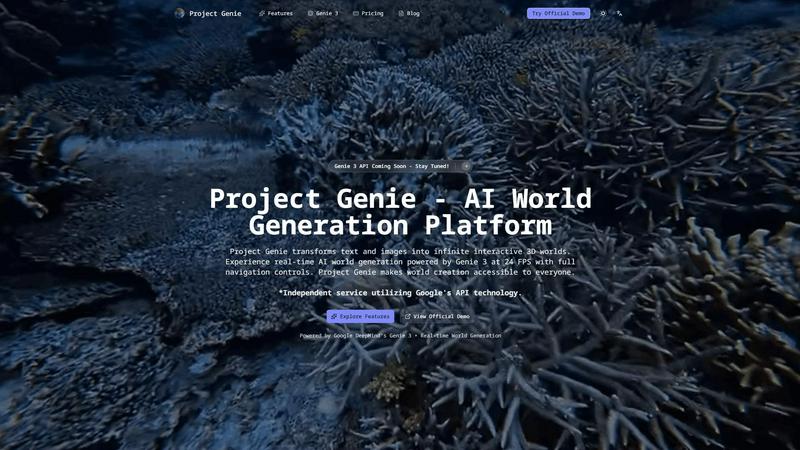
Transform text and images into endless interactive 3D worlds with Project Genie.
Last updated: February 27, 2026

Timeline Maker
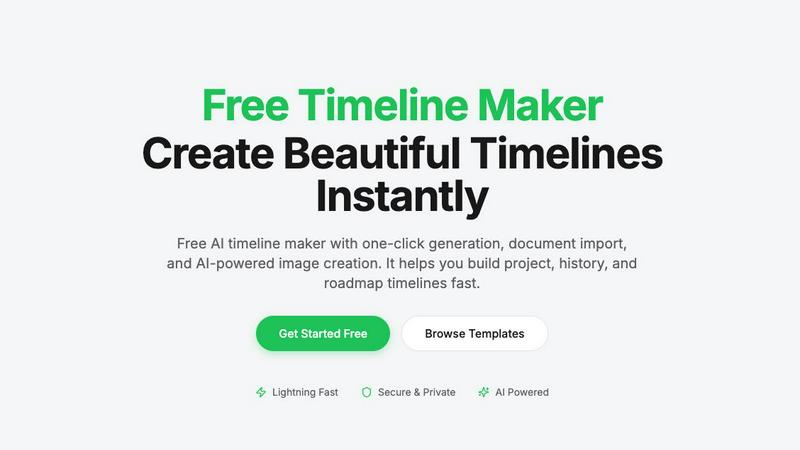
Create stunning timelines effortlessly with our free AI-powered timeline maker.
Last updated: February 27, 2026
Visual Comparison
Project Genie
Timeline Maker
Feature Comparison
Project Genie
Text-to-World Generation
With Project Genie, users can describe their desired environments in natural language. The Genie 3 AI interprets these prompts and generates intricate, immersive worlds, whether they envision a mystical forest or a bustling sci-fi metropolis, all with just a few simple words.
Real-Time Exploration
Experience the thrill of real-time exploration as Genie 3 allows users to navigate their generated worlds seamlessly at 24 frames per second. This dynamic generation means that the environment evolves as you move, providing an engaging and immersive experience without any pre-rendered limitations.
Image-to-World Conversion
Users can upload images such as photos, artwork, or sketches and watch as Genie 3 transforms them into interactive 3D environments. This feature turns visual references into tangible worlds, making it easier for creators to visualize their ideas and concepts in an engaging format.
Emergent Physics
Project Genie’s emergent physics system ensures that interactions within the generated worlds feel natural and realistic. The Genie 3 AI simulates gravity, collisions, and object dynamics without requiring explicit programming, allowing users to focus on creativity rather than technical details.
Timeline Maker
AI-Powered Generation
Harness the power of artificial intelligence to generate timelines with just one sentence. Describe your timeline briefly, and watch as AI transforms your words into a beautifully structured visual representation in seconds. This feature saves time and enhances creativity.
Document Import
Effortlessly convert your documents into timelines by uploading PDFs, Word files, or plain text. Timeline Maker's AI automatically extracts relevant dates and events, creating a timeline ready for you to edit. This eliminates manual data entry and accelerates your workflow.
Real-Time Collaboration
Invite others to collaborate on your timeline with ease. Real-time editing, commenting, and contextual chat features mean that team members can contribute simultaneously, ensuring that everyone stays on the same page without version chaos.
Flexible Export Options
Once your timeline is complete, export it in multiple formats, including high-quality images, PDFs, PowerPoint presentations, Word documents, and Excel spreadsheets. This versatility ensures that your timelines are ready for any occasion, be it a presentation, report, or sharing online.
Use Cases
Project Genie
Game Development Prototyping
Game developers can leverage Project Genie to quickly prototype levels and environments for their games. By using text or images to describe their vision, they can create playable spaces that can be tested and refined in real-time, significantly speeding up the development process.
Immersive Learning Environments
Educators can utilize Project Genie to create engaging, interactive learning experiences. By generating 3D worlds based on historical events or scientific concepts, students can explore and interact with environments that enhance their understanding and retention of the subject matter.
Film Pre-Visualization
Filmmakers can use Project Genie for pre-visualization of scenes, allowing them to create detailed 3D environments that can be explored before shooting. This capability helps in planning shots, lighting, and overall scene composition, making the production process more efficient.
Creative Experimentation
Artists and designers can experiment with different concepts and ideas using Project Genie. The ability to generate and manipulate 3D worlds instantly provides a playground for creativity, allowing for the exploration of artistic visions without the constraints of traditional design tools.
Timeline Maker
Project Management
Project managers can utilize Timeline Maker to plan milestones and track progress visually. By mapping out key events and deadlines, teams can enhance communication and ensure everyone is aligned on project objectives.
Learning Path
Students and educators can create learning paths that document educational journeys and track personal growth. This feature is perfect for showcasing achievements and understanding the progression of skills and knowledge over time.
Life Story
Capture and visualize life's significant moments with ease. Whether it's a personal biography or a collection of cherished memories, Timeline Maker allows users to create timelines that tell their unique stories in a clear and engaging manner.
Company History
Businesses can highlight their journey and impact by crafting company history timelines. This feature is invaluable for showcasing growth trajectories, product launches, and milestones that define an organization’s path in the industry.
Overview
About Project Genie
Project Genie is an innovative AI world-generation platform that revolutionizes the way creators, educators, and developers design immersive 3D environments. By simply providing text descriptions or uploading images, users can instantly transform their ideas into fully navigable 3D worlds, thanks to the powerful Genie 3 AI technology. This platform empowers individuals without any coding or design experience to craft interactive spaces for various applications, such as game prototyping, immersive learning, film pre-visualization, and creative experimentation. With real-time world generation at 24 frames per second and a user-friendly interface, Project Genie breaks down barriers in 3D world creation. The platform not only enhances creativity but also invites users from all walks of life to bring their imaginative environments to life effortlessly.
About Timeline Maker
Timeline Maker is an innovative AI-driven online tool designed to help users effortlessly create professional timelines from text or documents. Whether you're a project manager looking to visualize milestones, a student documenting your learning journey, or anyone needing to present a series of events in a coherent manner, Timeline Maker has got you covered. With its unique combination of automatic timeline generation and a flexible visual editor, users can transform ideas, histories, or project plans into structured timelines in just minutes. Customization options allow for real-time collaboration, ensuring that teams can work together seamlessly, even from different locations. The platform supports various formats for exporting timelines, making it perfect for presentations, reports, or sharing with stakeholders. Fast, intuitive, and adaptable for both simple and complex timelines, Timeline Maker is an essential tool for anyone looking to make their stories clear and engaging.
Frequently Asked Questions
Project Genie FAQ
How does Project Genie generate worlds?
Project Genie uses advanced AI technology, specifically the Genie 3 model, to interpret user input—whether text or images—and generate fully interactive 3D environments in real-time.
Do I need coding skills to use Project Genie?
No, Project Genie is designed to be user-friendly and accessible to everyone. You can create immersive worlds without any technical expertise or prior design experience.
What types of media can I use with Project Genie?
You can use both text descriptions and images. Simply describe your desired world in natural language or upload any image, and Project Genie will transform it into a 3D environment.
Is there a limit to the worlds I can create?
There are no limits to your creativity with Project Genie. Users can generate an infinite number of worlds, with over a million already created by the community, showcasing the platform's extensive capabilities.
Timeline Maker FAQ
How does the AI-powered timeline generation work?
The AI-powered timeline generation works by taking a simple description or prompt provided by the user and converting it into a structured timeline. The AI analyzes the input and organizes events and dates accordingly, creating a visually appealing timeline in seconds.
Can I collaborate with others on my timeline?
Absolutely! Timeline Maker includes built-in collaboration features that allow you to invite colleagues or friends to edit and comment on your timelines in real time. This ensures smooth teamwork and effective communication.
What file formats can I import into Timeline Maker?
You can import various file formats into Timeline Maker, including PDFs, Word documents, and plain text files. The platform's AI is designed to extract relevant dates and events from these documents, streamlining the timeline creation process.
What formats can I export my completed timeline to?
Once your timeline is ready, you can export it in several formats, including high-quality PNG images, PDF documents (in portrait or landscape), PowerPoint slides, editable Word files, and Excel spreadsheets. This flexibility makes it easy to share your timelines in the format that best suits your needs.
Alternatives
Project Genie Alternatives
Project Genie is an innovative AI world-generation platform that transforms text descriptions and images into fully navigable 3D environments. It belongs to the image generation category, empowering users to create immersive spaces without needing coding or design experience. With real-time exploration capabilities, Project Genie caters to various applications, including game prototyping, immersive learning, and creative experimentation. Users often seek alternatives to Project Genie for a variety of reasons, including pricing, specific feature sets, or compatibility with their preferred platforms. When choosing an alternative, it's essential to consider factors such as ease of use, the quality of generated environments, and the level of support provided. Finding a solution that meets your creative needs and budget will ensure a seamless transition and a fulfilling creative experience.
Timeline Maker Alternatives
Timeline Maker is an innovative AI-powered online tool that falls into the category of visual project management applications. It enables users to swiftly create professional timelines from text or documents, making it a perfect fit for project planners, educators, and anyone needing to visualize chronological information. As users explore their options, they often seek alternatives due to factors such as pricing structures, specific feature sets, or compatibility with different platforms. When searching for an alternative to Timeline Maker, it's essential to consider ease of use, customization options, collaboration features, and export capabilities. A good alternative should not only meet your visual needs but also enhance your workflow and fit seamlessly into your existing processes.