
Seedance 2.0 vs Timeline Maker

Seedance 2.0
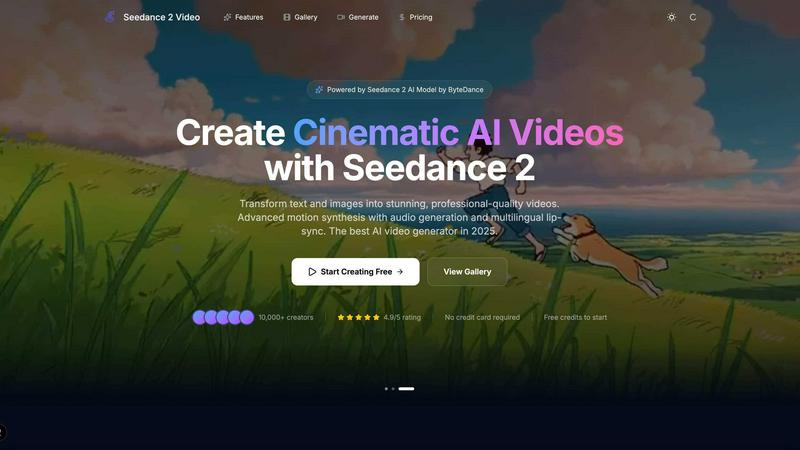
Transform your ideas into stunning cinematic videos with Seedance 2.0's AI magic.
Last updated: February 27, 2026

Timeline Maker
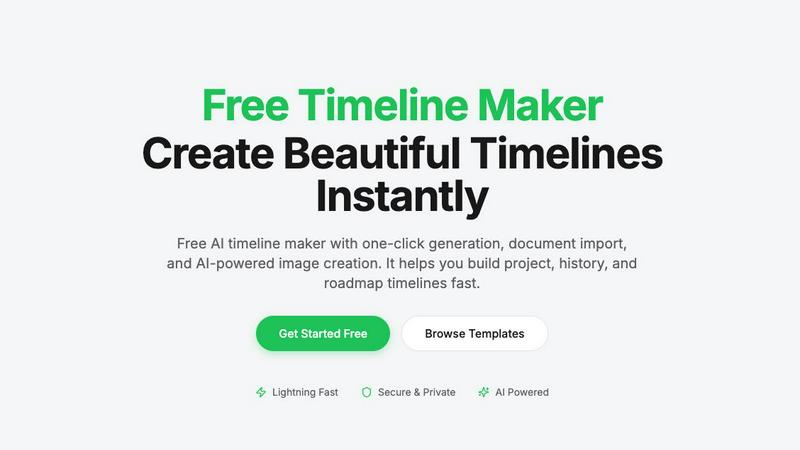
Create stunning timelines effortlessly with our free AI-powered timeline maker.
Last updated: February 27, 2026
Visual Comparison
Seedance 2.0
Timeline Maker
Feature Comparison
Seedance 2.0
Text-to-Video Generation
Seedance 2.0's text-to-video feature allows users to describe any scene using natural language and transforms it into a cinematic video. The AI understands complex prompts and artistic styles, ensuring that the generated content is visually stunning and aligns closely with the user's vision.
Image-to-Video Animation
With the image-to-video feature, users can upload photos, illustrations, or concept art to create dynamic videos. Seedance 2.0 intelligently analyzes the uploaded content, applying natural motion and physics-aware animation to produce fluid and engaging visual storytelling.
Audio & Voice Synthesis
Seedance 2.0 excels in audio generation, enabling users to create synchronized audio tracks, including voiceovers and sound effects. The platform also supports multilingual lip-sync, allowing creators to produce comprehensive videos with sound in a single generation pass, simplifying the production process.
Cinematic Motion Control
The platform's advanced motion synthesis capabilities deliver cinema-grade camera movements. Users can apply dolly shots, crane movements, and smooth zooms, ensuring that the videos not only look great but also feel dynamic and engaging, enhancing the overall viewer experience.
Timeline Maker
AI-Powered Generation
Harness the power of artificial intelligence to generate timelines with just one sentence. Describe your timeline briefly, and watch as AI transforms your words into a beautifully structured visual representation in seconds. This feature saves time and enhances creativity.
Document Import
Effortlessly convert your documents into timelines by uploading PDFs, Word files, or plain text. Timeline Maker's AI automatically extracts relevant dates and events, creating a timeline ready for you to edit. This eliminates manual data entry and accelerates your workflow.
Real-Time Collaboration
Invite others to collaborate on your timeline with ease. Real-time editing, commenting, and contextual chat features mean that team members can contribute simultaneously, ensuring that everyone stays on the same page without version chaos.
Flexible Export Options
Once your timeline is complete, export it in multiple formats, including high-quality images, PDFs, PowerPoint presentations, Word documents, and Excel spreadsheets. This versatility ensures that your timelines are ready for any occasion, be it a presentation, report, or sharing online.
Use Cases
Seedance 2.0
Marketing Campaigns
Marketers can utilize Seedance 2.0 to generate captivating promotional videos that showcase their products or services. By creating engaging content quickly, they can enhance their brand visibility and connect more effectively with their target audience.
Social Media Content
Social media managers can leverage the platform to produce eye-catching videos tailored for various platforms. With the ability to generate content rapidly, they can maintain a consistent posting schedule and experiment with different styles and formats to engage followers.
Storytelling and Narratives
Writers and content creators can bring their stories to life by transforming scripts into visually compelling videos. Seedance 2.0 allows for the integration of narrative elements, enhancing the storytelling experience and captivating audiences.
Product Demonstrations
Businesses can create informative product demo videos using Seedance 2.0, showcasing features and benefits in an engaging manner. This helps potential customers understand products better and can lead to increased conversions and sales.
Timeline Maker
Project Management
Project managers can utilize Timeline Maker to plan milestones and track progress visually. By mapping out key events and deadlines, teams can enhance communication and ensure everyone is aligned on project objectives.
Learning Path
Students and educators can create learning paths that document educational journeys and track personal growth. This feature is perfect for showcasing achievements and understanding the progression of skills and knowledge over time.
Life Story
Capture and visualize life's significant moments with ease. Whether it's a personal biography or a collection of cherished memories, Timeline Maker allows users to create timelines that tell their unique stories in a clear and engaging manner.
Company History
Businesses can highlight their journey and impact by crafting company history timelines. This feature is invaluable for showcasing growth trajectories, product launches, and milestones that define an organization’s path in the industry.
Overview
About Seedance 2.0
Seedance 2.0 is a revolutionary AI video generation platform that transforms text prompts and creative ideas into stunning, cinematic-quality videos. Designed for creators, marketers, and developers, Seedance 2.0 harnesses advanced video models, including the powerful Seedance 2, to deliver exceptional video content without the need for cameras, crews, or extensive editing skills. Users can effortlessly create videos for a variety of purposes, such as marketing campaigns, social media posts, storytelling, product demonstrations, music visuals, and creative projects. The platform offers unparalleled control over style, motion, duration, and visual quality, significantly reducing both production time and costs. With its AI-driven automation and scalability, Seedance 2.0 opens up new creative possibilities, empowering over 10,000 creators to bring their visions to life and achieve professional-grade results in just moments.
About Timeline Maker
Timeline Maker is an innovative AI-driven online tool designed to help users effortlessly create professional timelines from text or documents. Whether you're a project manager looking to visualize milestones, a student documenting your learning journey, or anyone needing to present a series of events in a coherent manner, Timeline Maker has got you covered. With its unique combination of automatic timeline generation and a flexible visual editor, users can transform ideas, histories, or project plans into structured timelines in just minutes. Customization options allow for real-time collaboration, ensuring that teams can work together seamlessly, even from different locations. The platform supports various formats for exporting timelines, making it perfect for presentations, reports, or sharing with stakeholders. Fast, intuitive, and adaptable for both simple and complex timelines, Timeline Maker is an essential tool for anyone looking to make their stories clear and engaging.
Frequently Asked Questions
Seedance 2.0 FAQ
How does Seedance 2.0 generate videos?
Seedance 2.0 uses advanced AI models to transform text prompts and images into videos. Users simply describe their vision, and the platform takes care of the video generation process, including motion synthesis and audio integration.
What types of content can be created with Seedance 2.0?
Users can create various types of videos, including marketing materials, social media posts, storytelling clips, product demonstrations, and music visuals. The platform caters to diverse creative needs and industries.
Are there any limitations on video length or quality?
Seedance 2.0 offers customizable options for video duration and resolution. Users can select settings based on their project requirements, ensuring that videos meet the desired quality and length specifications.
Can I use the videos generated for commercial purposes?
Yes, all videos generated through Seedance 2.0 can be used for commercial purposes. This allows creators to leverage the platform for business-related projects without any restrictions on usage.
Timeline Maker FAQ
How does the AI-powered timeline generation work?
The AI-powered timeline generation works by taking a simple description or prompt provided by the user and converting it into a structured timeline. The AI analyzes the input and organizes events and dates accordingly, creating a visually appealing timeline in seconds.
Can I collaborate with others on my timeline?
Absolutely! Timeline Maker includes built-in collaboration features that allow you to invite colleagues or friends to edit and comment on your timelines in real time. This ensures smooth teamwork and effective communication.
What file formats can I import into Timeline Maker?
You can import various file formats into Timeline Maker, including PDFs, Word documents, and plain text files. The platform's AI is designed to extract relevant dates and events from these documents, streamlining the timeline creation process.
What formats can I export my completed timeline to?
Once your timeline is ready, you can export it in several formats, including high-quality PNG images, PDF documents (in portrait or landscape), PowerPoint slides, editable Word files, and Excel spreadsheets. This flexibility makes it easy to share your timelines in the format that best suits your needs.
Alternatives
Seedance 2.0 Alternatives
Seedance 2.0 is an innovative AI video generation platform that transforms text prompts and creative concepts into stunning cinematic videos. As part of the content creation category, it empowers creators, marketers, and developers to produce professional-grade videos without the need for traditional filming equipment or editing expertise. The platform leverages advanced AI technologies to streamline video production, making it accessible to a wider audience. Users often seek alternatives to Seedance 2.0 for various reasons, such as pricing considerations, feature sets that better align with their specific needs, or compatibility with existing workflows and platforms. When exploring alternatives, it's essential to consider aspects like ease of use, the variety of available styles and customization options, as well as the scalability and support offered by the platform. Balancing these factors will ensure you find a solution that meets your creative and operational requirements.
Timeline Maker Alternatives
Timeline Maker is an innovative AI-powered online tool that falls into the category of visual project management applications. It enables users to swiftly create professional timelines from text or documents, making it a perfect fit for project planners, educators, and anyone needing to visualize chronological information. As users explore their options, they often seek alternatives due to factors such as pricing structures, specific feature sets, or compatibility with different platforms. When searching for an alternative to Timeline Maker, it's essential to consider ease of use, customization options, collaboration features, and export capabilities. A good alternative should not only meet your visual needs but also enhance your workflow and fit seamlessly into your existing processes.