
ShinePhoto vs Timeline Maker

ShinePhoto
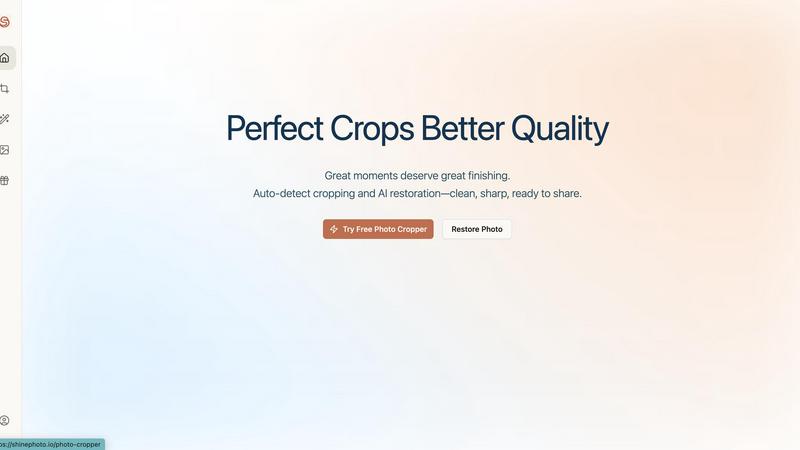
Transform your photos with precise auto-cropping and AI restoration for stunning, share-ready images in seconds.
Last updated: February 28, 2026

Timeline Maker
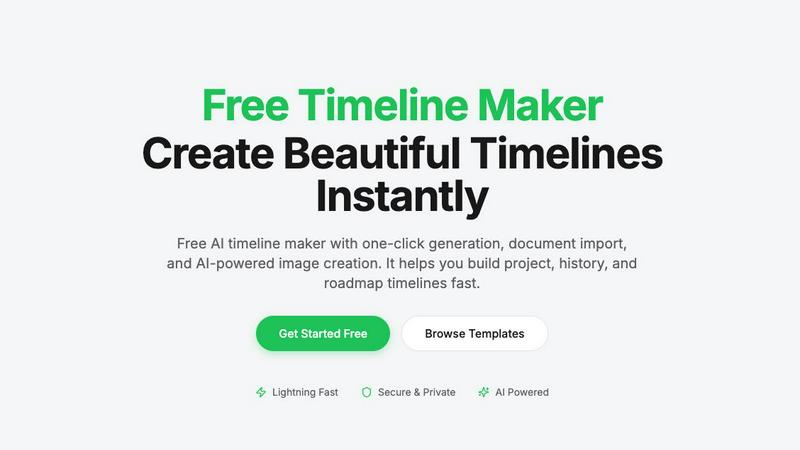
Create stunning timelines effortlessly with our free AI-powered timeline maker.
Last updated: February 27, 2026
Visual Comparison
ShinePhoto
Timeline Maker
Feature Comparison
ShinePhoto
Smart Photo Cropper
The smart photo cropper uses advanced AI to automatically detect and crop images with precision. Users can seamlessly trim distractions and focus on the subjects that matter, ensuring every photo is framed beautifully.
Batch Processing
ShinePhoto allows users to handle multiple photos at once, streamlining the workflow for batch cropping and restoration. This feature saves valuable time, especially for those with extensive photo collections needing attention.
AI Image Enhancer & Upscaler
This powerful feature enhances the quality of images by sharpening details, reducing noise, and upscaling resolution in a single click. It is perfect for cleaning up scanned images or reviving older photos that need a modern touch.
Custom Targeting
With custom targeting, users can specify the subject they want to focus on. This ensures that the auto-cropper locks onto the chosen subject for accurate and tailored framing, allowing for personal touch in every photo.
Timeline Maker
AI-Powered Generation
Harness the power of artificial intelligence to generate timelines with just one sentence. Describe your timeline briefly, and watch as AI transforms your words into a beautifully structured visual representation in seconds. This feature saves time and enhances creativity.
Document Import
Effortlessly convert your documents into timelines by uploading PDFs, Word files, or plain text. Timeline Maker's AI automatically extracts relevant dates and events, creating a timeline ready for you to edit. This eliminates manual data entry and accelerates your workflow.
Real-Time Collaboration
Invite others to collaborate on your timeline with ease. Real-time editing, commenting, and contextual chat features mean that team members can contribute simultaneously, ensuring that everyone stays on the same page without version chaos.
Flexible Export Options
Once your timeline is complete, export it in multiple formats, including high-quality images, PDFs, PowerPoint presentations, Word documents, and Excel spreadsheets. This versatility ensures that your timelines are ready for any occasion, be it a presentation, report, or sharing online.
Use Cases
ShinePhoto
Family Photo Restoration
Users can easily restore old family photos that have seen better days. ShinePhoto’s tools repair scratches, enhance colors, and improve clarity, making treasured memories last for generations to come.
Social Media Ready Images
Whether you're a blogger, artist, or just someone who loves to share, ShinePhoto helps you create stunning, share-ready images effortlessly. With batch processing, you can prepare multiple photos for social media in no time.
Organizing Digital Collections
ShinePhoto is perfect for those looking to digitize and organize their photo collections. You can quickly crop and enhance a large batch of images, making it easier to archive and retrieve your favorite moments.
Professional Photography Touch-Up
Photographers can use ShinePhoto for quick touch-ups and enhancements. The AI-driven features help in refining images with minimal effort, allowing professionals to focus on their creative process while ensuring top-quality results.
Timeline Maker
Project Management
Project managers can utilize Timeline Maker to plan milestones and track progress visually. By mapping out key events and deadlines, teams can enhance communication and ensure everyone is aligned on project objectives.
Learning Path
Students and educators can create learning paths that document educational journeys and track personal growth. This feature is perfect for showcasing achievements and understanding the progression of skills and knowledge over time.
Life Story
Capture and visualize life's significant moments with ease. Whether it's a personal biography or a collection of cherished memories, Timeline Maker allows users to create timelines that tell their unique stories in a clear and engaging manner.
Company History
Businesses can highlight their journey and impact by crafting company history timelines. This feature is invaluable for showcasing growth trajectories, product launches, and milestones that define an organization’s path in the industry.
Overview
About ShinePhoto
ShinePhoto is your go-to freemium AI photo toolkit designed to elevate your photography experience. Whether you're a casual user looking to tidy up your photo collection or a professional needing precise batch processing, ShinePhoto has you covered. With its powerful auto-cropping feature, ShinePhoto intelligently detects subjects in your images, ensuring that every frame is perfectly cropped to highlight your most cherished moments. Additionally, the AI Image Enhancer & Upscaler breathes new life into older photos, removing imperfections and enhancing clarity in seconds. Ideal for anyone wanting to digitize, organize, and restore their photo collections, ShinePhoto combines ease of use with advanced technology, making every moment shine brilliantly.
About Timeline Maker
Timeline Maker is an innovative AI-driven online tool designed to help users effortlessly create professional timelines from text or documents. Whether you're a project manager looking to visualize milestones, a student documenting your learning journey, or anyone needing to present a series of events in a coherent manner, Timeline Maker has got you covered. With its unique combination of automatic timeline generation and a flexible visual editor, users can transform ideas, histories, or project plans into structured timelines in just minutes. Customization options allow for real-time collaboration, ensuring that teams can work together seamlessly, even from different locations. The platform supports various formats for exporting timelines, making it perfect for presentations, reports, or sharing with stakeholders. Fast, intuitive, and adaptable for both simple and complex timelines, Timeline Maker is an essential tool for anyone looking to make their stories clear and engaging.
Frequently Asked Questions
ShinePhoto FAQ
What is ShinePhoto?
ShinePhoto is an AI-driven photo toolkit that combines an intuitive photo cropper with advanced restoration features. It helps users enhance, upscale, and perfectly frame their images, making ordinary moments extraordinary.
Is ShinePhoto free to use?
Yes, ShinePhoto offers a free core experience, allowing users to access essential features without any cost. Premium upgrades are available for those needing advanced enhancement or higher usage.
How does photo restoration work?
Photo restoration in ShinePhoto is simple: upload your images and apply the restore tools to reduce blur, noise, and damage. The effectiveness of the restoration depends on the quality of the original image.
Can I choose the subject to crop?
Yes! ShinePhoto allows users to specify the subject for cropping. This feature ensures that the auto-cropper focuses on your chosen target, delivering precise and personalized framing.
Timeline Maker FAQ
How does the AI-powered timeline generation work?
The AI-powered timeline generation works by taking a simple description or prompt provided by the user and converting it into a structured timeline. The AI analyzes the input and organizes events and dates accordingly, creating a visually appealing timeline in seconds.
Can I collaborate with others on my timeline?
Absolutely! Timeline Maker includes built-in collaboration features that allow you to invite colleagues or friends to edit and comment on your timelines in real time. This ensures smooth teamwork and effective communication.
What file formats can I import into Timeline Maker?
You can import various file formats into Timeline Maker, including PDFs, Word documents, and plain text files. The platform's AI is designed to extract relevant dates and events from these documents, streamlining the timeline creation process.
What formats can I export my completed timeline to?
Once your timeline is ready, you can export it in several formats, including high-quality PNG images, PDF documents (in portrait or landscape), PowerPoint slides, editable Word files, and Excel spreadsheets. This flexibility makes it easy to share your timelines in the format that best suits your needs.
Alternatives
ShinePhoto Alternatives
ShinePhoto is an innovative AI photo toolkit designed to make every photo shine. Positioned within the image generation category, it offers a freemium experience that allows users to enhance their photo collections effortlessly through advanced batch subject auto-cropping and quality restoration features. As users seek to improve their photo editing experience, they often look for alternatives to address diverse needs such as pricing flexibility, enhanced features, and compatibility with various platforms. When exploring alternatives, it's essential to consider factors like the specific features offered, the ease of use, and the potential for scalability as your photo editing demands grow. Additionally, evaluating the customer support and community around the tool can significantly impact your overall experience. Whether you're looking for a more budget-friendly option or advanced capabilities, making an informed choice ensures you find the perfect fit for your photo editing journey.
Timeline Maker Alternatives
Timeline Maker is an innovative AI-powered online tool that falls into the category of visual project management applications. It enables users to swiftly create professional timelines from text or documents, making it a perfect fit for project planners, educators, and anyone needing to visualize chronological information. As users explore their options, they often seek alternatives due to factors such as pricing structures, specific feature sets, or compatibility with different platforms. When searching for an alternative to Timeline Maker, it's essential to consider ease of use, customization options, collaboration features, and export capabilities. A good alternative should not only meet your visual needs but also enhance your workflow and fit seamlessly into your existing processes.