
Veevid AI vs Video to GIF Converter

Veevid AI
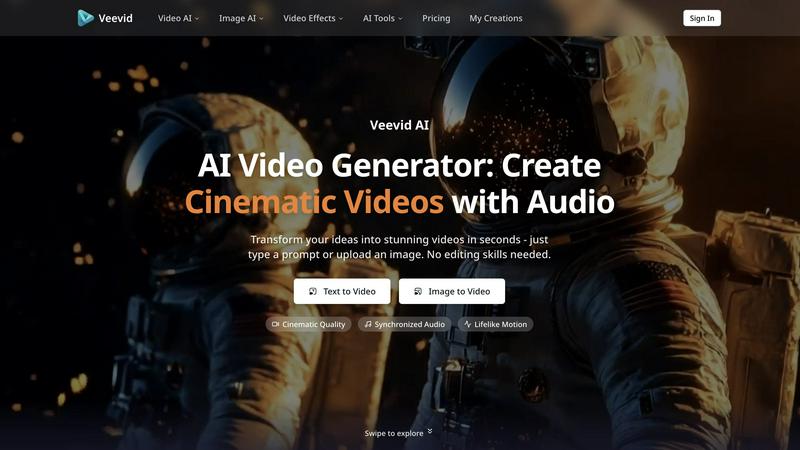
Veevid AI instantly creates cinematic videos with audio from your text or images, no editing skills needed.
Last updated: February 28, 2026

Video to GIF Converter
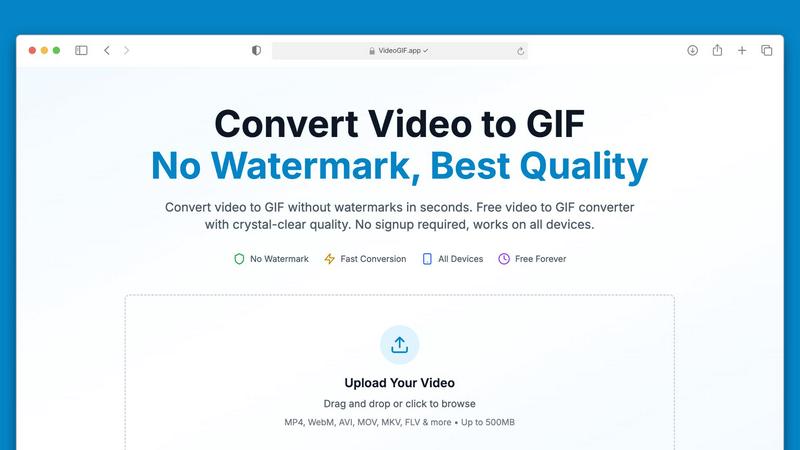
Effortlessly convert videos to high-quality GIFs in seconds, no watermarks ever.
Last updated: February 27, 2026
Visual Comparison
Veevid AI
Video to GIF Converter
Feature Comparison
Veevid AI
All-in-One AI Model Hub
Access and leverage the strengths of top-tier AI video generation models including Seedance, Sora 2, Veo 3, Wan, Grok, and Runway all within Veevid AI. This unique hub allows you to pick the perfect model for your specific project without ever needing to switch between different platforms or subscriptions, streamlining your creative process and ensuring you always get the best possible result.
Synchronized Audio Generation
This is the game-changer. Veevid AI doesn't just create silent visuals; it intelligently analyzes the motion and context of your generated video to synthesize matching sound effects and ambient audio. From footsteps crunching on gravel to the hum of city traffic or wind rustling through leaves, the audio aligns perfectly with the on-screen action, ensuring a cohesive and professionally immersive final product.
Text-to-Video & Image-to-Video
Unlock dual pathways to creation. Describe any scene with a text prompt to generate videos in any style—cinematic, realistic, anime, or 3D. Alternatively, upload any static image, from photos to illustrations, and watch as Veevid AI animates it with realistic motion and smooth camera movements while meticulously preserving original details and scene consistency.
Lifelike Motion & Cinematic Quality
Experience movement that feels natural and believable. The AI is engineered to simulate real-world physics, ensuring characters, objects, and environments move with accurate weight and flow. Combined with cinematic lighting, vibrant colors, and high-resolution output, this feature guarantees your videos carry a professional, broadcast-ready quality that captivates audiences.
Video to GIF Converter
No Watermarks, Always Free
Say goodbye to watermarks! Our Video to GIF Converter guarantees that every GIF you create is completely watermark-free. You have full ownership of your GIFs, allowing you to use them commercially or personally without any restrictions or hidden fees.
Fast Video to GIF Conversion
Experience lightning-fast conversion speeds with our optimized processing technology. Most video files, including large ones up to 500MB, convert in under 30 seconds, saving you valuable time while ensuring consistent quality.
Crystal-Clear GIF Quality
Our advanced palette generation technology ensures that your GIFs are crisp and clear, closely preserving the quality of your original video. With four different quality presets to choose from, you can customize your GIFs to perfectly match your needs.
Optimized for Sharing
Sharing your creations is a breeze with our smart compression techniques that reduce file sizes without compromising quality. This makes your GIFs perfect for sharing on social media platforms, in emails, or via messaging apps like Discord and Slack.
Use Cases
Veevid AI
Social Media Content Creation
Quickly generate eye-catching, platform-optimized videos for TikTok, Instagram Reels, and YouTube Shorts. Turn trending ideas or promotional messages into engaging visual stories with dynamic motion and synchronized audio, helping you grow your audience and boost engagement without a production team.
Marketing & Advertising
Produce high-impact promotional videos, product demos, and explainer animations in minutes. Marketers can visualize concepts, animate product shots, and create compelling ad creatives that tell a brand's story effectively, all while maintaining a consistent and professional visual identity across campaigns.
Storytelling & Concept Visualization
Writers, filmmakers, and game developers can bring their narratives and concepts to life before full-scale production. Visualize characters in environments, animate storyboards, or create mood videos to pitch ideas with compelling proof-of-concept footage that was previously impossible to make quickly or affordably.
Educational & Training Material
Educators and trainers can transform static diagrams, historical photos, or complex concepts into engaging animated videos. This makes learning materials more interactive and easier to understand, helping to explain processes, historical events, or scientific phenomena through clear, animated visuals.
Video to GIF Converter
Marketing & Social Media
In the fast-paced world of social media, GIFs are a powerful tool for engagement. Convert video highlights into shareable GIFs that loop automatically in feeds, capturing attention and driving interaction on platforms like Twitter and Instagram.
Professional Communication
Transform video tutorials into step-by-step GIFs that autoplay in emails and chats, making it easier for colleagues and clients to understand complex processes without needing to watch full-length videos.
Gaming & Creative Projects
Gamers can create GIFs of their epic gameplay moments to share with friends or on forums. Creative professionals can turn visual concepts into animated GIFs, enhancing presentations and pitches with dynamic content.
Product Demos & Tutorials
Showcase your product features effectively by converting video walkthroughs into GIFs. These short animations can highlight key functionalities, making them great for marketing material and educational content.
Overview
About Veevid AI
Welcome to the future of video creation, where your imagination is the only limit. Veevid AI is the revolutionary all-in-one AI video generator that transforms simple text prompts or static images into stunning, cinematic videos in seconds. Designed for creators, marketers, storytellers, and businesses of all sizes, it eliminates the steep learning curve and hours of labor traditionally associated with professional video editing. Whether you're crafting content for YouTube, TikTok, Instagram, or marketing campaigns, Veevid AI empowers you to produce high-quality videos with zero editing skills required. Its core value proposition is unparalleled simplicity meeting cutting-edge technology: access the world's best AI video models like Sora 2, Veo 3, Runway, and more from a single, intuitive platform. Stop juggling between different apps and unlock a seamless workflow from idea to finished, polished video complete with perfectly synchronized audio and lifelike motion.
About Video to GIF Converter
Transforming your videos into captivating GIFs has never been easier with our Video to GIF Converter. Designed for both casual users and professionals, this intuitive online tool allows you to convert various video formats into high-quality animated GIFs in seconds. With no watermarks and no signup required, you can create and share your GIFs without any hassle. Whether you're a marketer looking to enhance your social media presence, a developer needing to create quick tutorials, or someone who simply wants to add flair to your messages, our converter delivers exceptional results every time. It processes videos up to 500MB efficiently, ensuring a fast and streamlined experience. Enjoy the freedom of using your GIFs anywhere, optimized for sharing across platforms like Discord, Twitter, and Slack. With our Video to GIF Converter, you get professional-quality GIFs that are 100% yours, all for free. Embrace creativity with full control over quality, size, and content privacy!
Frequently Asked Questions
Veevid AI FAQ
What AI models does Veevid AI provide access to?
Veevid AI serves as a centralized hub for leading AI video generation models. Currently, this includes access to powerful models like Seedance, OpenAI's Sora 2, Google's Veo 3, Wan, xAI's Grok, and Runway ML. This allows you to choose the model that best fits your specific style and quality needs for each project.
How does the Synchronized Audio feature work?
The AI analyzes the visual content of your generated frame-by-frame, identifying context, objects, and motion. It then uses this analysis to automatically generate and layer appropriate sound effects and ambient background audio that match the on-screen action, such as adding footsteps when a character walks or engine sounds for a moving car.
Can I use my own images with Veevid AI?
Absolutely! The Image-to-Video feature is built for this. You can upload your own photos, digital artwork, product images, or illustrations. The AI will then animate the image, adding realistic motion and cinematic camera movements while striving to preserve the original details, expressions, and style of your uploaded file.
Do I need video editing experience to use Veevid AI?
No, you do not need any prior editing experience. Veevid AI is designed specifically for users of all skill levels. The entire process is driven by your text prompt or uploaded image. The platform handles the complex tasks of generation, animation, and audio syncing, delivering a finished, polished video ready to download and share.
Video to GIF Converter FAQ
What video formats can I convert to GIF?
Our Video to GIF Converter supports a wide range of video formats, including MP4, MOV, AVI, WebM, MKV, FLV, and more. This ensures you can convert virtually any video file you have into a GIF.
Is there a limit on the video file size I can upload?
Yes, you can upload video files up to 500MB for conversion. This capacity allows you to work with larger files without compromising on speed or quality.
Do I need to create an account to use the converter?
No! Our Video to GIF Converter is completely hassle-free. You can upload your video, convert it to GIF, and download it without needing to create an account or provide any personal information.
How secure is my data during the conversion process?
We prioritize your privacy and security by using 256-bit SSL encryption for all file processing. Additionally, we do not store your files after conversion, ensuring your data remains confidential.
Alternatives
Veevid AI Alternatives
Veevid AI is a cutting-edge AI video generator that stands out in the video creation category. Its magic lies in automatically producing synchronized audio, where sound effects and ambient noise are intelligently matched to the on-screen action. This creates a uniquely cohesive and professional final video with minimal effort. Users often explore alternatives for various reasons. Some might be looking for different pricing models or subscription tiers that better fit their budget. Others may need specific features, like different export formats, more control over the AI, or compatibility with other platforms in their workflow. Finding the right tool is about matching your unique project requirements. When choosing an alternative, focus on what matters most for your videos. Consider the quality of the core AI generation, the flexibility of the editing tools, and the overall user experience. Most importantly, evaluate how the platform handles audio. Does it offer stock music, voiceovers, or, like Veevid's standout feature, context-aware sound synchronization that brings visuals to life?
Video to GIF Converter Alternatives
Video to GIF Converter is a versatile tool designed for converting videos into high-quality GIFs quickly and easily. As a part of the productivity and social media categories, it caters to users seeking to create animated GIFs without watermarks or complicated processes. Users often look for alternatives due to varying needs such as pricing, specific features, or compatibility with different devices and platforms. When choosing an alternative, it’s essential to consider factors like file size limits, output quality, ease of use, and whether or not the service requires an account for access.