
Nano Banana 2 vs Veo 3 AI Video Generator

Nano Banana 2
AI-powered image generation and editing platform
Last updated: February 28, 2026

Veo 3 AI Video Generator
Create stunning videos effortlessly with Veo 3 AI, transforming text and images into high-quality content with perfect.
Last updated: February 28, 2026
Visual Comparison
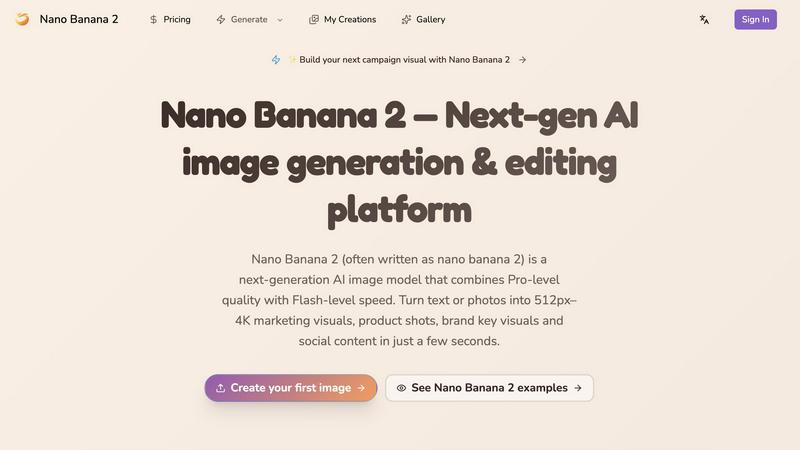
Nano Banana 2
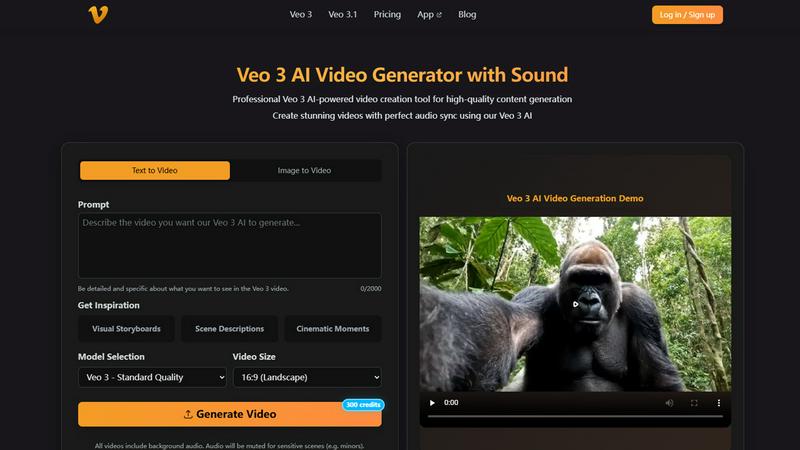
Veo 3 AI Video Generator
Overview
About Nano Banana 2
Nano Banana 2 is a next-generation AI image generation and editing platform built on Google's latest image generation model. It combines professional-level quality with lightning-fast processing speeds to transform text prompts or reference images into production-ready visuals.
Key Features
4K-Ready Image Quality: Generate images from 512px up to 4K resolution for ads, product pages, and app stores
Scene Understanding & Composition: Create complex scenes with plausible lighting, perspective, and layout using the model's world knowledge
Multilingual Text Rendering: Design visuals that mix English, Chinese, and other languages while maintaining readability
Local Editing & Re-rendering: Swap backgrounds, tweak lighting, or add/remove objects without breaking overall composition
Fast Generation & Batch Exploration: Explore multiple creative directions quickly for A/B testing and reviews
Built-in Creative Workflows: Work with galleries, projects, and exports instead of raw API calls
Prompting Tuned for Nano Banana 2: Use opinionated templates and settings optimized for the model to get strong results with fewer iterations
About Veo 3 AI Video Generator
Veo 3 AI Video Generator is a groundbreaking tool designed for content creators, marketers, and businesses looking to produce high-quality videos quickly and effortlessly. By harnessing advanced AI technology, Veo 3 transforms both text descriptions and images into dynamic videos with perfect audio synchronization. Whether you are a professional video producer or a casual user seeking to enhance your social media presence, Veo 3 simplifies the video creation process. Its intuitive interface allows users to generate stunning visuals with automated sound effects, dialogue, and ambient noise generation, ensuring a polished final product. The main value proposition lies in its ability to deliver Hollywood-grade visual effects in minutes, making it an essential tool for those aiming to captivate their audience without investing extensive time or resources.
Alternatives
Nano Banana 2 Alternatives
Nano Banana 2 is an AI-powered image generation and editing platform that leverages Google’s cutting-edge image generation model. It stands out in the Image & Photo category, providing users with the ability to create stunning visuals from text prompts or reference images. However, users often seek alternatives due to factors such as pricing, specific feature sets, or the need for compatibility with different platforms or projects. When choosing an alternative to Nano Banana 2, it's essential to consider aspects like image quality, processing speed, collaboration features, and the flexibility of workflows. A good alternative should not only meet your creative needs but also seamlessly integrate into your existing processes, ensuring a smooth transition and continued productivity.
Veo 3 AI Video Generator Alternatives
Veo 3 AI Video Generator is a cutting-edge tool designed to revolutionize the way users create videos. With its exceptional audio synchronization capabilities, this generator allows users to produce stunning videos featuring automated sound effects, dialogue, and ambient noise generation. Falling under the design tools and video categories, Veo 3 empowers creators, marketers, and businesses to enhance their storytelling through engaging audiovisual content. However, users often seek alternatives to Veo 3 for various reasons, such as pricing, specific feature sets, or platform compatibility. When exploring options, it's essential to consider factors like ease of use, the quality of output, the range of customization features available, and customer support. By evaluating these elements, users can find a solution that aligns perfectly with their video creation needs and budget.