
CZNull vs Volume Shader

Last updated: February 28, 2026

Last updated: February 28, 2026
Visual Comparison
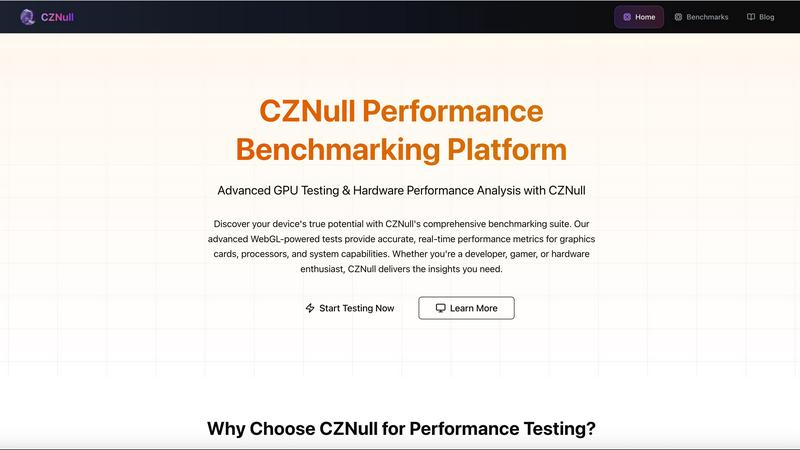
CZNull
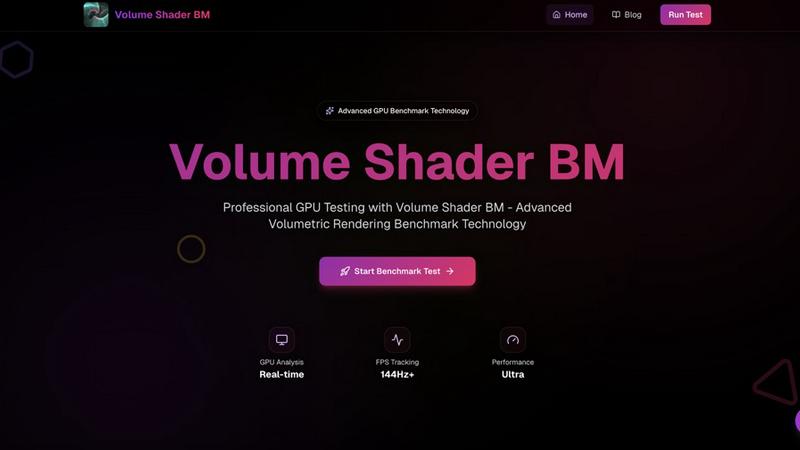
Volume Shader
Feature Comparison
CZNull
Comprehensive GPU Testing
CZNull's GPU benchmarks cover every aspect of your graphics card's performance. From basic rendering capabilities to advanced compute shaders, these tests measure frame rates, texture memory handling, and parallel processing. Gain insights into your hardware's strengths and weaknesses.
Real-Time Analytics
Experience the thrill of instant feedback with CZNull's real-time performance monitoring. As you push your system through demanding workloads, live graphs and metrics provide a clear picture of how your hardware responds under pressure, allowing for immediate adjustments.
Browser-Safe Testing
Safety and privacy are paramount at CZNull. Our platform operates entirely within your web browser, eliminating the need for downloads or installations. Enjoy comprehensive performance testing without compromising your system's integrity or personal security.
Adaptive Complexity
CZNull's intelligent testing algorithms automatically tailor the complexity of benchmarks to match your hardware's capabilities. This ensures that whether you are testing a high-end workstation or a modest laptop, you receive meaningful results that accurately reflect performance.
Volume Shader
Real-Time Testing
Experience instant feedback with live FPS counters and performance metrics during benchmark execution. This feature allows you to monitor your GPU's performance in real-time, making it easier to understand how it handles various graphical challenges.
WebGL Based
Volume Shader operates entirely within your browser using advanced WebGL technology. This means no downloads are required, ensuring a hassle-free experience. Whether you're on a high-end desktop or a mobile device, you can access our benchmark seamlessly.
Accurate Metrics
Get precise performance data with sophisticated measurement algorithms and accurate timing. This feature ensures that your benchmarking results reflect true GPU capabilities, allowing for informed decision-making and optimization.
Cross-Platform Compatibility
Our benchmark tool is designed to work across any device that supports WebGL. From desktops to laptops and mobile devices, Volume Shader guarantees a consistent and reliable benchmarking experience for all users.
Use Cases
CZNull
Optimizing Gaming Performance
Gamers can leverage CZNull's comprehensive benchmarking tools to assess and enhance their gaming rigs. By identifying performance bottlenecks, users can make informed hardware upgrades and software adjustments that lead to smoother gameplay and higher frame rates.
Application Performance Testing
Developers can utilize CZNull to rigorously test their applications across various hardware configurations. By measuring how applications perform under different system loads, they can optimize code and improve user experience, resulting in more robust software solutions.
Hardware Benchmarking for Enthusiasts
Tech enthusiasts can explore the performance of their devices with CZNull's extensive benchmark database. By comparing results against other systems, users can identify areas for improvement and make educated decisions about hardware upgrades or modifications.
Cross-Platform Performance Assessment
With CZNull's cross-platform support, users can evaluate the performance of systems running on different operating systems and devices. This is particularly useful for businesses aiming to ensure consistent performance across a diverse array of hardware setups.
Volume Shader
Game Development
For game developers, Volume Shader provides critical insights into GPU performance, helping optimize graphics for immersive experiences. By understanding how different GPUs handle complex rendering tasks, developers can tailor their games for maximum performance.
Scientific Visualization
Researchers and scientists can leverage Volume Shader to test and visualize complex volumetric data. This is particularly useful in fields like medical imaging and simulation, where accurate graphical representation is crucial.
3D Rendering Applications
3D artists can benefit from Volume Shader by evaluating how their hardware performs under demanding rendering scenarios. This helps in choosing the right tools and optimizing workflows for high-quality results in 3D modeling and animation.
Educational Purposes
Volume Shader serves as an excellent educational tool for students and professionals learning about graphics programming and rendering techniques. It provides practical insights into volumetric shaders, helping users grasp complex concepts in an interactive manner.
Overview
About CZNull
CZNull is an innovative performance testing platform that empowers developers, engineers, and tech enthusiasts to unveil the full potential of their software and hardware systems. With a robust suite of benchmarking tools, CZNull allows users to conduct meticulous performance assessments, whether they are optimizing applications, analyzing system resource usage, or benchmarking hardware components. The platform's user-friendly interface provides detailed analytics that enable users to identify bottlenecks and monitor efficiency, paving the way for data-driven improvements. With cutting-edge WebGL technology at its core, CZNull guarantees unparalleled accuracy and reliability in performance metrics. From gamers seeking to enhance their gaming rigs to developers aiming to fine-tune their applications, CZNull is the go-to solution for anyone looking to stay competitive in an ever-evolving tech landscape.
About Volume Shader
Volume Shader is an innovative GPU benchmarking platform that revolutionizes the way we assess graphics performance across various devices, from powerful desktops to mobile gadgets. By harnessing the power of advanced volumetric shaders and real-time rendering techniques, Volume Shader simulates realistic graphical workloads that reflect the demands of modern applications. This makes it an essential tool for developers, gamers, and tech enthusiasts looking to push their hardware to the limits. The platform provides precise and detailed insights into GPU performance, helping users identify bottlenecks, optimize settings, and ensure their devices deliver an exceptional graphical experience. With its user-friendly interface and powerful benchmarking capabilities, Volume Shader is not just a tool; it's a game-changer for anyone serious about graphics performance.
Frequently Asked Questions
CZNull FAQ
What types of performance metrics does CZNull provide?
CZNull delivers a wide range of performance metrics, including frame rates, draw call efficiency, shader execution time, and resource usage. This comprehensive data helps users make informed decisions about hardware and software optimizations.
Is CZNull safe to use?
Absolutely! CZNull operates completely within your web browser, ensuring no downloads or installations are required. This approach guarantees that your system remains secure while you conduct in-depth performance testing.
Can CZNull be used on mobile devices?
Yes, CZNull is designed to work seamlessly across all major operating systems and browsers, including mobile devices. Users can benchmark their systems regardless of the platform they are on, ensuring consistent and comparable results.
How does CZNull adapt its testing complexity?
CZNull employs intelligent algorithms that automatically adjust the complexity of tests based on the capabilities of the hardware being evaluated. This means users get relevant and meaningful results, whether using a high-performance workstation or a basic laptop.
Volume Shader FAQ
What is Volume Shader?
Volume Shader is an advanced GPU benchmarking platform that tests graphics performance using real-time rendering and volumetric shader techniques. It provides detailed performance metrics to optimize GPU capabilities for demanding applications.
How does Volume Shader work?
The benchmark initializes by detecting your GPU capabilities and preparing volumetric data structures. It then executes various rendering scenarios while collecting real-time metrics, ultimately compiling comprehensive performance data for analysis.
Can I use Volume Shader on mobile devices?
Yes! Volume Shader is designed to be cross-platform and works on any device that supports WebGL. Whether you are using a mobile device or a desktop, you can access the benchmark without any hassle.
What types of performance metrics can I expect?
You can expect precise performance data, including frame rates, rendering times, and quality metrics. These insights will help you understand your GPU's volumetric rendering capabilities and identify areas for optimization.
Alternatives
CZNull Alternatives
CZNull is an innovative platform that falls under the category of performance testing tools, specifically designed for developers, engineers, and tech enthusiasts. It offers a robust suite of tools that enable users to optimize the performance of software and hardware systems. As users dive into performance testing, they often find themselves searching for alternatives to CZNull due to various reasons such as pricing concerns, specific feature requirements, or compatibility with different platforms. When seeking an alternative, it's crucial to consider factors such as the range of features offered, the user interface experience, compatibility with your existing systems, and the level of support available. A good alternative should not only meet your technical requirements but also enhance your overall performance testing process, allowing you to refine your projects effectively.
Volume Shader Alternatives
Volume Shader is an innovative GPU performance testing platform designed for both computers and mobile devices. It leverages advanced volumetric shaders and real-time rendering techniques to replicate real-world graphical workloads, allowing users to assess their device's capabilities in gaming, 3D rendering, and other GPU-intensive applications. As part of the Dev Tools category, it provides essential insights that help users optimize performance and enhance their graphical experience. Users often seek alternatives to Volume Shader for various reasons, including pricing, feature sets, and specific platform requirements. It's essential to consider factors like ease of use, the accuracy of performance metrics, and compatibility with different devices when exploring options. An ideal alternative should match your unique needs while delivering reliable and detailed insights into GPU performance.