
Tools26 vs Youtube Transcript

Last updated: February 27, 2026

Last updated: February 27, 2026
Visual Comparison
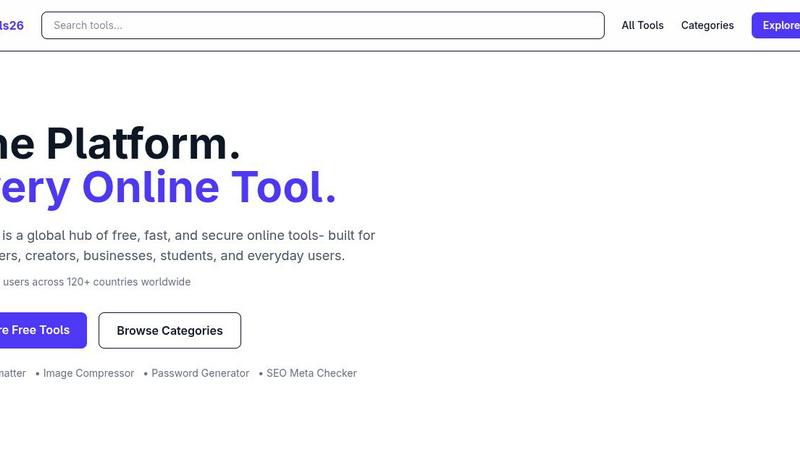
Tools26
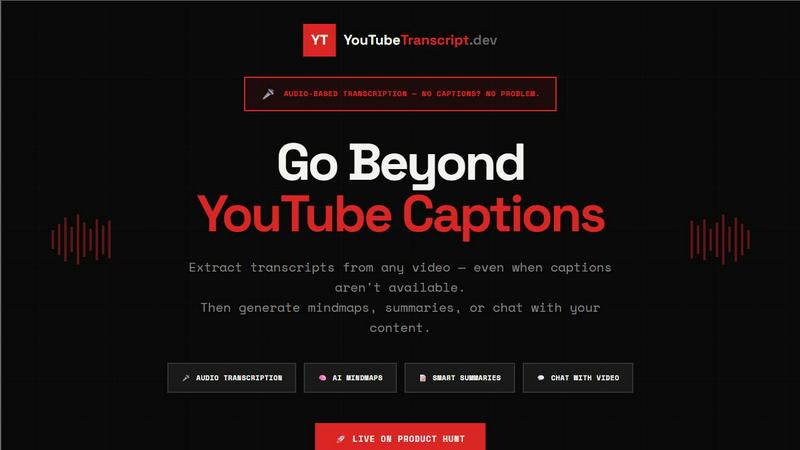
Youtube Transcript
Feature Comparison
Tools26
100% Free Access
At Tools26, users enjoy a completely free experience, with no hidden fees, subscriptions, or paywalls. This commitment allows everyone to access a vast array of tools without financial barriers, enabling creativity and productivity across various fields.
Privacy-First Design
Tools26 champions user privacy by ensuring that there is no tracking or selling of personal data. This approach fosters a secure environment where users can confidently utilize tools without the fear of data breaches or unwanted surveillance.
Global Availability
With a commitment to fast worldwide access, Tools26 is designed to serve users across the globe. Regardless of your location, you can leverage its powerful tools without interruption, ensuring seamless productivity no matter where you are.
Always Growing Collection
Tools26 is dedicated to continuous improvement and expansion. The platform regularly adds new tools to keep pace with evolving user needs, ensuring that you always have access to the latest and most relevant online resources available.
Youtube Transcript
Direct Audio Transcription
Youtube Transcript excels in direct audio transcription, allowing users to extract text from videos that lack captions. Utilizing advanced AI speech recognition technology, it achieves up to 95% accuracy, ensuring that even videos without captions can be understood and utilized for various purposes.
Interactive Viewer
The Interactive Viewer feature enhances the viewing experience by providing real-time synced subtitle overlays. Users can customize font size, color, and position to suit their preferences. Clicking on any line of text seamlessly jumps to that moment in the video, making navigation intuitive and engaging.
Mind Map Generation
With the innovative Mind Map Generation feature, users can visualize video content as interactive mind maps. This is particularly beneficial for students and researchers looking to grasp complex topics quickly, providing a clear and organized view of the content for better retention and understanding.
Chat with Transcript
The Chat with Transcript feature allows users to engage with video content in a conversational manner. By asking questions about the transcript, users receive instant AI-powered responses, making it feel as though they are having a dialogue with the video itself, thus enhancing comprehension and retention.
Use Cases
Tools26
Developers Validating Data
Developers can utilize Tools26 to validate JSON data, format code, or generate random passwords quickly. This efficiency saves valuable time and ensures that projects remain on schedule, enhancing overall productivity.
Marketers Optimizing SEO
For marketers, Tools26 provides essential tools like the SEO Meta Checker and Image Compressor, allowing them to optimize their content and improve search engine rankings. This capability directly translates to enhanced visibility and engagement.
Students Solving Problems
Students can access a variety of calculators, converters, and encoding tools to assist with their studies. Whether it's calculating mortgage payments or converting CSV files, Tools26 empowers students to tackle academic challenges effectively.
Businesses Automating Workflows
Businesses can leverage Tools26 to streamline various workflows, from converting file formats to generating reports. By automating mundane tasks, teams can focus on strategic initiatives, ultimately driving growth and efficiency.
Youtube Transcript
For Marketers
Marketers can leverage Youtube Transcript to create content faster and analyze competitors' strategies. By extracting transcripts from popular videos, they can identify trends, keywords, and content gaps, allowing them to stay ahead in the competitive landscape.
For Content Creators
Content creators can utilize Youtube Transcript to streamline their workflow. By converting video content into text, they can easily repurpose material for blogs, social media posts, or video scripts, maximizing their content's reach and effectiveness.
For Students & Researchers
Students and researchers benefit greatly from Youtube Transcript by accessing transcripts of educational videos. This makes it easier to study complex subjects, generate notes, and create study materials without the need for manual transcription, saving valuable time.
For Developers
Developers can integrate the Youtube Transcript API into their applications to enhance functionality. By enabling transcription capabilities within their own platforms, they can offer users a seamless experience for converting video content into text, enhancing engagement and usability.
Overview
About Tools26
Tools26 is your ultimate global hub for free, fast, and secure online tools, designed for developers, creators, businesses, students, and everyday users. With a mission to streamline your digital experience, Tools26 eliminates the hassle of sifting through countless unreliable websites by consolidating a diverse array of tools into one trusted platform. Whether you're coding, designing, marketing, or studying, Tools26 provides an extensive toolkit that enhances productivity and efficiency. Users from over 120 countries rely on its secure environment, which prioritizes privacy and data protection. Say goodbye to subscriptions and paywalls; Tools26 is committed to offering 100% free access, ensuring everyone can harness the power of these essential tools to build faster and work smarter.
About Youtube Transcript
Youtube Transcript is a powerful tool designed to revolutionize the way we interact with video content on YouTube. It allows users to extract accurate transcripts from any YouTube video, even when captions are unavailable. By leveraging advanced AI-powered audio transcription technology, Youtube Transcript delivers fast and reliable results, converting spoken words into text in seconds. With a user-friendly interface, it caters to a diverse audience including marketers, content creators, students, researchers, and developers, enabling them to transform video content into actionable insights. The main value proposition lies in its ability to save time and enhance productivity by making video content easily searchable and digestible. Whether you want to generate mind maps, create summaries, or even chat with the content, Youtube Transcript empowers you to go beyond passive watching and engage more deeply with the material.
Frequently Asked Questions
Tools26 FAQ
What types of tools are available on Tools26?
Tools26 offers a wide range of tools organized into categories such as calculators, converters, image tools, JSON utilities, and more. Each category contains specialized tools designed to meet diverse user needs.
Is Tools26 really free to use?
Yes, Tools26 is completely free with no subscriptions or paywalls. Users can access and utilize all tools without any financial commitment, ensuring a hassle-free experience.
How does Tools26 protect user privacy?
Tools26 prioritizes user privacy by implementing a no-tracking policy and never selling user data. This commitment creates a secure environment where users can confidently utilize tools without concerns about their personal information.
Are new tools added regularly to Tools26?
Absolutely! Tools26 is continuously evolving, with new tools being added regularly. This dedication to growth ensures that users always have access to the latest functionalities and resources to enhance their online experience.
Youtube Transcript FAQ
How accurate is the audio transcription?
The audio transcription feature achieves up to 95% accuracy, even for videos that lack captions. It uses advanced AI speech recognition to ensure high-quality results.
Can I extract transcripts from playlists?
Yes, you can paste a playlist URL and extract transcripts from all videos within that playlist at once. This is ideal for processing entire courses or series efficiently.
What formats can I export the transcripts in?
YouTube Transcript allows you to export transcripts in multiple formats including TXT, JSON, SRT, and VTT. These formats are compatible with various video platforms and editors.
Is there a free trial available?
Absolutely! You can start extracting up to 10 YouTube transcripts for free without needing to provide credit card information. This allows you to experience the service before committing to a paid plan.
Alternatives
Tools26 Alternatives
Tools26 is an innovative platform that serves as a global hub for a variety of free, fast, and secure online tools. Designed to cater to developers, creators, businesses, students, and everyday users, Tools26 brings together essential resources in one place, simplifying the workflow for its users. It falls under the category of dev tools, making it an ideal choice for those who need reliable and efficient solutions to enhance their productivity. However, users often seek alternatives to Tools26 for various reasons, including pricing, specific feature sets, or compatibility with different platforms. When searching for an alternative, it's important to consider factors such as the range of tools offered, user experience, security features, and customer support. By evaluating these aspects, users can find a platform that best meets their unique needs and preferences.
Youtube Transcript Alternatives
Youtube Transcript is an innovative tool that allows users to extract and download video transcripts from YouTube. It belongs to the Dev Tools category, catering to developers, content creators, and researchers who seek more than just basic captions. This product leverages audio-based transcription technology to deliver accurate transcripts, especially for videos lacking comprehensive captions. Users often search for alternatives to Youtube Transcript due to various reasons, including pricing structures, feature sets, or specific platform compatibility. When choosing an alternative, it's essential to consider the accuracy of transcription, ease of use, integration capabilities, and additional functionalities like summarization and content interaction. Finding the right tool can enhance productivity and streamline workflows, making the content more accessible and manageable.