
Dokta vs Invoice Guru

Dokta
Dokta automates document management for freelancers, effortlessly handling invoices, contracts, and cash flow in just a few clicks.
Last updated: April 4, 2026

Invoice Guru
Create professional invoices in under 60 seconds with Invoice Guru, the ultimate HMRC-compliant tool for UK.
Last updated: February 28, 2026
Visual Comparison
Dokta
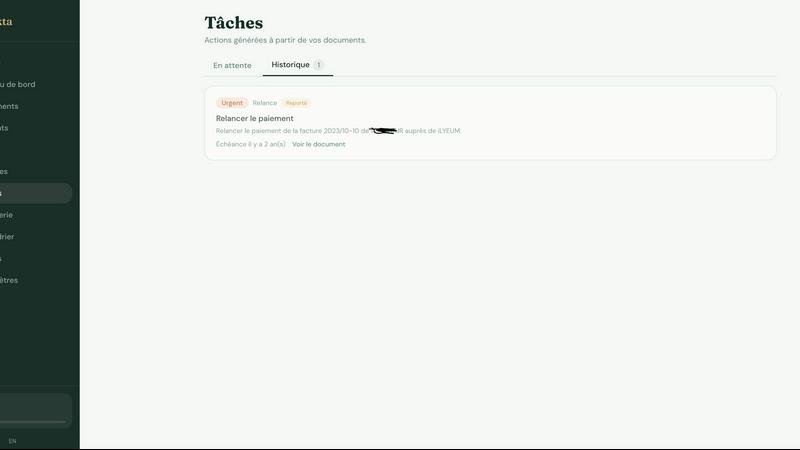
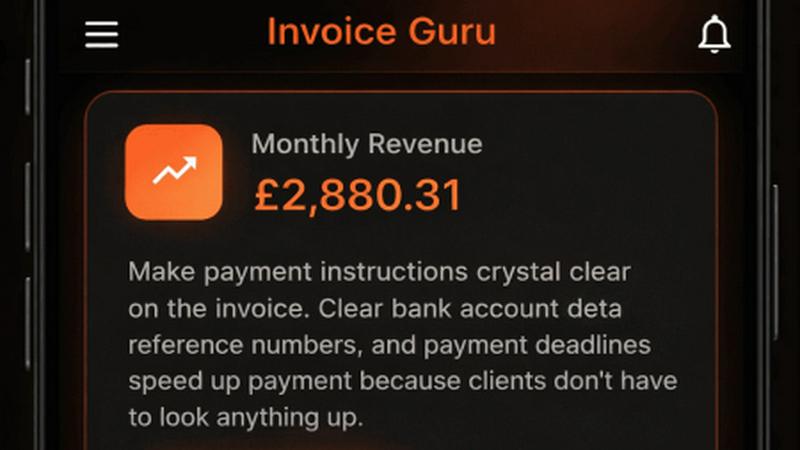
Invoice Guru
Feature Comparison
Dokta
Automated Invoice Management
Dokta provides automated invoice management, allowing users to create professional invoices and quotes in just a few clicks. The platform also tracks payments and automates reminders for unpaid invoices, ensuring that users never miss a payment deadline.
Real-Time Cash Flow Tracking
Stay on top of your finances with Dokta's real-time cash flow tracking feature. Users can visualize their financial situation at a glance with detailed graphs showing billed revenue, received payments, outstanding invoices, and VAT over a 12-month period.
AI-Powered Document Analysis
Dokta's advanced AI engine analyzes documents in under 60 seconds. It reads, classifies, and extracts essential information such as document type, amounts, deadlines, and client or supplier names, making document management quick and efficient.
Client Database Management
Dokta automatically builds and enriches a client database from uploaded documents. This feature includes automatic SIRET enrichment, payment scoring, and a complete historical overview of client interactions, enhancing user insights into their clientele.
Invoice Guru
Instant Invoice Creation
Create and send a professional invoice in less than a minute. Just enter your client’s details, add items, and Invoice Guru automatically includes your logo, VAT, payment terms, and due dates. This speed ensures that you can focus on your work while managing your invoicing efficiently.
Automatic Invoice Numbering
Invoices are systematically numbered and dated based on your fiscal year settings, eliminating the hassle of manual tracking. This feature ensures that your invoices are organized and compliant, making it easier for you and your accountant to manage records.
OCR Receipt Scanner (AI)
Simply snap a photo of your receipts, and Invoice Guru’s AI technology will read all necessary details, saving them as expense entries. This eliminates the tedious task of manual data entry, allowing you to keep your financial records accurate and up-to-date effortlessly.
Smart Payment Tracking
With smart payment tracking, Invoice Guru automatically matches incoming bank transactions with unpaid invoices. You will receive notifications about which clients have paid and which invoices are overdue, helping you maintain a clear view of your cash flow.
Use Cases
Dokta
Freelance Developers
For freelance developers, Dokta streamlines the process of generating invoices from contracts. Developers can focus on coding while Dokta handles their billing, sending invoices automatically based on predefined contract terms.
Creative Professionals
Creative freelancers can benefit from Dokta's easy invoice and quote management. It provides a seamless workflow from proposal to payment, allowing creatives to send quotes for approval and convert them into invoices with a single click.
Auto-Entrepreneurs
Auto-entrepreneurs can rely on Dokta to maintain compliant invoices and track their earnings effortlessly. The platform sends alerts for URSSAF deadlines, ensuring that users remain compliant without the stress of manual tracking.
SMB Owners
Small and medium business owners can utilize Dokta to manage multiple documents, invoices, and contracts in one place. With real-time cash flow insights and automated reminders, SMBs can ensure smooth operations and timely payments.
Invoice Guru
On-Site Invoicing for Tradespeople
Imagine finishing a job and needing to bill your client immediately. With Invoice Guru, tradespeople can create and send professional invoices right from their mobile devices while still on-site, ensuring prompt payment and satisfied clients.
Automated Expense Management
For small businesses juggling multiple expenses, Invoice Guru’s OCR receipt scanning feature allows users to effortlessly track costs without manual input. This facilitates better expense management and financial organization, saving precious time.
Compliance with Tax Regulations
As regulations evolve, keeping up can be a daunting task for small business owners. Invoice Guru’s built-in compliance features, including automatic updates for UK MTD and Poland’s KSeF, ensure businesses remain compliant without needing to switch tools or services.
Streamlined Client Communication
Invoice Guru enables users to send invoices instantly via email, accompanied by notifications when clients view or pay their bills. This feature streamlines communication and fosters prompt responses, enhancing client relationships and satisfaction.
Overview
About Dokta
Dokta is an innovative AI-powered document management platform designed specifically for freelancers, solo entrepreneurs, auto-entrepreneurs, and small to medium-sized businesses (SMBs). With its powerful AI engine, Dokta simplifies document handling by allowing users to effortlessly drop invoices, quotes, contracts, and more, and receiving key data extraction in under 60 seconds. The platform manages the entire document lifecycle, enabling users to create professional invoices, track payments, send automated reminders for unpaid invoices, and manage contracts and deadlines, all with ease. Dokta eliminates the stress of lost files and missed deadlines, allowing users to focus on their core business activities. By building a comprehensive client database and providing real-time cash flow tracking, Dokta empowers users to streamline their financial operations. With a commitment to data privacy, Dokta is fully GDPR-compliant and hosted in Europe (AWS), making it a secure choice for managing sensitive business documents. Whether you are a freelance developer, a consultant, a trades contractor, or managing a growing SMB, Dokta puts your documents at the center of your operations, driven by cutting-edge AI technology.
About Invoice Guru
Invoice Guru is a groundbreaking mobile-first invoicing application specifically designed for tradespeople and small service businesses. Unlike typical invoicing tools that cater to desktop environments, Invoice Guru empowers professionals on the go — from painters to plumbers and electricians — to swiftly generate and send invoices directly from their smartphones. The app's core focus is on speed, simplicity, and real-world automation, allowing users to create invoices in mere seconds, track payment statuses, and minimize administrative tasks. Features like automatic accountant reports, seamless bank integration for payment matching, and OCR receipt scanning for expenses significantly reduce manual work. Furthermore, Invoice Guru stays ahead of regulatory requirements, ensuring compliance with upcoming regulations, including UK MTD and Poland’s KSeF. This unique tool is crafted by a tradesperson who understands the daily hurdles of running a small business, making it a perfect fit for those who need reliable invoicing solutions without the complexities of traditional accounting software.
Frequently Asked Questions
Dokta FAQ
How does Dokta ensure data privacy?
Dokta is fully compliant with GDPR regulations and hosts all data in Europe (AWS), ensuring that users' sensitive information is protected and handled responsibly.
What types of documents can I upload to Dokta?
Users can upload various document types, including invoices, quotes, contracts, and receipts. Dokta's AI engine will analyze and extract data from these documents to facilitate management.
Is there a free trial available for Dokta?
Yes, Dokta offers a free tier that allows users to manage up to 15 documents per month at no cost. This is a great way to experience the platform's capabilities before committing to a paid plan.
What happens if I exceed my document limit?
If you exceed the document limit of your selected plan, you will need to upgrade to a higher tier to continue processing additional documents. Each plan has a specified number of documents you can manage each month.
Invoice Guru FAQ
How long does it take to create an invoice using Invoice Guru?
Creating an invoice takes less than 60 seconds with Invoice Guru. Users can enter client details and items quickly, allowing for efficient invoicing right from their mobile devices.
Is Invoice Guru compliant with tax regulations?
Yes, Invoice Guru is designed with compliance in mind, including adherence to upcoming regulations such as UK MTD and Poland’s KSeF, ensuring that small businesses can confidently manage their invoicing without facing compliance issues.
Can I customize my invoices with my branding?
Absolutely! Invoice Guru allows users to add their logo, company name, address, and terms and conditions automatically on each invoice, enabling a professional and branded appearance for all client communications.
What types of payments can I accept through Invoice Guru?
Invoice Guru supports various payment methods, including bank transfers, PayPal, and Stripe payments, allowing businesses to cater to their clients' payment preferences seamlessly.
Alternatives
Dokta Alternatives
Dokta is an innovative AI-powered document management platform tailored for freelancers, solo entrepreneurs, auto-entrepreneurs, and small to medium-sized businesses (SMBs). It simplifies the document handling process by reading, classifying, and extracting key data from invoices, quotes, and contracts in a flash. While its features are robust, users often seek alternatives due to varying needs such as pricing considerations, specific feature sets, or compatibility with existing platforms. When searching for a suitable alternative, it’s essential to evaluate aspects like ease of use, scalability, security compliance, and the specific functionalities that meet your business requirements. Finding the right document management solution can significantly enhance productivity and streamline operations. Alternatives to Dokta should be assessed based on their ability to manage the full document lifecycle, automate administrative tasks, and provide real-time insights into cash flow. Always prioritize options that offer flexibility in pricing and a user-friendly interface to ensure a smooth transition and integration into your workflow.
Invoice Guru Alternatives
Invoice Guru is an innovative mobile-first invoicing app tailored specifically for tradespeople and small service businesses. Designed for professionals who work on-site, such as painters, plumbers, and electricians, it enables users to create and send invoices in under 60 seconds. As a part of the business and finance category, it stands out for its speed, simplicity, and automation features that cater directly to the unique needs of its users. Many users seek alternatives to Invoice Guru for various reasons, including price, specific features, or compatibility with different platforms. When searching for an invoicing tool, it's essential to consider aspects like ease of use, mobile capabilities, compliance with local regulations, and support for payment tracking and expense management. Finding a solution that aligns with your business needs can significantly enhance your invoicing experience and streamline administrative tasks.