
RoomCreator
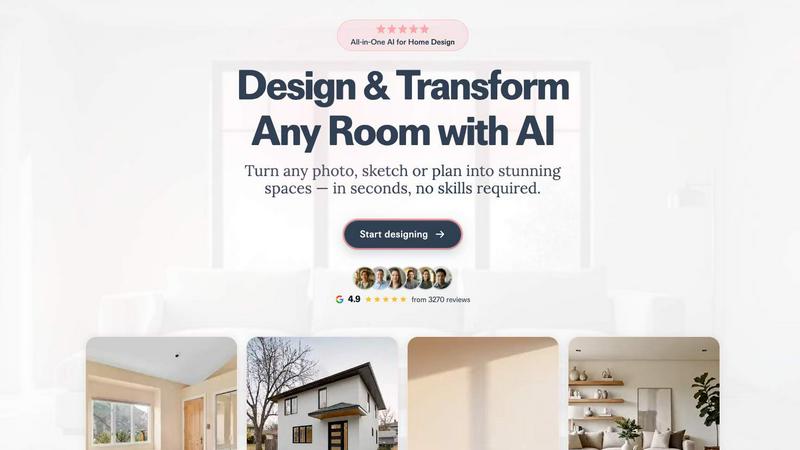
Transform any room instantly with RoomCreator's AI, turning photos or sketches into stunning, realistic designs in seconds.
About RoomCreator
RoomCreator is an innovative AI-powered room design tool that empowers homeowners, DIY enthusiasts, and real estate professionals to visualize and transform their spaces effortlessly. With just a single photo, users can receive stunning, hyper-realistic redesigns in as little as 10 seconds—no prior design skills required. The platform is perfect for anyone looking to explore new styles, furniture arrangements, and color schemes before making costly purchases or renovations. RoomCreator caters to a wide array of users, from homeowners wanting to refresh their living environments to real estate agents needing to create eye-catching visuals for property listings. The main value proposition lies in its ability to deliver fast, accurate, and visually appealing designs that simplify the decision-making process, making it a go-to solution for quick renovations, small spaces, or testing creative ideas.
Features of RoomCreator
AI Room Design in Seconds
With RoomCreator, you can transform any room with just one photo. The AI analyzes the image and generates realistic redesigns in a mere 10 seconds, making it incredibly easy to envision your space's potential without any design background.
Smart Layouts for Improved Functionality
The tool offers smart layouts that enhance flow and functionality within your space. By intelligently rearranging furniture and optimizing room dimensions, RoomCreator ensures that your newly designed area is not only beautiful but also practical.
Instant Visual Changes
Explore instant wall colors, flooring options, and furniture arrangements to see how different elements work together in your space. RoomCreator allows you to experiment with various styles, ensuring you find the perfect combination that suits your taste.
Realistic 3D Previews
Experience your design in stunning detail with RoomCreator's realistic 3D previews. The tool incorporates natural lighting and textures, providing an immersive visualization that helps you make confident design decisions with ease.
Use Cases of RoomCreator
Homeowners Redesigning Their Spaces
Homeowners can leverage RoomCreator to visualize how their spaces could look before committing to any changes. Whether it is a living room makeover or a kitchen redesign, this tool enables them to try out styles and layouts that resonate with their personal aesthetic.
Real Estate Agents Showcasing Properties
Real estate agents can utilize RoomCreator to create eye-catching visuals that make property listings stand out. By transforming empty or outdated spaces into beautifully staged interiors, agents can attract potential buyers more effectively.
Investors Evaluating Renovation Potential
Individual investors can assess renovation potential without the need for costly staging or rendering services. RoomCreator provides realistic visuals for flips, rentals, or investment presentations, showcasing the future value of properties in a compelling manner.
Designers and Creatives Testing Ideas
Designers and creatives can use RoomCreator to test out ideas quickly and easily. By uploading sketches or photos, they can visualize their concepts in photorealistic detail, allowing for faster decision-making and more effective presentations to clients or stakeholders.
Frequently Asked Questions
How does RoomCreator work?
RoomCreator uses artificial intelligence to analyze a photo of your room, then generates realistic redesigns based on various styles, colors, and layouts in just 10 seconds. Simply upload your image, select a style, and see the transformation instantly.
Do I need any special skills to use RoomCreator?
No, RoomCreator is designed for everyone, regardless of design experience. The intuitive interface allows users to create stunning room designs quickly and easily, making it accessible to homeowners, real estate agents, and anyone interested in interior design.
Can I try RoomCreator for free?
Yes! RoomCreator offers 10 free credits with no credit card required, allowing you to explore the features and capabilities of the tool without any initial investment.
What types of rooms can I redesign with RoomCreator?
RoomCreator supports a wide range of room types, including kitchens, living rooms, bedrooms, bathrooms, and even outdoor spaces. You can experiment with various styles and themes for any area of your home.
Top Alternatives to RoomCreator


EDIBridge
EDIBridge replaces weeks of EDI setup with smart visual data flows, getting Walmart suppliers live in 15 minutes for just $49 a month.


Vibetoolstack
Vibetoolstack curates the AI-native tools, stacks, and workflows builders actually ship with.
Calculeaf
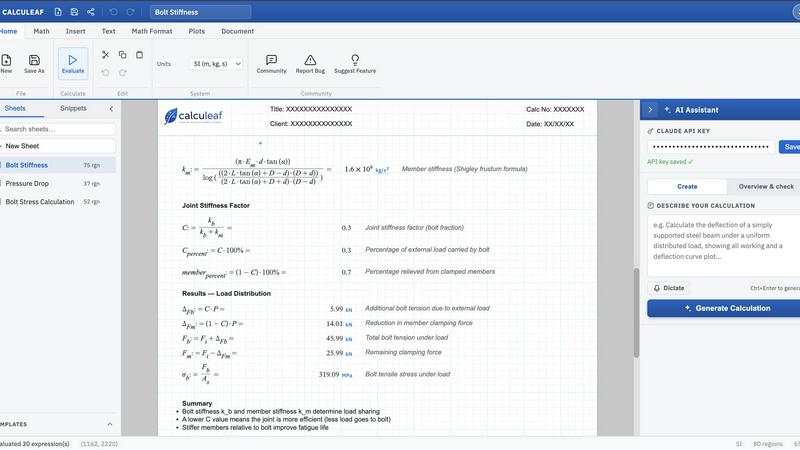
Calculeaf is the next-generation web-based engineering worksheet for unit-aware math, notes, plots, and reusable calculations.
Ashdeck
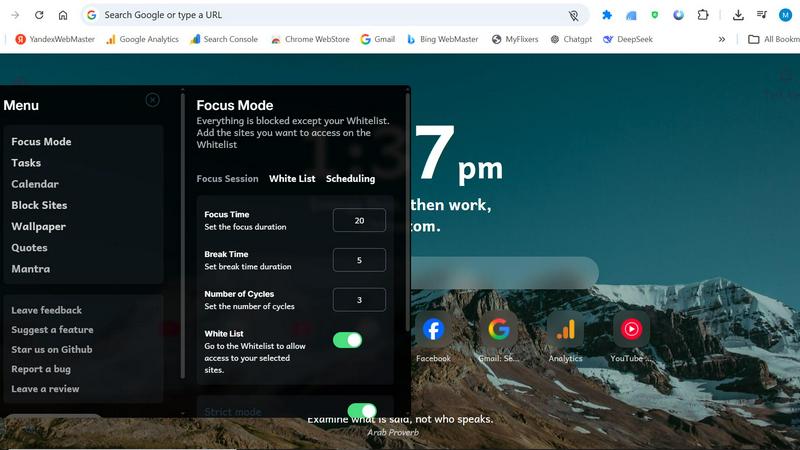
Ashdeck turns your browser into a focused workspace with a Pomodoro timer and site blocker to stop mindless browsing.

Smart Comparison Widget
Elevate your webshop with our Smart Comparison Widget, enabling customers to easily compare products and make informed choices, boosting sales and.