BoltShot
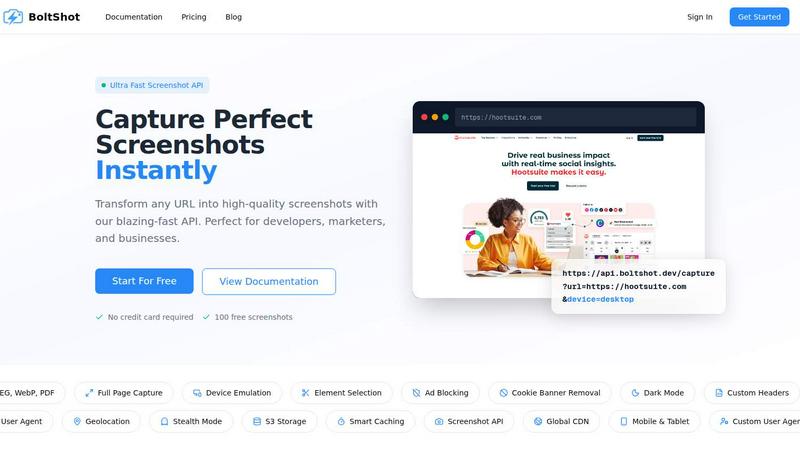
BoltShot is the ultra fast screenshot API that turns any URL into perfect, customizable images for developers, marketers, and businesses.

About BoltShot
BoltShot is the ultimate website screenshot API that transforms any URL into stunning, high-quality screenshots in seconds. Whether you need PNG, JPEG, WebP, or PDF output, BoltShot delivers pixel-perfect captures through a single, simple API request. This is not just another screenshot tool; it is a developer-first powerhouse designed to eliminate the nightmare of managing your own browser clusters and headless Chrome infrastructure. Imagine instantly capturing full-page screenshots, emulating any device from mobile to tablet to desktop, and even targeting specific elements on a page using CSS selectors. That is the BoltShot promise. Built for developers, marketers, and businesses, BoltShot integrates seamlessly into workflows for e-commerce previews, automated reporting, web archiving, testing, and compliance monitoring. With built-in ad blocking, automatic cookie banner removal, and smart caching, you get clean, distraction-free results every time. Plus, advanced features like S3 uploads with CDN delivery, custom user agents, geolocation emulation, stealth mode, and custom headers give you total control over your captures. Stop babysitting headless browsers and start capturing perfect screenshots instantly with BoltShot. It is fast, reliable, and ready to supercharge your projects today.
Features of BoltShot
Multi-Format Output
BoltShot supports four major output formats: PNG, JPEG, WebP, and PDF. This flexibility ensures that whatever your project demands, you have the perfect format ready to go. Whether you need a lightweight JPEG for a web preview, a transparent PNG for a design mockup, a modern WebP for optimized loading, or a full PDF for a document archive, BoltShot handles it all with a single API parameter. No more converting files or juggling multiple services.
Full Page Capture and Element Targeting
Capture exactly what you need with pixel-perfect precision. BoltShot allows you to take full-page screenshots that automatically scroll and stitch together the entire length of any website. Alternatively, use CSS selectors to target and capture specific elements like a product image, a chart, or a headline. This granular control means you never waste time cropping or editing screenshots after capture.
Device Emulation and Custom Viewports
BoltShot makes responsive design testing effortless. Emulate any device with built-in presets for mobile, tablet, and desktop viewports. You can also set custom viewport dimensions to test specific screen sizes. This feature is essential for developers who need to verify how their sites look across different devices without maintaining a physical device lab or complex testing infrastructure.
Clean Capture Technology
Say goodbye to clutter. BoltShot automatically blocks advertisements, removes cookie consent banners, and eliminates intrusive popups and overlays from your screenshots. This clean capture technology ensures every screenshot you take is professional, distraction-free, and ready for immediate use in presentations, reports, or marketing materials. No more manual editing to remove unwanted elements.
Use Cases of BoltShot
E-commerce Product Previews
E-commerce teams can use BoltShot to automatically generate high-quality screenshots of product pages for use in catalogs, comparison charts, and social media promotions. By capturing clean, ad-free images of products with full-page views, businesses can create consistent visual assets at scale without manual screenshotting. This streamlines the entire content creation pipeline for online stores.
Automated Reporting and Dashboards
Data teams and analysts can integrate BoltShot into their reporting workflows to capture real-time screenshots of dashboards, charts, and data visualizations. These captures can be automatically included in daily, weekly, or monthly reports sent to stakeholders. With smart caching and fast API responses, BoltShot ensures reports are always up-to-date without overwhelming your infrastructure.
Web Archiving and Compliance Monitoring
Organizations needing to maintain records of web pages for legal, regulatory, or historical purposes can rely on BoltShot for reliable archiving. The API captures full-page screenshots with timestamps, ensuring an accurate visual record of any URL at any point in time. With features like stealth mode and custom headers, BoltShot can capture pages that might otherwise block standard bots.
Continuous Integration and Visual Testing
Software development teams can integrate BoltShot into their CI/CD pipelines to automatically capture screenshots of web applications after each deployment. This enables visual regression testing, allowing teams to quickly identify unintended layout changes or broken elements. BoltShot's device emulation ensures tests cover mobile, tablet, and desktop views, catching issues before they reach production.
Frequently Asked Questions
What output formats does BoltShot support?
BoltShot supports four high-quality output formats: PNG, JPEG, WebP, and PDF. You can specify your desired format as a parameter in the API request. This flexibility allows you to choose the best format for your specific use case, whether you need a transparent PNG for design work, a compressed JPEG for speed, a modern WebP for web optimization, or a PDF for document generation.
How does BoltShot handle cookie banners and ads?
BoltShot includes built-in clean capture technology that automatically detects and removes cookie consent banners, advertisements, popups, and other intrusive overlays. This happens seamlessly during the capture process, so you receive a clean, professional screenshot without any manual editing. The technology is constantly updated to handle the latest web patterns.
Can I capture specific parts of a webpage?
Yes, BoltShot allows you to capture specific elements on a page using CSS selectors. Simply pass the CSS selector of the element you want to capture, and the API will return a screenshot focused solely on that element. This is perfect for capturing product images, specific charts, headlines, or any other discrete component of a webpage.
Is there a free trial available?
Absolutely. BoltShot offers a generous free tier that includes 100 free screenshots with no credit card required. This allows you to test the API, integrate it into your workflow, and see the quality of captures firsthand before committing to a paid plan. Getting started takes just minutes with our simple API documentation.
Pricing of BoltShot
BoltShot offers flexible pricing plans designed to scale with your needs. The free tier provides 100 screenshots per month at no cost, perfect for trying out the service. For higher volume needs, paid plans start at $29 per month for 5,000 screenshots, with additional features like priority support, custom storage, and advanced caching. Enterprise plans are also available for teams requiring custom SLAs, dedicated infrastructure, and volume discounts. Visit our pricing page for full details.
Top Alternatives to BoltShot
Use AI Tools
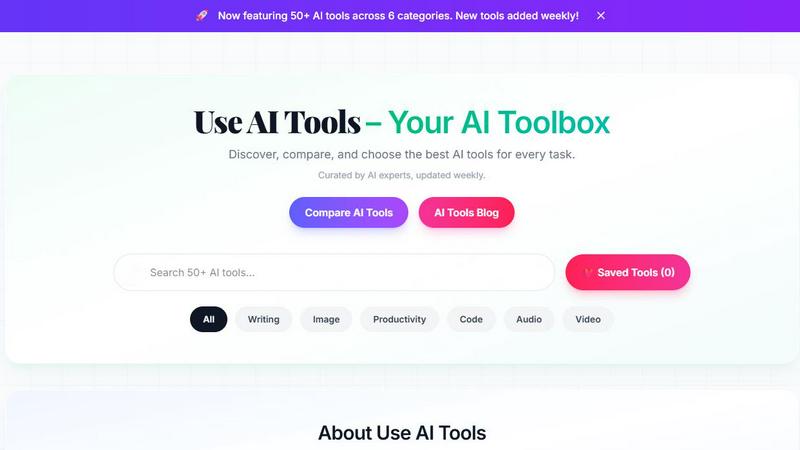
Discover, compare, and choose from 135+ handpicked AI tools across writing, image, and more, updated weekly.
Game Server Backend
Game Server Backend simplifies multiplayer development with integrated player auth, data storage, and matchmaking on one powerful platform.
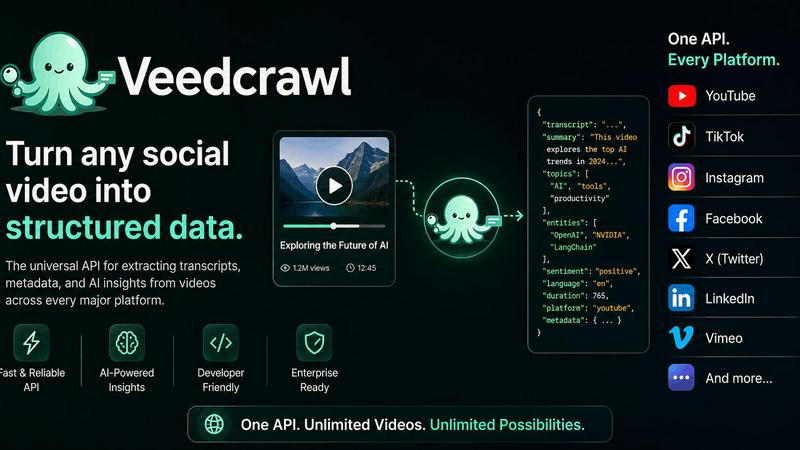
Veed Crawl
Turn any public social video URL into transcripts, metadata, and structured insights for your AI agents.
Headless Domains
Empower your AI agent with a secure, verifiable identity through Headless Domains to enhance trust across digital platforms.