LoadTester
Launch distributed load tests from your browser or CI/CD with live analytics and zero infrastructure to manage.

About LoadTester
LoadTester is a modern, cloud-native HTTP and API load testing tool built by Cloud Native d.o.o. that eliminates the traditional pain of setting up and managing load testing infrastructure. Designed for engineering teams who need repeatable, reliable performance checks, LoadTester allows you to create, launch, and monitor load tests directly from your browser or integrate them seamlessly into your CI/CD pipeline. The core value proposition is simplicity without sacrificing power: you get distributed load testing with live analytics, p95 and error-rate thresholds, automated scheduling, and run-to-run comparisons, all without provisioning a single server or orchestrating a single worker. Whether you are a solo developer verifying a new endpoint or a platform team enforcing performance gates before every deployment, LoadTester adapts to your workflow. It supports both Virtual User (VU) mode and Requests Per Second (RPS) mode, giving you flexibility in how you simulate traffic. The platform auto-scales workers, starts tests in under three seconds, and provides real-time streaming data on throughput, latency, and errors. Post-run, you get clean, shareable results with export options for PDF, CSV, and JSON. With built-in threshold guards, Slack and email alerts, and webhook integrations, LoadTester ensures you catch performance regressions before your users ever notice a slowdown. It is built for scale, performance, and reliability, with a free plan available to get started immediately.
Features of LoadTester
Instant Distributed Execution
LoadTester eliminates the biggest friction point in load testing: infrastructure setup. With a cold start time of under three seconds, you can go from defining a test scenario to having live traffic hitting your endpoints. The platform automatically dispatches and scales workers across a distributed network, handling all the orchestration behind the scenes. You simply set your target URL, choose your mode (VUs or RPS), define the rate and duration, and hit run. There is zero infrastructure to provision, no queueing delays, and no scheduling headaches. This means your team can focus on interpreting results and improving performance, not on managing test infrastructure.
Live Real-Time Analytics
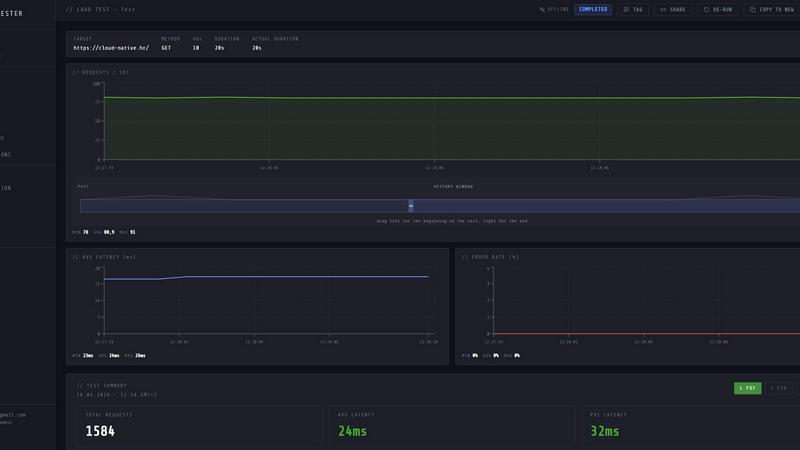
While your test is running, LoadTester provides a live streaming dashboard that updates in real time. You can monitor key metrics including requests per second (RPS), p50, p95, and p99 latency, active virtual users, and error counts. The latency distribution chart updates dynamically over the last 60 seconds, giving you immediate visibility into performance trends and bottlenecks. Unlike traditional tools that only show results after the test completes, LoadTester lets you watch the data as it happens. This real-time feedback is critical for spotting issues early, adjusting test parameters on the fly, and understanding how your application behaves under load without waiting for a post-run report.
Smart Auto-Stop with Threshold Guards
LoadTester includes intelligent guardrails that protect your application and your testing budget. You can configure automatic stop conditions based on latency thresholds (e.g., auto-stop if p95 latency exceeds 400ms) or error rate thresholds (e.g., auto-stop if error rate exceeds 2%). Additionally, you can set regression thresholds that compare current runs against a baseline, triggering notifications via Slack or email if performance degrades by a specified percentage, such as 15%. These auto-stop features prevent runaway tests from overwhelming your systems and ensure that performance regressions are caught and flagged immediately, not discovered hours later in a log file.
CI/CD, Webhooks, and Automated Scheduling
LoadTester is built for modern development workflows. It offers full API access and webhook integration, allowing you to trigger load tests directly from your CI/CD pipeline on every deploy. Scheduled tests let you run performance baselines daily, weekly, or at custom intervals, ensuring continuous monitoring of your application's performance over time. Webhooks can post result links to release bots, Slack channels, or any custom endpoint, making it easy to integrate performance checks into your existing alerting and notification systems. This automation ensures that performance testing becomes a repeatable, automated part of your development lifecycle rather than an occasional manual task.
Use Cases of LoadTester
Pre-Deployment Performance Gates for CI/CD
Engineering teams can integrate LoadTester into their CI/CD pipeline to automatically run a performance test against every new build or deployment. By setting strict p95 latency and error rate thresholds, the pipeline can be configured to fail and block the deployment if the application does not meet performance SLOs. This use case ensures that performance regressions are caught before code reaches production, protecting the user experience and maintaining service reliability. The instant start-up and API-driven execution make it a natural fit for automated testing workflows.
Spike Testing for E-Commerce and Event-Driven Applications
E-commerce platforms, ticketing systems, and applications expecting traffic spikes can use LoadTester to simulate sudden surges in user activity. By choosing VU mode and defining a high concurrency level, teams can validate that their checkout flows, search endpoints, and payment gateways handle peak loads without degradation. The live analytics dashboard allows engineers to watch latency and error rates in real time, while the auto-stop thresholds prevent the test from overwhelming production systems. This use case is critical for ensuring a smooth user experience during high-traffic events like Black Friday or product launches.
Baseline Performance Monitoring and Regression Detection
Platform teams can schedule recurring baseline tests to continuously monitor the performance of critical API endpoints. By running the same test daily or weekly, LoadTester provides run-to-run comparisons that highlight even small regressions in latency or throughput. The regression threshold feature automatically alerts the team via Slack or email if performance drops by a defined percentage, enabling proactive investigation before the issue impacts users. This use case transforms performance testing from a one-time activity into an ongoing health check for your application.
Capacity Planning and Infrastructure Validation
When planning infrastructure upgrades, scaling strategies, or migrations, teams can use LoadTester to validate that their systems can handle expected future loads. By gradually increasing RPS or VUs and monitoring the resulting latency and error rates, engineers can identify the breaking point of their current setup and determine where to allocate resources. The detailed post-run reports with p95 and p99 latency metrics provide concrete data for capacity planning decisions. This use case helps teams make informed infrastructure investments based on real performance data rather than guesswork.
Frequently Asked Questions
How do I get started with LoadTester?
Getting started is straightforward. Visit the LoadTester website and sign up for a free account. No infrastructure setup is required. From the dashboard, click "New Test," enter a name, choose your HTTP method (GET, POST, PUT, DELETE), and provide the target URL. Select your mode (VUs or RPS), set the rate and duration, and click "Launch." Your test will start in under three seconds, and you can watch the live analytics stream in real time. The free plan allows you to run tests immediately without any credit card.
What types of tests can I run with LoadTester?
LoadTester supports HTTP and API load testing. You can run tests in Virtual User (VU) mode, which simulates a specific number of concurrent users making requests, or in Requests Per Second (RPS) mode, which maintains a constant throughput rate. This flexibility allows you to simulate realistic user behavior or stress test your system's capacity. You can test any HTTP endpoint, including REST APIs, GraphQL endpoints, and web applications. The tool supports GET, POST, PUT, and DELETE methods.
How does LoadTester handle test infrastructure and scaling?
LoadTester is a fully managed service. When you launch a test, the platform automatically provisions and dispatches distributed workers from its cloud infrastructure. The system auto-scales the number of workers based on your test parameters to ensure accurate results. You do not need to manage any servers, configure any load generators, or handle any orchestration. The cold start time from launching a test to receiving the first request is under three seconds, and there is no queueing delay for test execution.
Can I integrate LoadTester with my existing CI/CD and monitoring tools?
Yes, LoadTester is designed for seamless integration. It provides a full API for programmatic test execution and result retrieval. You can trigger tests from any CI/CD platform like GitHub Actions, GitLab CI, Jenkins, or CircleCI. Webhook support allows you to send test results and completion notifications to Slack, email, or any custom endpoint. Scheduled tests run automatically at defined intervals. This makes it easy to incorporate performance testing into your existing development and alerting workflows without manual intervention.
Pricing of LoadTester
LoadTester offers a free plan that allows you to start running tests immediately with no credit card required. For teams needing higher throughput, more concurrent virtual users, longer test durations, and advanced features like scheduled tests and priority execution, paid plans are available. Specific pricing tiers and costs are detailed on the LoadTester website under the Pricing section. The free plan is ideal for individual developers and small projects, while paid plans cater to growing teams and enterprise requirements. Visit the LoadTester website for the most current pricing information.
Top Alternatives to LoadTester
Steam Workshop Downloader
Paste any Steam Workshop URL to instantly download mods, maps, and skins for free with no login required.
ProcessSpy
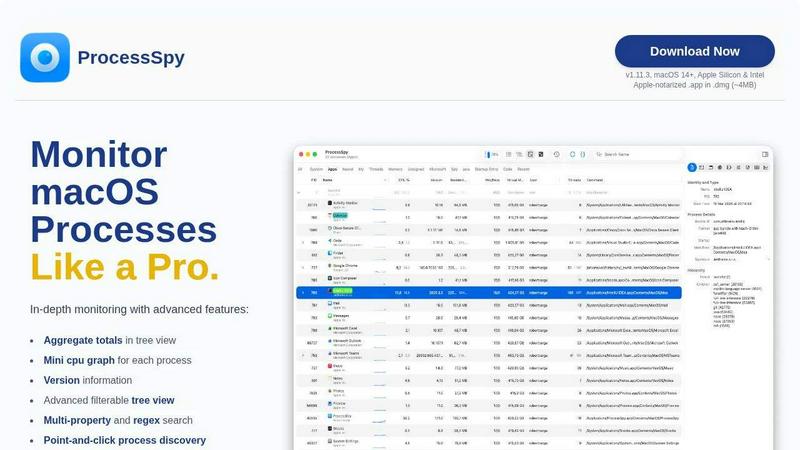
ProcessSpy is the ultimate Mac monitor that empowers you to track and analyze processes with advanced features for unmatched system insight.

Datamata Studios
Datamata Studios gives developers free utilities, live skill trends, and premium data to drive their code and career with raw market intelligence.